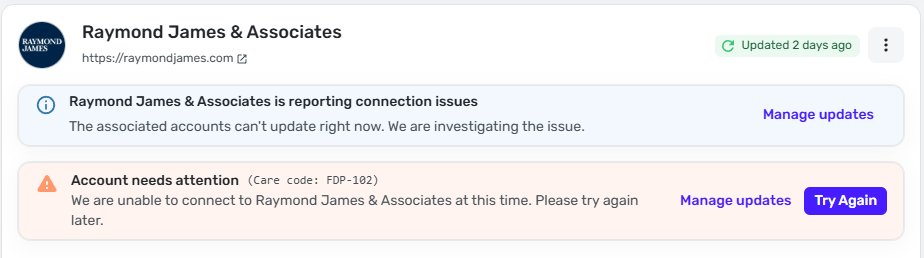
This problem started 2 days ago. I tried to reset connection, and the problem is still there:
We are unable to connect to Raymond James & Associates at this time. Please try again later. Care Code: FDP-102
Hello @virshu,
Thanks for reaching out! I can see the FDP-102 error you are experiencing from our side as well. Typically, this error resolves itself after 24-48 hours.
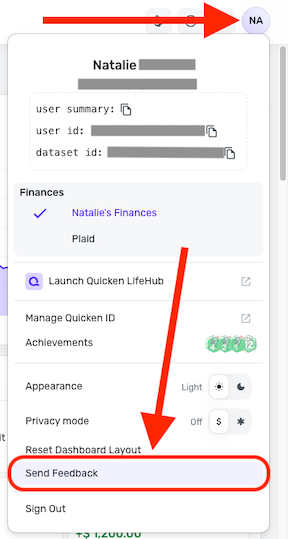
If the issue is still occurring, I would see if the following steps work to resolve the issue:
Let us know how this goes!
Hello -
Thank you for such quick response. I truly appreciate that!
Let me know if I can help you troubleshooting this issue in any other way
Professor Felix
UPDATE: I also noticed that the problematic account doesn't have three dots. I can't switch it to Manual the way that your link instructs.
The troubleshooting steps I gave are not the same as resetting the connection. It allows for establishing a completely fresh connection when done this way. I also cannot comment on other third-party programs, since I would not really know how they would work.
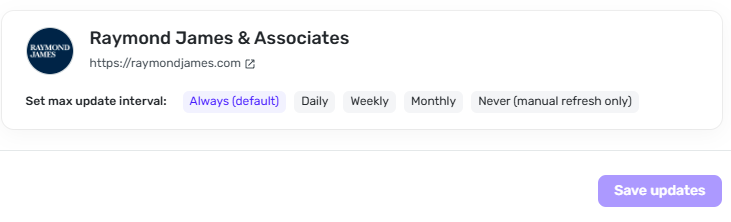
If you select "Manage updates" as shown in your screenshots, then select "Always", it should allow you to access the 3-dot menu. Let us know!
It has always been "Always (default)". I even changed it to "Daily" and back to "Always". No three dots. Not asking you to comment on third-party programs. Rather, trying to eliminate RJ as root cause of the problem. Many years ago I was a QA analyst - it used to be a common troubleshooting technique. Maybe times have changed.
-Professor Felix
Thank you for your reply,
To clarify, is the Raymond James account the only one missing the 3 dots, or do you not see them for any account? Do you encounter the same issue when using an alternate browser or the mobile app?
Thank you!
it's the only one - but of course, it is the only one that has trouble. And it is the same issue in desktop app, Chrome, Edge, and mobile app
My Raymond James account is not connecting either now, but I am seeing FDP-101.
@EL1234 - I started seeing FDP-101 today as well
Thank you for your replies,
Thank you for letting us know you're also encountering an issue connecting. When I check our internal tools, I can see that you did get the FDP-101, but the error changed to a FDP-102 when you tried again later. Does that match what you saw on your end?
Thank you for letting us know the error changed to a FDP-101. The initial troubleshooting for a FDP-101 error is to wait 48 hours from when you saw the error and try again.
Please let us know if the issue persists!
Hi, that's correct, now I see FDP-102. I'm not sure when it changed.
FWIW, I got FDP-102 again (as opposed to 101). Don't know what difference it makes.
You made me curious so I went to check, and now I have FDP-155!
Hello @EL1234,
Thanks for letting us know! Can you please supply a screenshot of the Accounts Summary page from the bank's website that has a wide enough scope to show the full page URL? This is the landing page after signing in, and typically lists all accounts and balances. You will want to take this from a web browser and not a mobile browser, as well as redact any private info such as account numbers.
We will also need logs to be sent, please:
Raymond James is not connecting currently with an FDP-155 error.
Message says it's being worked on, but don't see this in the known online banking issues.
Hello everyone!
We are aware of the known issue with Raymond James, and we do have an alert you can follow while our team works on a resolution!
In the meantime, you can track the accounts manually by adding manual transactions, which will keep your records up-to-date. Here are the steps to do so: Managing Transactions in Quicken Simplifi | Quicken Simplifi Help Center
Thank you for your patience!
Thanks! Do you still need the info you asked me for upthread? I can't log in right now since I don't have the linked phone with me. But this is the url I use to log in on the website: https://clientaccess.rjf.com/
No, that is fine. We will let you know if anything else is needed as we work to resolve this issue! Thank you!
Thanks!
I have not gotten updates for any of my Raymond James accounts in 10 days. The latest error message is Care code: FDP-102. Anyone else having this issue?
Hello @D-Rock,
Thanks for reaching out! From our side, I am seeing an FDP-155 error for you when trying to connect to Raymon James in Quicken Simplifi. We do have an alert for this known issue that you can follow for updates here:
In the meantime, you can track the account manually by adding manual transactions, which will keep your records up-to-date. Here are the steps to do so: Managing Transactions in Quicken Simplifi | Quicken Simplifi Help Center
And now I get FDP-101!
I'm about ready to cancel, my renewal is up in a few days
Any resolution to connecting to Raymond James Financial?
Hello @Laltshul,
Thanks for reaching out! I can see the FDP-155 error you are encountering when trying to connect to Raymond James & Associates. We do have an alert for this known issue, which you can follow while our product team works on a resolution in the meantime, here:
We will be sure to post further updates there as we receive them!
Any update on this? The Raymond James connection is still not working and no updates for the past week. Please help!
I have been trying to re-connect to Raymond James for over a week now. Is there going to be any fix to this. All I see posted for updates is your statement acknowledging the problem and then a statement saying you will post updates as you receive them. I would hope after a week that some additional details and a timeframe could be posted. Please provide information when the connection issue will be resolved. Thank you.
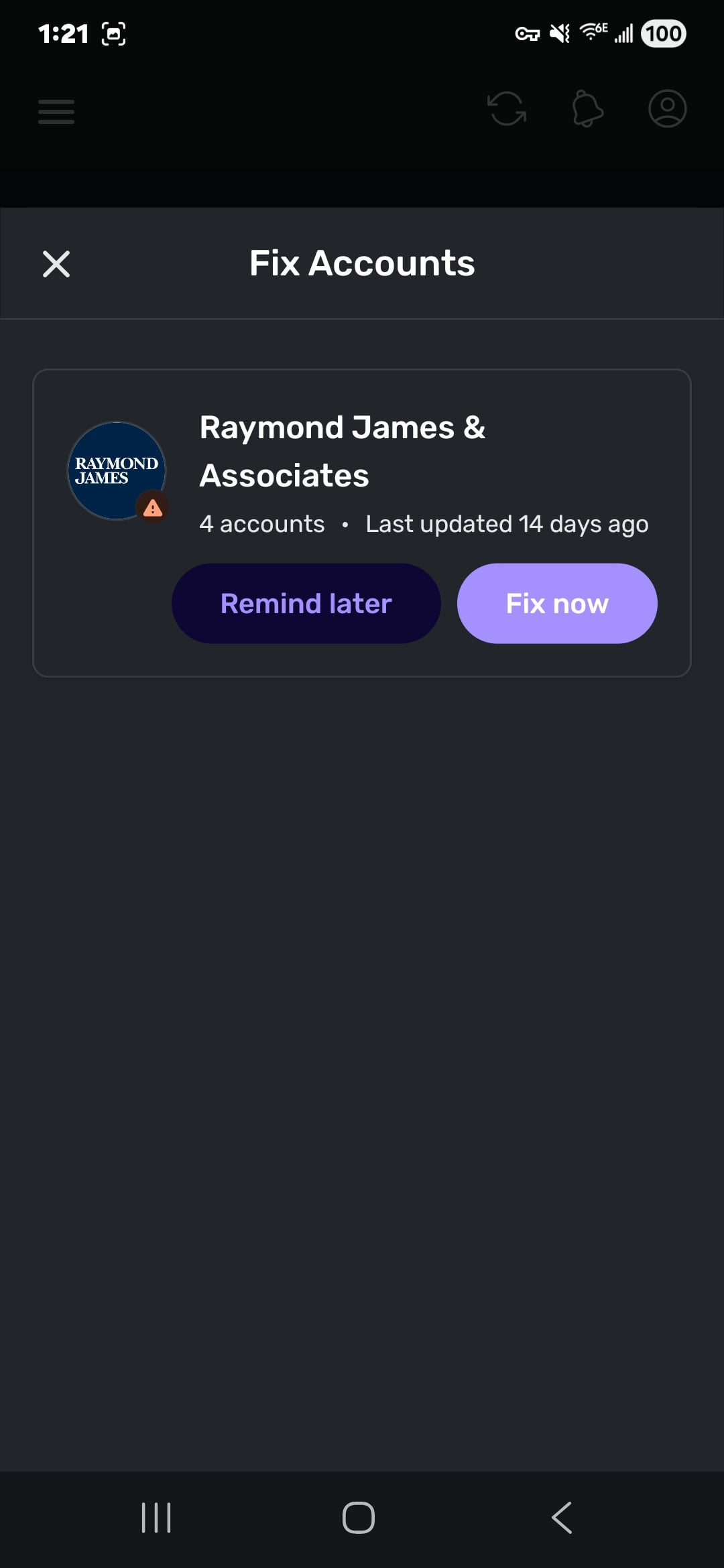
14 days to resolve this issue is way too long with no end in site. They convinced me to switch to Simplifi. Now that I've converted all my financial records over i can't use Simpli without this connection. I'm flying blind. Going back to the manual method in Excel and save some $.
Okay, it's now April 23rd and this problem hasn't been fixed. What is happening here???
Seriously. If this doesnt fix soom i have no use for Simplifi since all my investments are there. Zero communication from quicken in 2 weeks.
Same. If not fixed by May 1 I will ask for a refund on remaining portion of subscription since they are no longer delivering promised services. Here are some options I've been looking at: [removed competitor mentions]