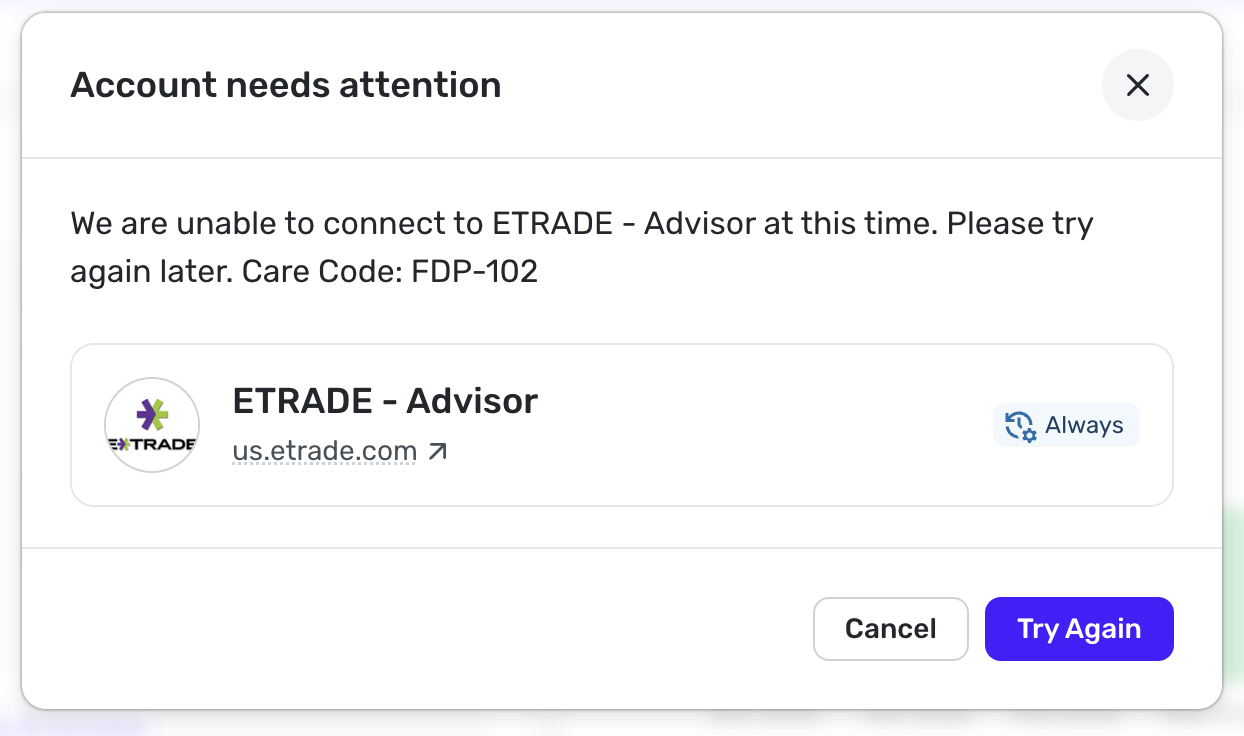
E Trade connection started failing 2 days ago. FDP-102
Previous ETrade connection started to fail 2 days ago. Reset connection as well as deleted connection and added new. When adding new it returns with the accounts but then fails with FDP-102. Multi Authentication turned on but always worked in the past I just had to add the pin to refresh the data. Can tell Simplify has changed as when adding new it now asks if Multi is turned on where in the past it never did.
Comments
-
Hello @mwatson,
Thanks for reaching out! I can see the FDP-102 error you are experiencing from our side. You'll generally receive error code FDP-102 when our connection to your bank is throttled, limiting the number of successful connection attempts, or due to a server outage.
I know that Quicken Simplifi doesn't support E*trade's password + token MFA options. Do you have that enabled on the bank's side?
Do you still have an existing account for E*Trade in Quicken Simplifi? If so, let's see if the following steps work to resolve the issue:
- Make all of the accounts with the bank manual by following the steps here.
- Once you see the account(s) listed in the Manual Accounts section under Settings > Accounts, go back through the Add Account flow to reconnect to the bank.
- If the connection is successful, carefully link the account(s) found to your existing Quicken Simplifi account(s) by following the steps here.
-Coach Jon
0 -
I have the same error, for 7 days now, for the first time. In the past I've had outages for a day or two, but never this long. Something is up.
If Simplifi no longer supports etrade MFA, that's new. It was never automatic, but it prompts for the token and it appends it to the password when connecting. It also still asks if the accounts have MFA during setup. (I just checked via an attempted reset.)
I've never had a problem until a week ago. So, odd to hear that it's unsupported. Either it very recently stopped being supported or that info may be out of date, and support was added some time ago?
In my case, it even still works perfectly, with the same MFA app, for my banking account with them. Just not any investment accounts.
It's worth stating that MFA support is not an optional feature for investment accounts. Any tool that didn't support that would be non-viable.
0 -
Hello @silalus,
Thanks for the reply! I believe it is just the token MFA option, which works in tandem with the password, that is not supported for E*Trade. If users have this enabled, they will receive error code FDP-103 when attempting to connect their accounts.
If you are able to disable that specific MFA option, can you verify if you are able to connect using the steps I provided previously?
- Make all of the accounts with the bank manual by following the steps here.
- Once you see the account(s) listed in the Manual Accounts section under Settings > Accounts, go back through the Add Account flow to reconnect to the bank.
- If the connection is successful, carefully link the account(s) found to your existing Quicken Simplifi account(s) by following the steps here.
-Coach Jon
0 -
- I too have had the same problem this past week
- No, Simplifi loves to blame the MFA whenever there is an error, but that has nothing to do with this issue
- I have Etrade Bank accounts that use the same MFA and there has been no problem there
- The Etrade Investment Accounts have been down for about a week, and it is a 102 error which happens before the MFA even comes up
- It has been a long standing problem that when first refreshing an Etrade account (whether Bank or Investment) the first error says that it needs my login information. I then have to hit refresh again and the MFA prompt comes up and then it works. I wasted a lot of time putting my login information back in before I realized that the double refresh was all that I needed.
- I have tried reconnecting since the 102 error started this week and that does not help.
0 -
7. The odd part is that refreshing the connection works. That is to say that it can see my investment accounts when I add them as new, which means that the MFA is working fine contrary to the usual advice that tries to pass the buck here. However, even with them added as new accounts, it then will not update them and give a 102 error
0 -
Hello @Qowieury,
Thanks for reaching out and providing this detailed response! Are you able to try the following steps I listed previously in this thread to see if they work for you?
- Make all of the accounts with the bank manual by following the steps here.
- Once you see the account(s) listed in the Manual Accounts section under Settings > Accounts, go back through the Add Account flow to reconnect to the bank.
- If the connection is successful, carefully link the account(s) found to your existing Quicken Simplifi account(s) by following the steps here.
Let us know!
-Coach Jon
0 -
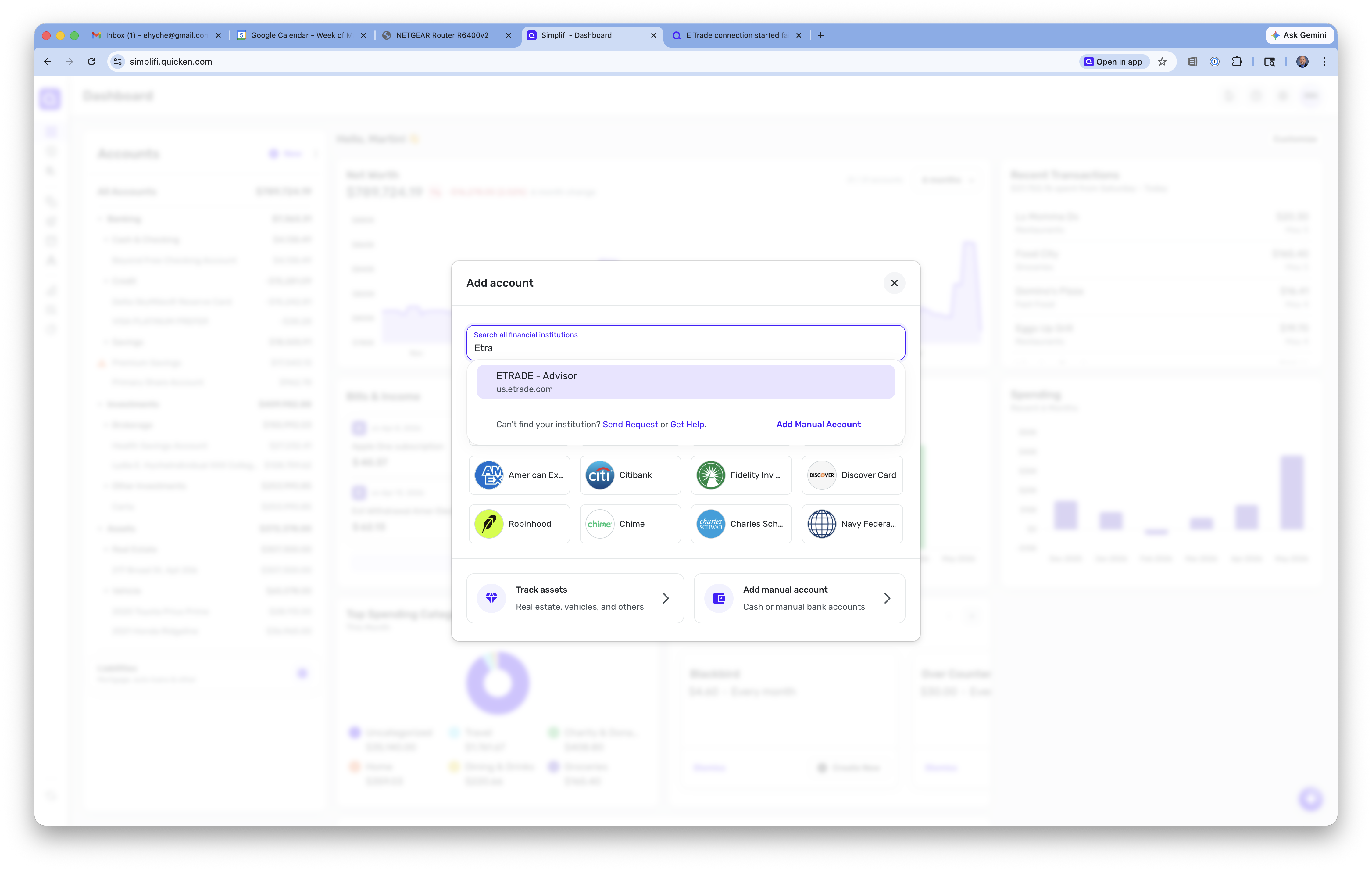
I followed these steps. No change in behavior versus doing an account reset, except that the institution name has now changed from "E*Trade Investments" to "ETRADE - Advisor" and uses a poorly cropped version of the etrade logo instead of the rounded icon in the previous version.
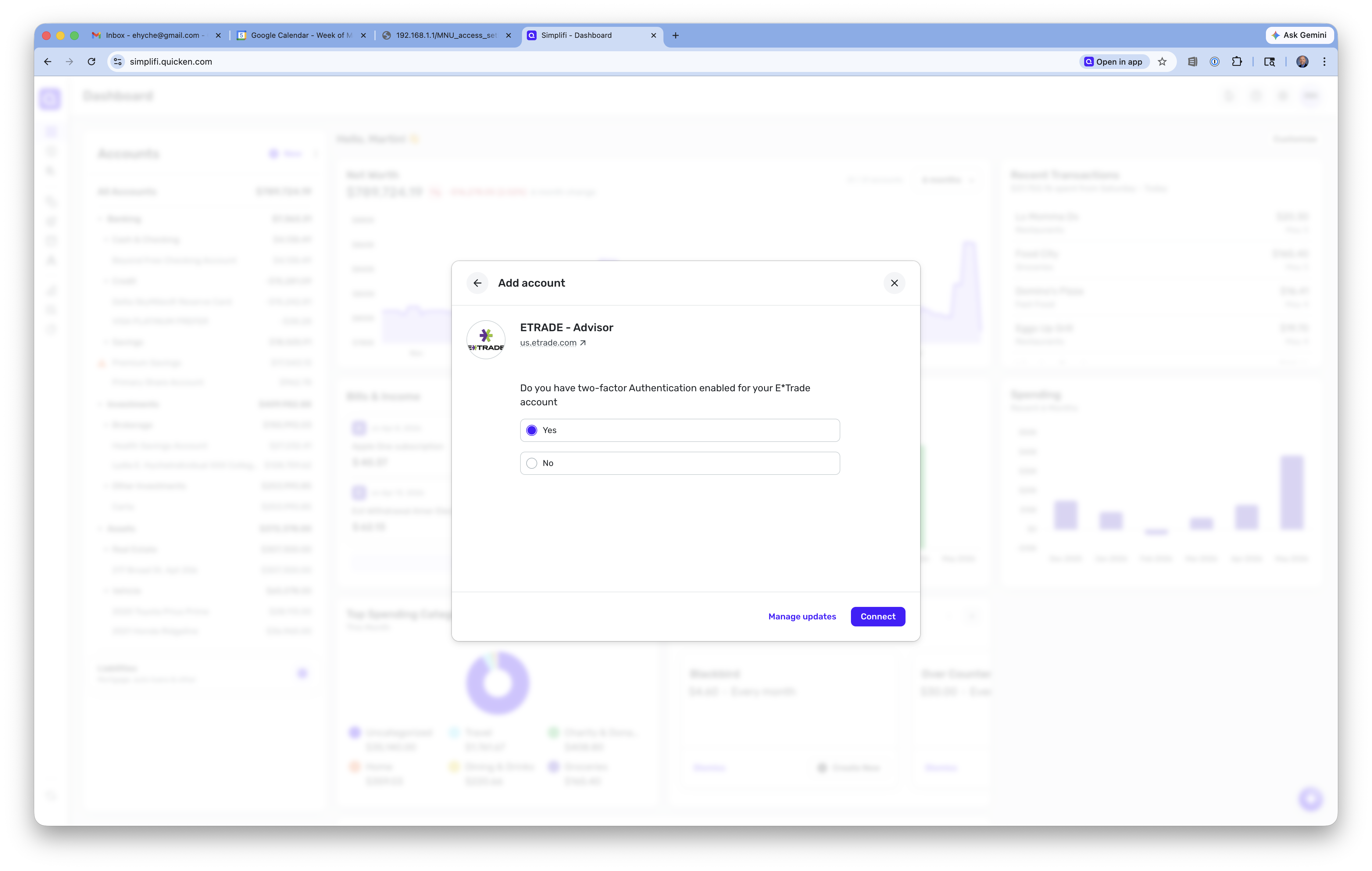
1. The MFA works fine at first. Simplifi asks if the account is using MFA, and when I say yes, it prompts for the code.2. Simplifi accepts the code and even logs in successfully, presenting a correct list of accounts and (in my case following the above) even accurately suggesting the existing accounts to link them to. Again, this matches the normal reset behavior.
3. Simplifi then indicates it is getting transactions and spins for a while.
4. Eventually I'm returned to the accounts screen, where I see the same non-updated accounts as before, with the same FDP-102 error we've all described. I've provided a screenshot, below, if that error showing on the new institution name and icon.
I'll note again, to be clear: this was all working a month ago, without any change on my end (for example, I did NOT recently add MFA). I had to manually trigger a refresh each time, due to the requirement for a unique MFA key from E*Trade's "Symantec VIP" app to complete each refresh, however the MFA worked fine, the accounts refreshed, and there were only occasional failures (which could have been ordinary miskeying or timing out of the MFA.) This FDP-102 code is completely new behavior, and it seems to trigger only after successful login upon Simplif trying unsuccessfully to retrieve transactions.
I'll also note, because I don't think I made this clear previously, my bank account with the same credentials works fine (which shows up as a separate "E*Trade Bank" in Simplifi, but is the same site, credentials, and MFA settings in Etrade's interface). It is ONLY the investment accounts that fail at the transaction retrieval for me.0 -
I can confirm that I am seeing EXACTLY the same thing as @silalus. I did the following:
- Removed the Etrade institution, so it cleared out all of those Etrade accounts.
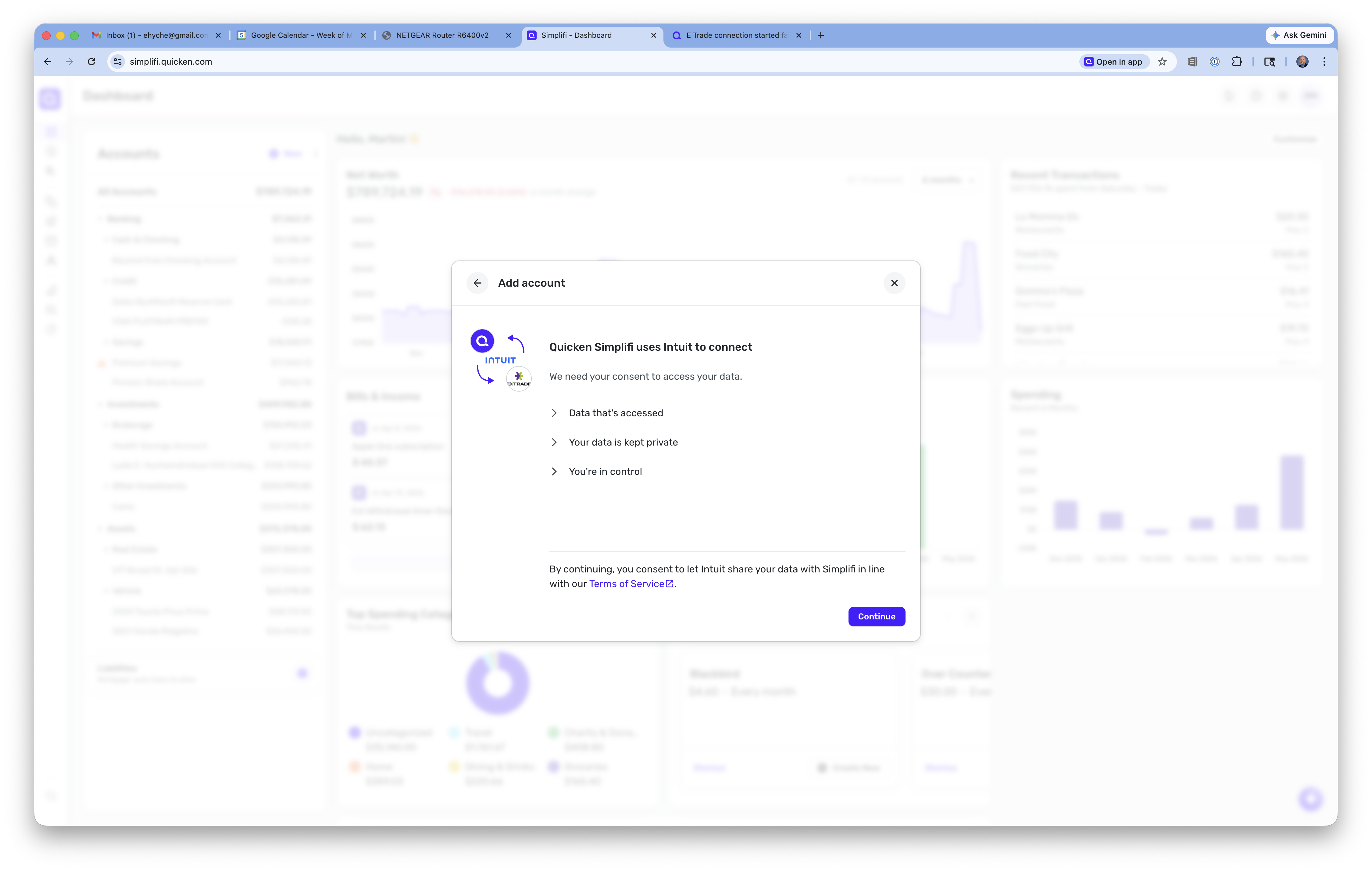
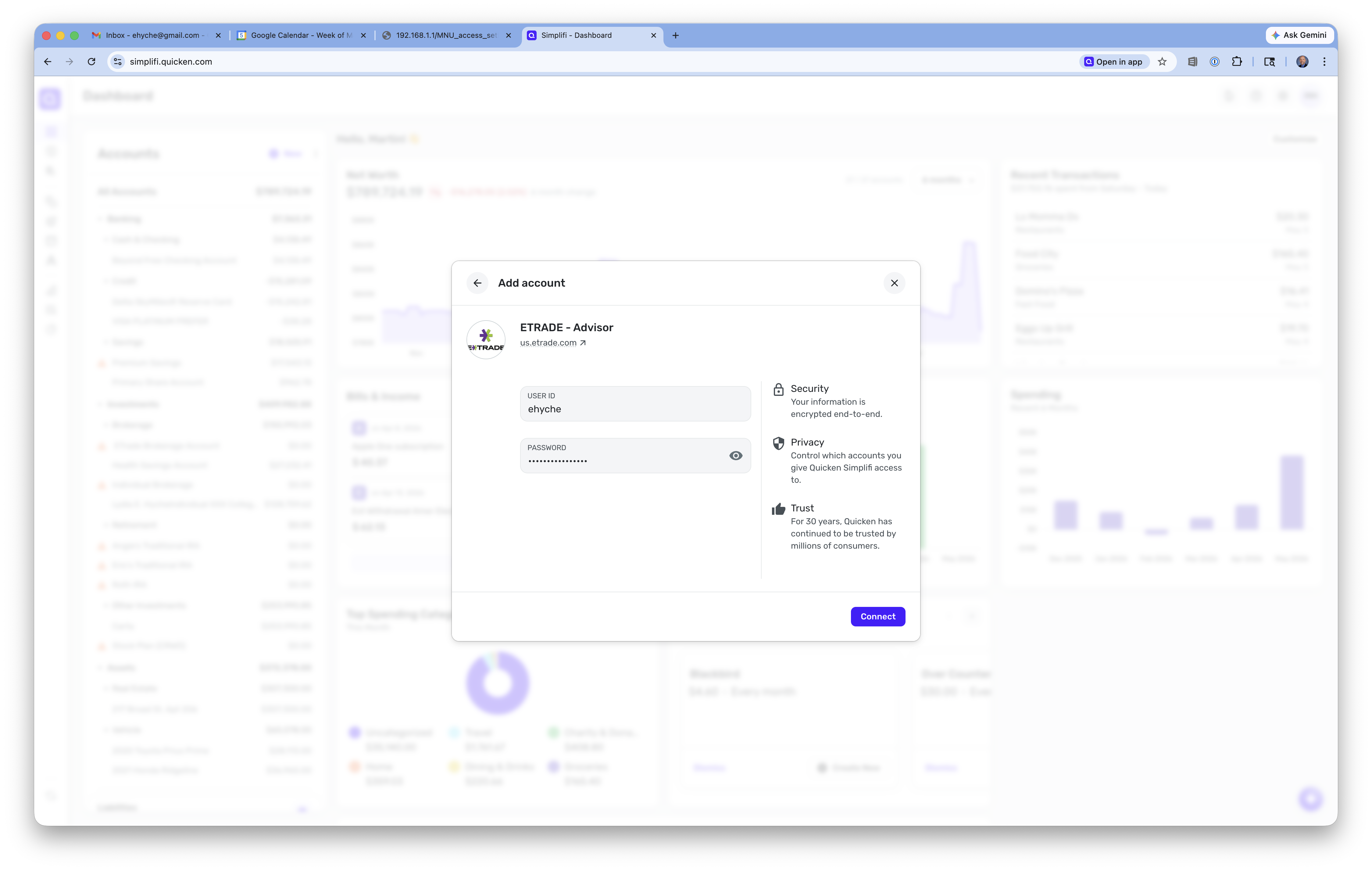
- Add Accounts, and chose Etrade. As @silalus says, it is now called "Etrade - Advisor" for some reason (screenshot ETrade1.png and ETrade2.png).
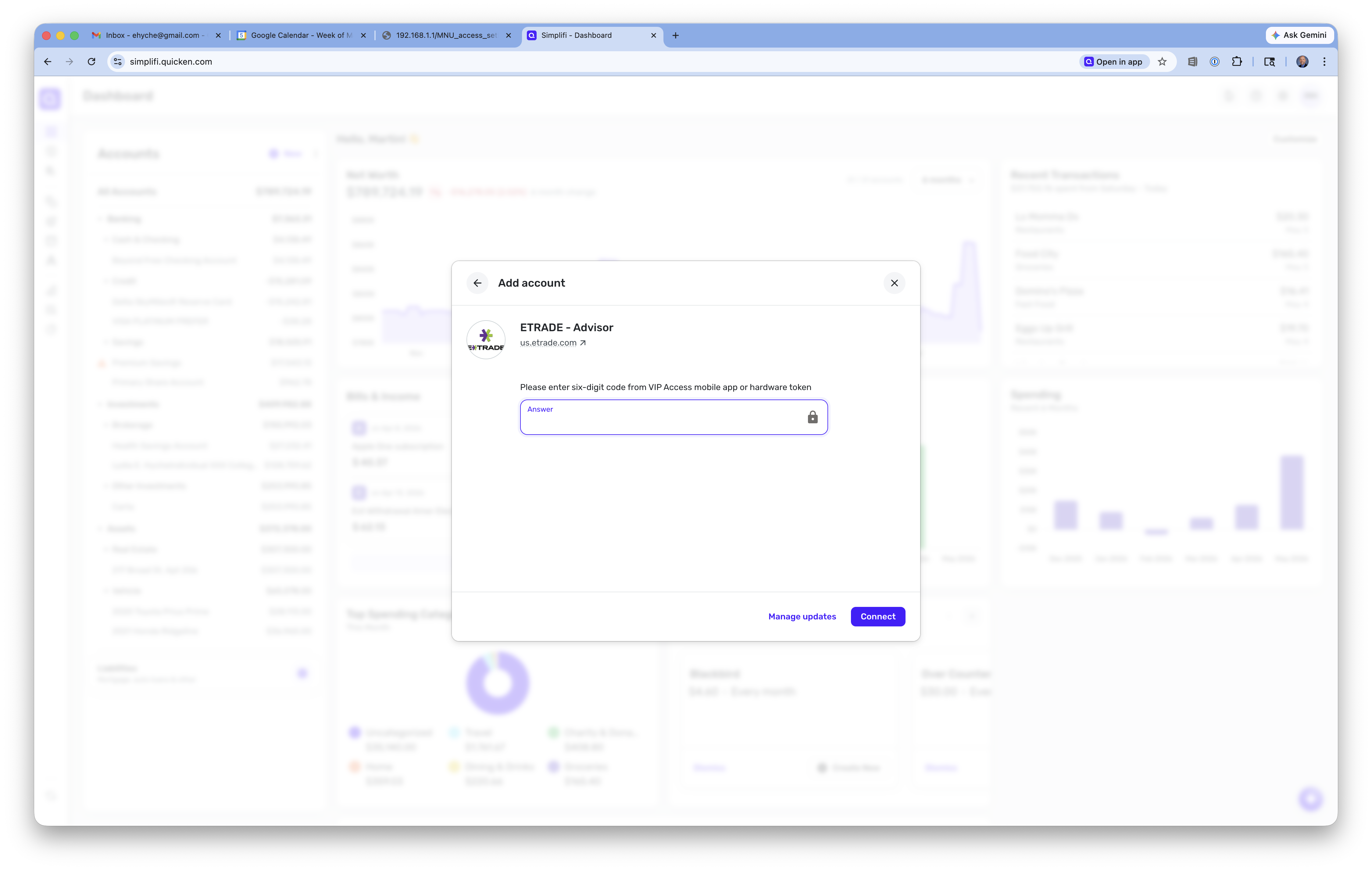
- As you can see from the screenshots, I enter username/password, it asks me if have 2FA enabled, and then it asks for the 6-digit 2FA code (screenshots ETrade3.png, ETrade4.png, and ETrade5.png).
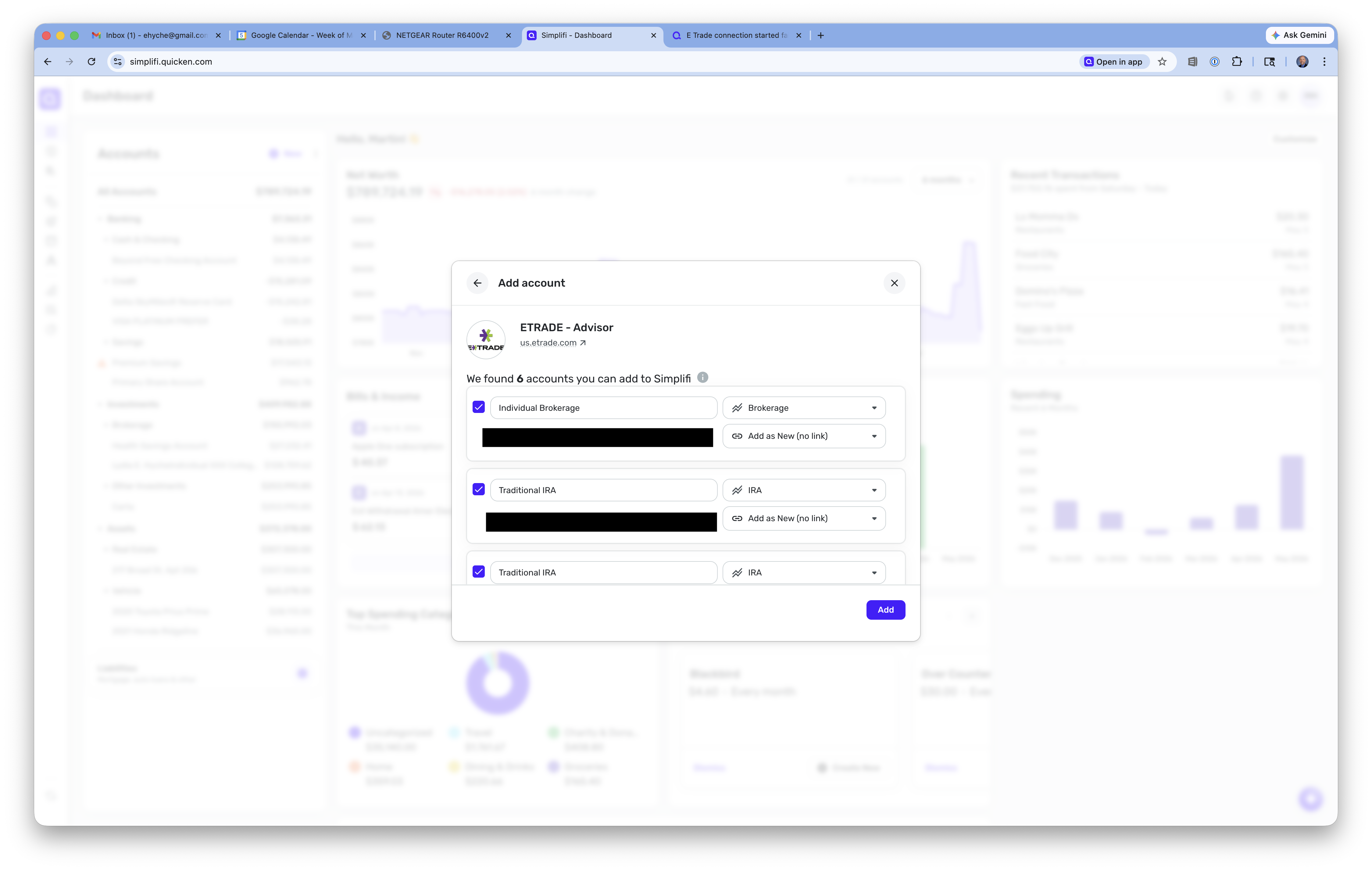
- Then it shows all of my investment accounts (even with the correct balance), and I click Add (screenshot ETrade6.png).
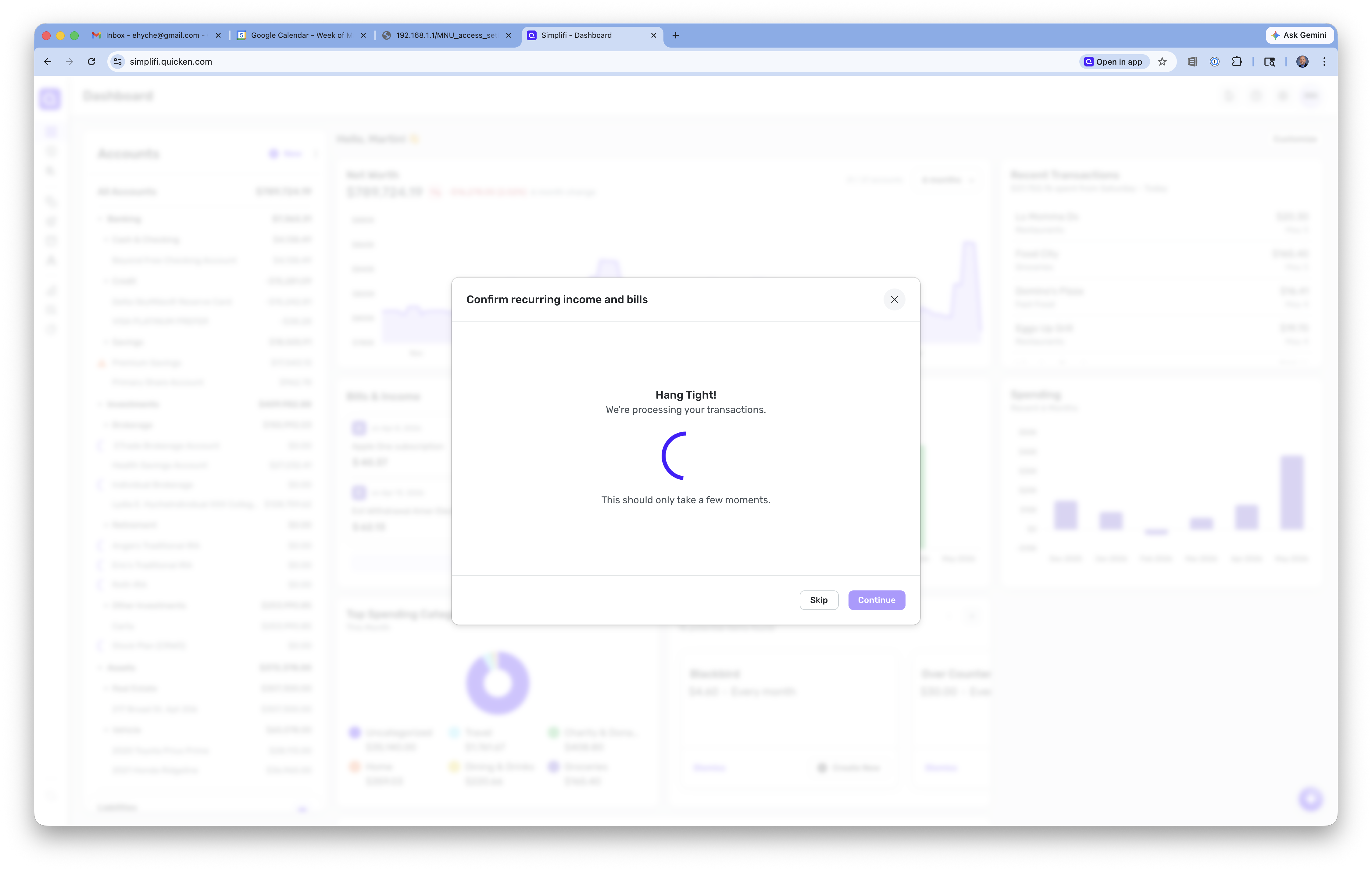
- It says "Hang Tight - We're processing your transactions" (screenshot ETrade7.png).
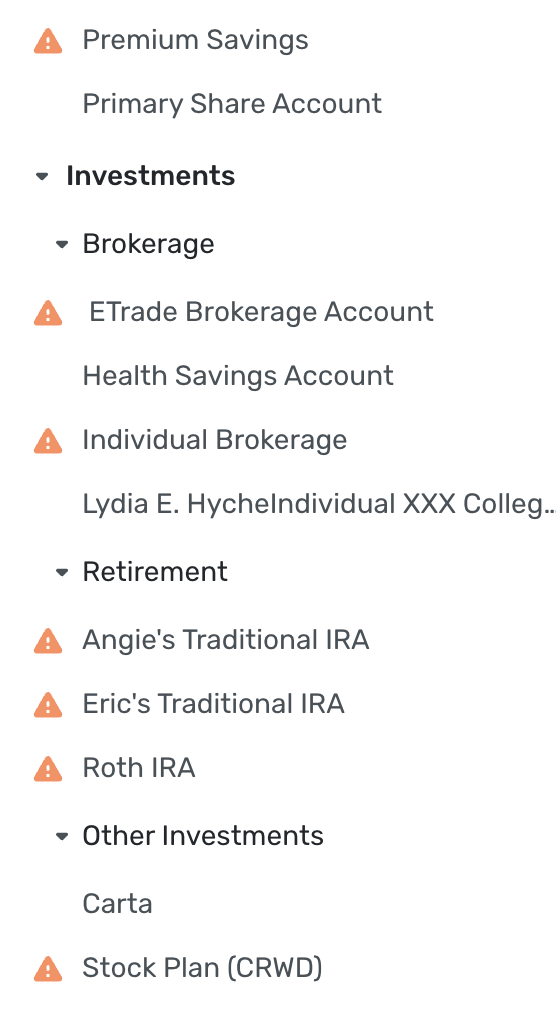
- But once that dialog goes away, then in the Dashboard, the Etrade accounts now show up, but they have a $0.00 balance and have a yellow triangle beside them (screenshot ETrade8.png).
- When you click the yellow triangle, you see the error dialog which says "FDP-102" (screenshot ETrade9.png).
Also, as @silalus says, this has worked for two years, and just started failing a couple of days ago. So SOMETHING has changed on the Quicken Simplifi side (or maybe the Etrade side). But ETrade syncing is COMPLETELY BROKEN right now, and this needs to get fixed, please.
0 -
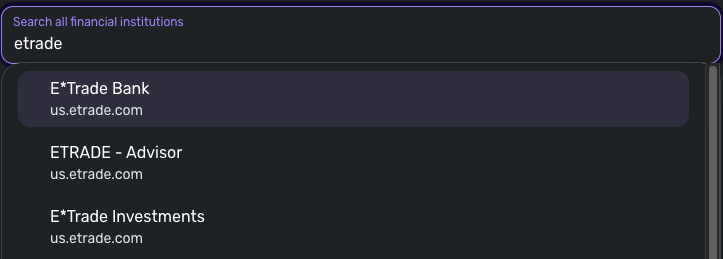
Thank you for the additional information. You mentioned that you previously used the "E*Trade Investments" instance when connecting in Quicken Simplifi, but now can only use the "ETRADE - Advisor" instance. Are you unable to see or connect to the other two E*Trade instances shown in the screenshot below?
Please let us know!
-Coach Jon
0 -
I guess I typed "Etrade" so the only one that came up was "ETRADE - Advisor". Let me type something like "E*Trade" and see if I see the other two. If I do, then I'll try the "E*Trade Investments" one and see what happens.
0 -
I typed "E*Trade" and then "E*Trade Investments" came up. I followed the same flow as above to add my accounts, and the result was exactly the same.
Please escalate this issue. Syncing with ETrade is completely broken right now.
0 -
Hello @ehyche,
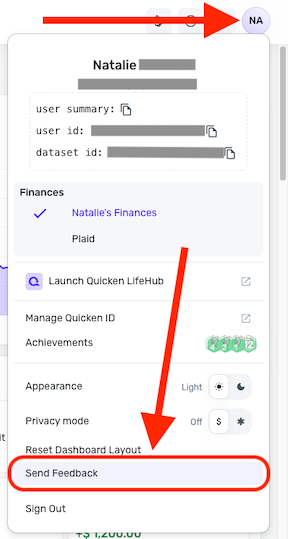
Thank you for the reply! Can you please send your logs via the 'Send Feedback' option:
- Log in to the Quicken Simplifi Web App.
- Select the Profile icon in the upper-right corner of the screen.
- With the Profile menu open, hold down the Option key (Mac) or the Alt key (Windows), and then click Send Feedback.
- Leave all boxes checked, add a brief description of the issue, and then click Send.
-Coach Jon
0 -
Thanks for the help! I sent feedback as you suggested above.
0 -
Hello everyone!
We are aware of the FDP-102 error known issue with E*Trade and have a new alert that you can all follow for updates while our team works on a resolution.
In the meantime, you can track the account manually by adding manual transactions, which will keep your records up-to-date. Here are the steps to do so: Managing Transactions in Quicken Simplifi | Quicken Simplifi Help Center
If the account is an investment account, the manual tracking steps are a little different:
- Make the account manual so you can add and edit Holdings: How to Make an Account 'Manual' | Quicken Simplifi Help Center
- Add/edit your Holdings to keep accurate records: Tracking Investments in Quicken Simplifi | Quicken Simplifi Help Center and Tracking Investments in Quicken Simplifi | Quicken Simplifi Help Center
Thank you for your patience!
-Coach Jon
0 -
Good news! - I was able to add and sync my E*Trade investment accounts this morning. Hoping the fix is permament.
1 -
@Coach Jon are you going to update your post: https://community.simplifimoney.com/discussion/16405/new-5-7-26-e-trade-returning-fdp-102-error#latest
0