Split transfers are not being excluded from reports by default (edited)

Steve M
Steve M Member
edited April 29 in Troubleshooting

Currently only full transactions (non-splits) categorized as transfers are excluded from reports. Whenever a transaction is split and one of the splits goes to a transfer account, it is included on the report and needs to be manually excluded. The feature request is to exclude split transactions that are transfers in addition to what is currently being done for non-split transactions.


Comments

  • Coach Natalie
    Coach Natalie Administrator, Moderator admin
    edited April 29

    @Steve M, thanks for posting your suggestion to the Community!

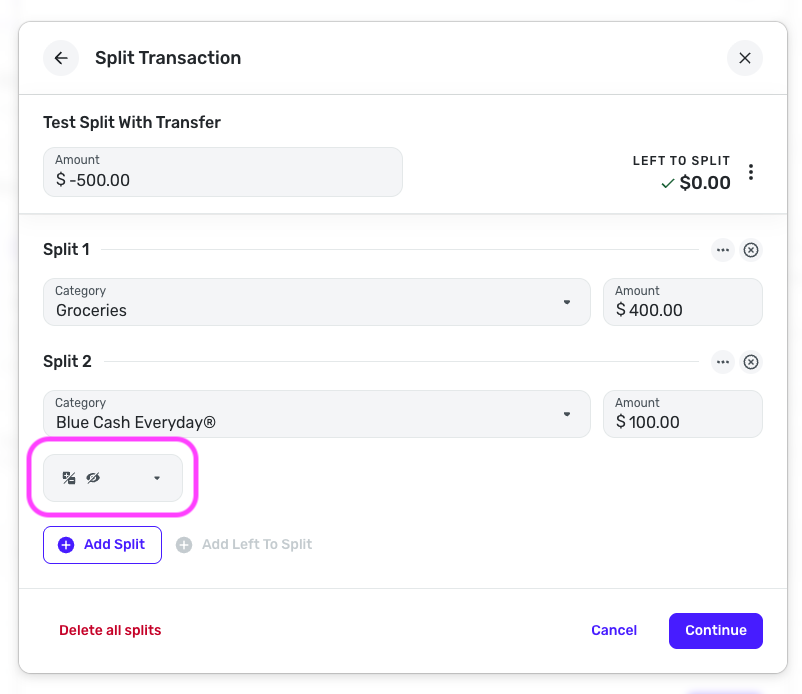
    I have moved this out of Feature Requests for now, as it seems Quicken Simplifi already does what you're looking for. When a transfer is created in another account from a split, I see that both sides are excluded by default, as transfers are intended to be. This applies to both regular transfer transactions and split transfers.

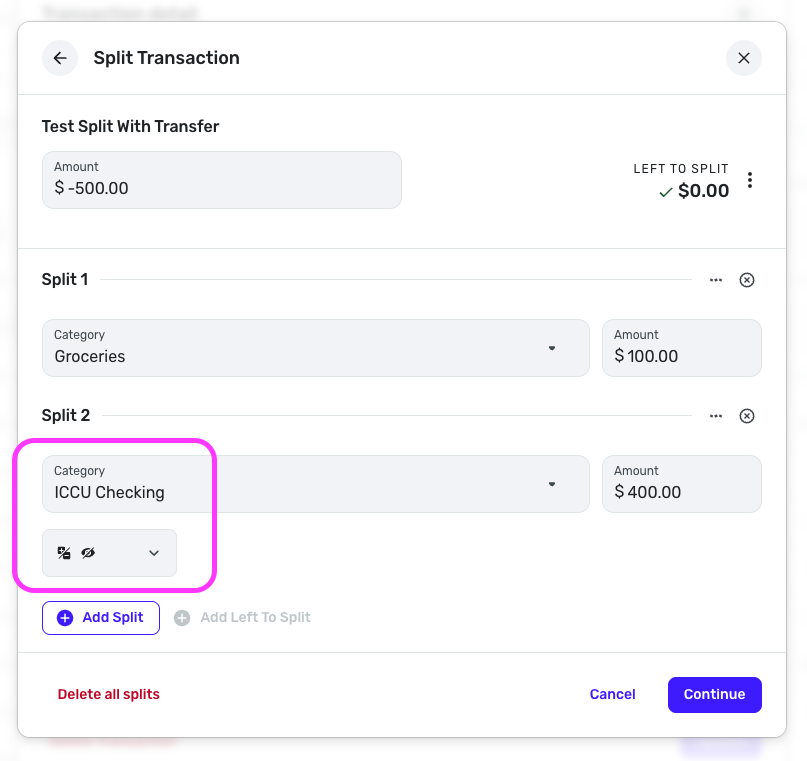
    Here is the split transfer I created, which was automatically set to be excluded as soon as I selected a transfer category for the split line:

    Screenshot 2026-04-29 at 12.12.17 PM.png

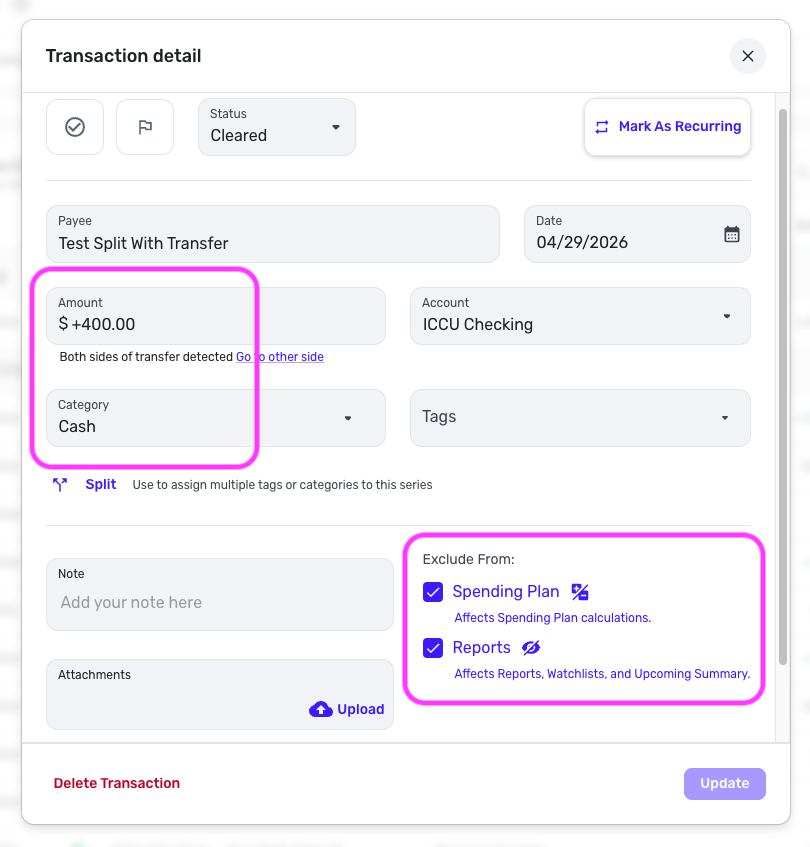
    And here is the receiving side of the transfer, which was created from my split. This side was also excluded by default:

    Screenshot 2026-04-29 at 12.13.05 PM.png

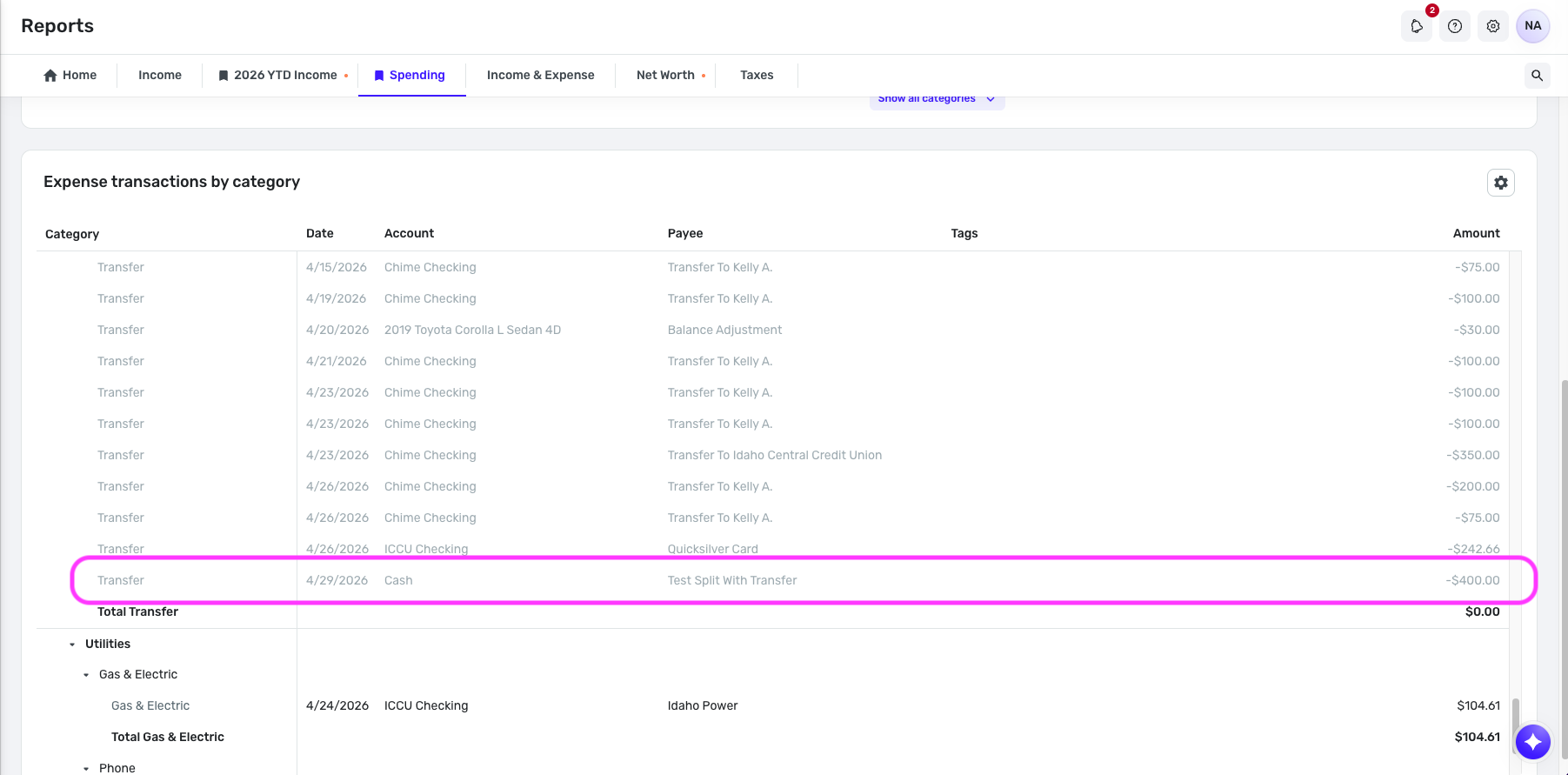
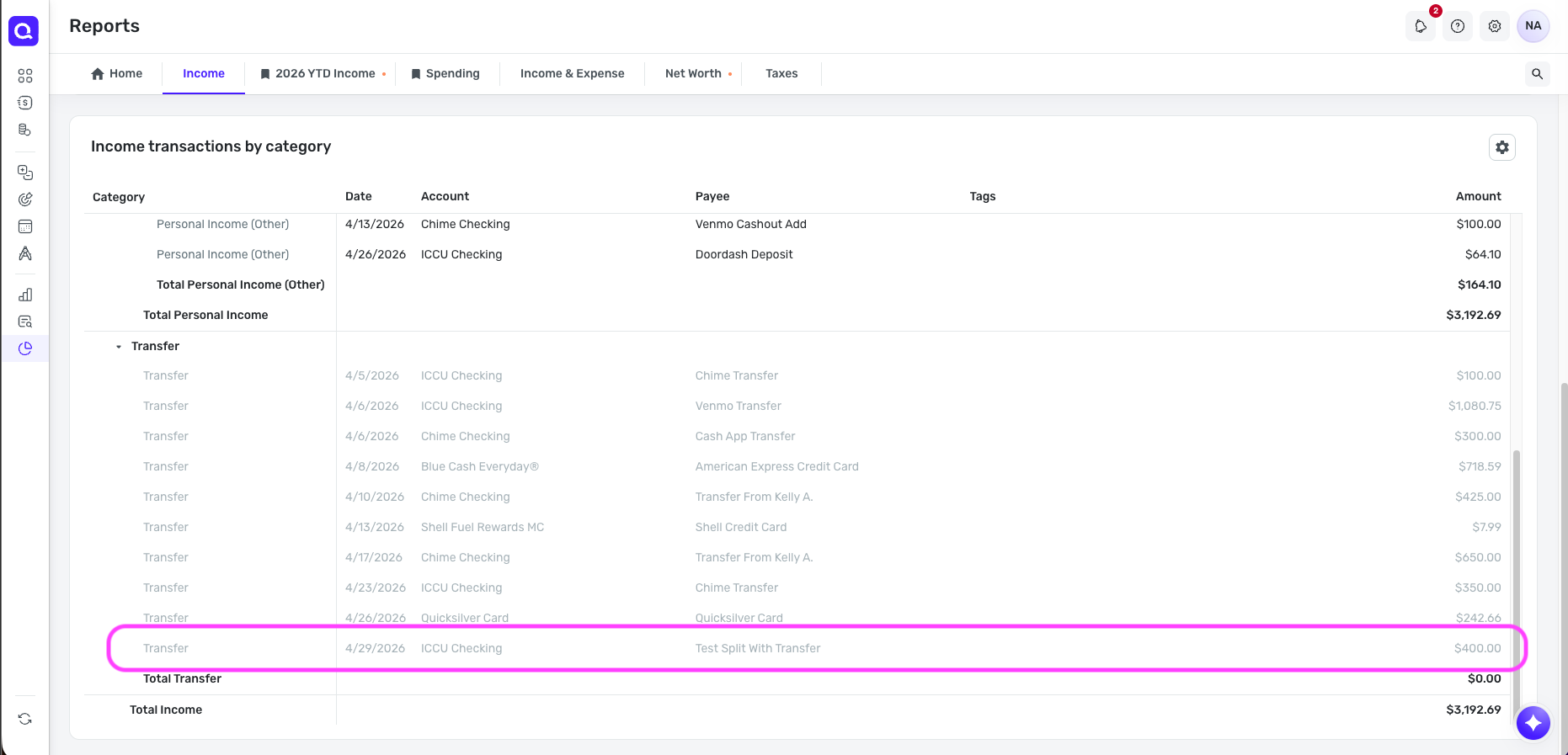
    And I see that my reports themselves are honoring the exclusion settings:

    Screenshot 2026-04-29 at 12.14.41 PM.png Screenshot 2026-04-29 at 12.14.57 PM.png

    With that, we will need more info from you on what specific actions you're taking in Quicken Simplifi that result in transfers being included in reports by default. Since transfers are supposed to be excluded by default, with the option for a user to manually include them, what you're describing sounds like a potential bug.

    Let us know!

    -Coach Natalie

  • Steve M
    Steve M Member

    Next time I come across this, I'll take some screenshots. Thanks for your responses.

  • ejs
    ejs Member ✭✭✭✭

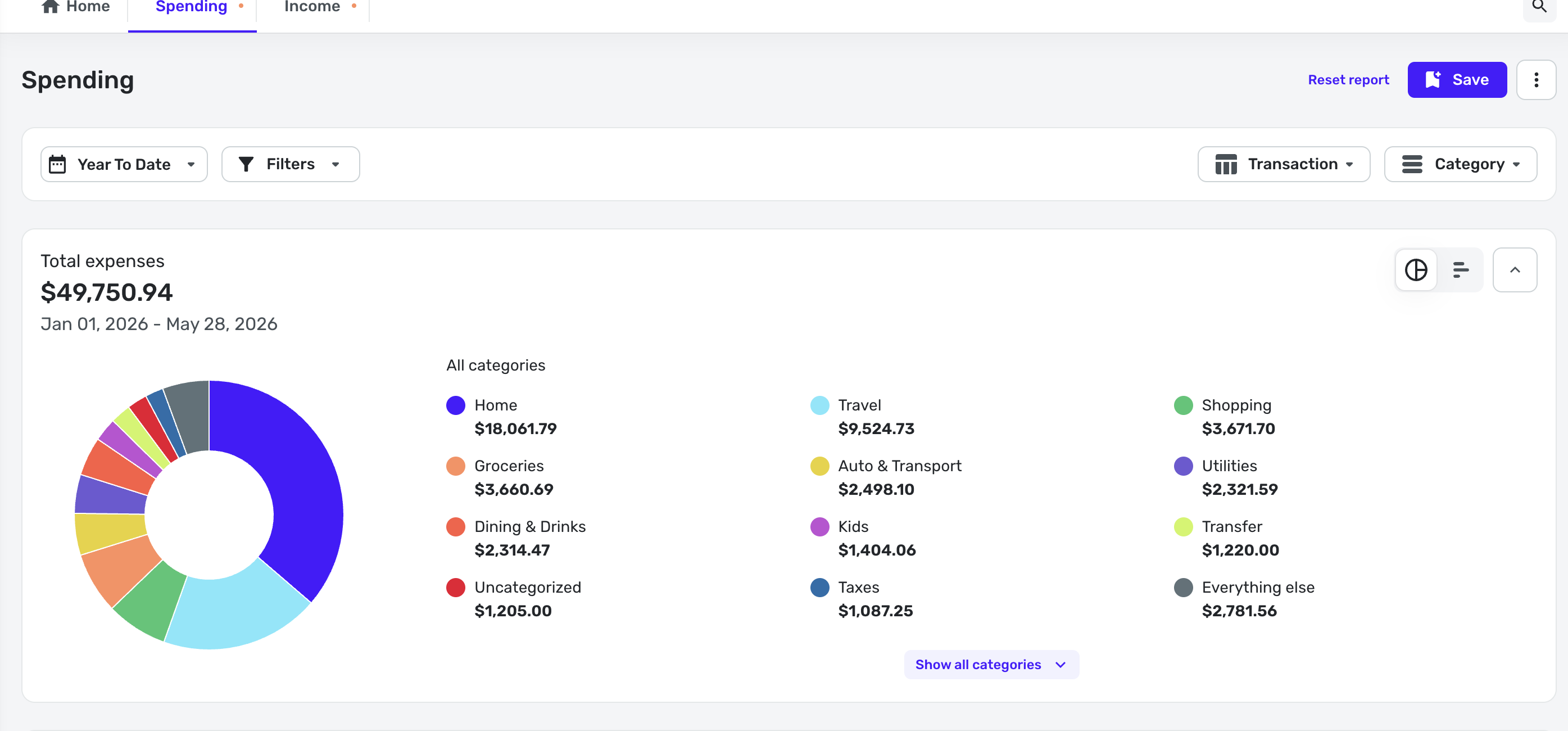
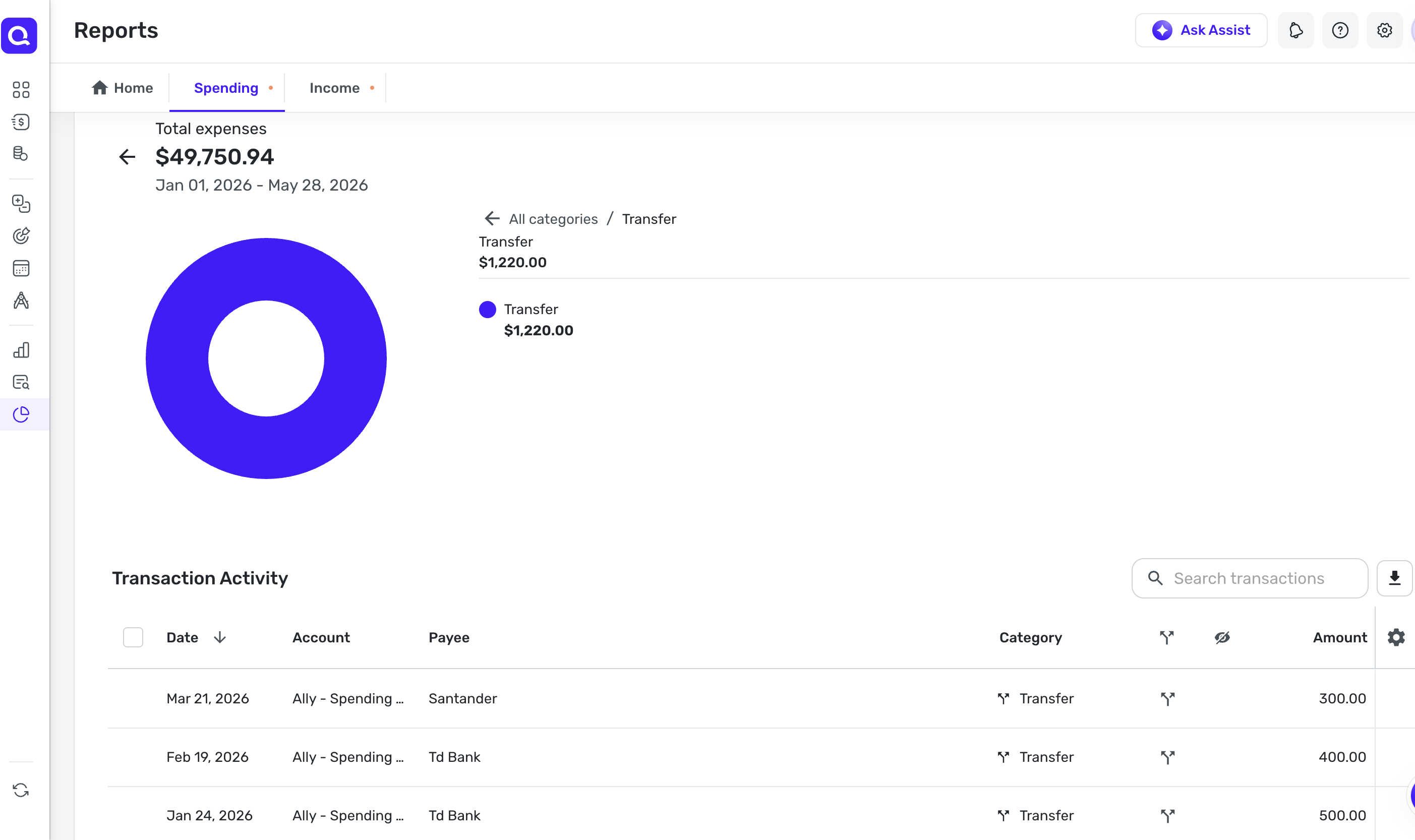
    This is happening to me. I'm looking at a report for my year-to-date spending, and there are transfers from split transactions being included in the spending report. Here are screenshots showing the inclusion of split transfer transactions:

    Screenshot 2026-05-28 at 1.43.05 PM.png Screenshot 2026-05-28 at 1.41.00 PM.png
  • Coach Natalie
    Coach Natalie Administrator, Moderator admin
    edited May 29

    @ejs, thanks for joining the discussion!

    I'm not seeing anything in your screenshots indicating the current exclusion settings for the transactions shown. To better understand the issue, please provide some additional details:

    • Are these transactions set to be excluded, but are still being included?
    • If they are set to be included, can you manually exclude them?
    • You mentioned that these are both splits and transfers —
      • For the splits aspect, is the entire transaction set to be excluded, or just the single split line?
      • Regarding the transfers aspect, is this the receiving side or the sending side? And are both sides of the transfer set to be excluded, or just one side?
    • Are the transactions in question downloaded, or are they being manually entered?
    • I also see that you're using the Spending tab in account registers rather than a report — do you also see the transfers in the Spending Report, or is this unique to the Spending tab?
      • I'm not personally seeing transfers in the Spending tab and am not sure they can be included here, as this ability was added specifically to Reports. [removed incorrect guidance]

    I just tested again in my own Quicken Simplifi by creating a manual transaction, and the split that is a transfer to another account was automatically excluded. The other side that was created in the receiving account was also automatically excluded.

    Screenshot 2026-05-28 at 2.23.40 PM.png Screenshot 2026-05-28 at 2.24.49 PM.png

    Let us know!

    -Coach Natalie

  • ejs
    ejs Member ✭✭✭✭

    @Coach Natalie:

    I just checked the transactions in question and it appears that they were not set to be excluded. If I manually change the setting to exclude them, then they do get correctly excluded. But aren't transfer transactions supposed to be set to be excluded by default? Isn't that the problem that this thread was created to identify?

    Also, note that all of the transactions in question are split transactions that have one part of the split categorized as a generic "Transfer" but not linked to any other transaction/account (as opposed to your test example).

    These transactions, as far as I can tell, are all downloaded transactions rather than manually created (but there are many of them and I haven't checked every single one to confirm).

    I'm not sure what you mean by "using the Spending tab in account registers rather than a report." The screenshots I uploaded are from a Spending Report I ran on year-to-date spending, but I see that my report looks different than the one you uploaded. Should I somehow be running the report differently? I'm not seeing any options to do so.

  • Coach Natalie
    Coach Natalie Administrator, Moderator admin

    @ejs, thanks for the reply!

    Yes, transfers are supposed to be excluded by default, and I can confirm they are when testing in my own Quicken Simplifi using both manually entered and downloaded transactions. I also tested using both the regular "Transfer" category and linked transfers and saw the same expected behavior in each case. That’s why we’re trying to gather more details about what’s happening in your setup, such as how the transactions are being entered and what happens when they’re manually excluded.

    I also apologize for the confusion regarding the Spending tab versus the Spending Report — that was my mistake, and I’ve removed that point from my previous response.

    With that said, when these transactions download from the bank, are they already assigned a transfer category automatically, or are you manually changing them to a transfer category afterward? If you’re manually changing the category, please provide a video showing the process of editing a downloaded transaction to the transfer category you’re using. Specifically, we’d want to see whether the exclusion settings are automatically enabled when the transfer category is selected.

    In my own testing, I edited a downloaded transaction to a transfer category and immediately saw the exclusion settings enabled automatically. I also confirmed that transactions downloaded as transfers already have the exclusion settings checked without any manual action. At this point, we’ll need some visuals or additional testing results from you so we can narrow things down further and continue investigating.

    We look forward to hearing back from you!

    -Coach Natalie

  • ejs
    ejs Member ✭✭✭✭

    @Coach Natalie,

    It looks like the majority of these transactions are from ATM cash withdrawals, which were automatically downloaded and then manually split by me to separate out the transaction into the ATM fee (categorized as Bank Fee) and the withdrawal itself (categorized as Transfer). I can't remember for sure, but I believe these were not originally automatically categorized as transfers (I believe Quicken usually assigns a different category for my ATM withdrawals).

    I just created a test transaction and then split it out into Transfer and Bank Fee transactions and it behaved as it was supposed to, defaulting to excluded for the Transfer split. The next time I have an ATM withdrawal or another transaction that I need to manually split out into a partial Transfer, I will try to remember to take a screen recording to see if this issue happens again.

  • ejs
    ejs Member ✭✭✭✭

    @Coach Natalie, now that I'm looking at my Spending Report more closely, I see that there are a few Uncategorized transactions showing up there that are from Investment accounts (I'm very diligent about making sure I have no Uncategorized transactions in my regular cash/credit/savings accounts, which is why I noticed this). Aren't transactions from Investment accounts also supposed to be excluded from Reports by default?

  • Coach Natalie
    Coach Natalie Administrator, Moderator admin

    Payment/Deposit investment transactions can be included in reports. Since the transactions in question have a category (even if that category is Uncategorized), I presume they are Payment/Deposits. Our support article here goes over how investment transactions are handled in reports: https://support.simplifi.quicken.com/en/articles/8241194-how-investment-transactions-are-handled-in-reports-and-the-spending-plan

    If you always want investment transactions to be excluded from reports, you can easily accomplish this at the account level: https://support.simplifi.quicken.com/en/articles/5160316-how-to-exclude-accounts-from-reports-and-the-spending-plan#h_c32446d45c

    -Coach Natalie

  • ejs
    ejs Member ✭✭✭✭

    @Coach Natalie, ok, thank you.