Balances not reflecting pending transactions (edited)
Since updating to version 6.18.0, the account balances for Discover, Chase, and AMEX no longer update to include pending transactions. This feature was working correctly in previous versions, and all of my bank connections are properly configured with the "Balance with Pending" setting.
Environment: Web and Mobile (Version 6.18.0)
Affected Institutions: Discover, Chase, AMEX - There could be more.
Comments
-
@rosachin21k, thanks for reaching out with this issue!
I just tested in my own Quicken Simplifi, and with my American Express card, and entering a pending transaction was reflected in the balance within just a few seconds. I also have a Chase card, and the same thing there, though I don't think balances reflecting a pending transaction are related to the bank; they're actually a program feature.
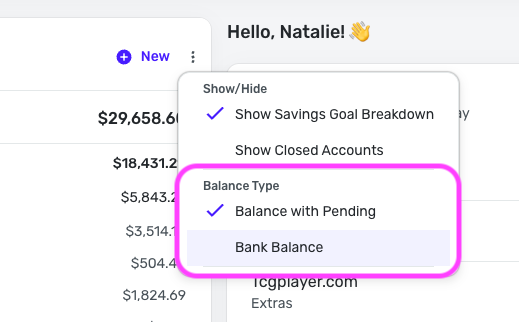
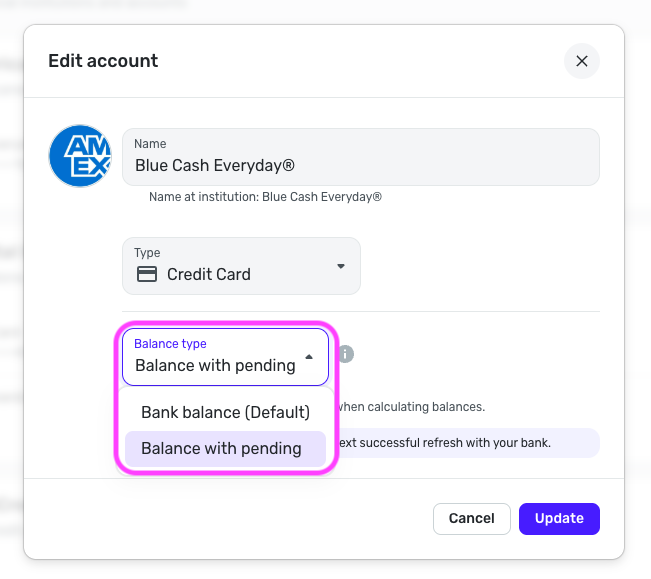
Did you try signing out and back in to Quicken Simplifi or refreshing the page after entering the pending transaction? I would also recommend checking your 'Balance with Pending' settings for the accounts themselves to ensure you have it enabled:
As well as checking this setting in your Accounts List:
Let us know how things go!
-Coach Natalie
0 -
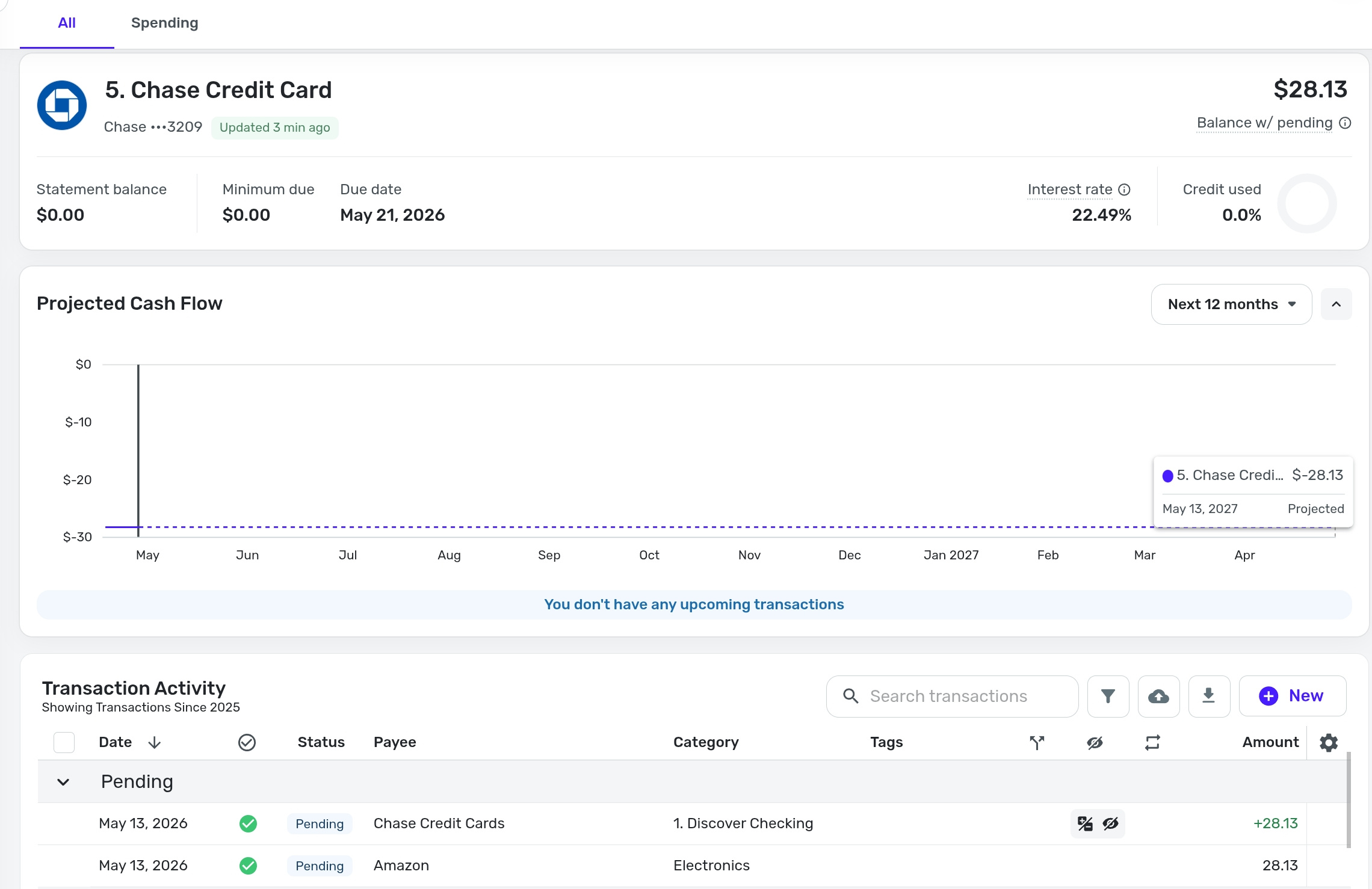
@Coach Natalie - I tried all of those and still have the issue. Please see the screenshot which shows 2 pending transactions in Chase. There are no other pending transactions. The Balance on Chase before these two transactions was 0. You can see how the balance shows as 28.13 instead of 0.
Also I would like to add that the balances do reflect when you add them manually but the moment a bank refresh happens the pending expense balances go away (The transaction is still there). The pending credit balances stay!0 -
@rosachin21k, thanks for the reply!
I don't currently have any pending downloaded transactions to test with; however, we have not received any other users reporting this, so it seems to be unique to your account at this time. With that, I'd recommend trying a couple of things. First, please establish a completely fresh connection with the problematic banks (you can test with one at first, if you'd like). The steps to do so are here:
- Navigate to the bank's website, sign in, and remove Quicken's access from the bank's third-party linked apps (if you don't see this on the bank's website, move to the next step).
- Navigate back to Quicken Simplifi and make all of the accounts with this bank manual by following the steps here.
- Once you see the account(s) listed in the Manual Accounts section under Settings > Accounts, go back through the Add Account flow to reconnect to the bank.
- Carefully link the account(s) found to your existing Quicken Simplifi account(s) by following the steps here.
Next, please change the 'Balance with Pending' setting for your Accounts List to 'Bank Balance', edit the individual account to 'Bank Balance' as well, and then wait 4 hours for the next successful refresh with the bank.
Once that next refresh is completed, change those settings in both locations back to 'Balance with Pending' and wait another 4 hours for the next successful refresh. Hopefully this will kick things back into gear for you!
Let us know if this works for you!
-Coach Natalie
1 -
But wouldn't making them all manual remove my Recurring expenses in the Spending Plan? I did that once in the past and things broke. I could be wrong though. Can you confirm this will not impact the Linked Recurring Expenses? @Coach Natalie
0 -
Making accounts manual won't lose the recurring series history. However, when you go back through the Add Account flow, you'll want to let it detect recurring income and bills, and then select to add them, even if they are already added. This is discussed in more detail here, and is something our product team is working on:
Re-adding them won't cause duplicates; it will link them back up to the ones that already exist.
-Coach Natalie
1 -
Thank you, that fixed it
2 -
Awesome! Glad to hear it.
-Coach Natalie
0