Access horizontal scroll bar on bottom of transaction screen without having to scroll down (edited)

Simpli_User_101
Simpli_User_101 Member
edited May 18 in Feature Requests

using Chrome on MacOS Tahoe version 26.4.1 when scrolling left and right in the transaction window there is no navigation bar. Need to use the touchpad to go left and right. Inconsistently this defaults to going back a webpage, resetting anywork done in the transaction window. A simple, manual navigation bar on the bottom of the transaction window will solve this intermittent problem.


2 votes

Active · Last Updated

Comments

  • Coach Natalie
    Coach Natalie Administrator, Moderator admin

    @Simpli_User_101, thanks for taking the time to post this to the Community!

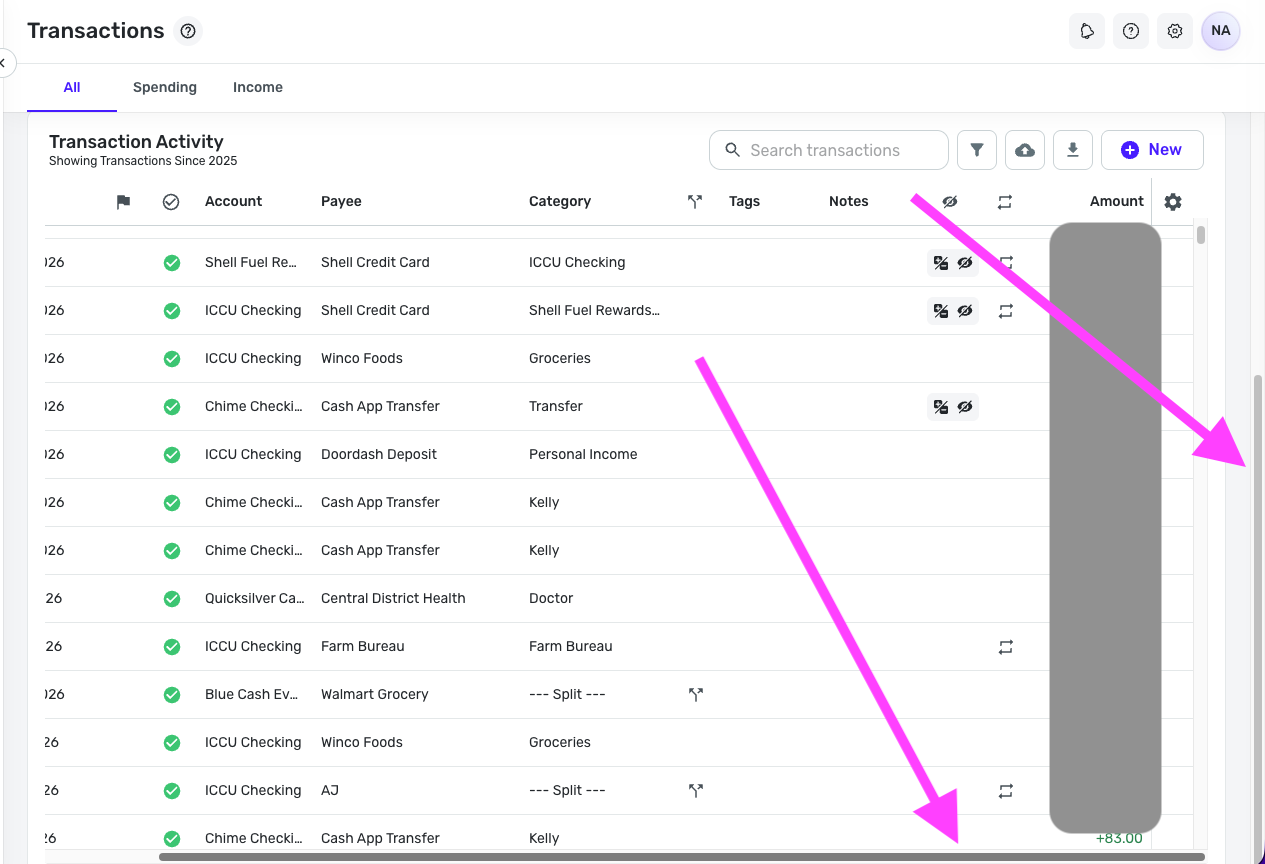
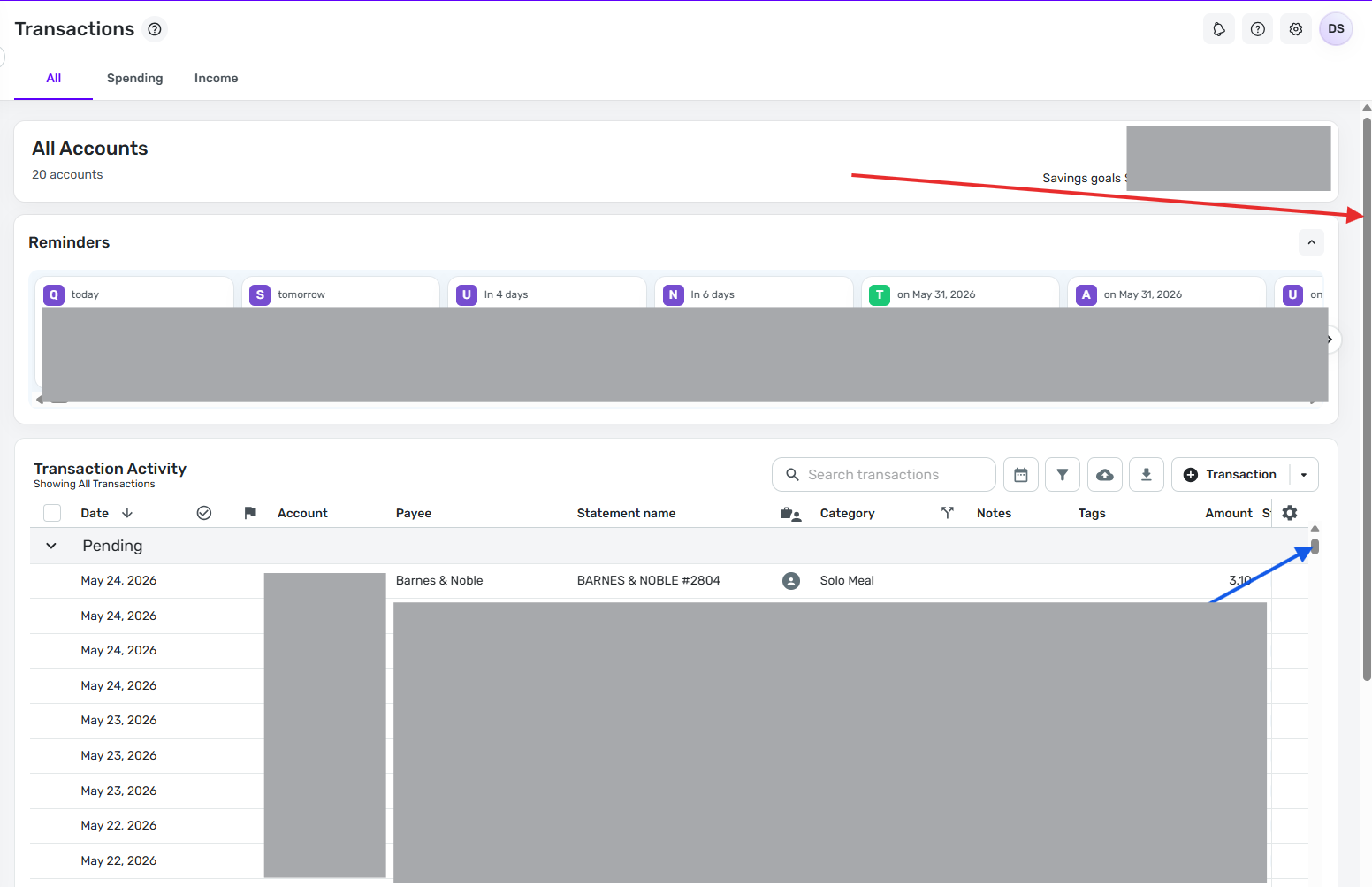
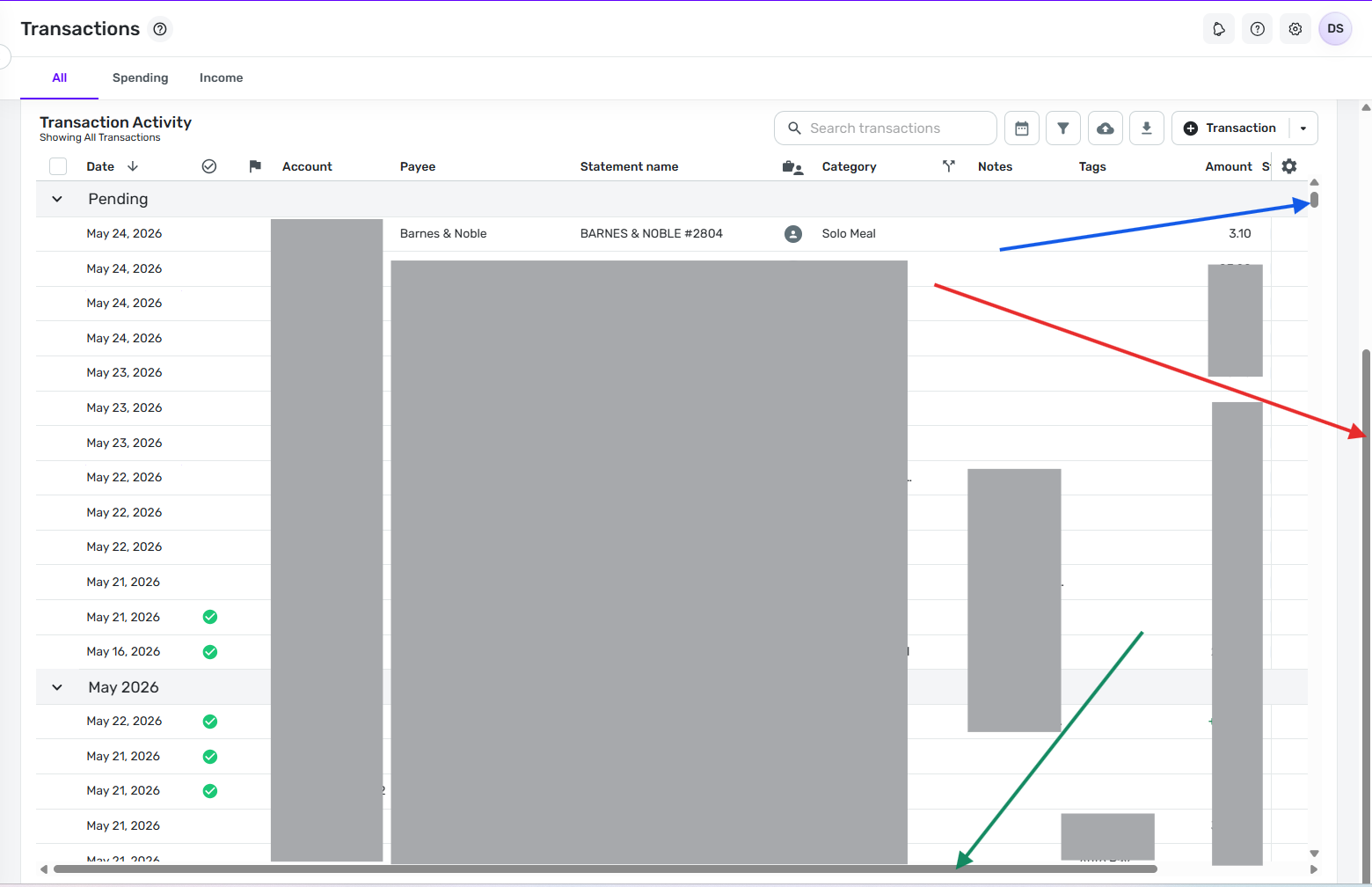
    I went ahead and moved this out of Feature Requests, since there is already a scroll bar at the bottom of the transactions list in Quicken Simplifi. We want to make sure you know how to access it. To do so, you'll need to scroll the right-hand scrollbar to the very bottom:

    Screenshot 2026-05-15 at 2.37.40 PM.png

    Let us know if this helps with what you're looking for!

    -Coach Natalie

  • Simpli_User_101
    Simpli_User_101 Member

    Confirming this feature exists. It needs to be available at any time, not when the right scroll bar is at the bottom. Some use cases that seem somewhat obvious to me:

    1. i want to scroll left and right ON THE TRANSACTION I AM LOOKING AT. I dont want to have to scroll all the the way to the bottom of my transaction list to scroll left than go find the transaction i was trying to originally looking at.
    2. The right scroll bar apparently only shows up when you first enter the transaction screen and disappears shortly after, forcing the trackpad scroll down to get to bottom of the list.
    3. Even if you do grab the right scroll bar and drag it all the way to the bottom, it doesnt go all the way to the bottom, for me it stopped at Nov 2023, I needed to scroll to Jul 2023.

    Left-Right scroll bars have been around since the dawn of mozilla. This isnt a hard ask, its basic a GUI option going back like 30 years. A person shouldnt have to do mutiple steps to scroll left and right. We live in 2026.

    Its also not addressing the weirdness of chrome just randomly deciding simplifi shouldnt scroll left and right in the transaction window and start treating like a web page back and forth options.

  • Coach Kristina
    Coach Kristina Moderator admin
    edited May 17

    Thank you for sharing your feedback!

    Since you want to see a change in how Quicken Simplifi currently functions, I changed this back to an Idea post and edited the title to make the request clearer. [Edited - Removed recommendation to create an Idea post, since this discussion was originally an Idea post]

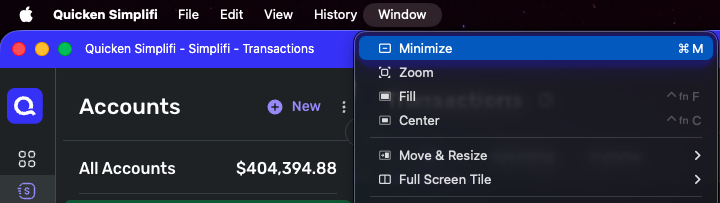
    In the meantime, adjusting your browser's zoom may help reduce the annoyance. If you use the web app, clicking on Window gives some options which may help:

    Screenshot 2026-05-17 at 3.22.09 PM.png

    Thank you!

    -Coach Kristina

  • EL1234
    EL1234 Member ✭✭✭✭

    Reading upthread, it was original a feature request and was switched by a coach. I'd be annoyed to have to recreate a post because of that!!

  • DryHeat
    DryHeat Superuser ✭✭✭✭✭

    @Simpli_User_101

    i want to scroll left and right ON THE TRANSACTION I AM LOOKING AT. I dont want to have to scroll all the the way to the bottom of my transaction list to scroll left than go find the transaction i was trying to originally looking at.

    You don't have to scroll to the bottom of the transaction list. You can keep the same transaction in view the whole time.

    The far-right scroll bar just brings the transaction list pane farther up the screen so you can see the entire pane, including the bottom of the pane (not the bottom of the transaction list itself). You need to see the bottom of the pane because that's where the scroll bar is.

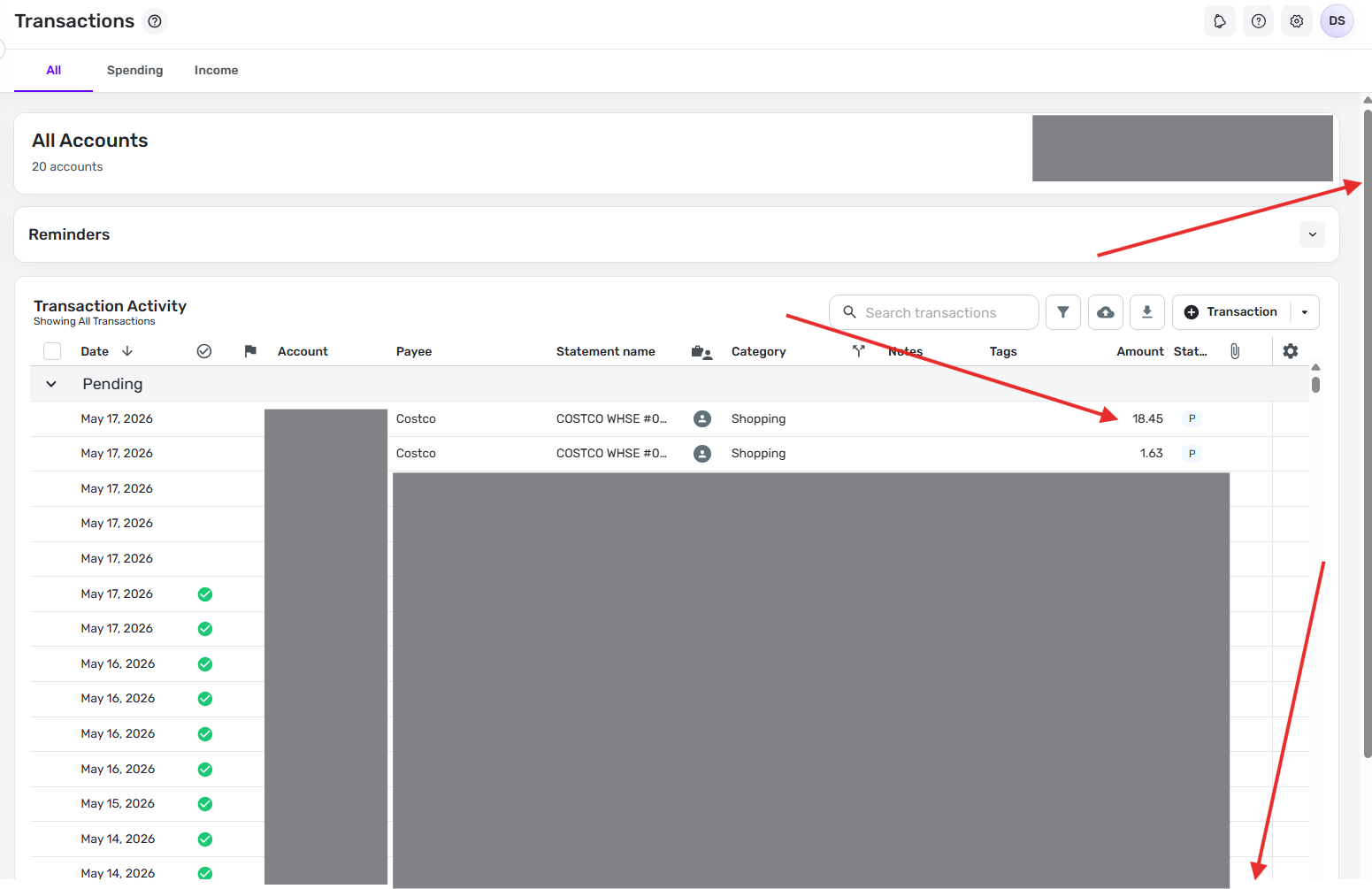
    Here's an image before I pull the far-right scroll bar down. Note that the far-right scroll bar is at all the way to the top, the top transaction is for $18.45, and the left-right scroll bar is not on the screen.

    image.png

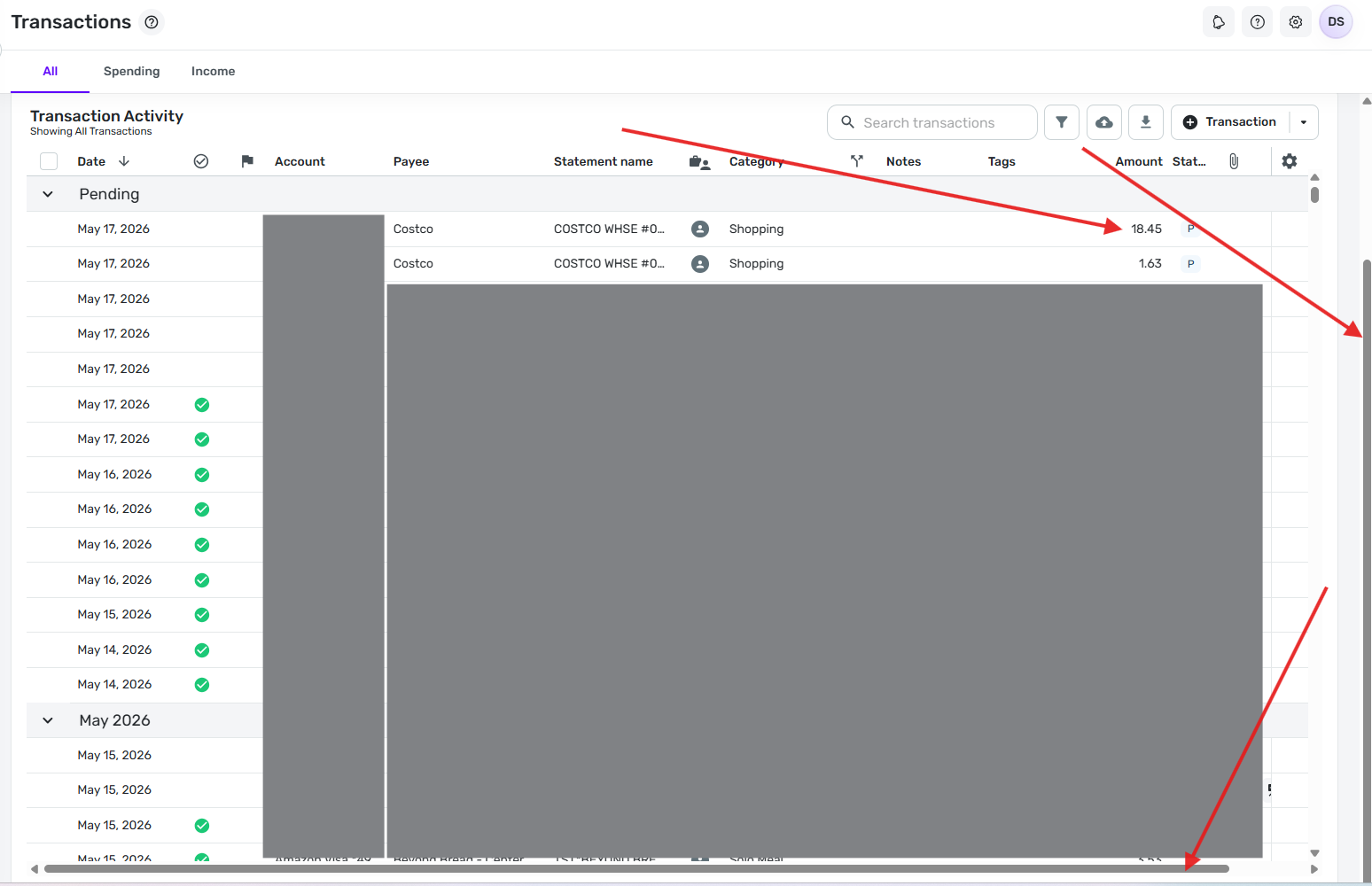
    Now here's an image after I pull the far-right scroll bar all the way down (on my screen I move it about 1.5 inches). Note that the far-right scroll bar is now all the way to the bottom, the top transaction is still the same one for $18.45, and the left-right scroll bar is now showing at the bottom of the screen.

    image.png

    DryHeat
    -Quicken Classic (1990-2020), CountAbout (2021-2024), Simplifi (2025-…)

  • DryHeat
    DryHeat Superuser ✭✭✭✭✭

    @Simpli_User_101

    Have you had an opportunity to try using the far-right scroll bar as suggested in my last post?

    I'd like to know if the explanation was clear enough to solve your problem

    DryHeat
    -Quicken Classic (1990-2020), CountAbout (2021-2024), Simplifi (2025-…)