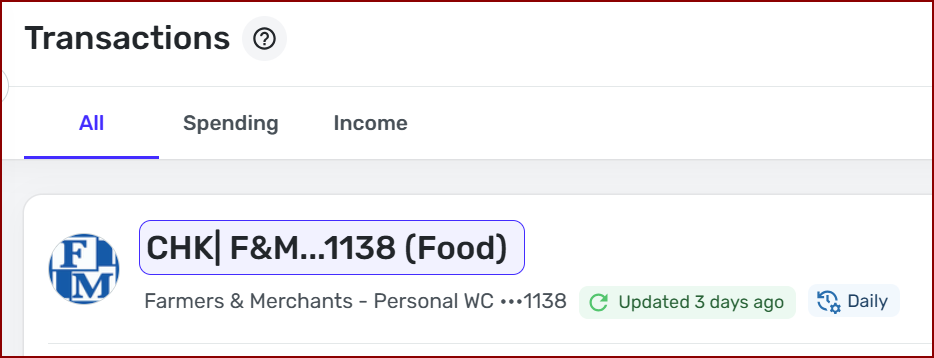
Some account names changed to the username for the bank (edited)

Flopbot
Flopbot Superuser, Beta Tester ✭✭✭✭✭

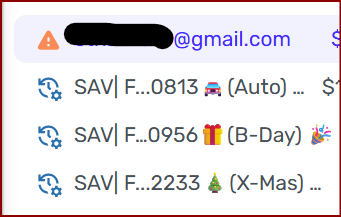
Has anyone else experienced this? It’s new to me. Three of my accounts (1 CHK & 2 SAV) all suddenly their changed their name to the username for the bank. All three are from the same bank (Flagstar), although I have multiple other accounts with that same bank which weren’t changed. All three Account names changed at the same time. The only thing I was doing was tending to individual transactions ona a Windows Laptop in Chrome at the time…not renaming accounts.

Strange.
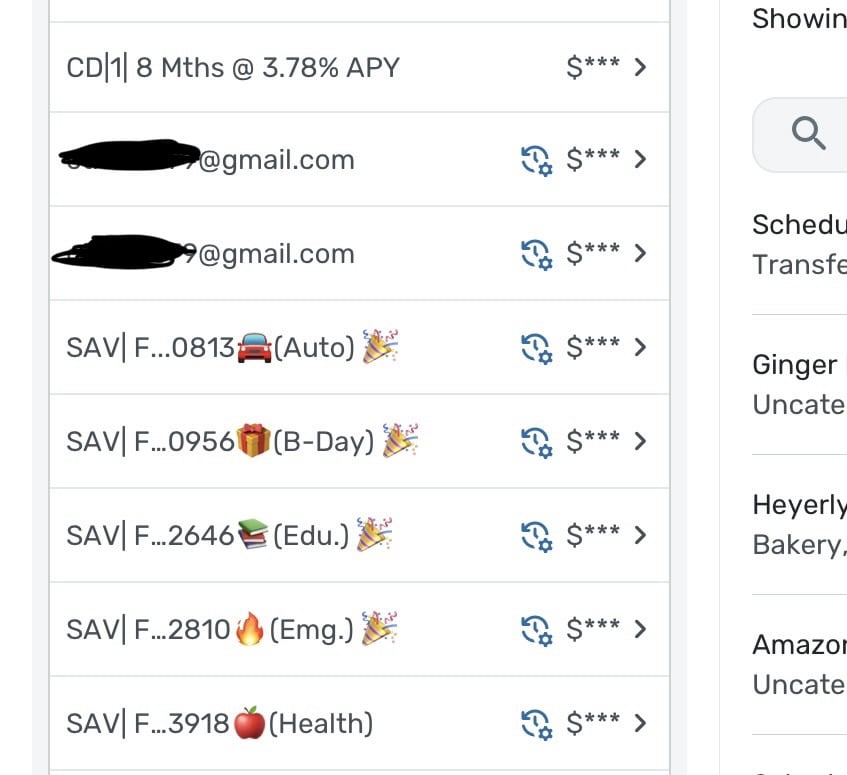
IMG_3669.jpeg

Chris
Quicken Simplifi user since 2021.
Quicken Desktop user since 2014.
Spreadsheet user since forever.

Comments

  • Coach Jon
    Coach Jon Moderator admin

    Hello @Flopbot,

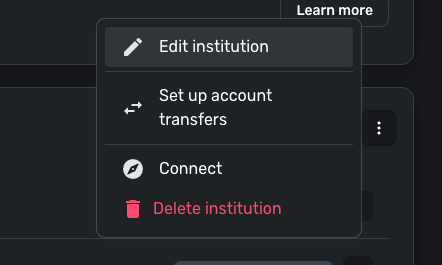
    Thanks for reaching out and letting us know! That is certainly a strange bug if the accounts renamed themselves. Are you able to rename the accounts to their original names in Settings > Accounts? You can click the 3-dot menu to the right of an account and select "Edit institution" to rename accounts.

    image.png

    I would definitely check whether you can rename the accounts and whether the names stick after your next refresh. If they do not, be sure to let us know so that we can investigate further.

    -Coach Jon

  • Flopbot
    Flopbot Superuser, Beta Tester ✭✭✭✭✭
    edited May 25

    @Coach Jon

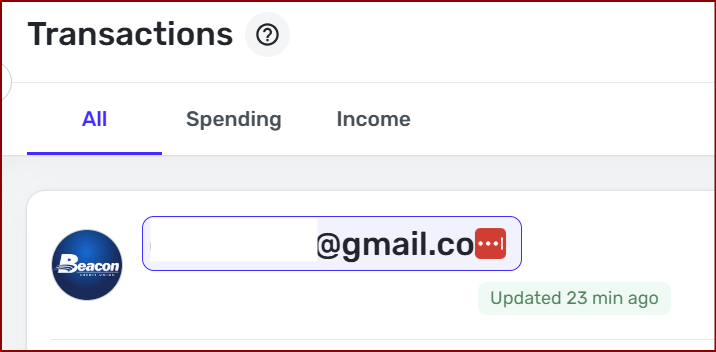
    I renamed all three accounts and Simplifi instantly changed the name of a different account. For this one, I hadn't done anything in the account other than clicking into the transaction register from the side panel's account list from the dashboard, here…

    image.png

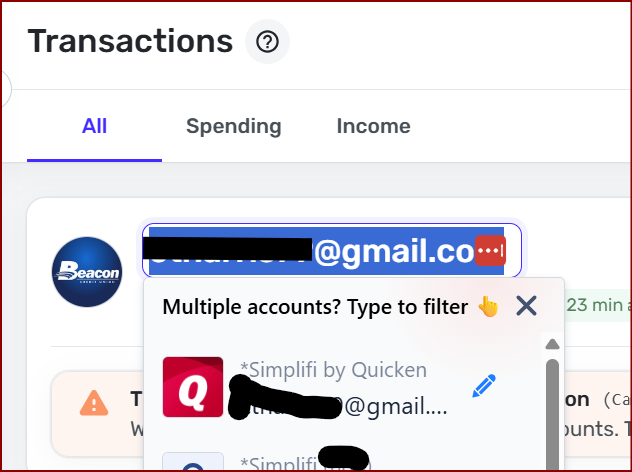
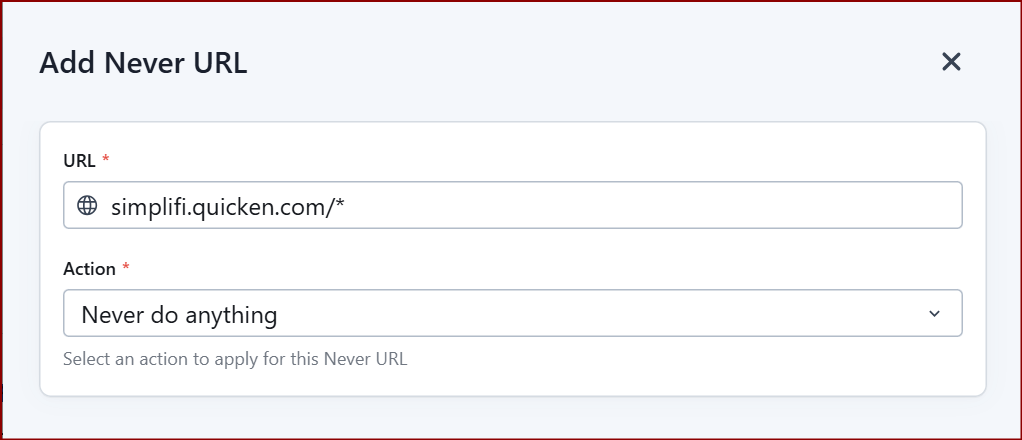
    This might be related info. I use LastPass which automatically tries to enter my U into any fields at *https://simplifi.quicken.com/* While I don't truly know how it works, I've always thought that perhaps there was some hidden bit of code that told password managers like LastPass which fields were login-related password fields and which weren't. If that's the case, maybe that bit of code is missing on all the account name fields.

    image.png

    I did notice that I can hover over this account name and if I click it, I can adjust the account name from here.

    image.png

    I wonder if It happened like this:

    1. I clicked into the transaction register.
    2. The Account Name field was somehow activated without me knowingly clicking it.
    3. LastPass auto-filled the field.
    4. Maybe it auto-saved when I clicked somewhere else in Simplifi and the focus left the Account Name field, without clicking enter on the Account Name field.

    Chris
    Quicken Simplifi user since 2021.
    Quicken Desktop user since 2014.
    Spreadsheet user since forever.

  • DryHeat
    DryHeat Superuser ✭✭✭✭✭

    @Flopbot

    The LastPass connection is interesting.

    A couple of times in the last few days I've had my email address show up in the Search Transactions box at the top of the Transaction Activity list. I think it happened when I automatically returned to that page from editing a transaction.

    The idea that LastPass was doing it never occurred to me. But it sounds plausible.

    DryHeat
    -Quicken Classic (1990-2020), CountAbout (2021-2024), Simplifi (2025-…)

  • Flopbot
    Flopbot Superuser, Beta Tester ✭✭✭✭✭

    @DryHeat

    In my bottom two screenshots, the red boxes with the three dots is the symbol for LastPass. It only shows up in fields that LastPass thinks it affect.

    Chris
    Quicken Simplifi user since 2021.
    Quicken Desktop user since 2014.
    Spreadsheet user since forever.

  • DryHeat
    DryHeat Superuser ✭✭✭✭✭

    @Flopbot

    The usual LastPass red box didn't appear (as far as I know) when this happened to me. My email just showed up in the "Search transactions" box. This happened twice a couple of days ago and hasn't happened since.

    DryHeat
    -Quicken Classic (1990-2020), CountAbout (2021-2024), Simplifi (2025-…)

  • Flopbot
    Flopbot Superuser, Beta Tester ✭✭✭✭✭

    Interesting, I'm noticing that the LastPass icon doesn't consistently get activated in every account name field. So far, I can't pick out any sort of pattern. So far, It's occurred in account types of Checking, Savings, & CD. Although, it doesn't consistently show up in every Savings & CD account.

    Chris
    Quicken Simplifi user since 2021.
    Quicken Desktop user since 2014.
    Spreadsheet user since forever.

  • Flopbot
    Flopbot Superuser, Beta Tester ✭✭✭✭✭

    Oh, and also with it affecting the CD, this is no longer just a Flagstar thing. The CD is with Beacon CU.

    Chris
    Quicken Simplifi user since 2021.
    Quicken Desktop user since 2014.
    Spreadsheet user since forever.

  • Coach Natalie
    Coach Natalie Administrator, Moderator admin

    @Flopbot, thank you for the additional information here!

    Since this may be related to LastPass, I'd recommend confirming so. You can either:

    1. Use Quicken Simplifi in a different browser that does not have LastPass enabled. This would require that you edit the account names again and then keep track of whether they change again without LastPass factored in.
    2. Disable LastPass on your primary browser. Again, you would want to edit the account names to correct them and then keep an eye on things without LastPass involved.

    If we can confirm that LastPass is the culprit, we'd be happy to inquire further about the next steps. Let us know how things go!

    -Coach Natalie