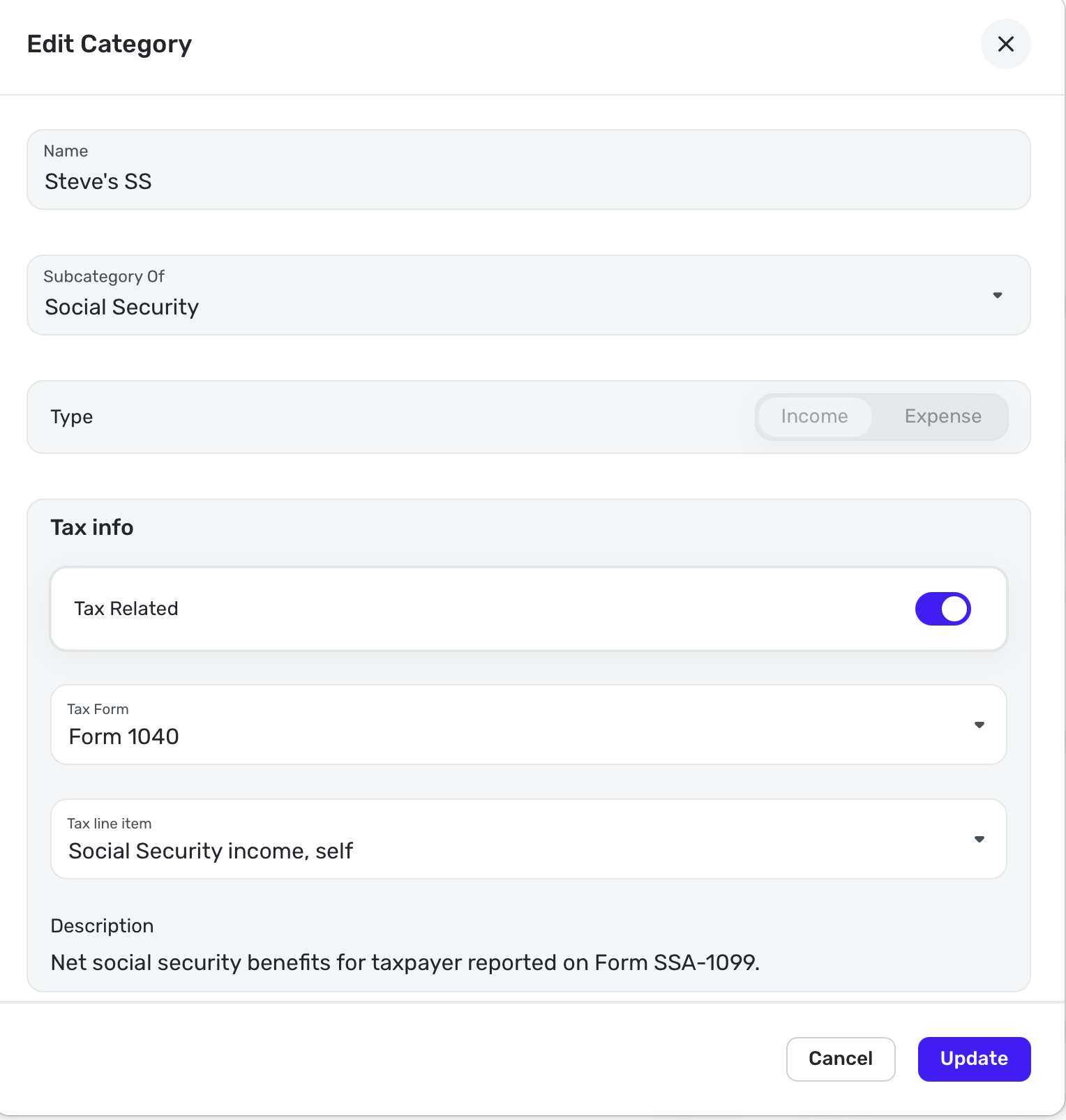
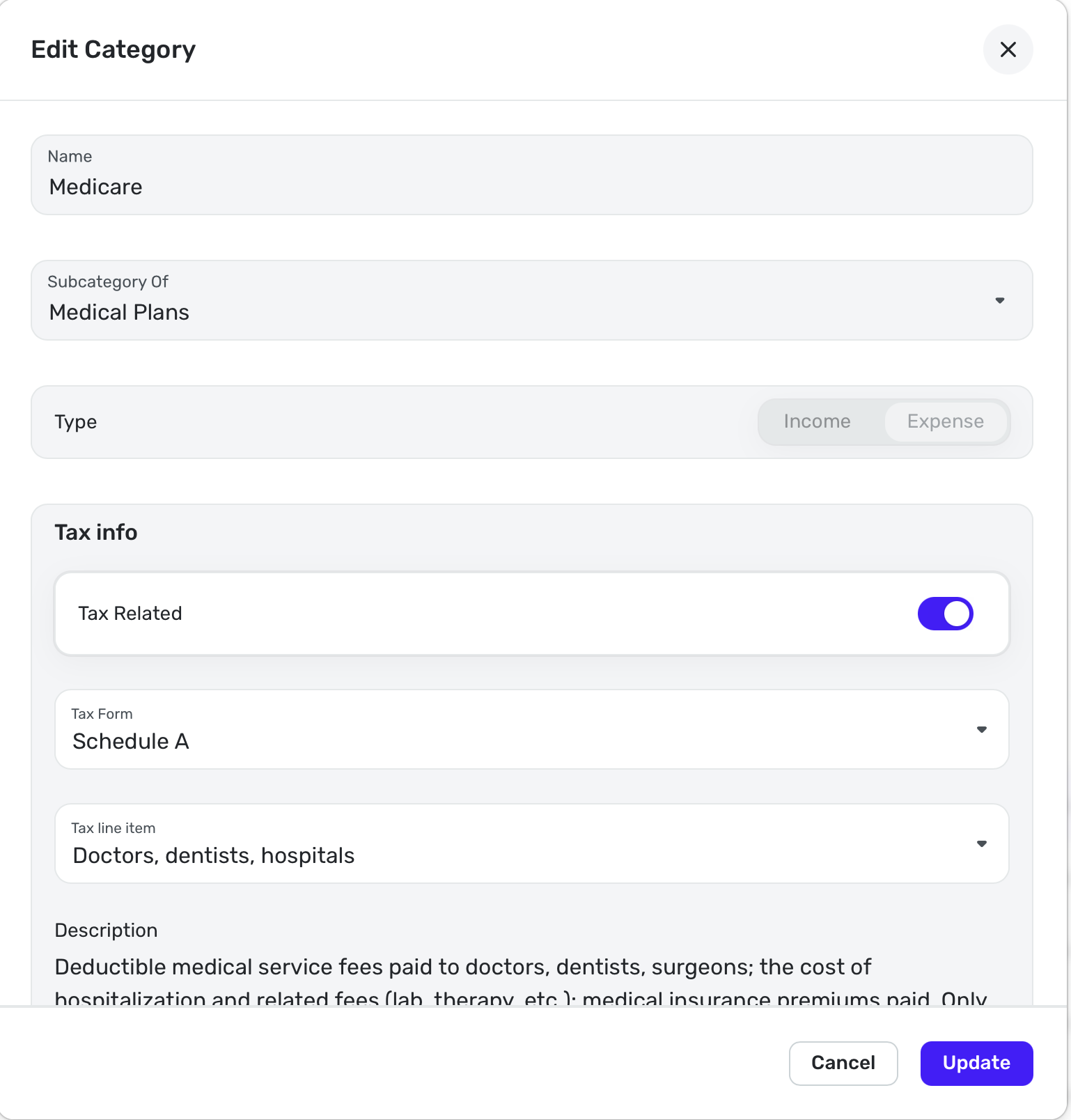
How do you control what line number a taxable item is listed on for the taxes report?
I have three SSA checks in the following screenshot.
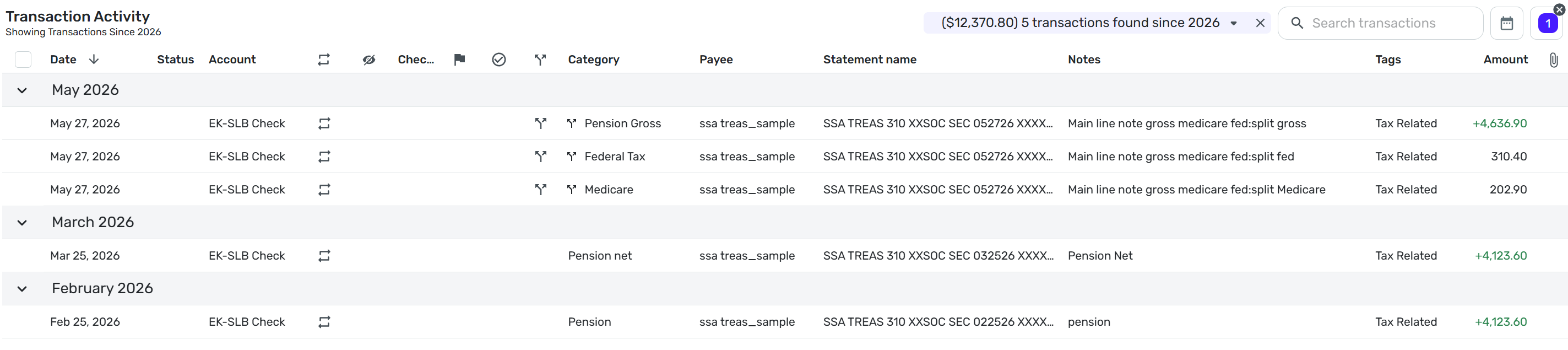
I am trying to control what line on the taxes report each line item shows on.
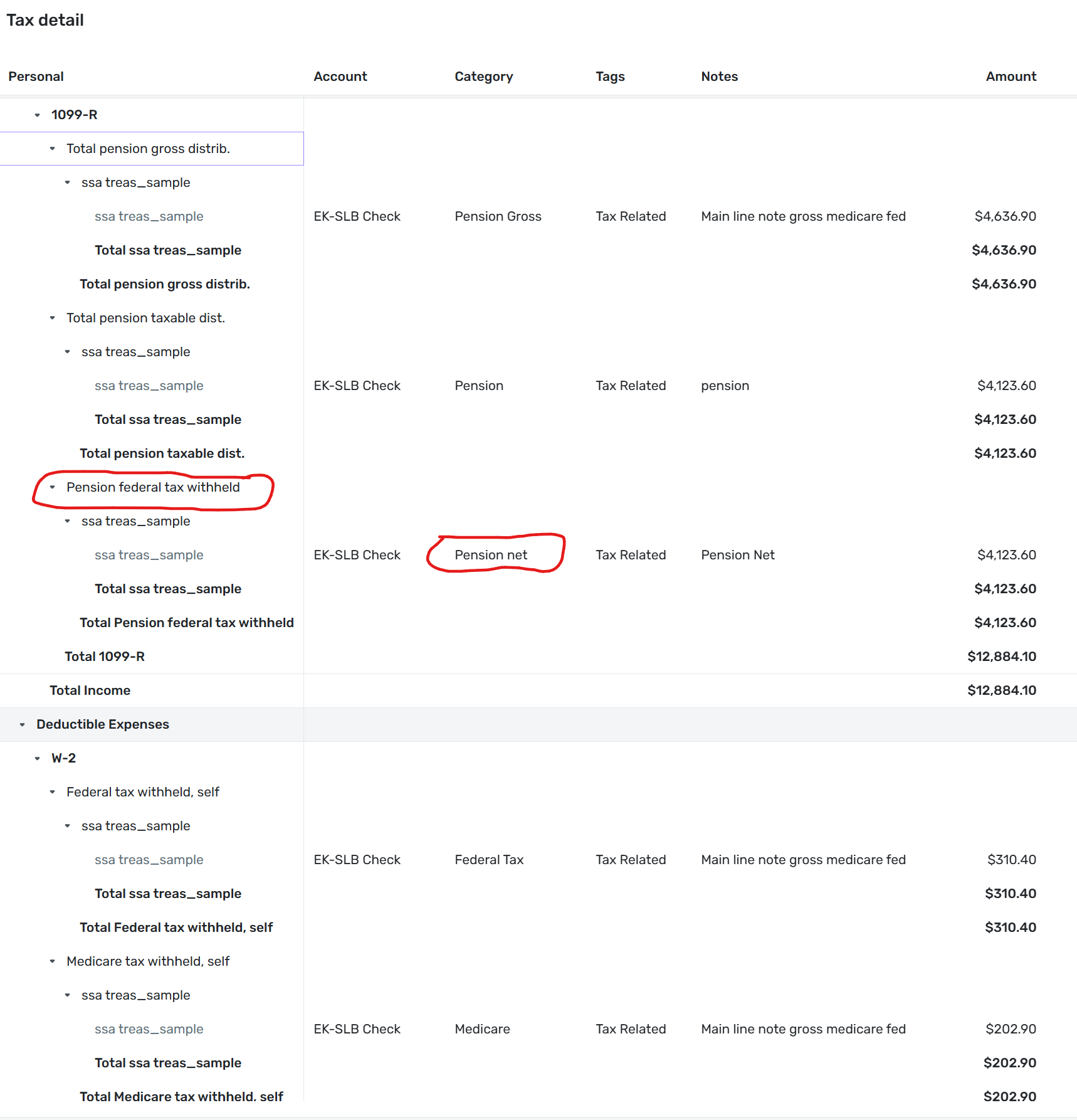
Below is a copy of the taxes report for the same 3 ssa checks. Note that Pension net is showing up under Pension federal tax withheld.
I found the following documentation about adding categories:
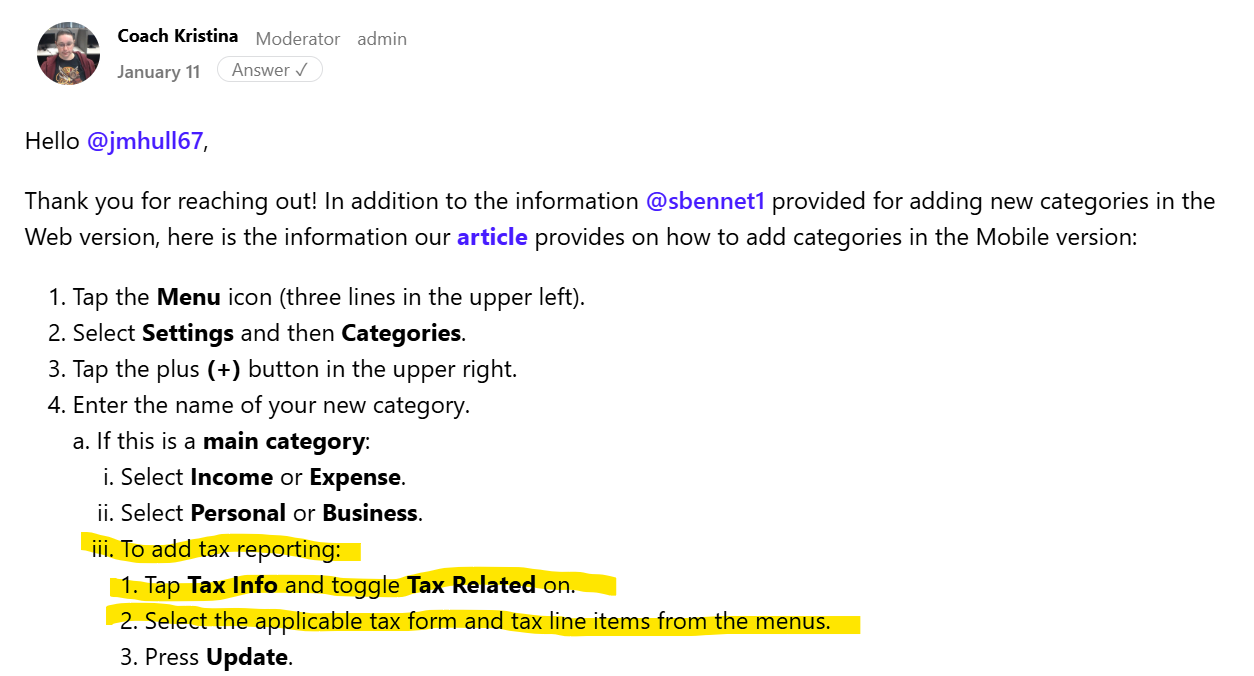
When I go to the edit categories screen I do not see a Tax Info Toggle.
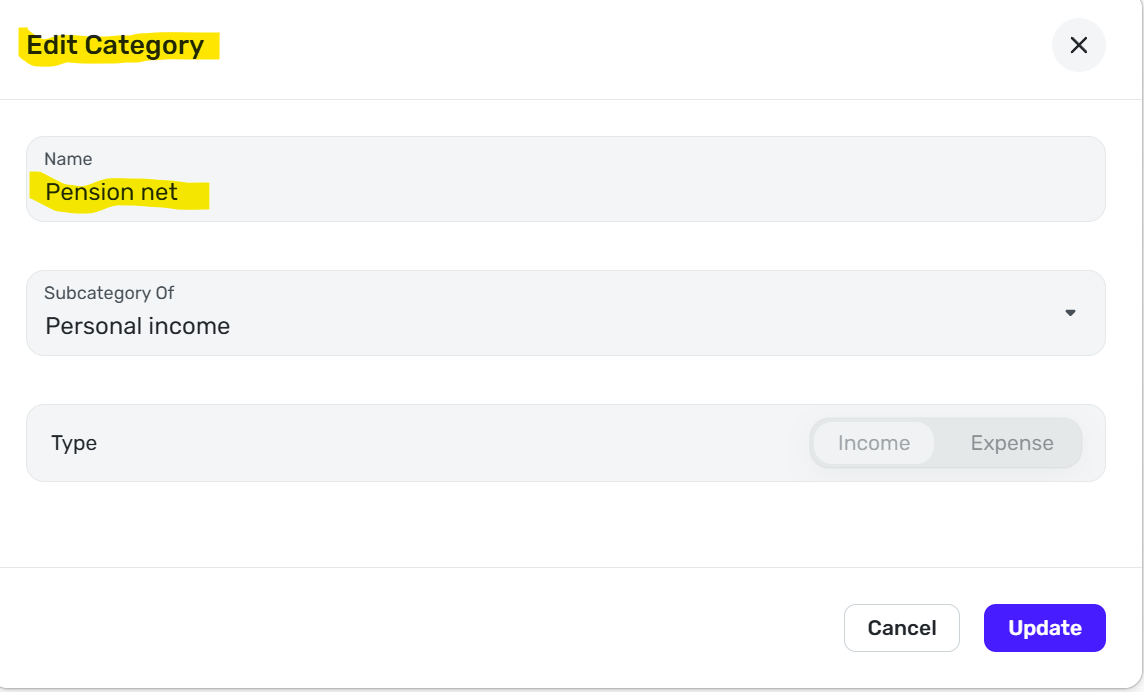
How do I control the tax form and line number line that a category will appear on and what category is assigned to each line?

Steve B
Ex Fortran, Cobol, Basic, MS Access and Visual Basic for Applications (VBA) programer
Been using Simplifi since Dec 2025.
Best Answer
-
I was signed in as a shared owner of a space not the owner of the space. Apparently the tax related toggle is only available to the owner of the space. See my screenshot above. There is not a toggle.
I had a similar problem with early access to the recurring splits feature. Should have thought about that for this problem. It appears that there are a few things that only an owner can do which I did not see mentioned when I setup the shared space. I guess I need to be signed in as an owner all the time. It would be nice to have a list of the things that a shared space user cannot do and a way of printing out all of the tax related categories and the line item and form. Not sure if I want to put in a feature request for that.
Since there is a W-2 Medicare line item and I do not get a W-2 I am going to put it there.
@SRC54 Thanks for trying to help me and giving me advice on how to setup a SSA check
Steve B
Ex Fortran, Cobol, Basic, MS Access and Visual Basic for Applications (VBA) programer
Been using Simplifi since Dec 2025.
0
Answers
-
@sbennet1 You set the tax lines from the Settings (See cog wheel in top right corner). Go to Categories/Tags. Above looks like you were in the right place.
You turn on the tax related toggle and then choose what you need. Social Security is under Form 1040.
You find the Medicare Premiums under:
There isn't a separate one so I just do Schedule A: Doctors, Hospital, etc. You cannot deduct them unless your medical expenses are very high.
There's also one there for Fed Tax WH from Soc Security in the same place. I don't have taxes taken out of my social security so I am not showing that one to you.
Steve
Quicken Simplifi (Safari & iOS) Since 2021
Quicken Classic (MacOS) Since 2009
Dollars & $ense (DOS) and MS Money (Windows) 1987-20090 -
Glad you got it figured out. I wondered why you couldn't see the toggle! Glad to know the answer.
Steve
Quicken Simplifi (Safari & iOS) Since 2021
Quicken Classic (MacOS) Since 2009
Dollars & $ense (DOS) and MS Money (Windows) 1987-20090