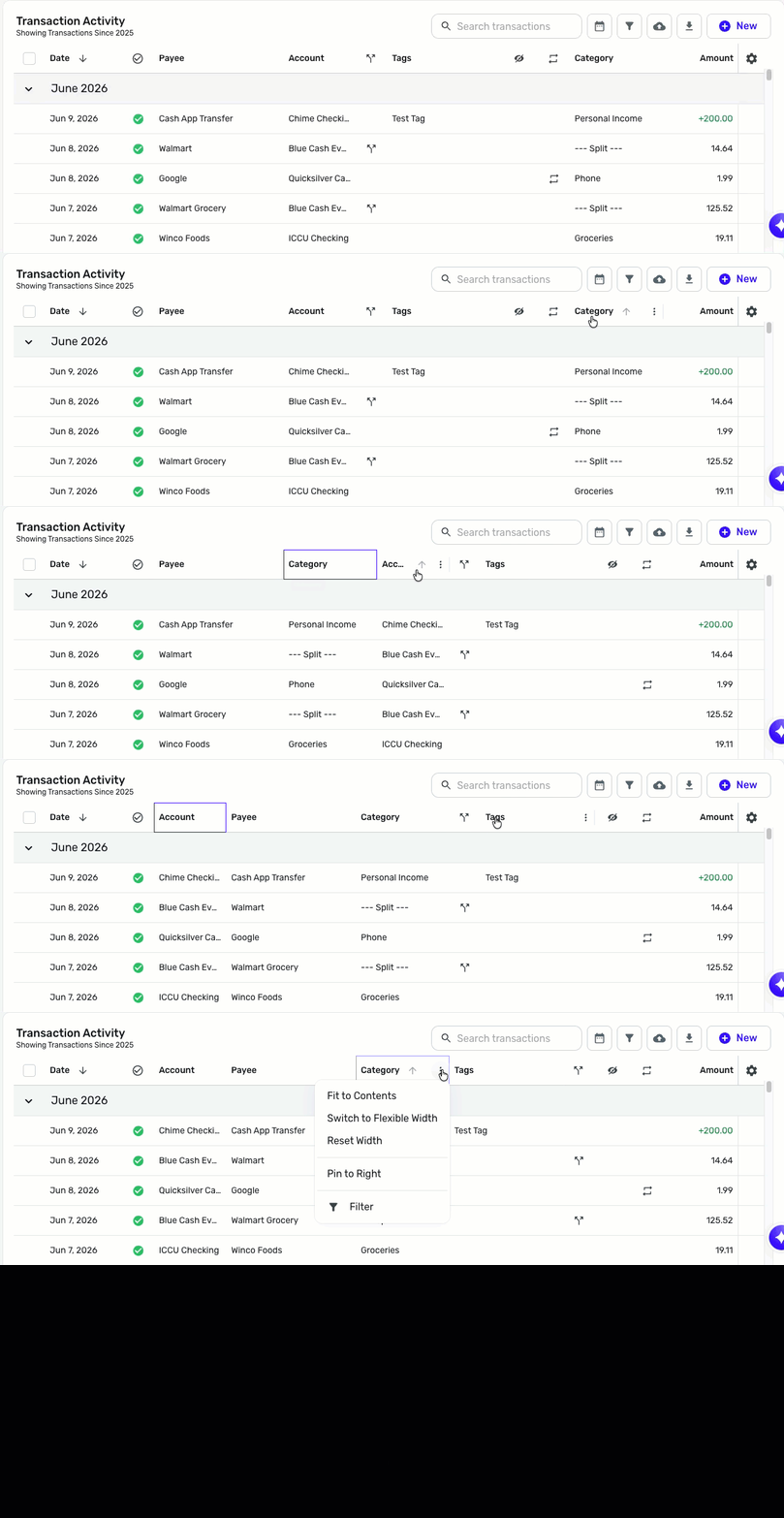
reorder column headers on transaction view to provide better customized viewing
@Micky1701, thanks for reaching out!
Your post has been converted to a discussion, as this is already available in Quicken Simplifi. To re-order column headers, simply drag and drop them to their preferred position. You can also hover over the headers and click the three dots at the end of them to access additional customization options.
I hope this helps you accomplish what you're looking for!
Thank you!