Morgan Stanley Line of Credit Now Shows As Asset Not Liability

SashaMike
SashaMike Member ✭✭

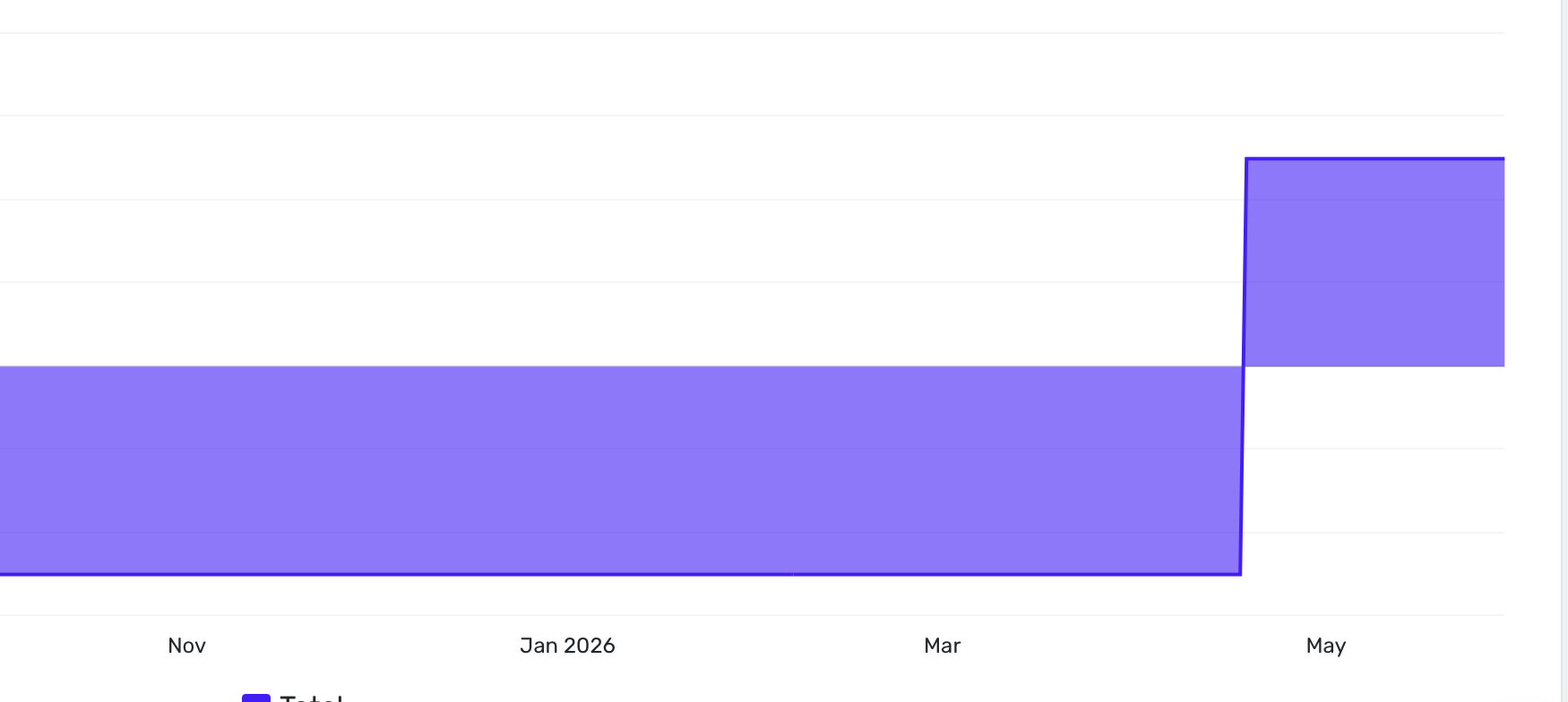
Starting in May my Morgan Stanley Line of Credit shows up as an asset with a positive amount and not a liability with a negative amount. Is there a way to change the drawn amount to a liability with a negative amount?

Screenshot 2026-06-13 at 12.19.58 PM.png

Comments

  • Coach Kristina
    Coach Kristina Moderator admin

    Hello @SashaMike,

    Thank you for letting us know you're seeing this issue! To help troubleshoot, please provide more information. Does the account show as a loan, an investment, or a different account type in your Quicken Simplifi? Are you able to view transactions in the account? If you can, are the transactions correct, but the balance is reversed (showing as positive instead of negative)?

    Have you tried making the account manual and reconnecting it? If you haven't, then please make the account manual by following these steps from our article on making an account manual:

    1. Move your cursor to the top right and click Settings (gear icon).
    2. Select Accounts.
    3. Locate the Account you'd like to make "manual" and click the three dots at the end of it.
    4. Select Make manual.
    5. Click Make manual to confirm.
    Make+a+manual+account+.gif?expires=1781466300&signature=f16003f51496f0900b61dde2dbdaa509070f1b8af266862275aad82b005b30ed&req=diEuE8F8mIdeXfMW1HO4zaNqycRSYrDYEIV2DIiDD6ir1mLdaB2Kt%2BAj9F2t%0AFPJaAM4o5NPpx6WtgyA%3D%0A

    Once done, the account will be moved down to the Manual Accounts section.

    To add the account again, please follow these steps from our articles on adding and linking accounts:

    1. Type your bank’s name into the search bar.
      • If your bank appears under the Popular Financial Institutions section, click on the image.
    2. Once you've selected your bank, you'll see a message regarding consent. Click Continue.
    3. Enter the User ID and Password used to sign in to your bank's website, then click Connect.
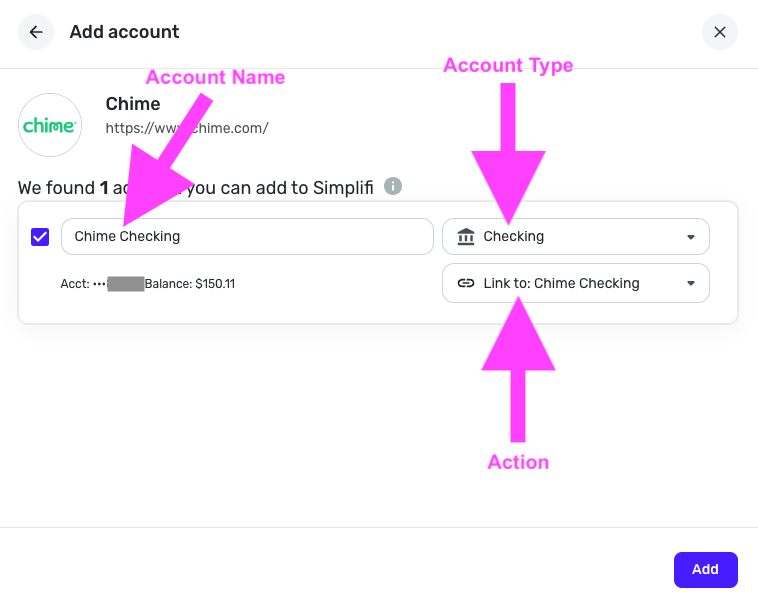
    4. Quicken Simplifi locates the accounts associated with your bank's login and displays the account name and account type. Review the accounts found. You’ll see each account’s:
      • Account Name
      • Account Type
      • Action that Quicken Simplifi will take image.png
    5. Open the Action dropdown and choose the existing Quicken Simplifi account that the bank account should link to. Important: If you leave the Action set to “Add as New (no link)”, Quicken Simplifi will create a duplicate account.
    6. Ignore accounts you don’t want to add
      If there’s an account you don’t want to connect, simply uncheck the box next to it.
    Untitled.gif?expires=1781466300&signature=8f4722f06c55b05f0f8b9f196bdfe9781de995d2dd1a24440128b2e36fef5e09&req=dSQjE8l9nYhfXPMW1HO4zcAPedlWRslqWtvF9QH%2B8KAwVFk0a7cgwvPXP8Eq%0AV8pwP4ZEBsBla0cX8wA%3D%0A

    I look forward to your response!

    -Coach Kristina