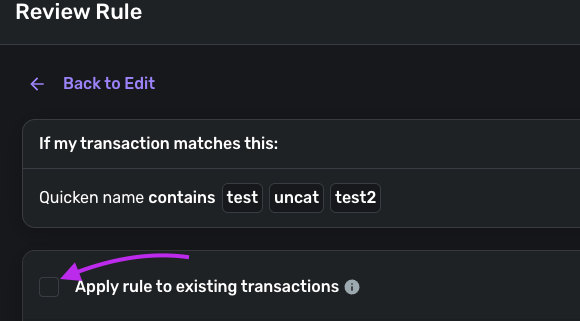
I've built several payee-rename / category-update rules (e.g., for Capital One, Citi card payments, and an Apple Care rule), and the same problem keeps recurring across different rules and different accounts:
- The rule is correctly configured (verified — keywords, account scope, and actions are all set up properly).
- When I save the rule and select "apply to existing transactions," it does not reliably apply.
- The failure is inconsistent and partial — sometimes the Category update applies but the Payee rename doesn't; sometimes neither action applies; sometimes it works fine on one transaction but not on another with identical payee text and the same rule.
- Editing an existing rule and re-running "apply to existing transactions" does not reliably fix already-affected transactions.
Examples:
- Capital One rule: Rename Payee → "Capital One", Update Category → "Checking." On one transaction, Payee stayed blank ("N/a") and Category also failed to update, despite the rule clearly matching (confirmed via the original statement text).
- Apple Care rule: Rename Payee → "Apple Care", Update Category → "Gifts," $4.99 exact match. A transaction matching all criteria (Capital One, "apple" in payee, $4.99) was not renamed at all after the rule was created and applied to existing transactions.
- In one case, the Payee field updated to the wrong value — it picked up the raw original statement text ("CAPITAL ONE") instead of the case I'd specifically typed into the Rename Payee field ("Capital One").
What I'd like resolved:
- Why "apply to existing transactions" isn't reliably applying both actions of a rule.
- Whether there's a known issue with Rename Payee specifically not taking effect on historical transactions, or being overwritten by original statement text.
- A reliable way to get existing transactions fully updated short of deleting and recreating rules from scratch (which I've tried, with inconsistent results).