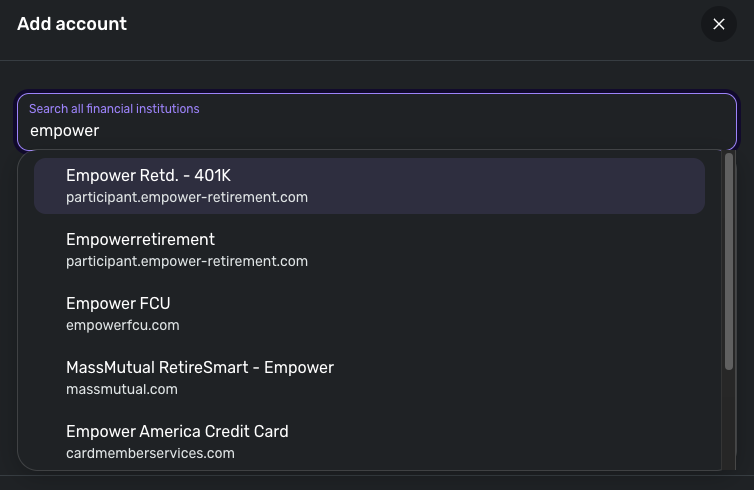
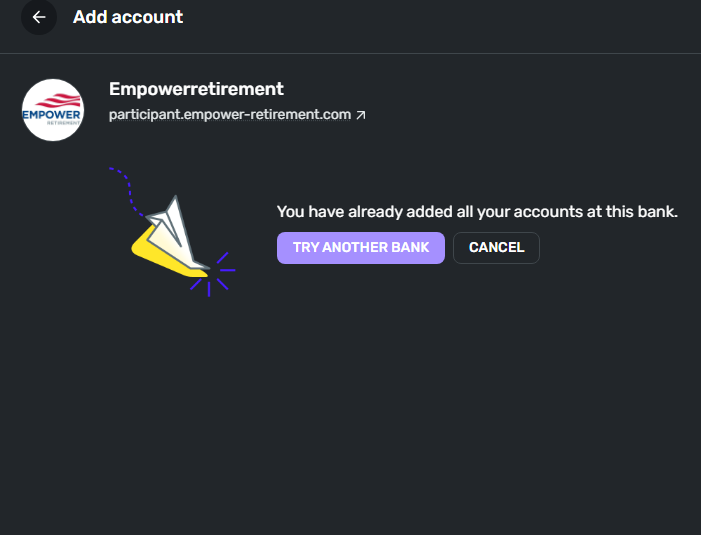
I need help and I have been getting this error in various forms for about the past two accounts on my Retirement account. This is not the first time this account has had issues.
Hello @geewiz2k1,
Thanks for reaching out! I can see the 325 error you are receiving from our end. Upon reviewing, it appears this error is due to your data currently being inaccessible while it is being aggregated. I would check whether trying the other Empower Retirement instances works better for you when connecting in Quicken Simplifi. The current instance you're on is through our Finicity aggregator, while the others would be through Intuit.
You can disconnect your current account and re-link it using one of the other instances I shared above, using the following steps:
Let us know how this goes!
Coach Jon,
Thank you for getting back to me so quickly. I have tried the other two instances and both of them give me the attached error. The only one that seems to work is the last instance working through the Mastercard connection. I did totally delete the connection I made to empower and this is still what came up. The instance is back now because I tried connecting to the last one thinking that maybe now it would work. Since you say my info is aggregating, do i just need to wait a little longer for it to work?
-Gary W. Brown
Thanks for the quick reply! I can see from our end that the "Empowerretirement" instance did not provide an error when you tried connecting. If it is returning the "You have already added all your accounts at this bank" message, then I would check Settings > Accounts and verify whether you have any other Empower Retirement accounts that are currently connected there.
I would also have you try the following OAuth troubleshooting steps to see if your user token has expired. This can happen after having the account connected for more than 90 days. They are similar to the original steps I gave you, but require an additional step beforehand at your bank's website:
Hello Coach Jon,
Well today it seems to connect and give me my balances like it should. I tried looking for a way to login to Empower and remove Quicken access from the website. But, I could not find any settings for this, so I sent a note to support to do it and they said that they do not support direct access into Quicken which I know is not true. 🙄But, for now it's working hopefully this will not happen again in 90 days. I'm still using that empower link that is at the bottom of the list. It's the only on that works. Thanks for your assistance.
— Gary W. Brown