QBP: Ability to edit and delete Projects (edited)

Somehow, I ended up with a "no project", but I don't see any way to edit the name or delete the project. Any ideas? Or is this a bug?

Chris
Quicken Simplifi user since 2021.
Quicken Desktop user since 2014.
Spreadsheet user since forever.
Comments
-
@Flopbot, thanks for posting to the Community!
When viewing all of my clients in Quicken Simplifi Business & Personal, I also see the "no project" line, so this must be built-in. From what I can tell, it tracks invoices that were billed without a project (see here). With that, it doesn't look like the ability to edit or delete projects is currently available, so I have turned this into an Idea post so other users can vote on it and our product team can review it. I believe this is something they're already working on, but this will allow us to update the status of the request once we know for sure.
I hope this helps!
-Coach Natalie
-Coach Natalie
0 -
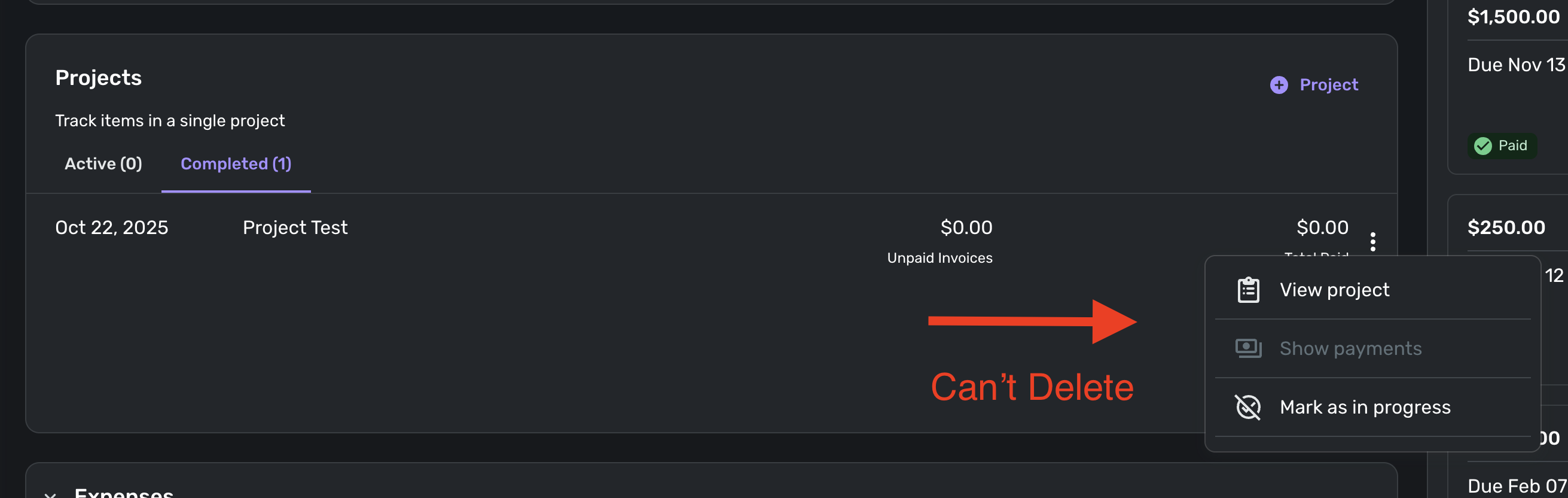
Currently, there is no way to delete a Project once you create one. If a project gets cancelled or you are just testing out the feature, there is no way to delete it. Would be nice if we could!
 0
0 -
This does seem like a silly feature to ignore. Not having the ability to delete a test project or a project that is cancelled, clutters a person's database.
1 -
The same is true of a test Business in QBP. If you create one to test some features, you are stuck with it.
DryHeat
-Quicken Classic (1990-2020), CountAbout (2021-2024), Simplifi (2025-…)0


