Linking a transaction to a recurring reminder deletes the transaction

This discussion was created from comments split from:
Comments
-
Hello,
I had the same issue earlier, made a post about it on 3/7 (see below), and was linked to an alert for updates (and the separate post closed, which is why I'm commenting here instead of there), which was then resolved on 3/18:
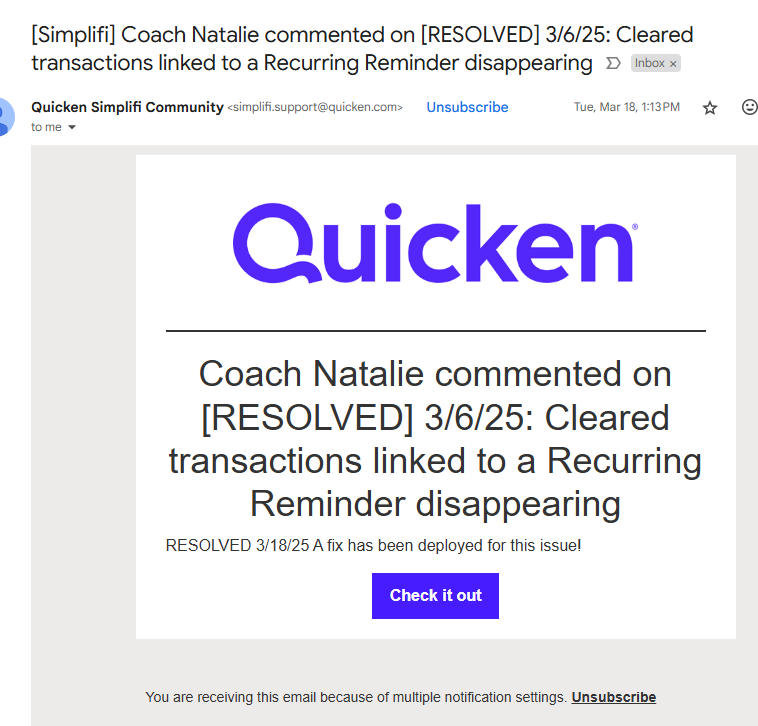
However, when I click the link on that email or in my earlier thread, I get the error "
Permission ProblemYou don't have permission to do that."
Are threads for alerts usually deleted after they're resolved? How should I report another instance of the same problem just now?
0 -
Yes, I had a transaction disappear yesterday, and I can't be certain but looking back I suspect some disappeared in April as well. Is it standard practice to remove closed alerts?
0 -
Hello @Emacken,
Thanks for the reply. Yes, it is standard to archive alerts after they have been resolved for 3 days.
Regarding your issue at hand, have you noticed any other transactions being removed/disappearing since yesterday? If so, if you would please grab the following information, this would help us get this reported and investigated:
- The next time you go to manually link a transaction to a Recurring Series, open the Transaction Detail view of the transaction and grab a screenshot so we can see the Date, Payee, Amount, and the "Appears on your statement as…" info. This will show that the transaction was indeed downloaded into Quicken Simplifi.
- Take a screenshot of the reminder in the 'Reminders' carousel at the top of the account register before linking it to the transaction so we can see the details of that as well.
- Link the transaction to the reminder and then take a fresh screenshot of the Transaction Detail view so we can see the Series section and see that it's linked.
- Once the transaction disappears, grab a screenshot of the account register showing it's missing, as well as a screenshot of the Reminders carousel showing that the reminder is back.
-Coach Jon
-Coach Jon
0 -
Will do, but I only have a dozen or so recurring payments per month, so it might be a while since not all of them fail to automatically match (thankfully).
Could I start a feature request for extending the length of time before archiving alerts, or is forum management handled some other way? Three days seems like a very short amount of time to make sure that the issue is indeed fixed, some people might only log into their account once or twice a week.
0 -
Hello @Emacken,
You can definitely submit an idea post if you prefer, however, if a user does end up reporting an issue down the road after an alert has been resolved, we would still treat that issue as a new issue and troubleshoot and escalate if needed from that point. Basically, the previous alert would not come into play when troubleshooting the issue that has been reported.
As for the information requested, there is no rush; just let us know when you can provide that information!
Thanks,
Coach Jon
-Coach Jon
0 -
I am seeing similar behavior over the last week or more too. Earlier today I created a manual transaction in a synced account and linked it to a recur. I reviewed everything and it looked ok. A while later I was looking at something else and noticed the transaction described above had disappeared. This is at least the second or third time this has happened recently. I have recreated the same transaction again and so far it hasn’t disappeared. My transaction amount is $50.00 so my theory was it was merging with another transaction in error somewhere that I have yet to find since it’s a common amount. However, the issue shared in this string feels eerily the same. I created other transactions at the same time, linked to recurs, that didn’t disappear though so my experience may or may not be related. I also have at least one recur that isn’t showing any transactions in its history even though I’m accessing the series from a linked transaction. This may be a completely separate issue with recurring series…?
0 -
Hello @Jenny T,
Thank you for letting us know you're seeing a similar issue. If possible, please provide the information @Coach Jon requested in an earlier post:
- The next time you go to manually link a transaction to a Recurring Series, open the Transaction Detail view of the transaction and grab a screenshot so we can see the Date, Payee, Amount, and the "Appears on your statement as…" info. This will show that the transaction was indeed downloaded into Quicken Simplifi.
- Take a screenshot of the reminder in the 'Reminders' carousel at the top of the account register before linking it to the transaction so we can see the details of that as well.
- Link the transaction to the reminder and then take a fresh screenshot of the Transaction Detail view so we can see the Series section and see that it's linked.
- Once the transaction disappears, grab a screenshot of the account register showing it's missing, as well as a screenshot of the Reminders carousel showing that the reminder is back.
For the second issue, to avoid confusion, I recommend creating a new post to discuss that problem.
I look forward to your reply!
-Coach Kristina
0


