Anomaly in mobile app balance versus web

This one's interesting (And I'm sure the first suggestions will be "log out and in again" "uninstall the app, reboot, and reinstall the app" - i didn't get to any of this yet, I wanted to document it first):
My FourLeaf Bonus Checking account balance is probably right on the web app factoring in manual/pending transactions:

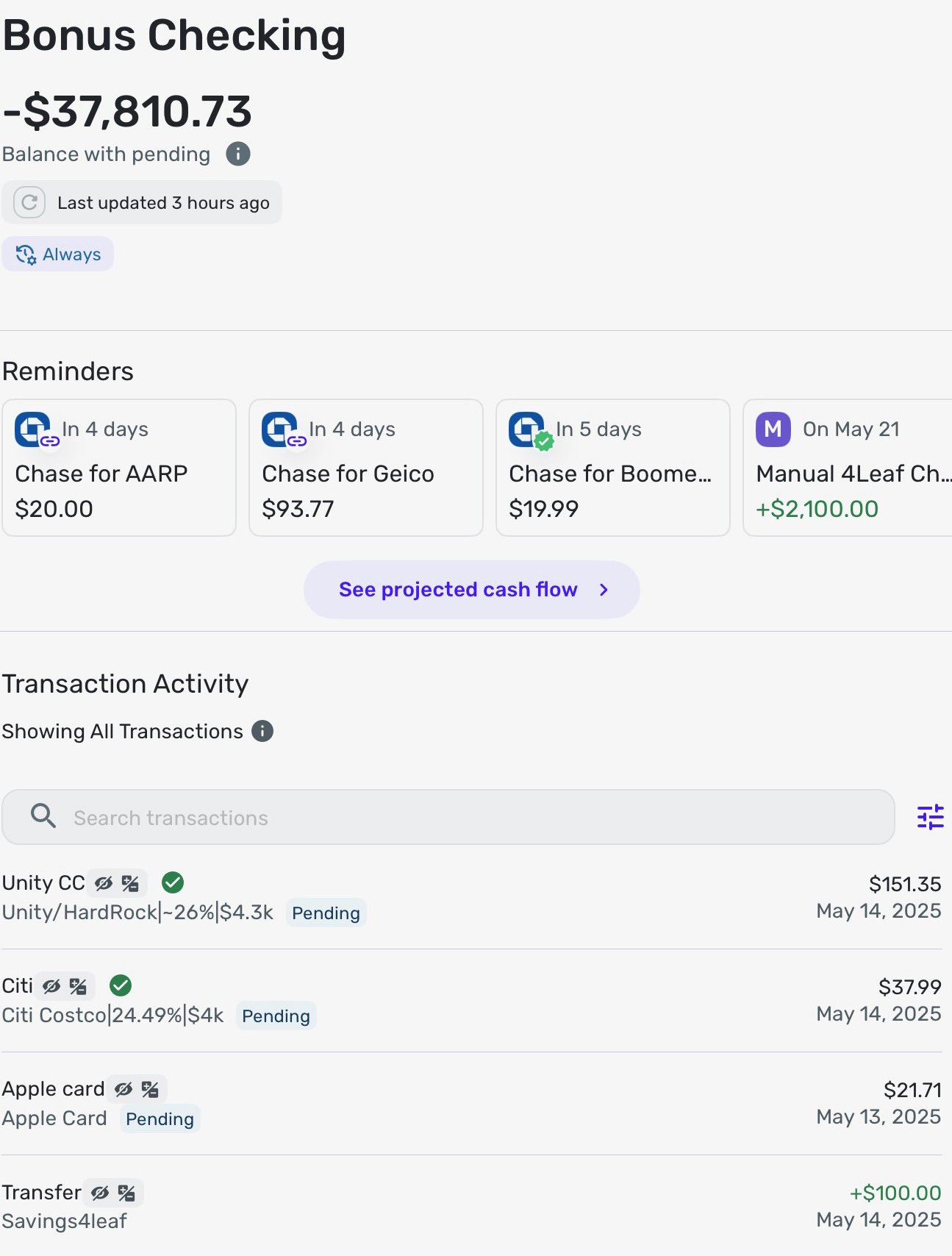
But on the iPad, I'll show it "with" pending transactions in the screnshot so you can see pending transactions are not causing this hopefully wrong balance:
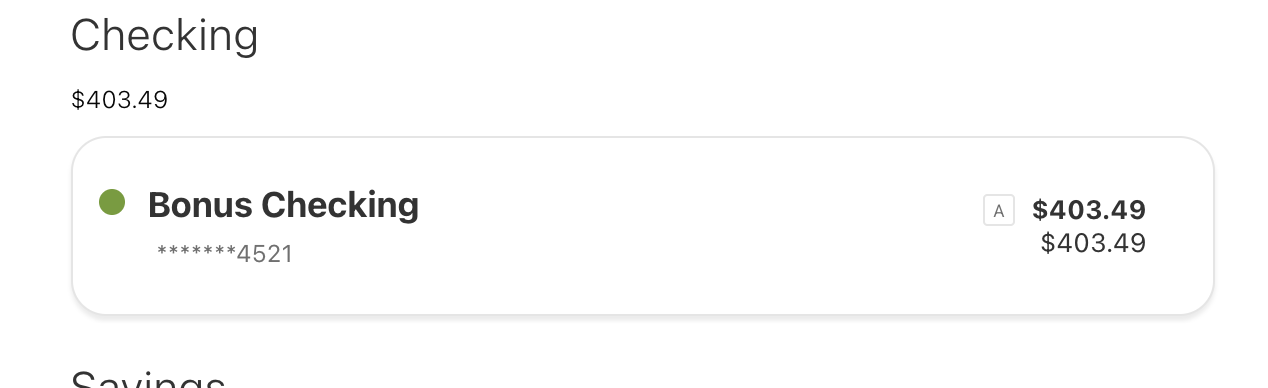
And just to be clear, the bank is showing:
-Rob
The app is 5.30.0, there are no updates in app store, I upgraded IPadOS today to 18.5. It's an M4 iPad Pro, btw.
—
Rob Wilkens
Comments
-
Oh, and Citi Costco Card on iPad seems to be showing where that balance went, but again,
oh wait - i see - and it's not my error.
The pending transaction from four leaf checking to citi costco (manual) is $37.99 — the iPad app seems to be treating it like $37,990.00 but the transaction amount in the register is properly $37.99.
EDIT: This transaction was entered on the web app manually in advance of it downloading as I like my balances to be more current than the bank site would be aware of.
I'll note i discovered this while considering the screen recording earlier… So all my bug reports today are "connected".
—
Rob Wilkens
0 -
This one is a large discrepancy. Glad the web app works and is correct. This will be more concerning if both web and mobile showed the same discrepancy.
Simplifi User Since Nov 2023
Minter 2014-2023
Questionable Excel before 2014 to present
1 -
Hello @RobWilk,
Thank you for reaching out. This is a little confusing, so to clarify your situation, is the balance correct within the web application but incorrect within the mobile application on iPad? If so, I would also see if uninstalling/reinstalling the application on your iPad works to resolve this issue, considering it is correct on the web application.
-Coach Jon
-Coach Jon
0 -
verified the balance was also wrong on iPhone, so reinstalling probably wouldn’t have fixed it..
the transaction is no longer pending , so it is not affecting the balance calculation, and balance is closer to right now—
Rob Wilkens
0 -
Yes, it is
—
Rob Wilkens
2 -
@RobWilk How do you like your M4 iPad Pro. Do you still have a Mac or did this replace it. I went with an M4 Mac because I still use Quicken; it's really the only non iOS app I still use and I still hope to retire it.
Steve
Quicken Simplifi (Safari & iOS) Since 2021
Quicken Classic (MacOS) Since 2009
MS Money (1991-2009) and Dollars & Sense (1987-1991)0 -
I love the iPad Pro, carry it with me anywhere, and when paired with an iPhone connects easily to a hotspot.
But I cannot do development on the iPad yet, so I still have my m4 MacBook Pro.
—
Rob Wilkens
0


