College Savings Iowa 529 - FDP-106

This discussion was created from comments split from:
College Savings Iowa 529 plan no longer connecting - FDP-103 (edited).
Comments
-
Is there any update on this issue? Iowa 529 Plan connections quit working for me awhile back. There is also no option to temporarily disable MFA. I am receiving error message FDP-106. If this is relevant at all, the Iowa 529 plan provider changed from College Savings Iowa (www.collegesavingsiowa.com) to ISave529 (www.isave529.com). Thanks.
0 -
Hello @jeff4cy,
Thanks for reaching out! Can you let us know if you are trying to add an account for the first time in Quicken Simplifi or update an existing account? In the case of the former, can you also provide the following information:
- How long have you been experiencing this error?
- What type of banking accounts are you trying to add?
- E.g. checking account, savings account, investment accounts, etc.
- What is the account nickname as it appears on the bank's website?
- Has there been activity on the account within the last 90 days?
- What is the exact web URL you see once you’ve signed in to the bank's website?
-Coach Jon
-Coach Jon
0 -
I receive error code: FDP-106.
New Simplifi user. 25 year Quicken desktop user.
0 -
Hello @swiederin,
Thanks for reaching out! I can also see the FDP-106 error you are receiving from our side. Can you let us know if you're trying to add the account for the first time into Quicken Simplifi, or are you updating an existing account already within the program? For the latter, I would suggest establishing a fresh connection, making the account manual, and re-linking to see if that fixes the current issue. The instructions to do that are:
- Make all of the accounts with the bank manual by following the steps here.
- Once you see the account(s) listed in the Manual Accounts section under Settings > Accounts, go back through the Add Account flow to reconnect to the bank.
- If the connection is successful, carefully link the account(s) found to your existing Quicken Simplifi account(s) by following the steps here.
Let us know how this goes!
-Coach Jon
-Coach Jon
0 -
I made the accounts in question manual. Then added them back and tried to reconnect. Thats when I received the error.
New Simplifi user. 25 year Quicken desktop user.
0 -
Just checked. Looks to be working now. Not sure how or why.
New Simplifi user. 25 year Quicken desktop user.
1 -
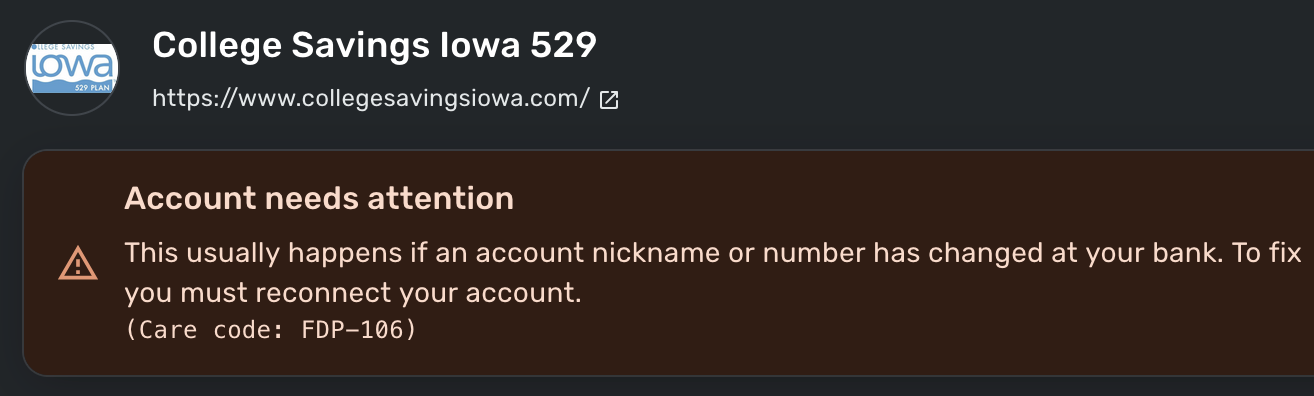
I'm still getting the same error: Care code: FDP-106
 0
0 -
Hello @dvvndrls,
Thank you for letting us know you're still seeing the FDP-106 error. If you haven't already done so, please follow these steps to troubleshoot the issue:
- Make all of the accounts with the bank manual by following the steps here.
- Once you see the account(s) listed in the Manual Accounts section under Settings > Accounts, go back through the Add Account flow to reconnect to the bank.
- If the connection is successful, carefully link the account(s) found to your existing Quicken Simplifi account(s) by following the steps here.
If the issue persists after the troubleshooting above has been done, please submit logs to help us further investigate the issue. To send logs, follow these steps:
- Log into the Quicken Simplifi Web App.
- Select Profile from the left-hand navigation bar.
- With the Profile menu open, hold down the Option key for Mac or the Alt key for Windows, and then click Send Feedback.
- Leave all boxes checked, add a brief description of the issue, and then click Send.
Please let me know how it goes!
-Coach Kristina
0 -
I'm just coming back to this and still receiving the same error message. I believe the problem has been occurring since the change in the URL from https://www.collegesavingsiowa.com to . I changed the accounts to "Manual" and attempted to re-add the accounts, but still receive the same error message.
Here is the requested info:
- How long have you been experiencing this error? Since February 2025
- What type of banking accounts are you trying to add? 529 Plan Investment Accounts
- E.g. checking account, savings account, investment accounts, etc.
- What is the account nickname as it appears on the bank's website? Not sure what you are asking for.
- Has there been activity on the account within the last 90 days? Yes
- What is the
exact web URLyou see once you’ve signed in to the bank's website https://www.iowa529save.com/iatpl/al/list.cs
For whatever its worth, there is an option in the financial institution's account settings for managing financial aggregator access, but I don't see that as an option with Quicken Simplifi for logging in that way.
0 -
Hello @jeff4cy,
Thanks for the reply and requested information! The account nickname would be what the account is called on your bank's website. We will need that information.
Additionally, can we also have a screenshot of the Accounts Summary page from the bank's website that lists all accounts and balances (feel free to redact any personal info) and has a wide enough scope to show the page URL (this must be taken from a web browser and not a mobile browser).
-Coach Jon
-Coach Jon
0 -
THIS IS STILL BROKEN. QUICKEN TEAM, PLEASE INVESTIGATE.
0 -
Hello @Mnew,
Thanks for reaching out! I am not seeing an error for you from our side for this bank. Are you also receiving an FDP-106 error when trying to connect? If you are, I would try the steps I listed previously to see if that resolves the issue for you.
Let us know!
-Coach Jon
-Coach Jon
0 -
Hello everyone!
We are aware of the issues with connecting to College Savings Iowa 529, and do have an alert up that you can follow for updates here:
We will be sure to post there when we receive any status updates on the issue. Thank you for your patience!
-Coach Jon
-Coach Jon
0


