Recurring monthly bill not accurately reflected in Cashflow...

I have my main, monthly Credit Card bill set up as a recurring bill, as below:
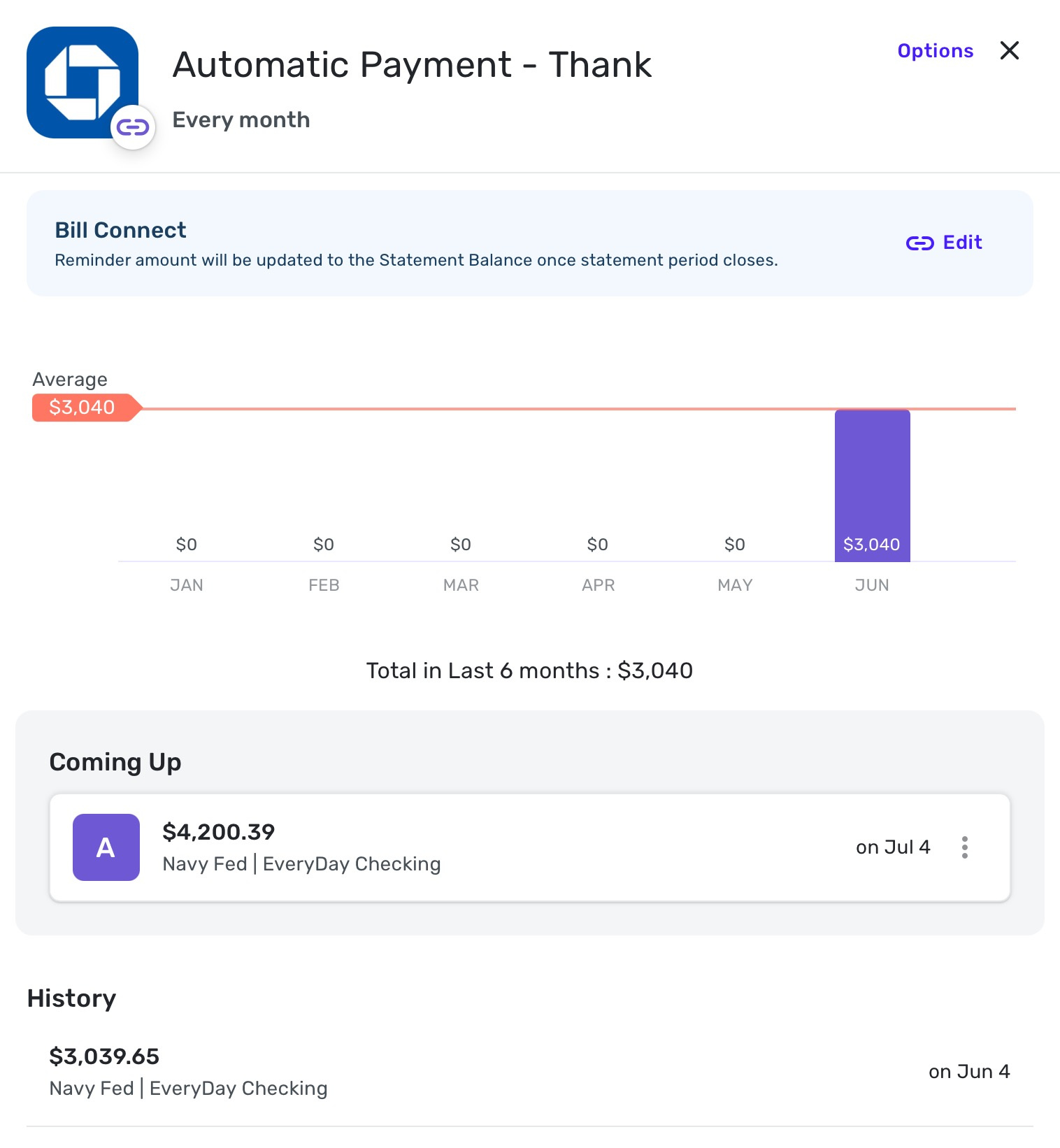
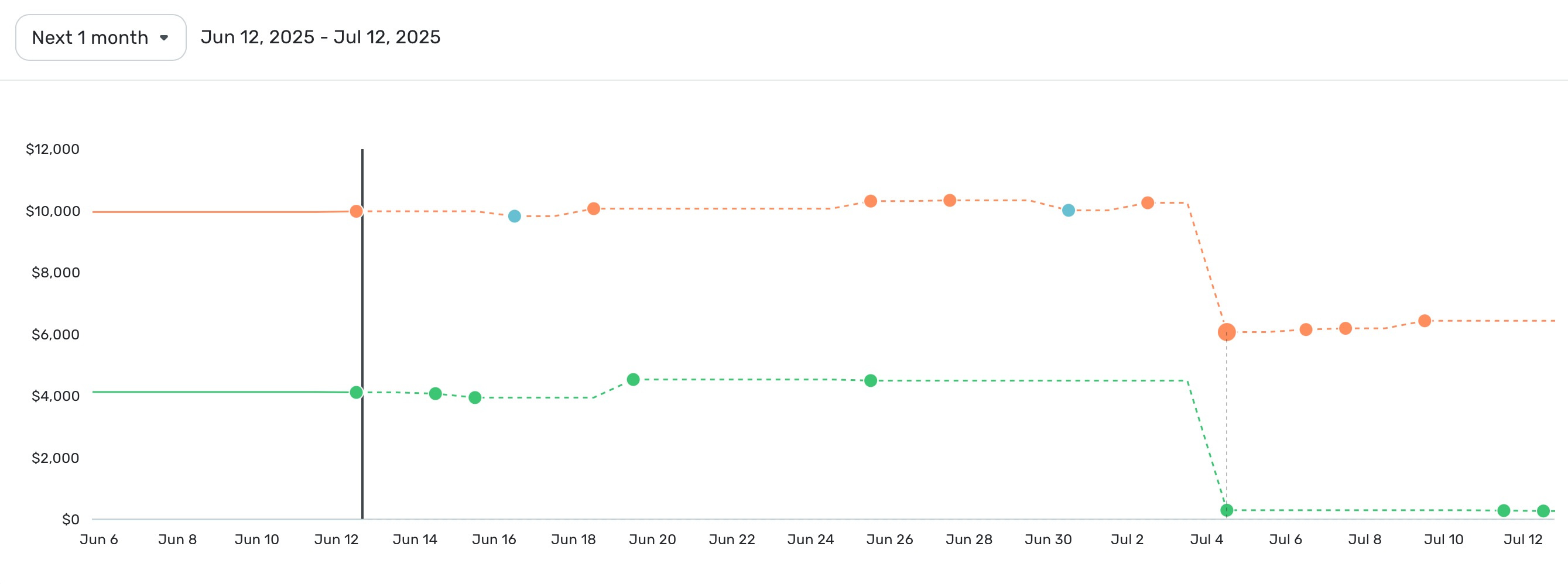
You can see that an amount of $4,200.39 is due to go out on July 4th. You can also see this reflected in the cashflow graph below:
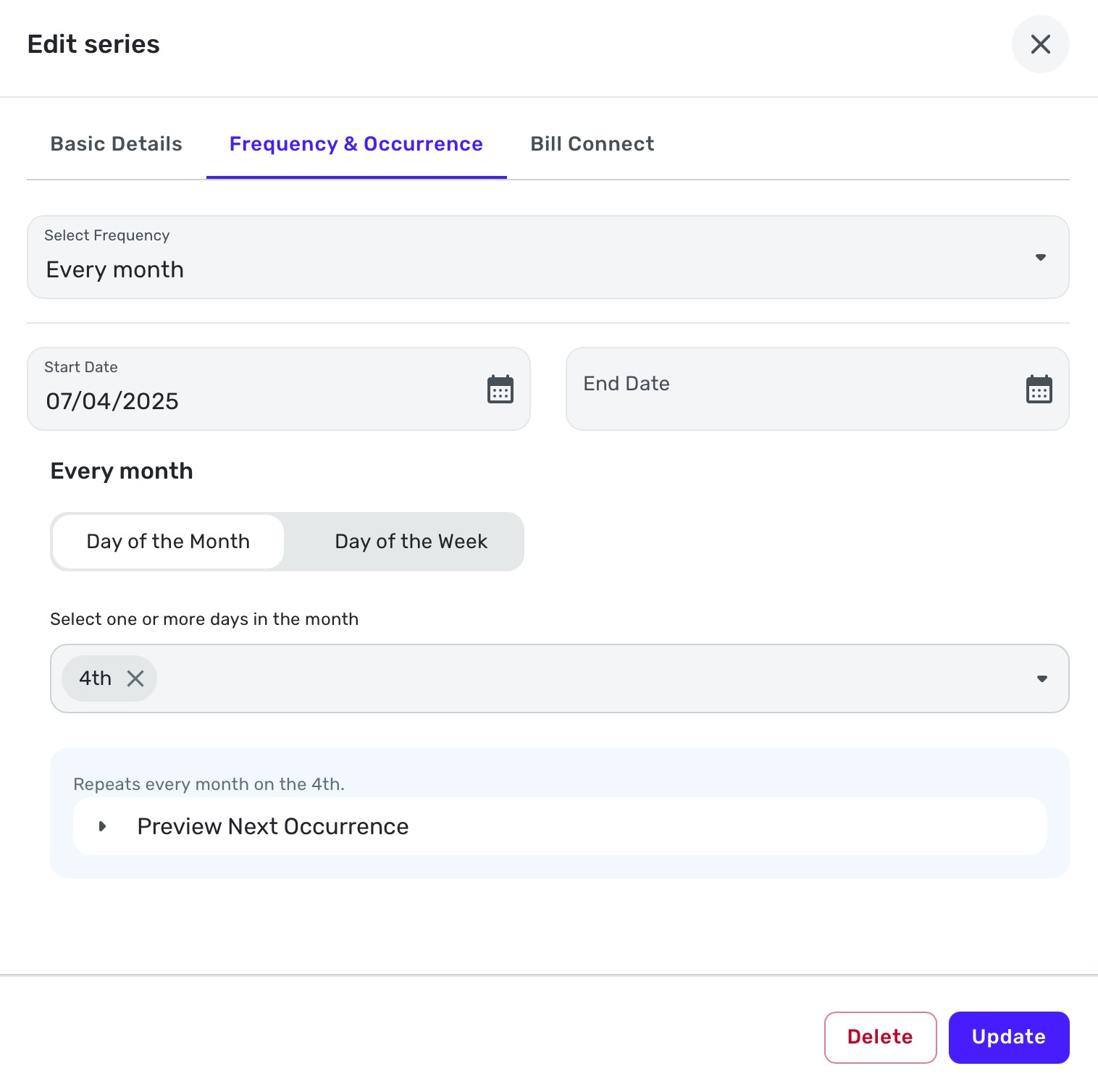
If I go into the options of the recurring bill, and edit the series, and go to the frequency tab, you can see that it is set for every month on the 4th, with no end date:
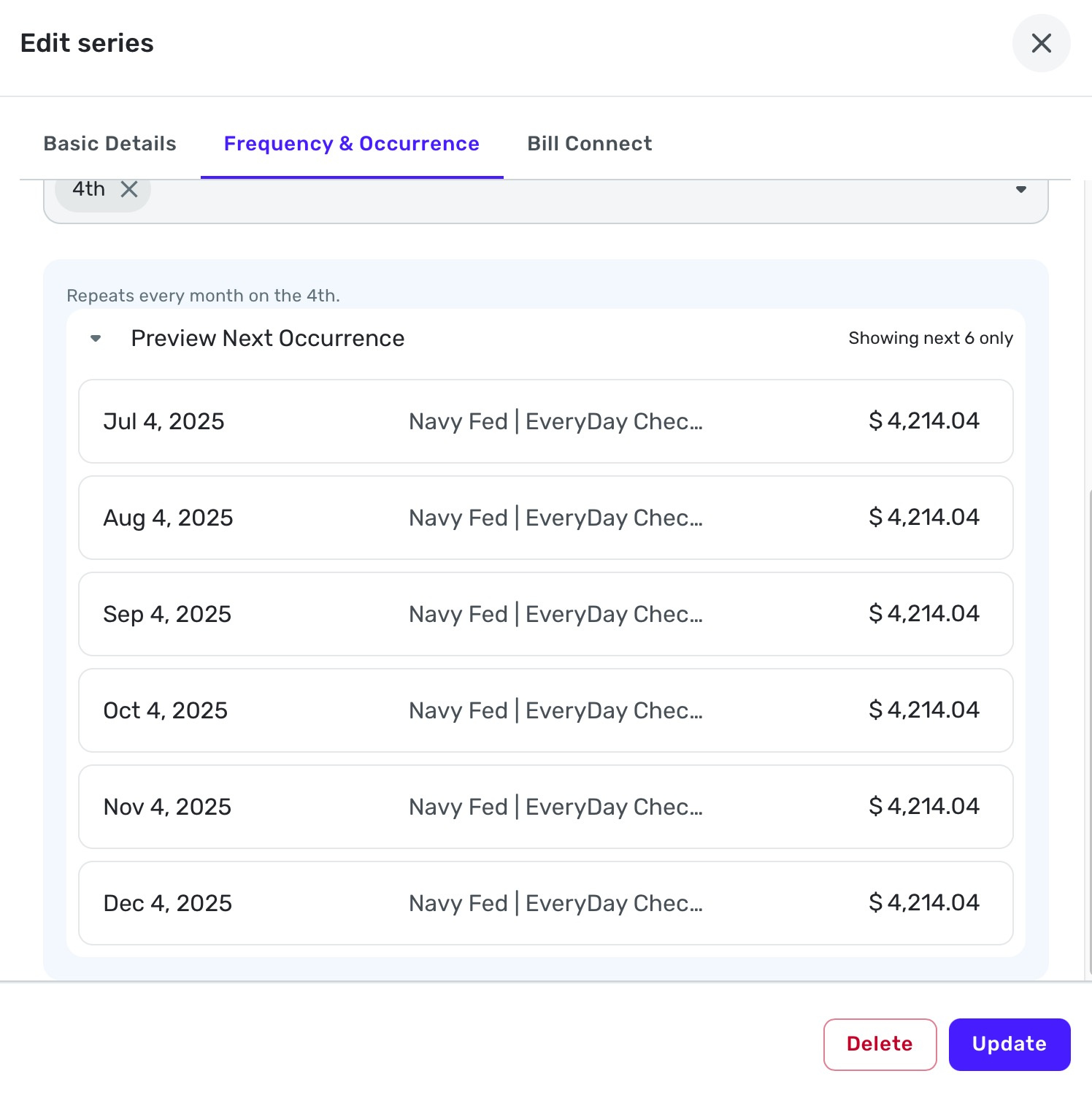
If I go to Preview Next Occurrence you can see a schedule payment for every following month:
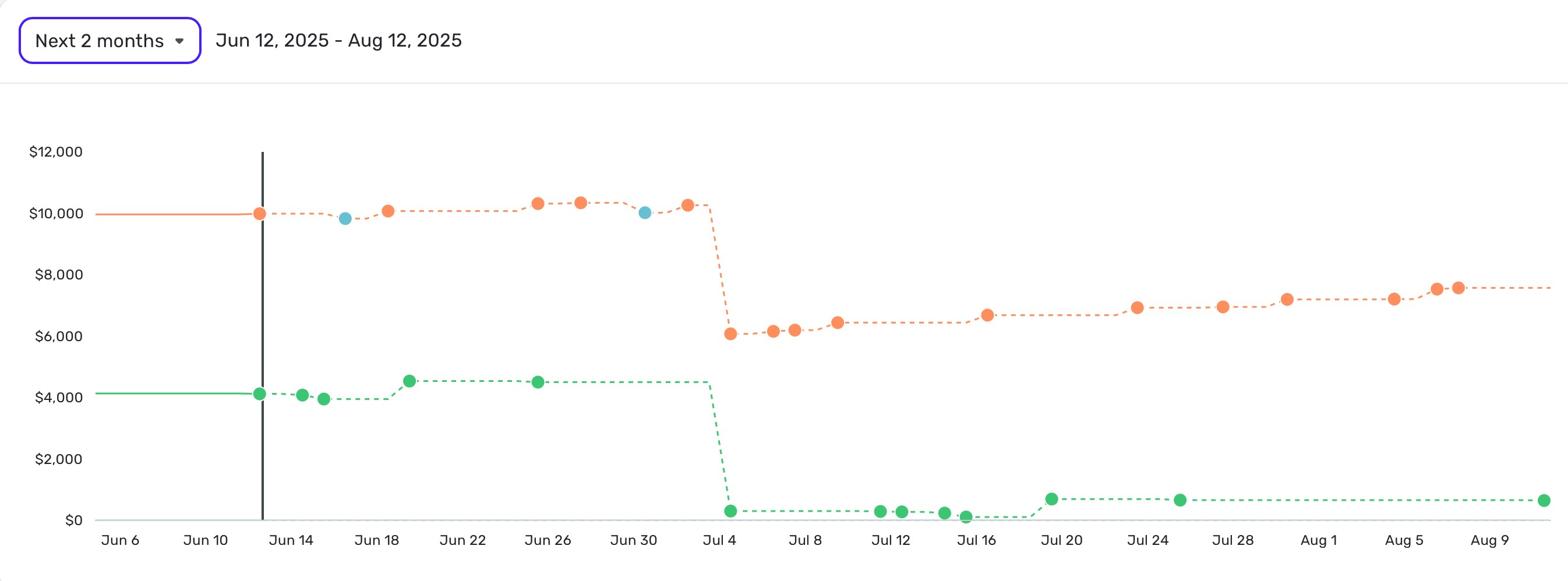
However, if I adjust the timeframe on the cashflow to show the next two months, you will see that the bill for August 4th is absent:
Furthermore, if I adjust the timeframe to show cashflow for 3 months, you will see the bill for September 4th IS present:
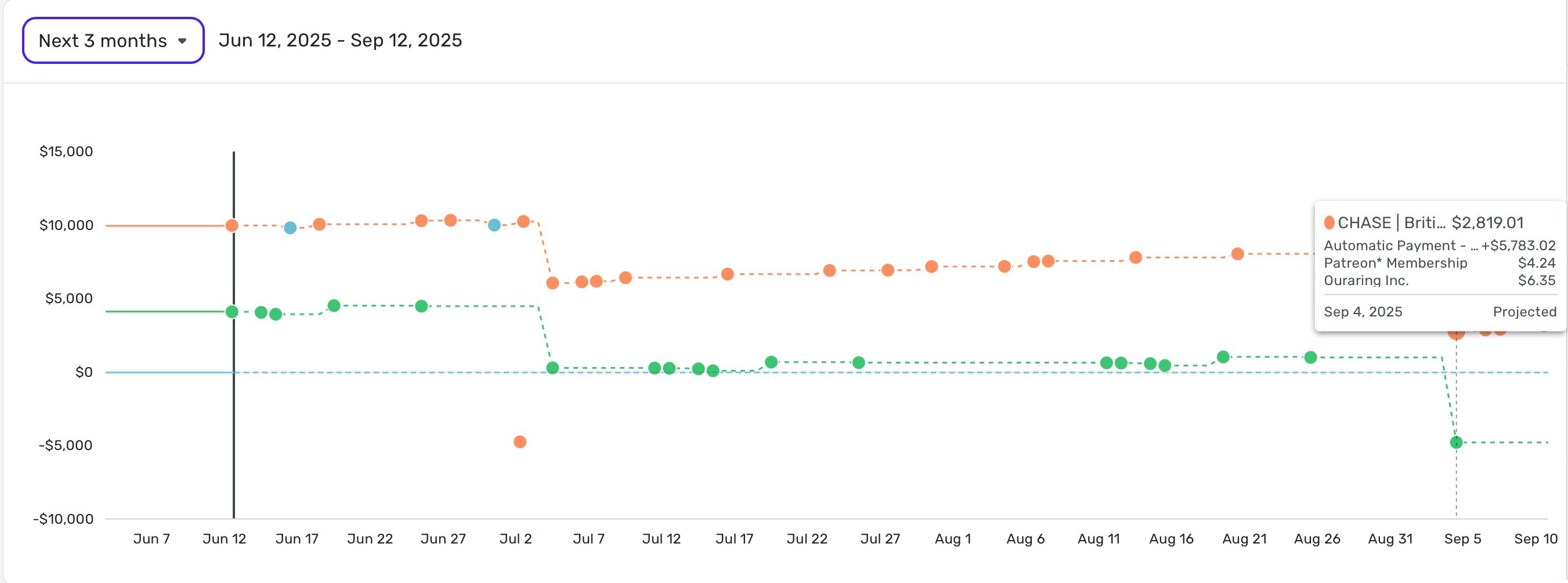
So the bill for August 4th, as part of the recurring bill series, is just not reflecting in the cashflow at all.
Am I missing something here, or is this a bug?
Comments
-
@cloudquick, thanks for posting to the Community!
I'm not personally seeing any issues with my Recurring Credit Card Payments showing up each month in the Projected Cash Flow. With that, since the issue seems to be specific to a certain Series/Reminder, I would recommend deleting and recreating the Recurring Series to see if doing so clears things up for you.
Here are the steps to delete a Recurring Series:
- Hover over the panel on the left-hand side and select Settings.
- Select All Recurring.
- Locate the Recurring Transaction you'd like to delete and click the three dots at the end of it.
- Select Delete series.
- Click Delete to confirm.
Here are the steps for manually recreating a Recurring Series:
- Hover over the panel on the left-hand side and select Settings.
- Select All Recurring.
- Click the +Add button in the upper right.
- Click Add Manually at the bottom of the Add Bill window.
- Enter the details for the Recurring Series, and then preview the next occurrences in the Frequency & Occurrence tab to confirm.
- Click Create when done.
Our support article here has more details on deleting and creating Recurring Series in Quicken Simplifi:
Let us know how it goes!
-Coach Natalie
0 -
Thanks @Coach Natalie I think the issue I'm having more than anything is the continuing need to delete/edit/adjust and things just not sticking. I'm happy to delete and re-add, but this isn't the first trime I've run into some sort of issue, and if the remedy each time is to delete and start again, then the entire point of having the recurring bills is a bit pointless.
I will try and re-add now and see how I get on, but I'm concerned that using the software is just engaging in a series of temporary fixes, and as soon as I fix one issue, another arises. I've had the software for a bit over a month now, and I feel like I'm continually needing to remedy situations like this.
As I say, I will try to delete and re-add this bill as you suggest. But I'm not sure what to do if issue like this keep arriving I'll report back in due time.
0 -
One more thing @Coach Natalie is it better/suggested that I add this bill manually, as opposed to linking to existing transactions?
This is my primary credit card bill, and one of the two accounts actually linked to my Simplifi account. The other being the checking account that the bill payment is coming from.
Is there a reason not to delete the current recurring bill, and re-add it by linking to an existing transaction?
0 -
@cloudquick, thanks for the reply!
I can definitely understand how the various issues can become frustrating and concerning. Typically, if something is able to be corrected via manual intervention, and the issue does not return after doing so, it would be considered a one-off and is not something we'd consider escalating. Definitely let us know if the issue returns for this Recurring Series, though!
As for recreating the Recurring Series, you may do so however works best for you. I hope this helps!
-Coach Natalie
0 -
Thanks @Coach Natalie that seems to have worked, and I will keep an eye out on it in the coming months.
I wanted to also ask your advice about how best to setup this recurring payment, considering the payment amount changes each month, and there is no current option to set the update amount to "Interest Saving Balance" (as discussed in another thread), as this is what I have setup to auto pay on my CC account.
This is how I have it setup at the moment, and I have manually changed the recurring amount to the ISB amount scheduled by my credit card.
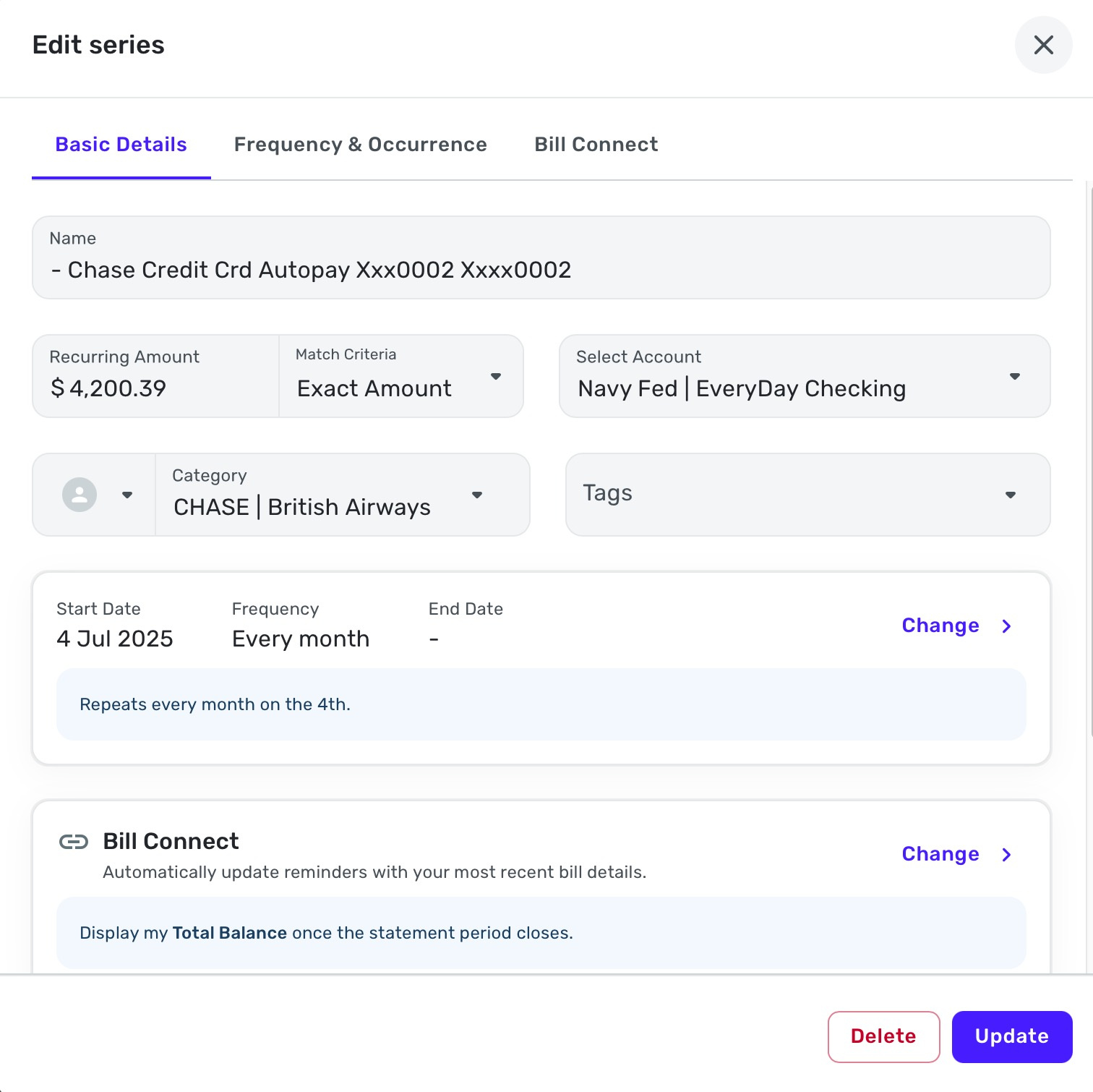
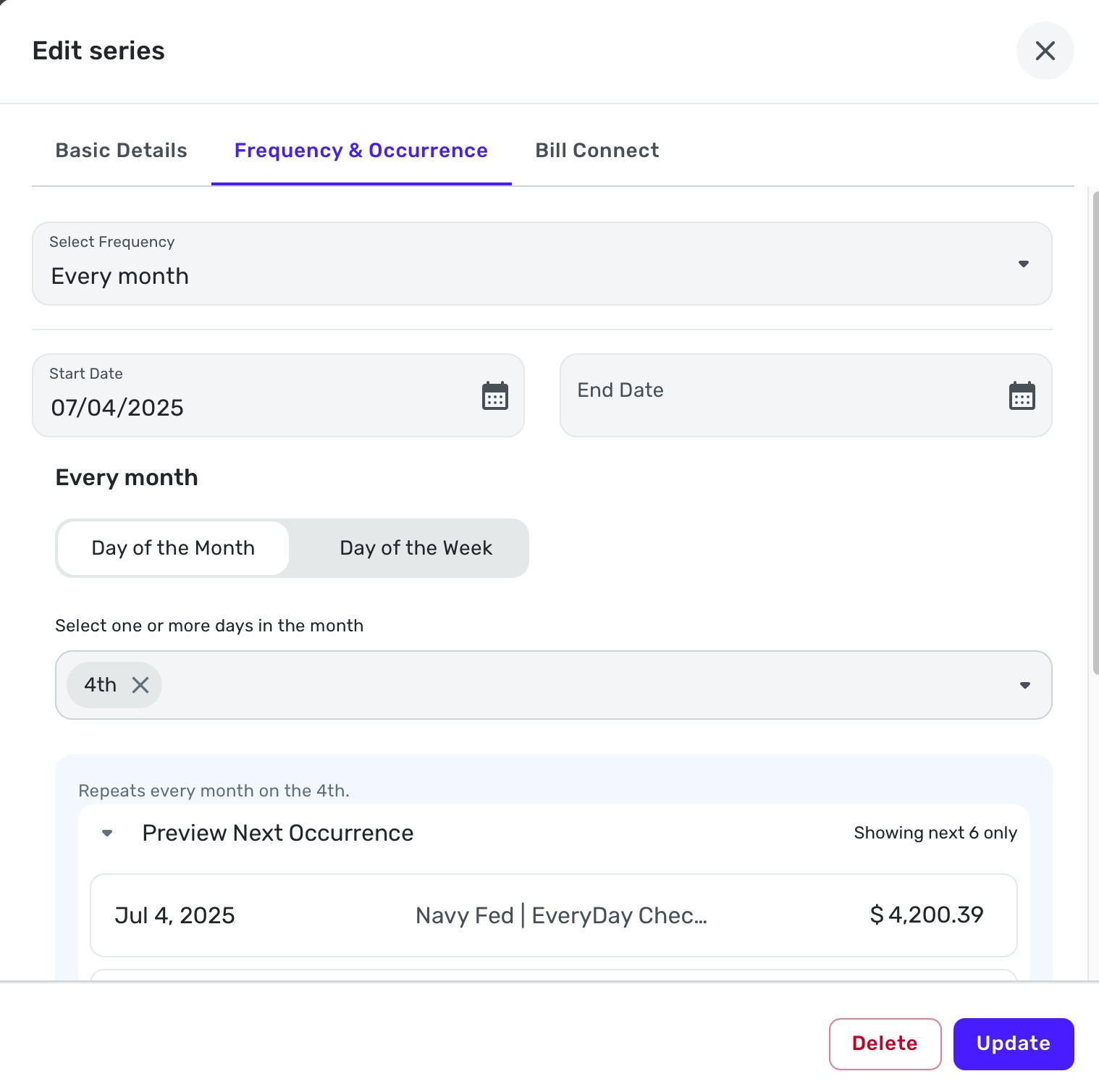
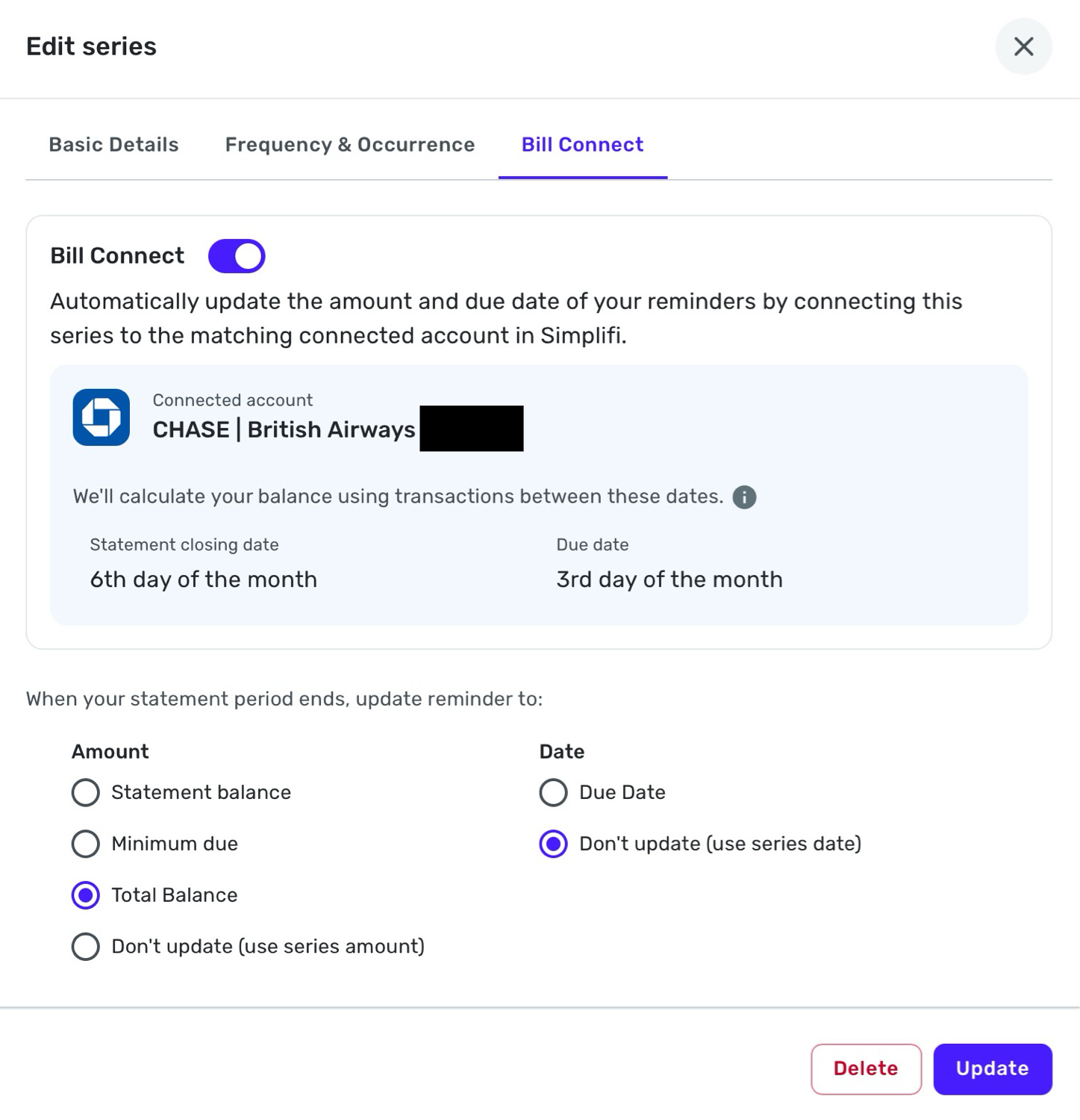
I guess the intention for now would be to adjust the amount due every month when the next bill gets issued.
Is there something better I could be doing?
0 -
@cloudquick, I would recommend posting your additional inquiry via a new thread to see what type of advice the Community may have for you.
Thanks!
-Coach Natalie
0 -
Hi @Coach Natalie following up on this, as things have changed again with this recurring bill, and this is where I start to get confused about how to have this recurring bill without it constantly shifting to be incorrect.
As you saw in the screenshots above, I re-added the recurring bill, and manually entered the amount for the interest saving balance ($4,200).
Now when I go back to look at the recurring bill, I see the following. As you will see, the bill amount has defaulted back to the statement balance, and is reflecting thusly in the cashflow chart as well:
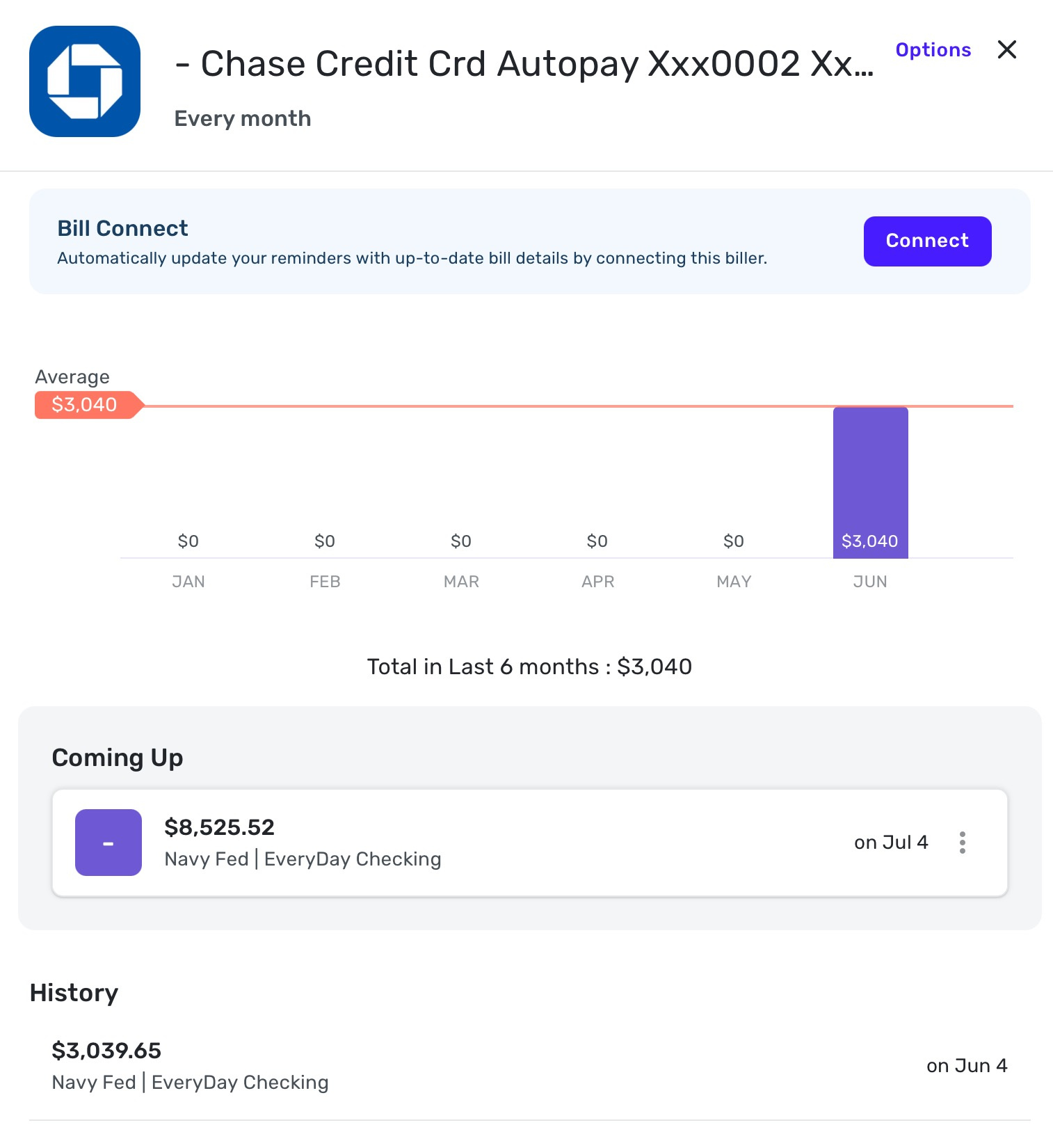
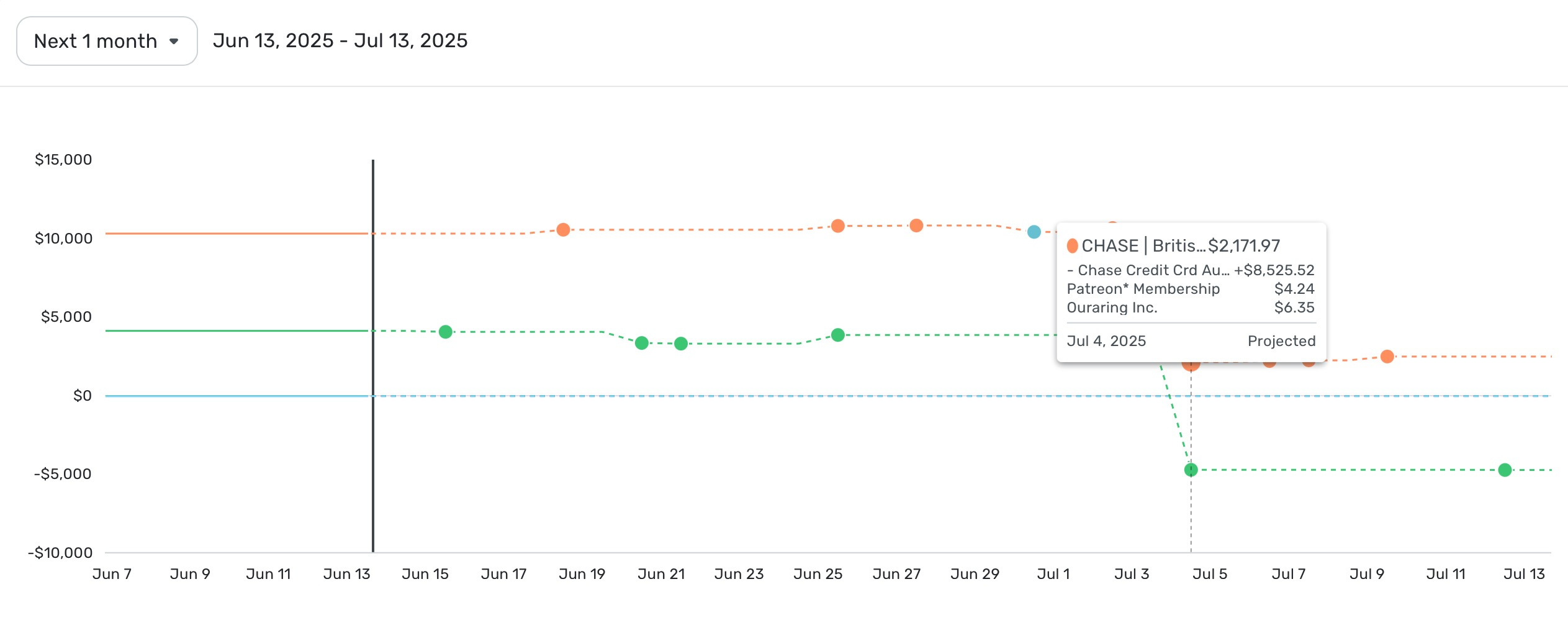
When I click 'Options' and go to 'Edit Series' I get the following, which shows the amount I entered manually ($4,200):
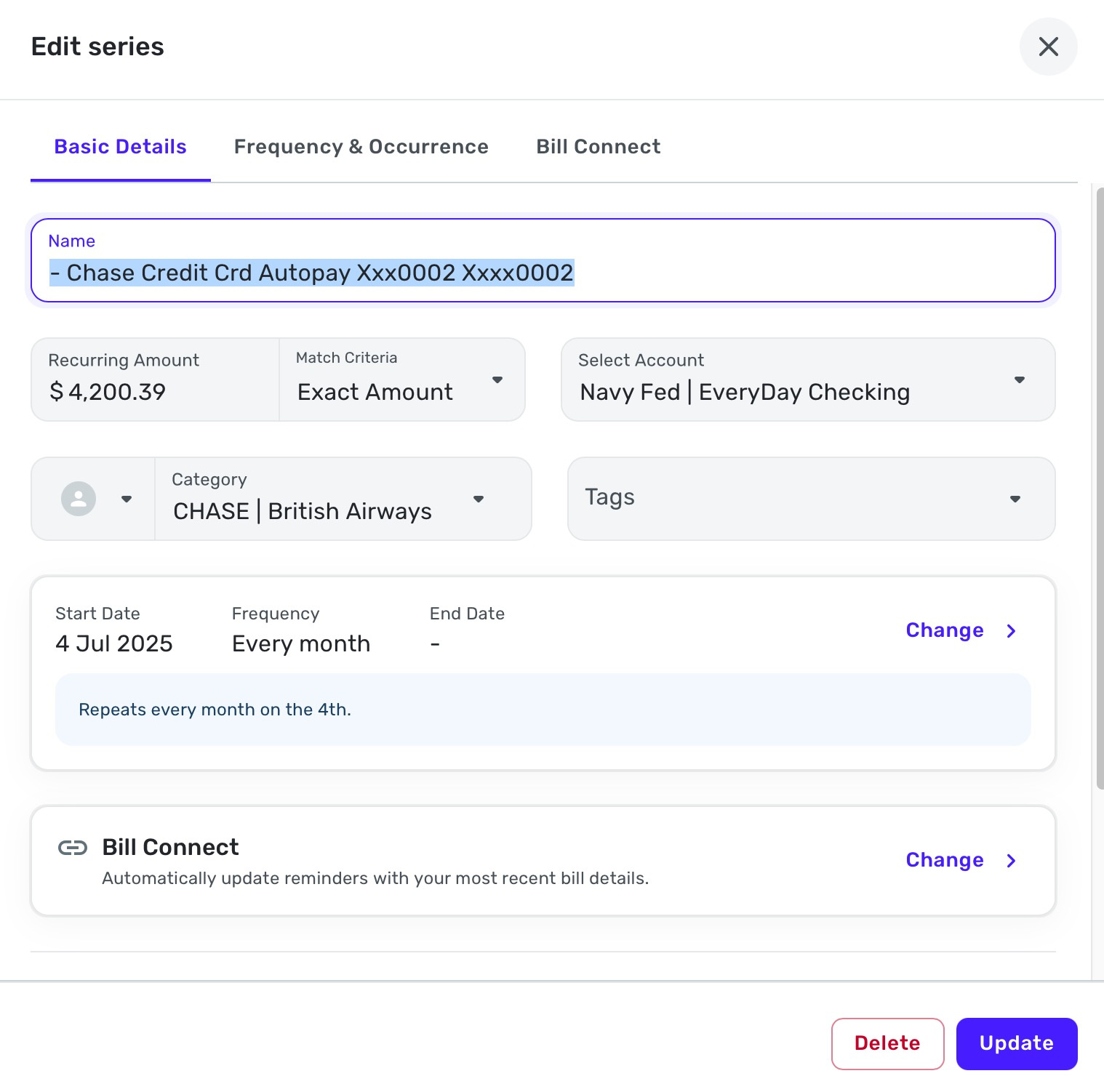
I have set the series not to update as follows, but it is still showing as an $8K bill:
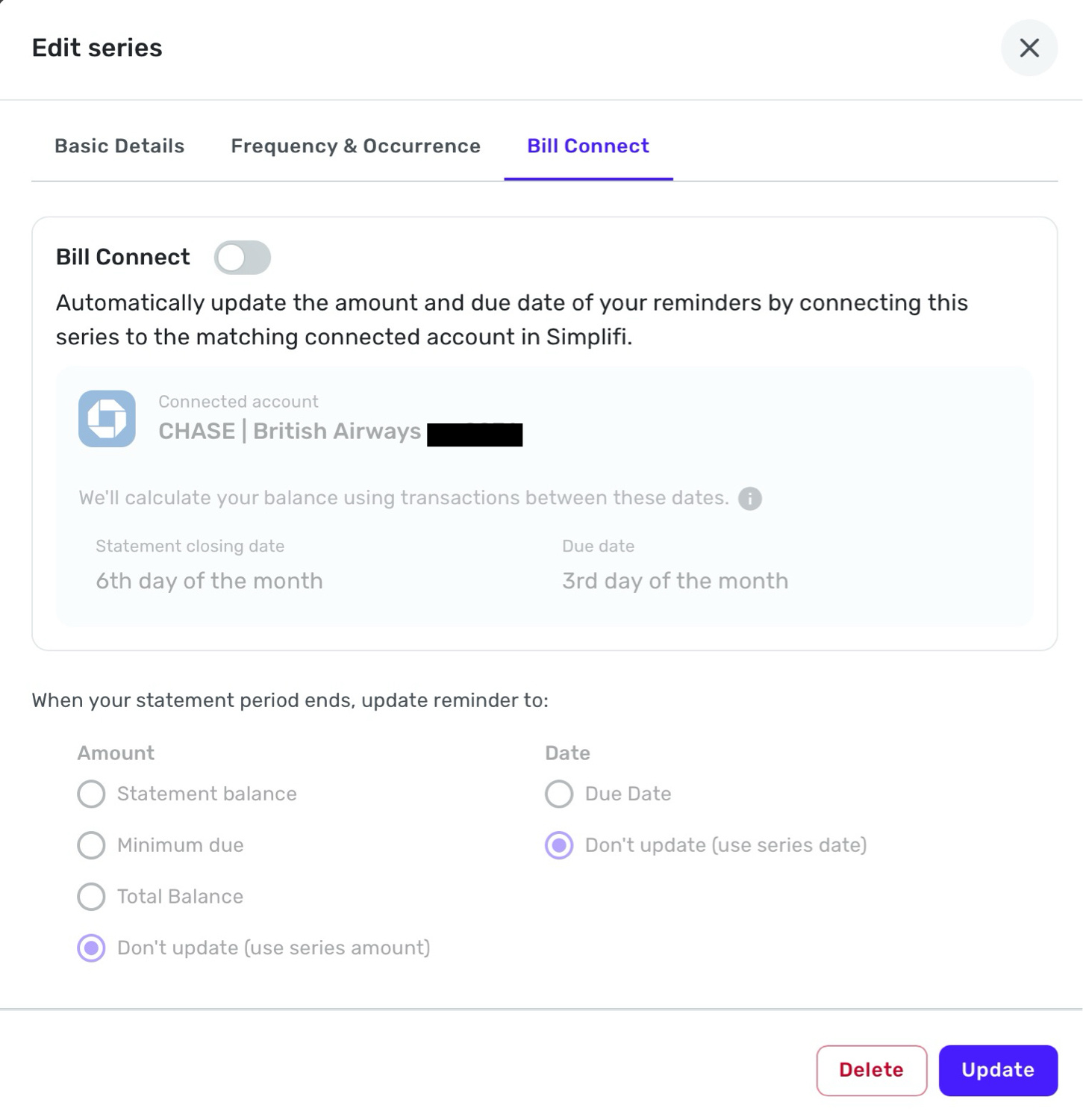
Please advise how I can have this setup so that the bill amount is consistent in all areas of the software (currently it is both $4K and $8K in different screens, which doesn't make any sense), and so that it does not continually change? Thanks!
0 -
@cloudquick, are you unable to edit the individual Reminder to correct the amount?
- Hover over the panel on the left-hand side and select Transactions.
- Locate the Reminder you'd like to edit and click the three dots to the upper right of it.
- Select Edit Reminder.
- Make the necessary changes and click Update when done.
Let us know!
-Coach Natalie
0 -
If you are going to manually update the payment amount each month when you get your statement and discover the ISB amount, I suggest you turn off Bill Connect
altogetherfor this recurring series.[Edited to clarify what I meant by turning off Bill Connect "altogether"]
DryHeat
-Quicken Classic (1990-2020), CountAbout (2021-2024), Simplifi (2025-…)1 -
@Coach Natalie yes I was able to do that, and it was able to change it sucessful.
Do you therefore also recommend, as @DryHeat does here, to turn off Bill Connect altogether?
0 -
@cloudquick, I'm glad to hear that editing the Reminder fixed the issue for you!
It's up to you whether you want to use Bill Connect for Credit Cards. Our support article here has more information on this feature so that you can make an educated decision:
I hope this helps!
-Coach Natalie
1

