Add New Space Not Working to Split Personal and Joint Finances

Hello,
My current Simplifi setup combines both my personal finances and the joint finances I share with my partner. I’d like to split these into two separate Spaces so I can easily switch between viewing my personal finances and our joint finances.
Right now, everything is combined into one Space. To view only my personal finances, I have to manually hide all of our joint accounts and if I want to view only our joint finances, I have to manually hide all of my personal accounts.
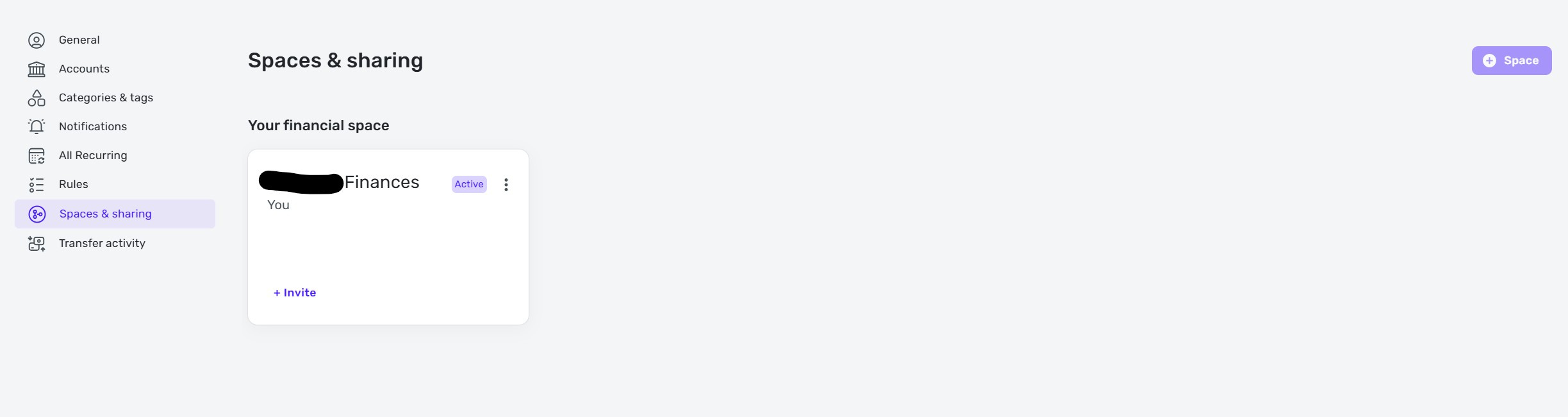
When I go to the Spaces & Share tab, the "+ Space" icon in the top-right corner is greyed out and appears disabled.
How can I enable this feature or create a separate Space to better view personal and joint finances?

Best Answer
-
@gordo_c_123, thanks for posting your inquiry to the Community!
If you're subscribed to the Basic version of Quicken Simplifi, additional Spaces are not supported. The last I knew, they are actually supposed to remove that greyed-out "+ Spaces" button to avoid confusion.
Here is our article on Space Sharing:
And here is an Idea post you can vote for to allow multiple Spaces in the Basic version of Quicken Simplifi:
With that, even if you don't need "business" features, I do want to mention that QBP (the Business & Personal version of Quicken Simplifi) does allow additional Spaces of up to three:
I hope this helps!
-Coach Natalie
0

Answers
-
@Coach Natalie excellent, thank you for this information and I appreciate the response! 😊
1