Correct Setting for an Account that downloads Balance that already includes pending transactions

I know that you can just show the bank balance or the balance with pending for every account by making a selection in the Accounts List. I have Balance with Pending selected.
I also know that almost all accounts default to Bank Balance (Default) when you connect accounts.. All my accounts are set to default.
Now my question:
If you do happen to have one account that downloads the available balance (including pending transactions, the ones the bank knows about), what should you do?
I always thought you should go to the Account Settings and change it to "Balance with Pending" so that Simplifi would know not to count the pending transactions downloaded from the bank twice.
Here's what Support says:
If you'd like to enable Balance with Pending in a single account, you can follow these steps, so It won't affect the balance on the other accounts:
- Hover over the panel on the left-hand side and select
Settings. - Select
Accounts. - Locate the Account you'd like to change and click the
three dotsat the end. - Select
Edit account. - Check the
Balance with Pendingsection box so that Quicken Simplifi no longer deducts pending transactions from your balance. - Click
Updatewhen done.
Coach • Just nowAfter updating your setting to exclude pending transactions from your account balance(s), the balance may not reflect the change immediately. This change will occur during your next account refresh which may take 4-6 hours.
There is another post on here from 2 years ago that says pretty much the same thing. I am pretty sure that is where I got my information.
Here's the post:
Since this problem is likely to come up again, I want to make sure I have it right! Thanks.
Steve
Quicken Simplifi (Safari & iOS) Since 2021
Quicken Classic (MacOS) Since 2009
MS Money (1991-2009) and Dollars & Sense (1987-1991)
Best Answers
-
To me, the explanation in the support docs makes the best sense, because:
- Simplifi cannot control what the bank provides as the downloaded balance.
- All the "Balance type" setting in Simplifi can do is determine whether Simplifi alters that balance before displaying it — specifically by either applying or not applying the pending transactions that Simplifi is aware of to that balance.
- Because my bank already counts the pending transactions that it is aware of — and I don't create pending transactions myself — I don't want Simplifi to alter the downloaded balance. So I choose "Bank balance" as the "Balance type."
I have no idea why that has worked for me up to now but suddenly failed… and then worked again. All I can do is wait for the proper circumstances to arise again and see what happens.
DryHeat
-Quicken Classic (1990-2020), CountAbout (2021-2024), Simplifi (2025-…)0 -
@DryHeat You ARE right that Bank has nothing to do with the selection. I was willing to consider that but I am now convinced.
I was able to change it back by choosing the only option available once again: "Balance with Pending". It seems to merely toggle back and forth. It's disconcerting that it doesn't ever show a confirmation. Just says wait until the next refresh of the accounts, which can take up to 4 hours.
My Conclusions:
- Account Settings will always say Bank Default.
2. If you want to change it, you choose "Balance with Pending", click update, and wait until the next refresh of the account.
3. If you want to change it back, you repeat step 2.
Steve
Quicken Simplifi (Safari & iOS) Since 2021
Quicken Classic (MacOS) Since 2009
MS Money (1991-2009) and Dollars & Sense (1987-1991)0

Answers
-
@SRC54 — Simplifi Support told you:
"Check the Balance with Pending section box so that Quicken Simplifi no longer deducts pending transactions from your balance."
This seems opposite to what Coach Jon wrote yesterday about setting the switch for a particular account:
Selecting "Bank balance" disables Quicken Simplifi from counting pending transactions towards the balance for the account.
It also seems to be opposite to what is said in the support docs about setting the switch for all accounts:
"Select Bank Balance to disable Quicken Simplifi from counting pending transactions for all accounts."
I find these statements confusing. Perhaps I am misunderstanding them. I hope someone can clear it up.
DryHeat
-Quicken Classic (1990-2020), CountAbout (2021-2024), Simplifi (2025-…)0 -
@DryHeat Yes, thank you. You can see why I am confused. It's probably just the nomenclature. But logically, if the default (Bank Balance) isn't working for you, then try the other setting.
That is what I tried that time when my local bank started downloading the Available Balance instead of the Posted Balance. It didn't seem to make a difference, but did I give it 6 hours? Knowing me (patient, I am not), I didn't.
OTOH, my online banking guy answered that he saw the problem, so I didn't try again. 6 weeks later they fixed it. (I sheepishly admit I just cleared the pending transactions so they wouldn't count again.)
😁
Steve
Quicken Simplifi (Safari & iOS) Since 2021
Quicken Classic (MacOS) Since 2009
MS Money (1991-2009) and Dollars & Sense (1987-1991)0 -
-
Well @Coach Jon, thanks, but I don't think that works. What if the Support Docs are wrong? At best, they are contradictory.
It didn't work for me when my bank messed up, and it didn't seem to work for @DryHeat. It is illogical to keep the default for something that isn't working, but I, of course, must accept your answer.
Could you check with the programmers just to make sure though?
Also can you explain why support says otherwise? And how about Coach Natalie's post?
Steve
Quicken Simplifi (Safari & iOS) Since 2021
Quicken Classic (MacOS) Since 2009
MS Money (1991-2009) and Dollars & Sense (1987-1991)0 -
Hello @SRC54,
Thanks for the reply. I can't speak for chat or phone support specifically, but we in the community do go by what information is listed in our support articles. When enabling the option, you would generally need to wait 4-6 hours for the next refresh to occur to make sure that the option is working correctly.
For troubleshooting something like this, we generally recommend switching to the other option, waiting 4-6 hours for the next refresh, switching again to the default, and waiting once more to verify everything is working correctly.
-Coach Jon
-Coach Jon
0 -
Thanks again @Coach Jon. I think this whole thing needs rethinking, but in the meantime, I'll continue to use my workarounds to avoid Simplifi's faulty AI and make my data match reality. In other words, if my bank counts one of my pending as cleared, I'll just clear it!
Steve
Quicken Simplifi (Safari & iOS) Since 2021
Quicken Classic (MacOS) Since 2009
MS Money (1991-2009) and Dollars & Sense (1987-1991)1 -
Edit: Skip to the 846am post. I found that the banks do allow it and it does work, but took a few minutes after the refresh to kick in. So feel free to skip this post.
I played with the account settings over night and, as I have always found, it is very confusing.
I tried it with two banks and neither seemed to work. It may be that these two banks don't allow it.It never has mattered to me because as I say if I have a pending transaction that is somehow being counted in the balance, I just manually clear it (Capital One 360 and Chase!!). Or I wait until the next download, or I just toggle the system wide Bank Balance from the Accounts List Settings.
(Again many users won't notice one or two transactions double counted for a day or two it takes to update unless perhaps it is a large transaction. I notice immediately because Quicken Classic tells me!)
Steve
Quicken Simplifi (Safari & iOS) Since 2021
Quicken Classic (MacOS) Since 2009
MS Money (1991-2009) and Dollars & Sense (1987-1991)0 -
OK, I finally got my checking account to ignore bank downloaded pending transactions.
I changed it to Balance with Pending (the only option one has since it is set to Default). When you go back to Account Settings, it still says Bank Default by the way.
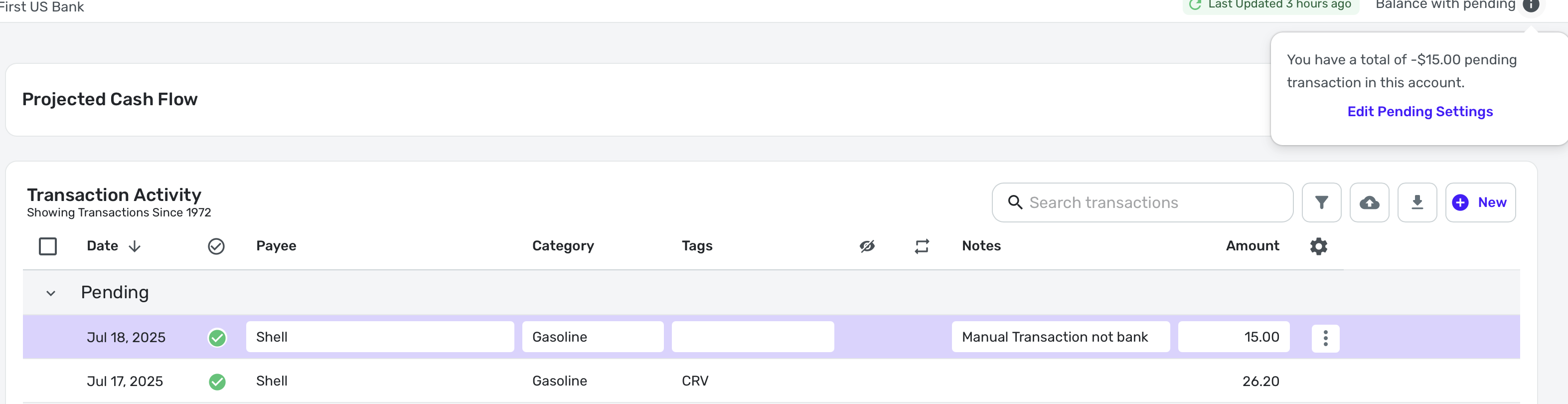
Here is a screenshot with one downloaded pending transaction and one manual phony transaction. As you can see, Simplifi is ignoring the downloaded transaction on the bank's site and just counting the manually entered one. Remember I told it to use Balance with Pending.
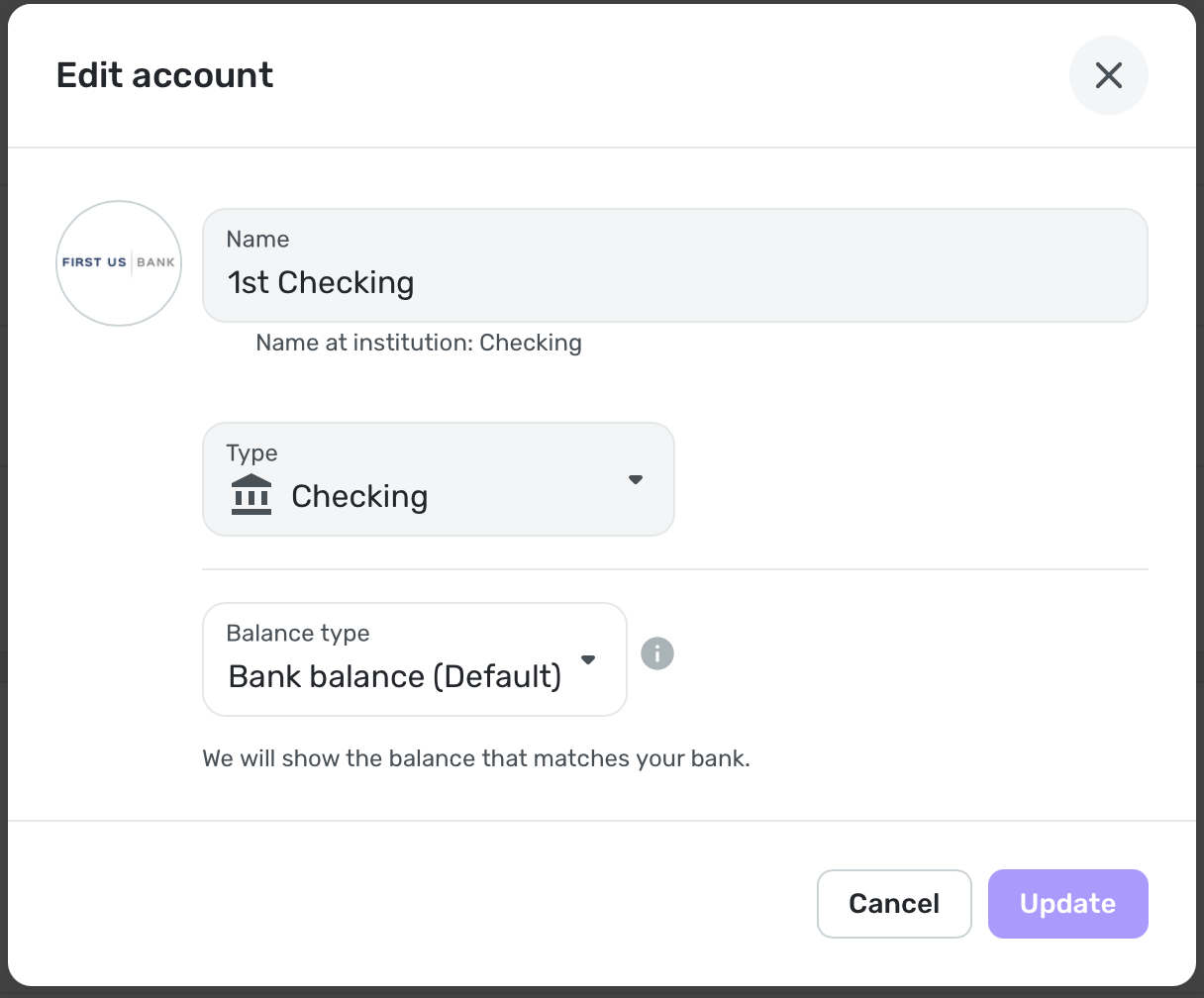
Edit: I was able to get it back by simply choosing again the only option available "Balance with Pending". Then after it refreshed, it was back to normal.
Preliminary Conclusions:
- Account Settings will always say Bank Default.
2. If you want to change it, you choose "Balance with Pending", click update, and wait until the next refresh of the account.
3. If you want to change it back, you repeat step 2.
PS. @Coach Jon was pretty much correct that one should choose the other option and check back. What confused me was that the option chosen is not reflected ever. It always shows the same.
Edit: Could this language and option not be made clearer?
Steve
Quicken Simplifi (Safari & iOS) Since 2021
Quicken Classic (MacOS) Since 2009
MS Money (1991-2009) and Dollars & Sense (1987-1991)0 -
It may be that these two banks won't allow it
This may be where we understand this option differently. Here's how I see it.
I don't setting this option one way or the other somehow instructs the bank to do anything differently. So it doesn't matter what the bank does or does not allow. The bank always provides the same balance amount to Simplifi no matter how this option is set.
What really happens is that the option changes what Simplifi does with that balance after it downloads it. As the tooltips on the options show, it either shows the balance just the way it was downloaded from the bank, or it subtracts (or adds) pending transactions first.

changing the Bank Balance (Default) to the Balance with Pending never sticks. I have tried my two checking accounts so far.
I think this is a problem with the window used to edit an account's properties, rather than the stickiness of the property.
I tried it and the accounts themselves continue to show that they are using "Balance with pending." I think the account editing window just fails to correctly show the current state of the option (as it should).
DryHeat
-Quicken Classic (1990-2020), CountAbout (2021-2024), Simplifi (2025-…)0 -
@DryHeat Read my next post (8:46am). I was able to change it but it never shows anything but Bank Default.
I think it may be that the bank chooses the default. (dubious). It would be a lot clearer if Simplifi actually showed what it is actually doing. LOL
PS. I'll have to wait until I have pendings on the Capital One account I changed. It probably won't matter since that account does not download pending transactions.
Steve
Quicken Simplifi (Safari & iOS) Since 2021
Quicken Classic (MacOS) Since 2009
MS Money (1991-2009) and Dollars & Sense (1987-1991)0 -
@DryHeat said "What really happens is that the option changes what Simplifi does with that balance
after it downloads it. As the tooltips on the options show, it either shows the balance just the way it was downloaded from the bank, or it subtracts (or adds) pending transactions first."Oh, yes, I thought this was the case. Which is why I was always dubious (but willing to be convinced) that the bank sets anything. Simplifi pretty much uses the same connections as Classic, so it would make sense that this is just a Simplifi option needed because of how Simplifi works: downloads the balance and then subtracts the pending transactions.
I'm glad that I finally got it figured out. I think the implementation is confusing. But I think I've got it.😀
Steve
Quicken Simplifi (Safari & iOS) Since 2021
Quicken Classic (MacOS) Since 2009
MS Money (1991-2009) and Dollars & Sense (1987-1991)0 -
About changing the "Balance type" … I'm having some difficulty with that. Maybe you can help.
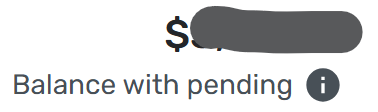
I set one account to "Balance with pending" as a test. The Transaction Activity register shows that setting:
But, as you said, the "Edit account" window continues to erroneously show the "Balance type" as "Bank balance (Default)." The problem is that I cannot seem to change it back so that it really is "Bank balance (Default)." The "Update" button remains inoperative unless I "change" the option selection to "Balance with pending," which does nothing because that is already the current setting.
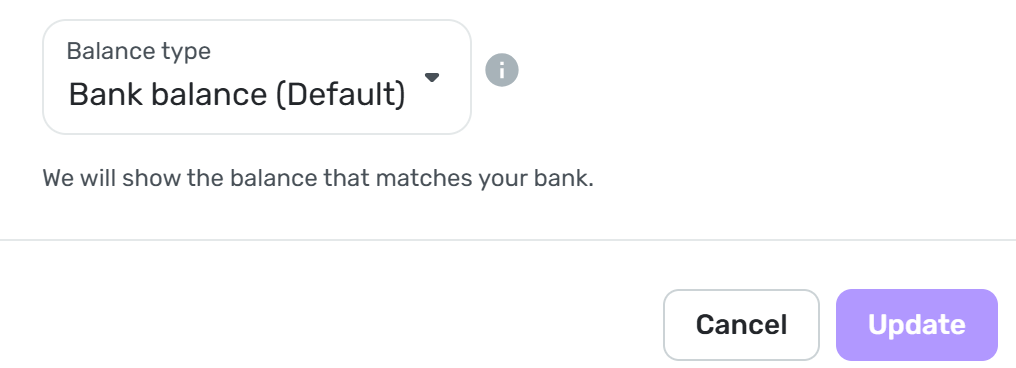
How were you able to set yours back to "Bank balance (Default)"?
DryHeat
-Quicken Classic (1990-2020), CountAbout (2021-2024), Simplifi (2025-…)0
