If select a category for a transaction, then create a rule...which takes precedence?

So I'm wondering the case where I have a ton for transaction from Amazon, and Simplifi automatically (by default) categorizes them as "Shopping". Then I change a handful to be in the "Electronics" category (but do not create a Rule).
Then, after that…I create a Rule so anything from Amazon will be categorized as "Toys" - does that Rule then go back and overwrite the "Electronics" I selected for the handful, or does Simplifi somehow remember that I have selected "Electronics" for those handful and thus not apply the rule, and will only going forward for new transactions (or any old transactions that also fit the rule) for which it otherwise would have applied "Shopping"?
Thanks !
Best Answer
-
"does Simplifi somehow remember that I have selected "Electronics" for those handful and thus not apply the rule, and will only going forward for new transactions (or any old transactions that also fit the rule)"
When you create a rule and check the box to apply that rule to previous transactions, it will overwrite the category you previously selected. But it only does it that once, not over and over.
One way to deal with this is to:
- create an "Electronics" Tag and apply it to the transactions you have categorized (using bulk edit)
- create the new rule and let it change category for all past and future Amazon transactions
- select the transactions with the "Electronics" Tag and change category back to Electronics
- delete the no longer needed "Electronics" Tag
DryHeat
-Quicken Classic (1990-2020), CountAbout (2021-2024), Simplifi (2025-…)0

Answers
-
Hello @tryingtosimpli,
Thanks for reaching out! When creating a transaction rule to apply to a category, you will get the option of applying the rule to existing transactions as a checkbox.
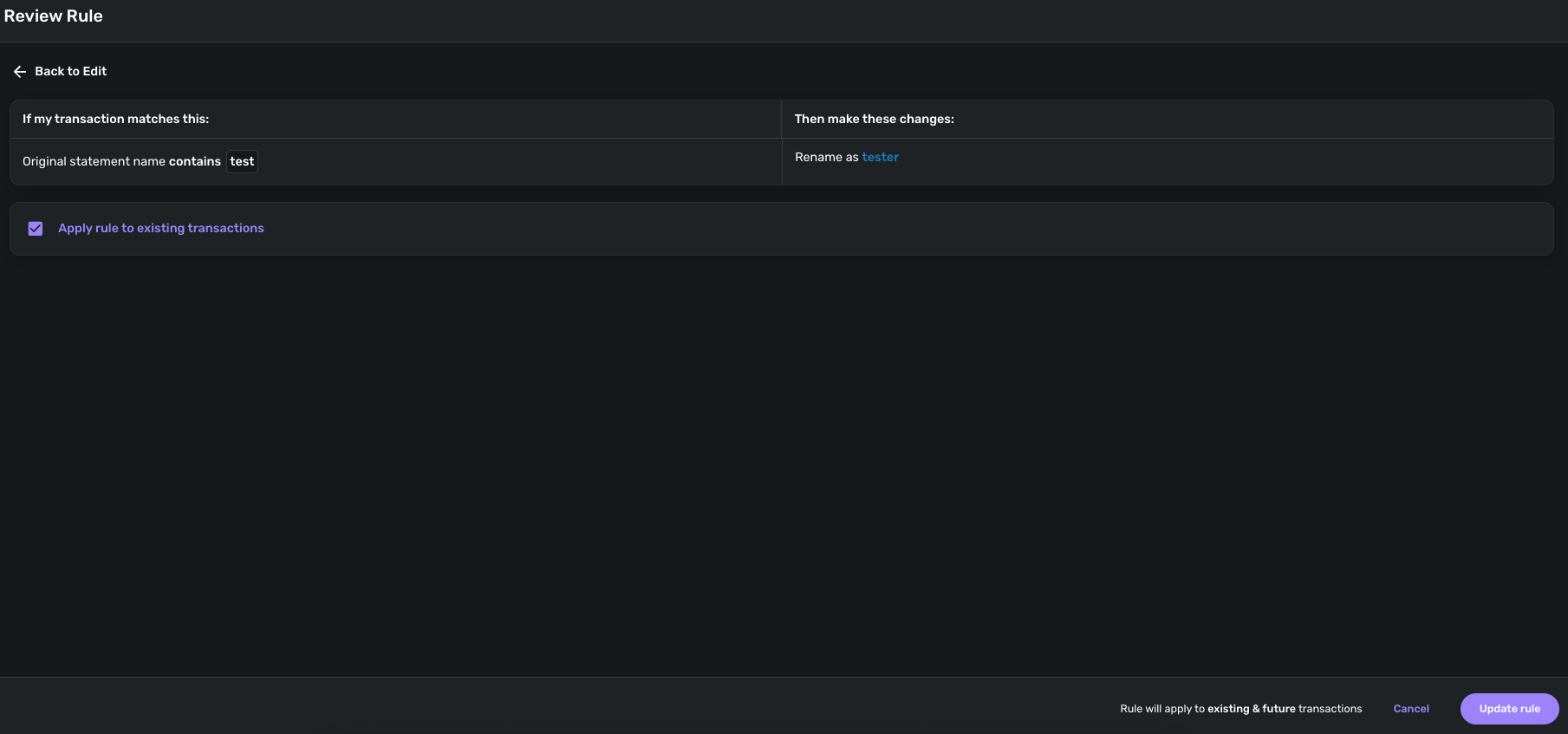
If you do not select this checkbox, the rule will only apply to future transactions downloaded after the rule is created. This support article goes more into detail on how to create category rules, and how transaction rules as a whole work within Quicken Simplifi:
I hope this helps!
-Coach Jon
-Coach Jon
0
