No Business Categories available within Quicken Business & Personal

This discussion was created from comments split from: Business Categories unavailable within Quicken Business & Personal (edited).
Comments
-
Well, I'm having the same issue: no business categories are showing up. I just upgraded from a Personal to P/B. I do know what should be there, as I extensively tested P/B with a month's money-back "trial" before making the jump.
Here are the notes:
—The list of Categories does not have a Personal/Business header
—The ability to change or add the associated tax form has disappeared from all categories, although the tax info shows in the overall list. Likewise, no toggle to change Usage to Business.

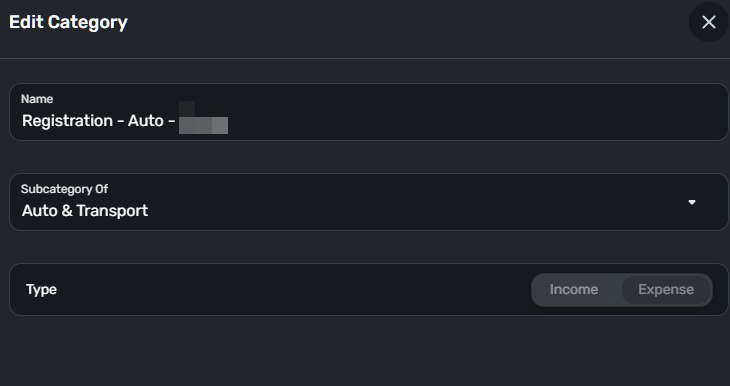
—I've cleared all cache/cookies/different web browser/incognito mode
—HOWEVER, in my Simplifi iPhone app, it is showing correctly, and does give me the Usage and Tax info options, and the ability to change them
—Otherwise, in both the browser and iPhone app, everything else appears to be functioning correctly.
—In the iPhone app, I tested adding a new test category, made Usage > Business, and assigned a Tax line. That works. In the category list, there is no Personal/Business toggle.
—Back at the desktop browse, the Test category shows up, but without any tax nor business setting.
—I tested a transaction, assigned it the business and selected that Test category. That forces the transaction back to Personal.
R—Over in Reports. It's even more fun…
R—Here is now has the two options, Business or Personal
R—For Personal, it shows all my current tax categories, including those that I had been using for business tracking for the last couple of years.
R—For Business, it toggles on what looks like the business default categories, when viewed by tax schedule type, but all $0.00. Switching over to Detail view, it shows no data to display.
Here's the desktop version. iPhone version is up to date.

I've also sent the log via the browser app.
This is super frustrating. I do NOT want to do the suggested data reset, and I'm worried now seeing that this thread is 2 months old.
0 -
Hello @fcb,
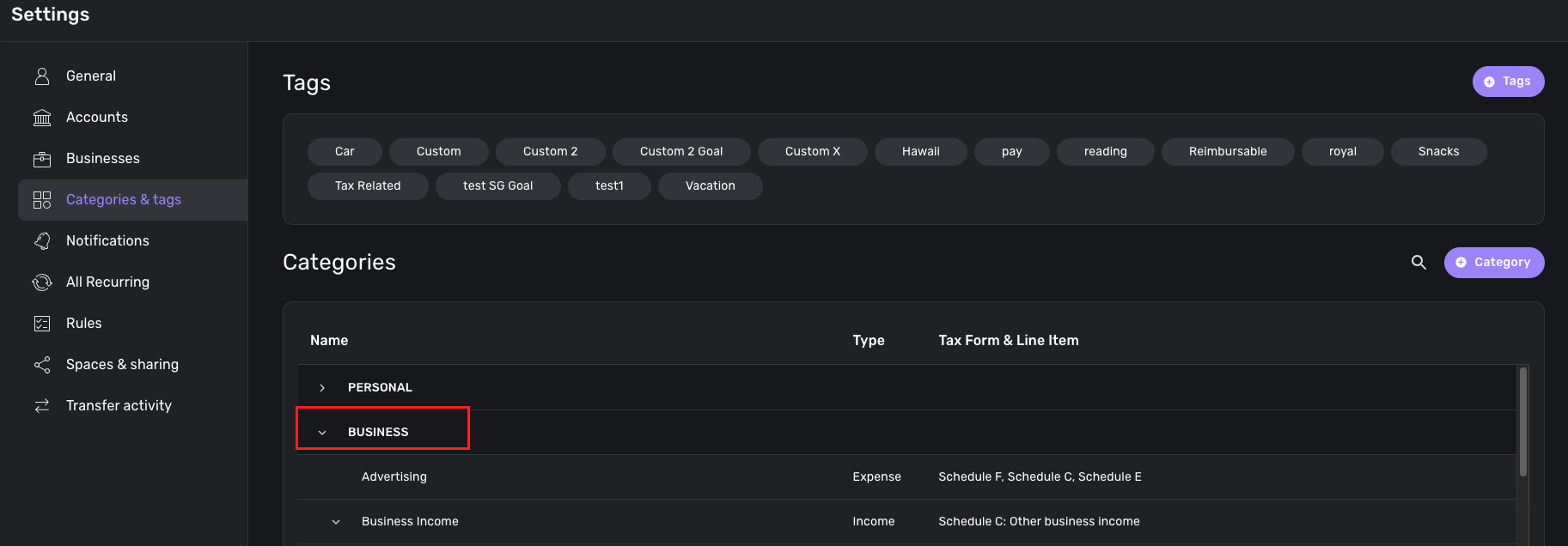
Thanks for reaching out, and thank you for confirming that using a different web browser and signing out of the product and back in did not work to resolve this issue for you. I can see from our side that you do have a Quicken Business & Personal subscription, so you should have access to the business categories. If you go to Settings > Categories & tags, can you provide a screenshot showing the lack of a "Business" header there?
-Coach Jon
-Coach Jon
0 -
@Coach Jon No, this is unchanged from pre B/P
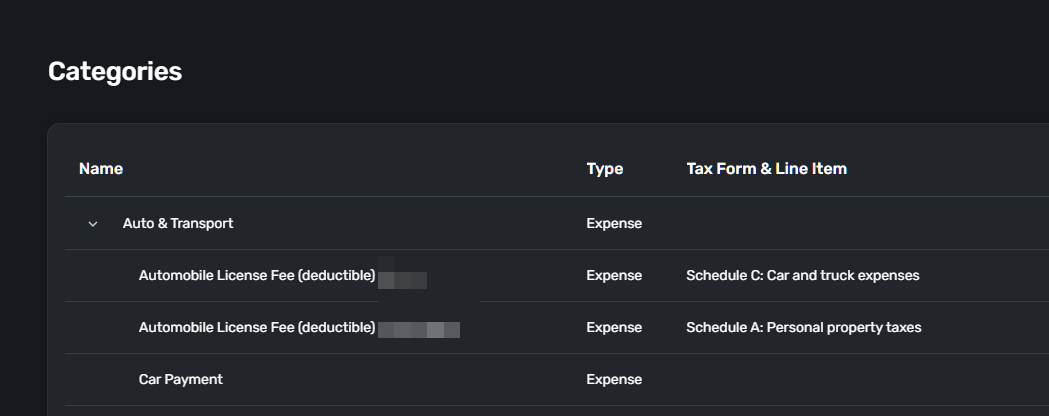
As I noted in my first comment, the iPhone app displays options for assigning both business and tax lines. However, if I make this change and then return to the browser app, the category reverts to having no business and no tax line. If I go back to the iPhone app, that category reverts to personal and loses the tax line.
Again, in the browser, although the tax line shows up in the list, per the screenshot above, that setting is missing completely when I edit the category in the browser.
Fred
0 -
Hello @fcb,
Thank you for the requested screenshot. I can see that you already provided logs and the build of Quicken Simplifi you are on. Thank you for that! Can you also please provide the web browser and operating system you are using, with their versions, for us?
-Coach Jon
-Coach Jon
0 -
Microsoft Edge is up to date. Version 139.0.3405.86 (Official build) (64-bit)
Windows 11 Home 24H2 26100.4946 + Windows Feature Experience Pack 1000.26100.197.0
Fred
0 -
@Coach Jon Thanks.
Something has changed on the iPhone app side.
BTW, for kicks, I created a new space for my business side, using a browser. All the default personal and business categories show up correctly with tax lines preset. Here are a couple of observations:
The old space hasn't changed at all, ie the category list behavior is the same as I reported previously.
The categories in the new space cannot be edited to switch between personal and business. That's great starting from scratch, not so great for users like me with lots of legacy data. Bummer. Maybe that's by design, just for the built-in categories, so see the following comment.
Creating a category in this new space does give the option, and IS editable after creation.
Switching to the new space in the phone app, same behavior. Switching back to my original space in the app, I've noticed a change. Before I added this new space, I could edit a category from personal to business. The option shows up, but now is NOT edible.
My takeaway at this point:
Best case> You add the default categories to my original space. If it works, I'll have to decide to move my current business categories from personal to business. Or, I'll likely methodically move each business transaction from old to new categories.
Next best case: You create an option for importing or transferring data from one space to another. Whether that's useful or not depends on how much is transferred.
Worst-case scenario > it's a complete do-over in the new space.
I can see the advantage of splitting personal and business into separate spaces. I'm doing Profit First for my business, and the amount of noise (number of move transactions, accounts, etc) is getting a bit overwhelming, particularly for the non-business user (my wife)….
Can you give me at least a rough idea of the solution timing, or an opinion on whether it will ever happen? That way, I can move forward.
Thanks,
Fred0 -
Hello @fcb,
Thank you for the reply. I do not have an ETA on when this issue would be fixed, but I can say that it is actively being worked on by our product team, and that I will be following up with any status updates from them here for you.
Thanks for your patience!
-Coach Jon
-Coach Jon
0 -
@Coach Jon Soooo, today I see a change: The category settings screen now correctly has the two toggles labeled for personal and business, with all defaults added for business. The personal remains as I've set up.
As far as I call tell, everything is looking correct, including in the Reports, and same in the iOS app.
So a couple of questions and comments:
- In the browser's transaction tab, there is no easy way to toggle between personal and business usage, except by going to the filtering option. I do see you can filter quickly with the account browser, clicking on personal or business. More intuitive would be an easy toggle like in the in iOS. The filter option requires clicking also the last 3 options to get a complete view.
- Scratch the following, I see this in other discussions >
to Spaces, it seems that custom categories do not carry over. Is this by intent? Nor do the assignments to a transaction in one space carry over. Spaces 2, to make a spouse-friendly space, can a business be removed? Or at least provide some toggling or manual sorting in the main sidebar.- UI - For spouse or just anyone, have the account list remember the toggling, what's been collapsed for from one session to the next. Not sure to what that memory gets attached > user, browser, machine?
Thanks for fixing this.
Fred
0 -
Hello @fcb,
Thanks for confirming the issue is resolved. As for your feedback, I do not see any current idea posts requesting those two features, so I would suggest creating idea posts for them so that other users can vote for and contribute their feedback for these ideas on those posts.
-Coach Jon
-Coach Jon
0

