"Pending" transfers can't be "cleared" in split transactions

Hi, when I create a "pending" transaction that has split categories and one or more of those categories is a transfer to another account, and I subsequently mark the transaction as "cleared", the corresponding transfer transaction(s) remains marked as "pending". This is fine and probably how it should work. However when I attempt to mark the transfer transaction(s) as "cleared" I get an error stating that "Cannot update transaction, the other side of the transfer is in a split. To update it, edit the transfer transaction in the transfer account". There doesn't appear to be any way around this other than to delete and then recreate the transfer as a "cleared" transaction.
This only happens when the transfer is created as part of a split transaction. It happens regardless of whether the split is among multiple transfers or a single transfer and other categories.
Comments
-
I've had a similar issue with flags. It sounds like it might be due to the same underlying reason.
See these two threads:
0 -
I was able to reproduce this in my file. I created a split from my checking account with part of it a transfer to my cash account. I then cleared it in my checking account, and went to my Cash account, and this is what I got:
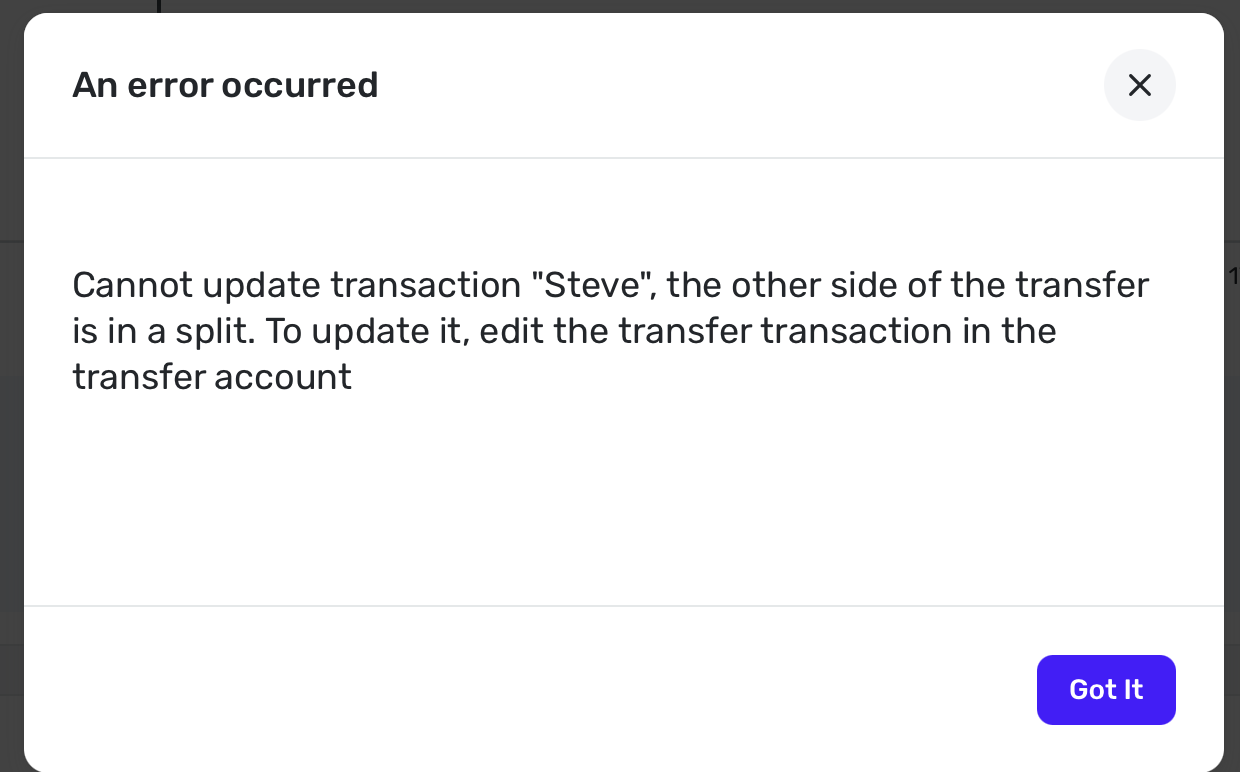
I deleted the phony transaction but it seems to say you have to just make it a plain transfer, and not a transfer to account. Then you can make a separate transaction in the receive account also using just the plain transfer category.
But it should allow it to be cleared in both accounts. Simplifi really doesn't like mixed splits. @WJB
Steve
Quicken Simplifi (Safari & iOS) Since 2021
Quicken Classic (MacOS) Since 2009
MS Money (1991-2009) and Dollars & Sense (1987-1991)0
