Future credit card payments from transfer series keep disappearing

I found this topic and it was closed so I am reporting because this same behavior is occurring for me.
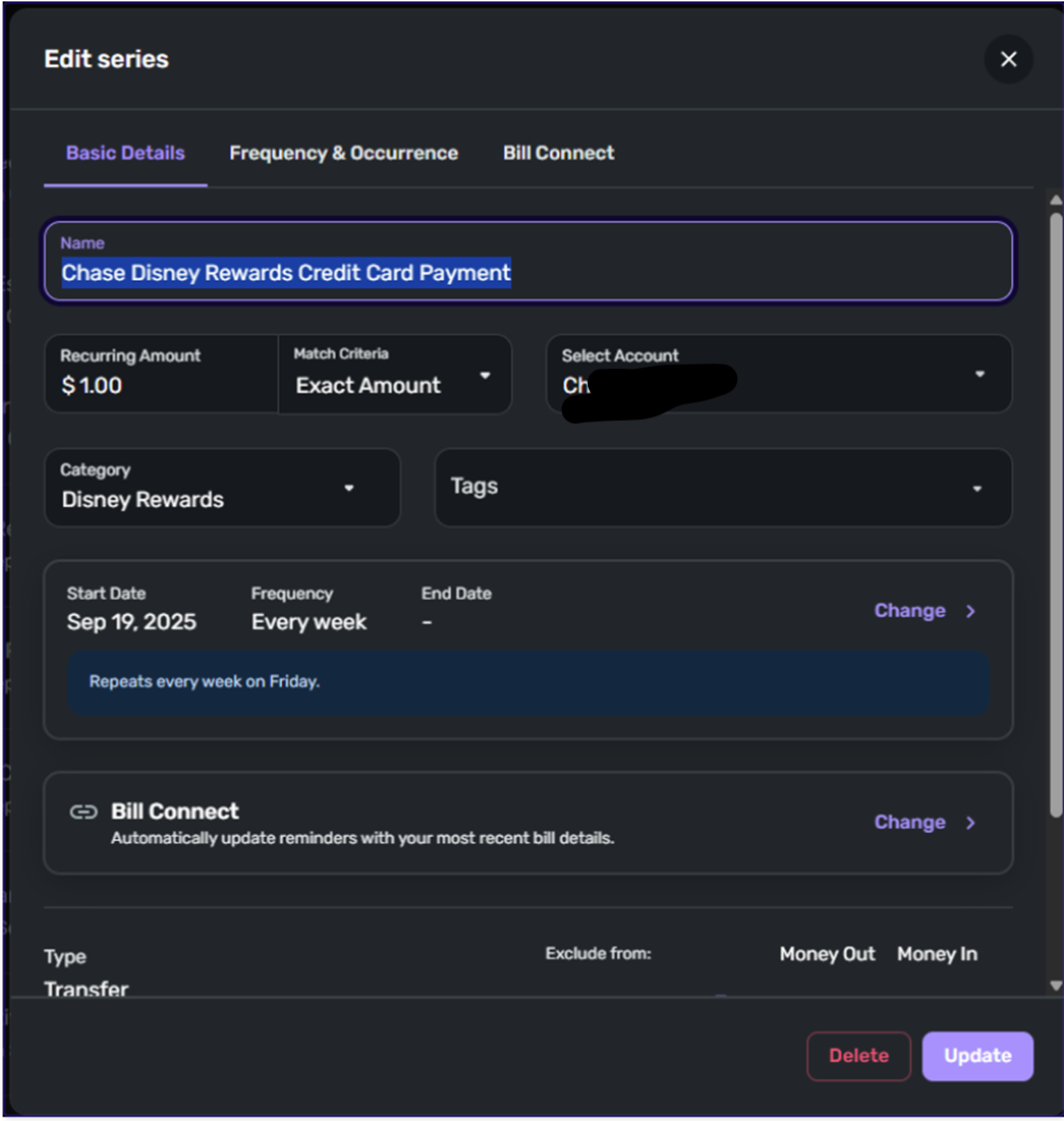
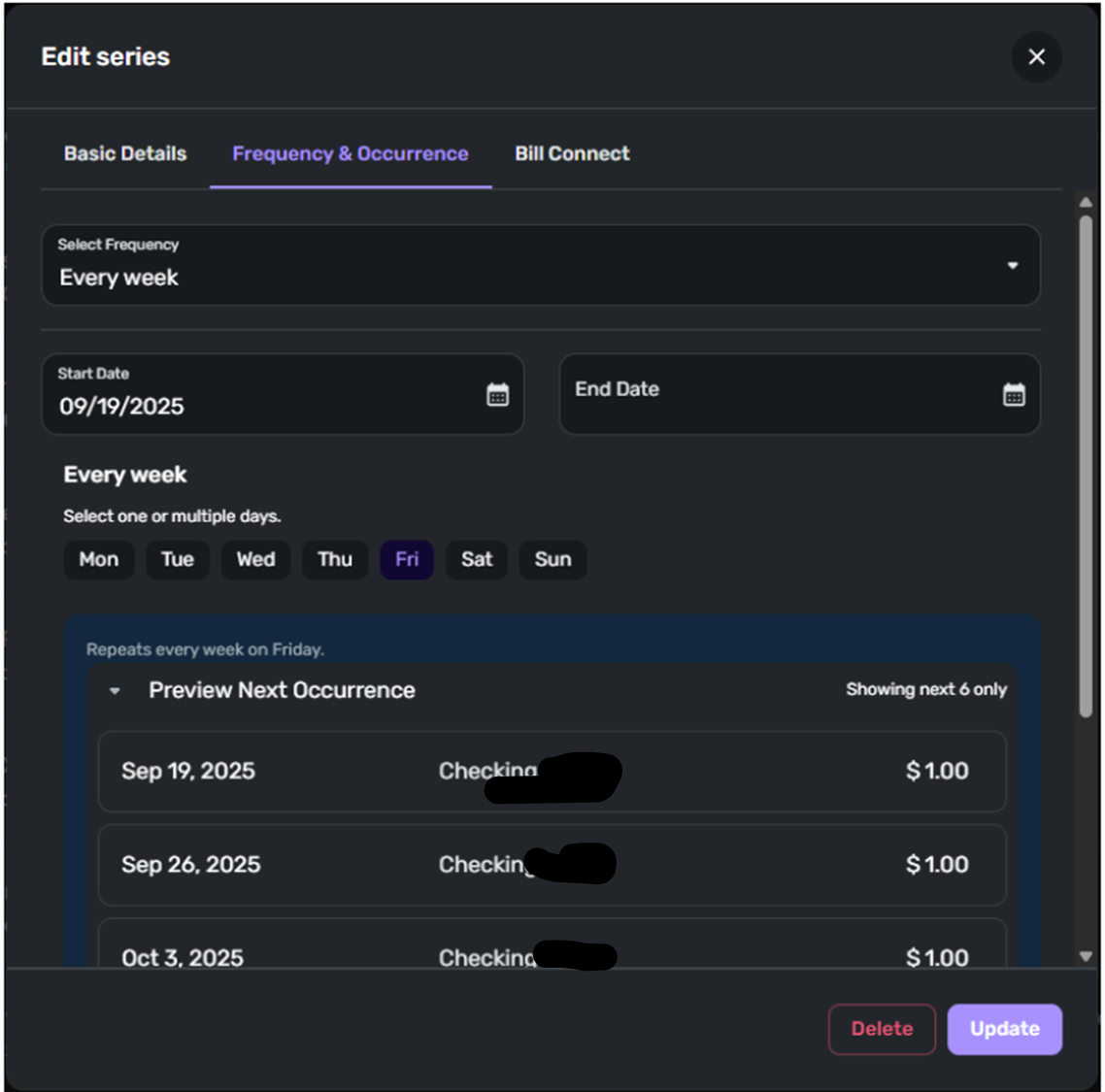
I have recurring series for credit card payments from my checking to the cards set up, all set to $1 and I pay my cards off on Friday of every week (I do not wait till the due dates) at that point, I set the actual value once statements come in. The issue is, the future transactions will completely disappear from the reminder list before the due date on the reminder. When I check the series, its start date is a week ahead of the missing transaction. I am not doing anything to cause this, it just happens on its own.
Reading through various threads I see recommendations to delete the transaction and start over. I did this a few weeks ago and it worked for one week and now I am back where I started. This weeks reminders are gone and the dates are set to next week.
Help.
Old thread: https://community.simplifimoney.com/discussion/comment/42984#Comment_42984?utm_source=community-search&utm_medium=organic-search&utm_term=Reminder+skip
Comments
-
Hello @dagnabit2000,
Thanks for reaching out! To clarify your situation, does the recurring series only disappear from the Cash Flow graph, or does it go missing from other areas of Quicken Simplifi, such as the Spending Plan and Bills & Payments? Are you editing the date of the recurring reminder as well as the amount? Let us know!
The easiest way to resolve this issue would indeed be to delete and recreate the problematic recurring series to see if doing so clears things up going forward, but if the issue keeps happening afterward, be sure to let us know so that we can work on further troubleshooting.
-Coach Jon
-Coach Jon
0 -
Hey @Coach Jon, thanks for the quick reply. Couple things;
1. There are 4 transfers I do weekly all 4 behave the same way.
2. About two weeks ago based on other threads, I deleted all my transfers and set them back up again. The first week they worked fine. The second week I looked at them earlier in the week like Monday or Tuesday and they were all there. Then today, Friday, I went to go record the actual values for the CC payments and all four were skipped until September 12th. That is two weeks of skipped transactions.3. The transactions are missing from the Bills and Income in the Overview, Cash Flow, and All Series tabs. I just went in to verify it was consistent with Settings» All Recurring and three of the four transactions are skipped to Sept 19th. In the Bills section they are all still skipped to the 12th.
Let me know if you want me to delete them all again and try over.
-Dave G0 -
Hello @dagnabit2000,
Thanks for letting us know. I would definitely have you delete and recreate the recurring series to see if this resolves the issue. This way, if it does not work this time, we can come back to this discussion and use what we have recorded here to report to our product team. Additionally, to clarify further, are you just editing the amount of the reminders, or are you editing the dates as well?
-Coach Jon
-Coach Jon
0 -
@Coach Jon I recreated the transfers AGAIN (for the second time this month) one thing I did differently is I set the "Auto Match" to "Exact Amount". There should be an option for "No" as I suspect what is happening is that the transaction is matched once when it sees the transaction in my credit card account, typically within 24 hours after I pay the bill and then once again when it sees the transaction in my checking account, typically 3 to 5 days after I pay the bill. Actually, I will go back and set one to "Auto Match" and leave the other as "Exact Amount" and see if that makes a differenece.
1 -
@Coach Jon, all four transactions have shipped again. three skipped one week and one skipped two weeks. Very frustrating. I need my cash flow chart to be correct so I do not overdraft my checking account.
0 -
Hello @dagnabit2000,
Thanks for following up! I can definitely see why this is frustrating for you, and I apologize for the inconvenience. Can you please supply a screenshot of the details of the recurring series in question, as well as the Bills & Income tab showing the series has been skipped? This will allow us to verify what specifically is occurring here.
-Coach Jon
-Coach Jon
0 -
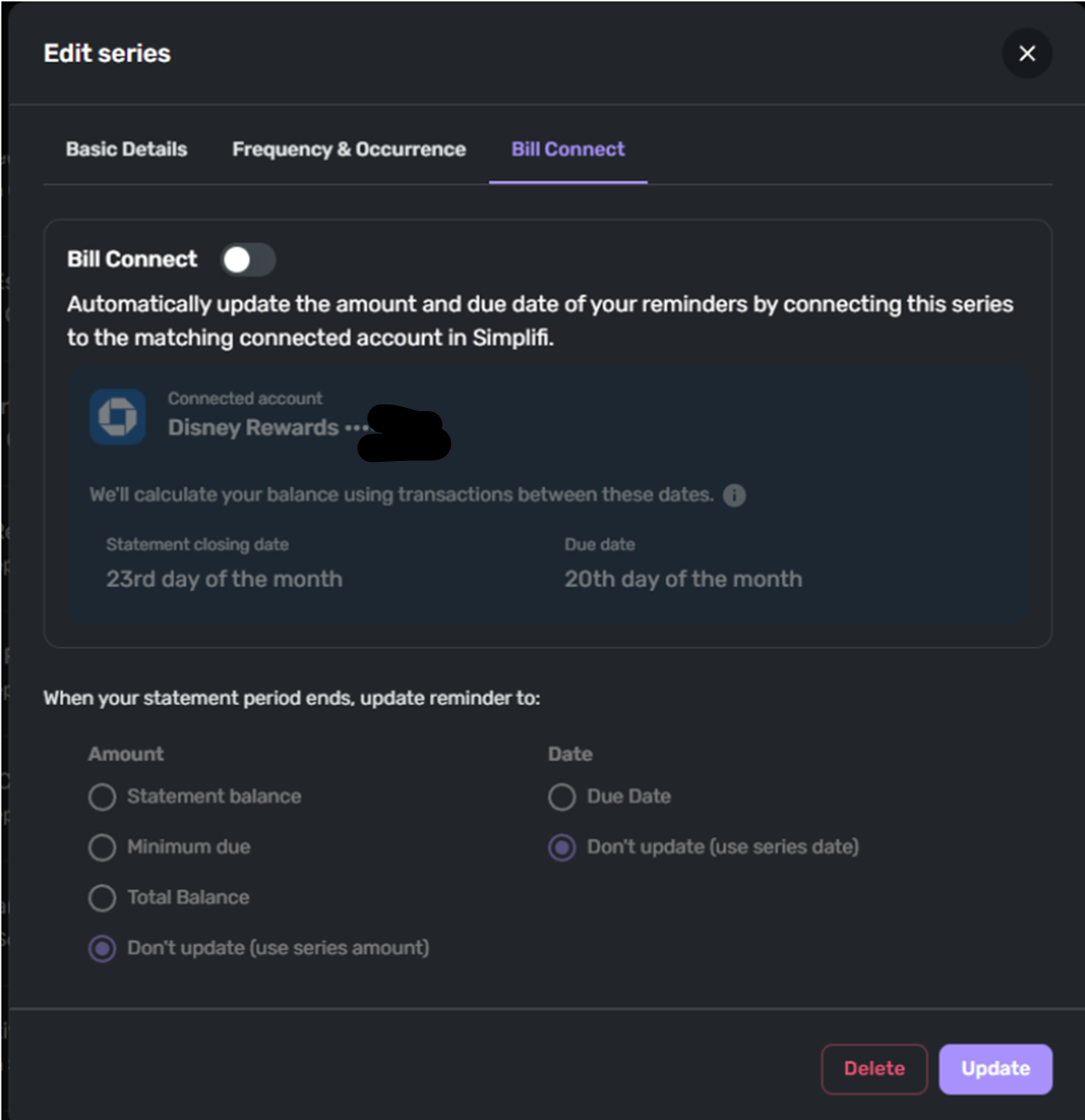
@Coach Jon Here you go! I will say that forecasting my account balances is the biggest reason I use this software. No other platform does this oddly.
 0
0 -
Hello @dagnabit2000.
Thank you for the requested screenshots! I see that the Start Date is 9/19/2025 for this series. Is that the date the series was originally set up with? If the transactions you mentioned are skipping to the 19th, then it may be that they are being matched to this recurring series. If you want to have more control over whether these specific transactions auto-match before you edit them to their correct amounts, I would see if changing the Match Criteria field to Limited Range would work better for you in this case:
-Coach Jon
-Coach Jon
0 -
I will try that, before I assume how this functionality works, what would you suggest I set the Limited Range to? I would have thought "Exact Amount" would be the best option, but that did not work.
0 -
Hello @dagnabit2000,
Thanks for the reply! Quicken Simplifi will use a 30% variance of the amount set for the Series (15% above and 15% below) when linking transactions to the Series for this Match Criteria option. So the range will be automatically calculated based on the amount originally set for the series. This allows you to control the amount allowed to match with the series.
-Coach Jon
-Coach Jon
1 -
Just wanted to give you an update on the recurring issue.
No matter what I try, the problem keeps reappearing. I've used "Exact Match," "Limited Range," and "Auto Match," and the result is always the same.
I've noticed one key difference between the transactions that have this issue and the ones that don't: the four credit card payments are all associated with accounts "Connected" to the bank. This gives me the option to use "Bill Connect" when setting up the transfers. I always leave this feature off because I don't wait for a statement to pay my cards, and I originally suspected it might be causing the problem.
Given this ongoing issue, I'm finding it difficult to accurately track my cash flow in Simplifi. Since this is one of the most important features that I am looking for, it seems Simplifi is no longer the right solution for me. I'll be looking into other programs to find one that better meets my needs.
Thanks for your time.
0 -
Hello @dagnabit2000,
Thank you for the response! I can definitely understand how frustrating this may be. I apologize that the Amount Matching doesn't seem to be working for you, with the way you wish to use Quicken Simplifi. We do have an idea post that may interest you if you choose to stay with Quicken Simplifi. You can vote for and follow it here:
I hope this helps!
-Coach Jon
-Coach Jon
0
