Transaction activity headers missing on mobile (edited)

can you add headers to the transaction activity screen. I am using the mobile app and just down loaded a new version and the headers are gone. Before I had headers which included tags but they are no longer there
Comments
-
@TommyS, thank you for reaching out to the Community!
I'm not sure that I understand what you mean. When using the Quicken Simplifi Mobile App, there are no headers for transactions, and there never has been that I'm aware of; that is a Web App feature.
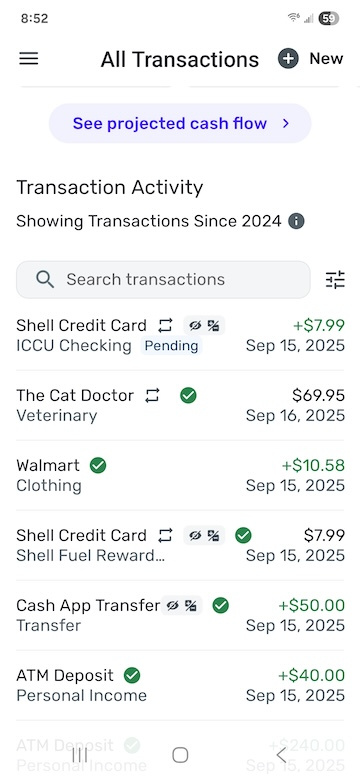
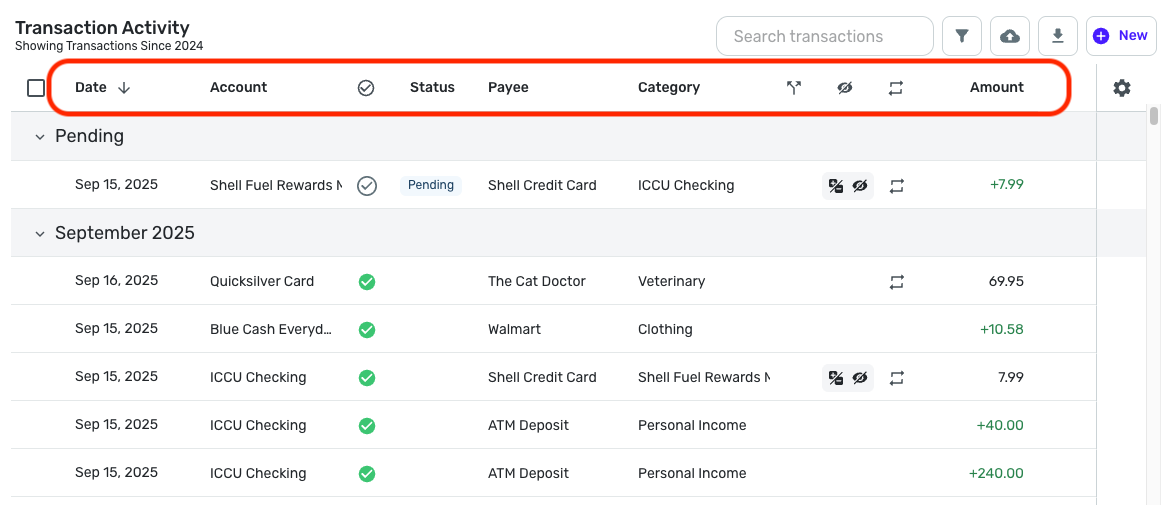
Can you let us know in more detail what you're referring to, please? We look forward to hearing back from you!
-Coach Natalie
0 -
what app has the headers in outlined in red? This is what I had prior to reinstalling Simplifi per the suggestion of your support team. I was having an issue with the app not showing my sub categories when to edit a transaction. They told me to reinstall the app and it looks totally different from what I had. I have been using Simplifi for over a year on my iPad.
0 -
@TommyS, thank you for the reply!
The screenshot where I outlined the headers in red is from the Web App. The Mobile App has never had headers. Are you sure you're using the Mobile App on your iPad, or are you perhaps using the web browser on your iPad, which would technically be the Quicken Simplifi Web App? Regardless, there should not have been any major changes made from the most recent release.
Let us know!
-Coach Natalie
0 -
Coach Natalie - I must have been using the Web app. How can I download that to my iPad. What is the difference between the mobile app and the web app?
0 -
@TommyS, thanks for confirming!
If you want to use the Quicken Simplifi Mobile App on your iPad, you would go to the App Store and install the app. The Quicken Simplifi Web App is designed just for web browsers, so you would not be able to install and use this on your iPad outside of having the page open on your web browser. I would personally recommend using the Mobile App since an iPad is a mobile device.
As for the differences between the Mobile and Web Apps, I'm afraid I don't have a very good answer for this. You will find the same features and functionality, just formatted for a mobile app versus a webpage. Hopefully this makes sense!
-Coach Natalie
0 -
Using the web app is pretty much the same experience as accessing the Simplifi webpage through a web browser. Simply put, the "web app" is just the web page in a separate window without all the tabs, menus, etc. that belong to the browser.
So you can just open the website in your web browser on your tablet and use Simplifi that way if you want to.
DryHeat
-Quicken Classic (1990-2020), CountAbout (2021-2024), Simplifi (2025-…)0 -
Thanks. That must have been what I was doing then I downloaded the mobile app the other day and everything was different. I will go back to accessing through the browser
1 -
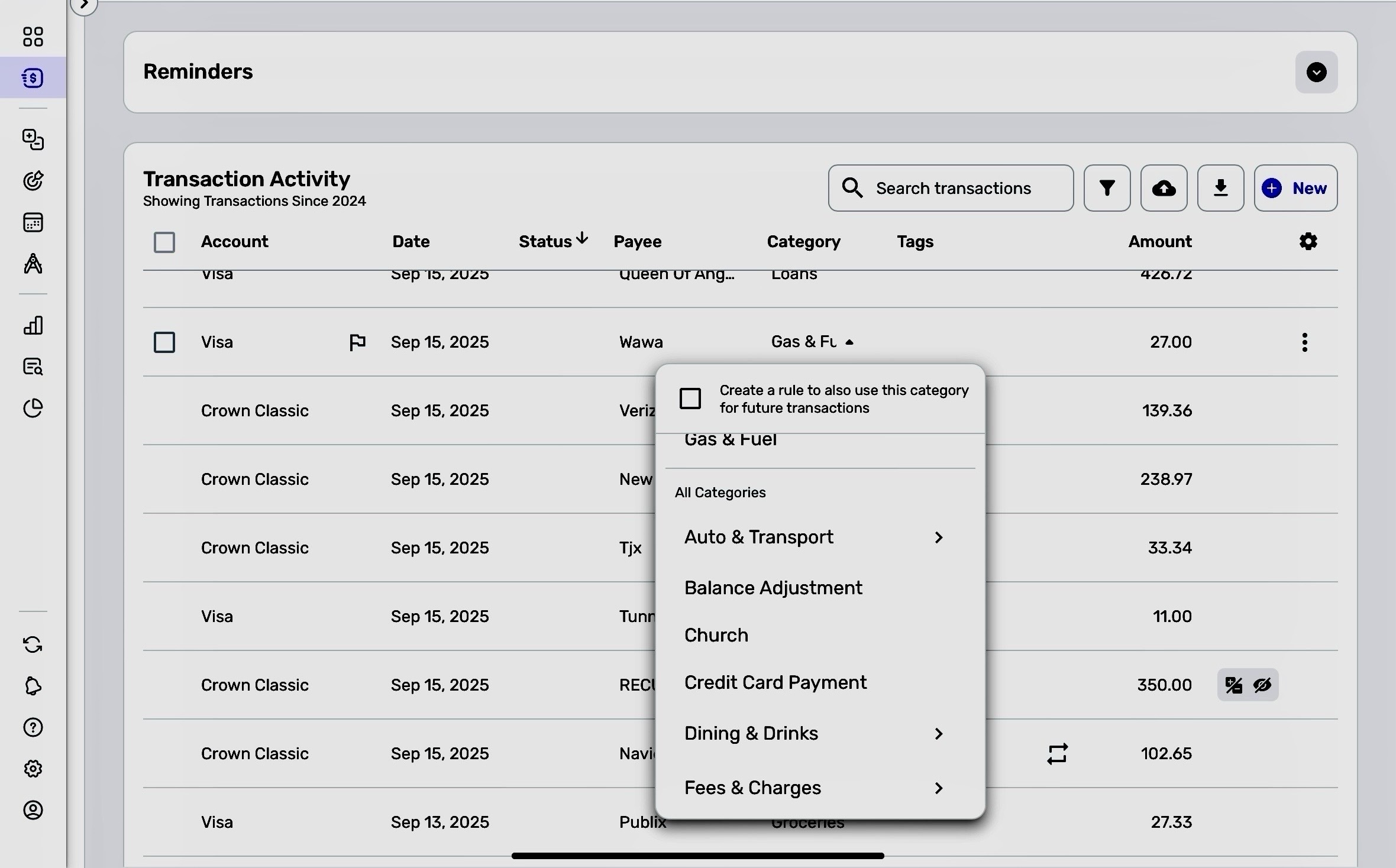
my problem started when my subcategories window would not expand when editing transactions. Below you can see that my categories come up in a window but they do not expand to show my subcategories. This just started about a week ago. The same thing happens when I open the individual transaction window
 0
0 -
@TommyS, is the Subcategory issue what you contacted Support about? Were they able to resolve things for you?
If you wanted to post about that, or any other issue/inquiry, here in the Community, we'd ask that you create a separate post for each separate topic.
Thank you!
-Coach Natalie
0 -
yes I contacted support about the subcategories issues and they told me to reinstall the software.
I will post this to the community page. Thanks for your help
1

