"You have already added all your accounts" message with Amex

This discussion was created from comments split from:
Comments
-
@Coach Jon and @molehill6804 - I'm having the same exact issue. In fact, it caused me to cancel my Quickbooks subscription because they couldn't seem to figure it out. **I know QB and Quicken are the same people. But QB was way too expensive for my needs anyway.
I also have multiple AMEX checking accounts as well as 2 business credit cards. I cannot get more than 2 accounts to connect. When I tried the manual add solution, it now says that I've added all of my accounts (which I have not - it just isn't finding them). I hope there is a solution soon. This is incredibly frustrating and we are getting close to tax time. I don't want to manually track my expenses again but, if this isn't fixed, I will have to bite the bullet.
0 -
Hello @PGLConsultant,
Thanks for reaching out! To clarify, I do want to say that QuickBooks and Quicken are not the same company. We are separate entities.
As for your issue, I am not seeing an error code for you from our side with American Express. Are you receiving an error when trying to connect, or is the issue just that you're unable to add more than one account? Please provide a screenshot of the error you are seeing on your side, if you can, and let us know!
-Coach Jon
-Coach Jon
1 -

@Coach Jon - I had added my 2 credit cards yesterday as manual accounts. I used the link to "add" them as regular accounts and was successful. I went into my AMEX checking and revoked the permissions from my remaining 3 checking accounts. This is the screen I got when I tried to add them as well.
I have a total of 4 checking accounts and 2 credit cards with AMEX. Simplifi has been able to add 1 checking and 2 credit cards. If I try to add anything else, I get this message.
I also noticed that, when I go into the settings on my AMEX account, there is no permission token on the other 3 checking accounts. It's almost as if the system is not even trying to access them. It just throws this error message as if it is limiting the amount of accounts that can be added under one provider. I'm not a tech person by any stretch but I understand basic mechanics.
I actually canceled by Quickbooks yesterday because of this exact issue. I thought that - by switching providers - I would be able to have full access via my accounting program. I did not realize that the same thing would happen with someone else so I'm beginning to think this is an AMEX problem. I've had 3 chats with them and, yesterday, I called them. The guy I spoke with kept insisting that it is not them. So, who is it then?
As the original poster on this thread mentioned, this all started happening around September 2025. I've been with AMEX for over 2 years with zero problems. I started noticing in my QB that I was getting the "cannot connect" error message for my accounts and it's been a battle ever since. I hope you can help. Sorry for the long-winded response.
0 -
Hello @PGLConsultant,
Thanks for the detailed response! Can you confirm if these accounts have separate credentials from the accounts you were able to connect successfully?
This may also be due to your user token with American Express expiring. This can happen after having the account connected for more than 90 days.
To gain a new token, you will have to revoke Quicken from accessing your bank's website, then reconnect your accounts.
- Navigate to the bank's website, sign in, and then remove Quicken's access from the bank's third-party linked apps.
- Make all of the accounts with the bank manual by following the steps here.
- Once you see the account(s) listed in the Manual Accounts section under Settings > Accounts, go back through the Add Account flow to reconnect to the bank.
- If the connection is successful, carefully link the account(s) found to your existing Quicken Simplifi account(s) by following the steps here.
Let us know how this goes!
-Coach Jon
-Coach Jon
0 -
@Coach Jon - as I mentioned in my original comment, these accounts have been opened and maintained - simultaneously - for the past couple of years. I also mentioned that I had revoked the permission for Quicken before attempting, again, to reconnect the accounts.
I'm happy to try and manually add the accounts as I did with my 2 credit card accounts. However, I am not optimistic. Nevertheless, I will try and I will reply here to let you know the outcome.
0 -
Hello @PGLConsultant,
Thank you for the reply. Please let us know the outcome once you have tried! Additionally, per my previous response, can you confirm if these accounts have separate credentials from the accounts you were able to connect successfully? Or do they all use the same credentials when accessing the account from the bank's website?
-Coach Jon
-Coach Jon
0 -
@Coach Jon - Yes. All of these accounts are within the same login. I only have one login with AMEX including the checking accounts and credit card accounts. They keep everything within the AMEX Blueprint portal.
0 -
Hello @PGLConsultant,
Thanks again for the information. Be sure when trying the above steps to make ALL of the accounts with that bank manual after revoking Quicken's access. Keep us updated on how this goes.
If the issue is still present, please provide the following information as well:
- Has there been any activity in the accounts in the last 90 days?
- Are the accounts considered external (i.e. are you redirected to a different website when selecting the accounts on the bank's website)? If so, what URL are you redirected to?
- Are the accounts a subtype of a different account?
- Has the bank made any recent changes to its website or sign-in process?
- Are you the owner of the accounts?
- The names of the missing accounts, as they appear on the bank's website.
- If the issue is occurring on an existing Quicken Simplifi account, the name of the account as it appears in Quicken Simplifi.
- A screenshot of the Accounts Summary page from the bank's website that has a wide enough scope to show the full page URL. This is the landing page after signing in, and typically lists all accounts and balances. You will want to take this from a web browser and not a mobile browser, as well as redact any private info such as account numbers.
- A screenshot of the Add Account screen in Quicken Simplifi showing that the account in question is missing at account discovery.
-Coach Jon
-Coach Jon
0 -
Good morning, @Coach Jon:
I carefully followed your steps this morning. I revoked all access for Quicken in my AMEX accounts. I converted the 3 accounts I had in Simplifi to manual. I added the remaining three accounts manually. So now, my accounts are shown as this in Simplifi:
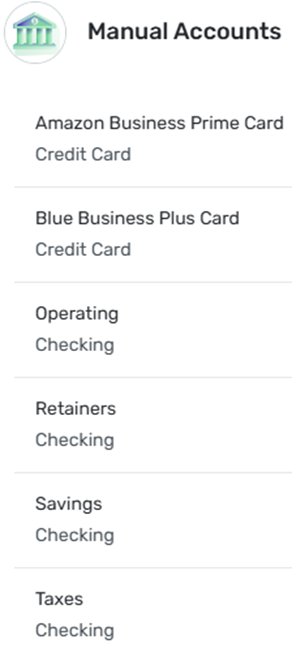
Initially, it linked Amazon Business Prime Card, Blue Business Plus Card, and Operating. I added Retainers, Savings, and Taxes. This list consists of ALL ACCOUNTS at AMEX. I have screenshots showing that permissions were revoked from all 6 accounts individually but I won't upload them unless you need them.
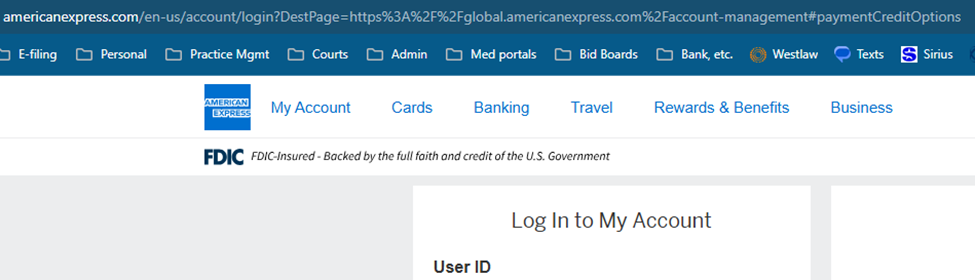
This is the landing page when I log into my AMEX account to access ALL ACCOUNTS:
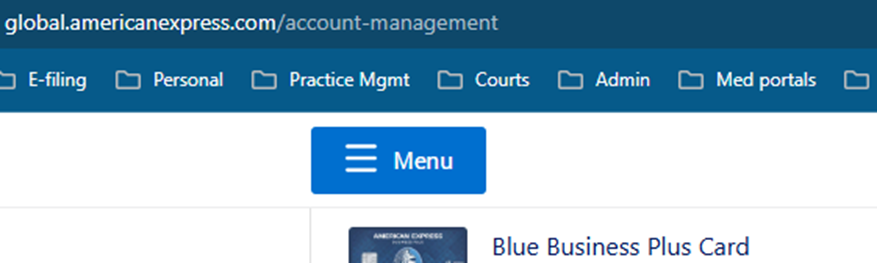
After signing in, this is the next page:
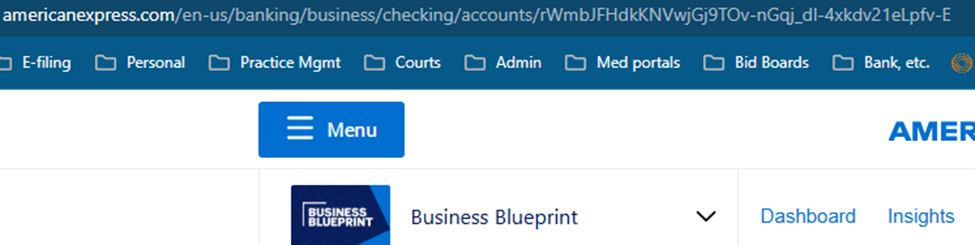
After selecting one of my checking accounts, this is the next page:
When I go back to Simplifi to now connect ALL ACCOUNTS from manual to linked, this is the address of the pop up screen to authorize access for Simplifi:

After selecting ALL ACCOUNTS shown and clicking continue, I now get this message on the confirmation page in Simplifi:

I tried a second time and this is the initial pop up asking me to select ALL ACCOUNTS:
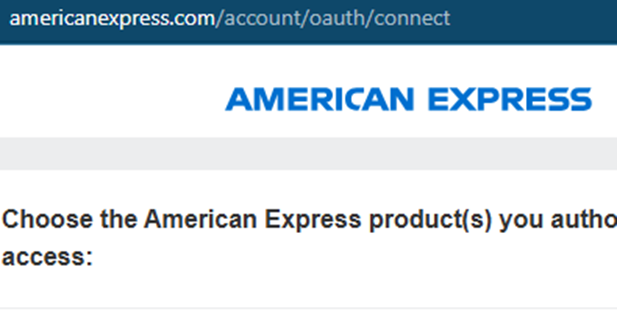
Since there is a lot of info in this comment, I'm going to answer your questions in a separate comment.
0 -
@Coach Jon - here are the answers to your questions (my responses in ALL CAPS):
- Has there been any activity in the accounts in the last 90 days? - YES. ACTIVITY IN ALL 6 ACCOUNTS.
- Are the accounts considered external (i.e. are you redirected to a different website when selecting the accounts on the bank's website)? If so, what URL are you redirected to? - SEE SCREENSHOTS ABOVE.
- Are the accounts a subtype of a different account? - NOT SURE HOW AMEX CATEGORIZES THEM BUT IT IS TWO CREDIT CARDS AND FOUR CHECKING ACCOUNTS. CREDIT CARDS ARE ACCESSED THROUGH GLOBAL.AMERICANEXPRESS.COM/ACCOUNT-MANAGEMENT AND THE CHECKING ACCOUNTS ARE ACCESSED THROUGH AMERICANEXPRESS.COM/EN-US/BANKING/CHECKING/ACCOUNTS.
- Has the bank made any recent changes to its website or sign-in process? - NO.
- Are you the owner of the accounts? - YES.
- The names of the missing accounts, as they appear on the bank's website. - BLUE BUSINESS PLUS CARD, AMAZON BUSINESS PRIME CARD, OPERATING, TAXES AND SHIRLEY ST RENT, RETAINERS, SAVINGS.
- If the issue is occurring on an existing Quicken Simplifi account, the name of the account as it appears in Quicken Simplifi. - PLEASE CLARIFY - DO YOU WANT MY QUICKEN ID OR THE NAME OF MY BUSINESS?
- A screenshot of the Accounts Summary page from the bank's website that has a wide enough scope to show the full page URL. This is the landing page after signing in, and typically lists all accounts and balances. You will want to take this from a web browser and not a mobile browser, as well as redact any private info such as account numbers. - SEE ABOVE.
- A screenshot of the Add Account screen in Quicken Simplifi showing that the account in question is missing at account discovery. - SEE ABOVE.
0 -
Hello @PGLConsultant,
Thanks for the information and detailed response. I can see that you are receiving an FDP-401 error from your screenshot. We are aware of this known issue with American Express and do have an alert you can follow, which we created for updates on this issue.
In the meantime, you can track the account manually by adding manual transactions, which will keep your records up-to-date. Here are the steps to do so: Managing Transactions in Quicken Simplifi | Quicken Simplifi Help Center
Thank you again for your patience in this matter!
-Coach Jon
-Coach Jon
1 -
@Coach Jon - I got a notification that you had responded. So, on a whim, I decided to try one more time to connect ALL my accounts through the Simplifi app. I hope I don't jinx myself but it literally just found ALL 6 ACCOUNTS and they have been updated/added successfully! I say this with great trepidation because I've been known to get excited about something tech related only to have it prove me wrong later.
But, for now, it appears that all of my accounts are actually linked and operating correctly. It was definitely an exercise to provide all of this information to you but I'm glad I went through it. Hopefully, this will correct the problem for everyone else on this thread who has had an issue. Thanks for your help!
2 -
Hello @PGLConsultant,
That is certainly good news! I am glad you were able to get everything connected, and thank you for your diligence!
-Coach Jon
-Coach Jon
1 -
Good morning, @Coach Jon - welp, that didn't last long. I logged on this morning and, when it tried to update, I got this message:
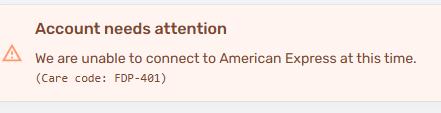
So, it was nice while it lasted but apparently I'm back to square one. I know you have a bulletin about this issue but I just wanted to let you know that it still exists.
0 -
I get this Amex warning all the time. Usually works the next time. I hope it will be the same for you. I get it more in Quicken Classic than Simplifi for some reason.
Steve
Quicken Simplifi (Safari & iOS) Since 2021
Quicken Classic (MacOS) Since 2009
MS Money (1991-2009) and Dollars & Sense (1987-1991)1 -
Me too. It's very frustrating. I was actually looking at changing banks again but I like AMEX. I hope they can find a workaround soon because it worked like a charm for at least 2+ years. Something wonky happened around September 2025 that caused it to throw these errors.
0 -
I think the AMEX HYSA is downloading again. It stopped on me and I spent a frustrating month being told my AMEX that they were no longer going to support Quicken, so I closed the account and moved it to Capital One. It was a goodly sum.
Then I think they started downloading again. My wife uses AMEX credit card, but if it continues to give trouble, bye bye.
There's a bank on every corner.
Edit: But none of these connections work the way they did 20 years ago when you had a problem once in a while on weekends when they were doing maintenance, and you usually got an email warning you. I don't really know what happened. I guess they cut the number of technicians.
Steve
Quicken Simplifi (Safari & iOS) Since 2021
Quicken Classic (MacOS) Since 2009
MS Money (1991-2009) and Dollars & Sense (1987-1991)1