is there a way to bulk update accounts/transactions to not be excluded from spending reports?

Hi, I have a few accounts that keep showing up as excluded from spending reports. Is there a way to update them in bulk rather than editing each individual transaction? There are hundreds, so I’m hoping there’s an option to change them all at once.
[edited title]
Best Answer
-
Well yes. It may not be intuitive, but you do a search for the transactions you want, then choose them. Then hit the Edit button (looks like a pencil) and choose exclusion. It will show the Exclusion as blank. Check the Spending Plan exclusion, then uncheck it. Now hit Apply.
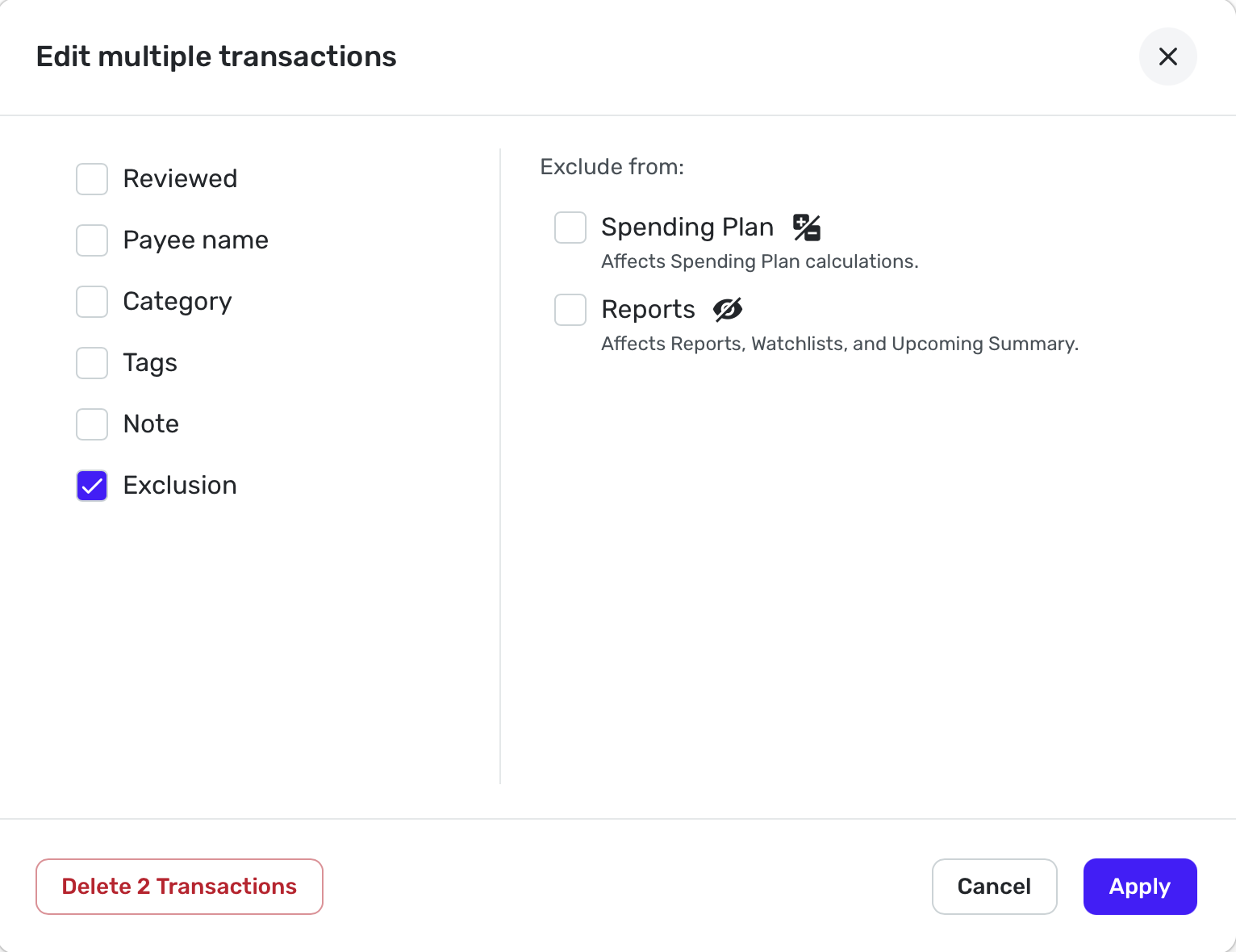
For accounts that are by default excluding from Spending Plan, go to Settings: Accounts and find the accounts you want and click on the 3 vertical dots. Now clear the box that says Exclude from Spending Plan.
Remember that Investment accounts will automatically exclude everything from the Spending Plan unless it is a Payment/Deposit. Edit: If you try bulk editing those transactions, it will appear to work, but it won't. Also, I don't know of anyway to bulk edit to change investment transactions to Payment/Deposit.
Hope this helps.
Steve
Quicken Simplifi (Safari & iOS) Since 2021
Quicken Classic (MacOS) Since 2009
MS Money (1991-2009) and Dollars & Sense (1987-1991)2
