Difference between Accounts List and the Net Worth Report for Mortgage Account (edited)

I have a mortgage through Chase. I've noticed that, from time to time, the values that Simplify gives to my mortgage in "Reports → Net worth" are totally off. I don't mean "oh it missed that I made a payment", I mean the values will go from "-$350,000" to "$50,000". If this happens to happen at the end of the month, it'll record that as the value for the month (attached is 3 months in a row, for reference. You can infer that the middle value should be between the two other values, around -$351,000, not -$307,599.)

What's odd is that when it does this, the value is completely correct in Accounts. So it's definitely getting the right information from my bank, it's just totally screwing this up in reports → Net worth. It's not like I can edit any transactions, because it's coming straight from the bank.
Is there any way I can correct this?
Comments
-
Hello @jonoruss,
Thanks for reaching out! This is certainly a strange issue. To help clarify, are you stating that the middle value from the example you provided in your screenshot is roughly 50,000 off from what it should be? If that is the case, does opening the report in a separate web browser/incognito mode show the correct value? Let us know!
-Coach Jon
-Coach Jon
0 -
That is exactly right! The mortgage value is extremely predictable (it's a fixed 30 year mortgage), but the values in net worth are all over the place. And yes, the values are also messed up in incognito. They reflect incorrect (saved) historical data, which I guess I can't correct in any way?
0 -
Also, I'm now just realizing that I had opened a similar issue with you guys before about a year ago (case #11011515 ) and:
a) Completely forgot about this, sorry.
b) Hadn't heard anything?
But I guess this is still a problem and also there's no way of fixing bad history in your product, which makes this thread more of a feature request.0 -
Hello @jonoruss,
Thanks for the reply! I am not aware of a ticket using that case number you provided, unfortunately, and could not find one for this topic under your information, either. That said, I can confirm that the Net Worth report does display your net worth over time based on historical account balances.
In this case, I would have you try importing your Account Balance History into Quicken Simplifi to see if it helps resolve the issue you are seeing here in your Net Worth report.
This will not change your transaction history, and we do recommend using the CSV template from within the article to avoid any issues importing.
Let us know how this goes!
-Coach Jon
-Coach Jon
0 -
Sorry, this isn’t right. I know for a fact that you’re getting the information correctly from my bank, because it’s correct in the account dashboard. It’s reports, specifically, that’s wrong. Looking at my accounts right now, I see this:

This is correct.
When I go to net worth, I see this:

Because these screenshots are from the app, I won’t get a breakdown of “Home Loan”, but these two aren’t the same! $639,023 is more than $40,000 more than $592,806!
Because this is happening on the 31st, it’ll record my net worth as way more than it is. Since it’s December, it’ll be wrong for the year.
0 -
to confirm, I opened this up in the web app to get the breakdown.

where did nearly $50k on the house mortgage go? It’s $349k in the accounts dashboard, but $303k in the net worth reports (it’s the first value in my bank).
0 -
Hello @jonoruss,
Thanks for following up! To clarify, did you try the steps I provided in my previous reply? If not, you will want to verify if importing your Account Balance History into Quicken Simplifi works to resolve the issue you are seeing. Usually, in cases like this, it does, so we will want to verify. Let us know!
-Coach Jon
-Coach Jon
0 -
I’m sorry, I don’t understand. Are you suggesting that I manually create a csv file with what the values should be, then import them over what is already there? Then, I guess, I should stop tracking the amounts through your app?
0 -
like, right now there’s a 40-50k discrepancy between the report and the dashboard. Are you saying that I should make a csv file that creates a fictional 40k debt so that the report is correct but the dashboard isn’t?!
0 -
Hello @jonoruss,
Thank you for the reply. By importing historical account balances, you can ensure your Net Worth Report accurately reflects your accounts over time. Using the CSV template would allow you to make sure the balance is what you need it to be. Afterward, you would still be able to track the amounts normally. I hope this helps clear up any confusion.
-Coach Jon
-Coach Jon
1 -
oh ok, that helps with historical data. Is there any insight as to how I fix this for current data, so this isn’t a problem in the future?
0 -
Hello @jonoruss,
If this issue keeps occurring in the future, and importing your Account Balance History does not work to resolve the issue at that time, you will want to let us know so that we can look into further troubleshooting for the issue. Thank you!
-Coach Jon
-Coach Jon
0 -
ok, well it is reoccurring. And it’s happening right now. So I’m letting you know. Is there some how I can get you guys the data you need to open a defect for this issue?
0 -
Hello @jonoruss,
To report an issue from our side, we do need all troubleshooting steps to first be completed. If you can try the steps I provided previously regarding importing your Account Balance History, and it ends up fixing the issue you are seeing in your Net Worth Report, then reporting the issue would not be needed in this case. If the issue were to happen again afterwards, we could then at that time work on getting the issue reported. We basically want to verify that this isn't a one-time issue.
I hope this makes sense.
-Coach Jon
-Coach Jon
0 -
ok, but the problem is that the trouble shooting steps don’t have anything to do with the issue at hand? The thing you’re suggesting that I do is import a cvs file to fix the bad history that this issue is causing (because it’s a reoccurring issue). This is good, but there’s no possible way for that to fix the issue.
The problem isn’t just that the history is off. The issue is that the numbers in one view don’t match the numbers in another view. Not just for past months, but for what’s in my account right now, right this second.So no, this trouble shooting steps did not fix the issue. Now what are the next steps?
0 -
Hello @jonoruss,
Thank you for your reply. I think we need to clarify some information to ensure we are both on the same page. To confirm, is your actual account balance correct? Or is the account balance currently inaccurate? Please let us know!
If the account balance is indeed correct, as you mentioned earlier, and the issue lies with the Net Worth Report not displaying the correct values, the next step would be to import your Account Balance History. After completing the import, the values should correctly reflect the amounts. If the values become incorrect again, we can further investigate the issue at that point to determine what to do next.-Coach Jon
-Coach Jon
1 -
That’s right. Account balance is correct, net value report is widely off. So tell me what to do to import!
0 -
or, rather, what am I importing that would have the current values match? Do I just have a csv file with the current month in it and the difference between those views? Wouldn’t that change both views?
0 -
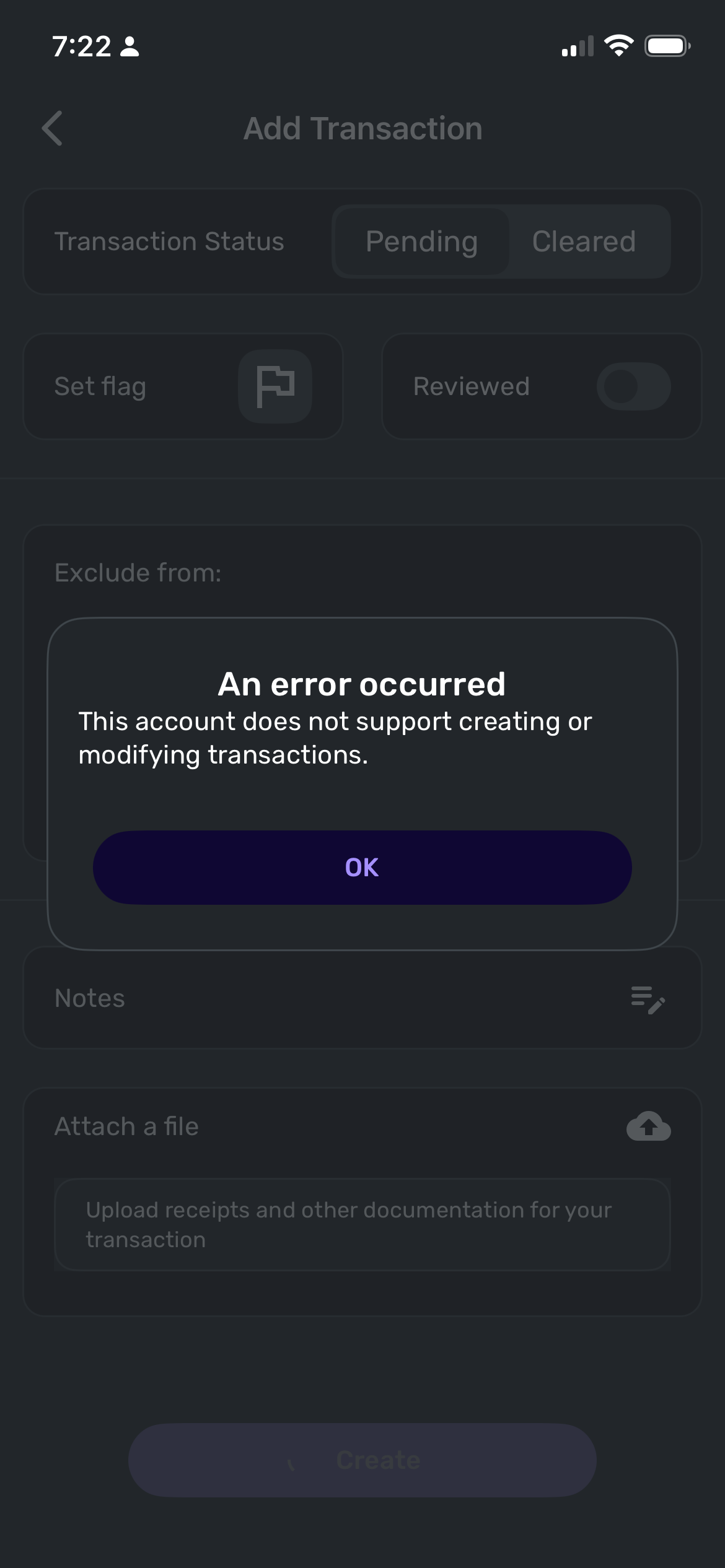
anyway, I tried doing just that and got the error message:
 0
0 -
Hello @jonoruss,
Thank you! As mentioned before, you will want to follow the instructions I sent previously in order to import your Account Balance History. Doing so should fix the incorrect values you are seeing.
Here are the steps specifically:
- Hover over the left panel and click Transactions.
- Choose the account you want to import into.
- If you're importing into an investment account, select the Transactions tab after selecting the account.
- Click the Import icon (cloud with upward arrow) in the upper right of the register.
- Select the Import Historical Balance tab, then choose Import from a Comma-Separated Value (CSV) file.
- Upload or drag & drop your CSV file.
- Click Import.
Let us know how this goes! If it doesn't work the first time, then I would see if it works better from another web browser/incognito mode.
-Coach Jon
-Coach Jon
0 -
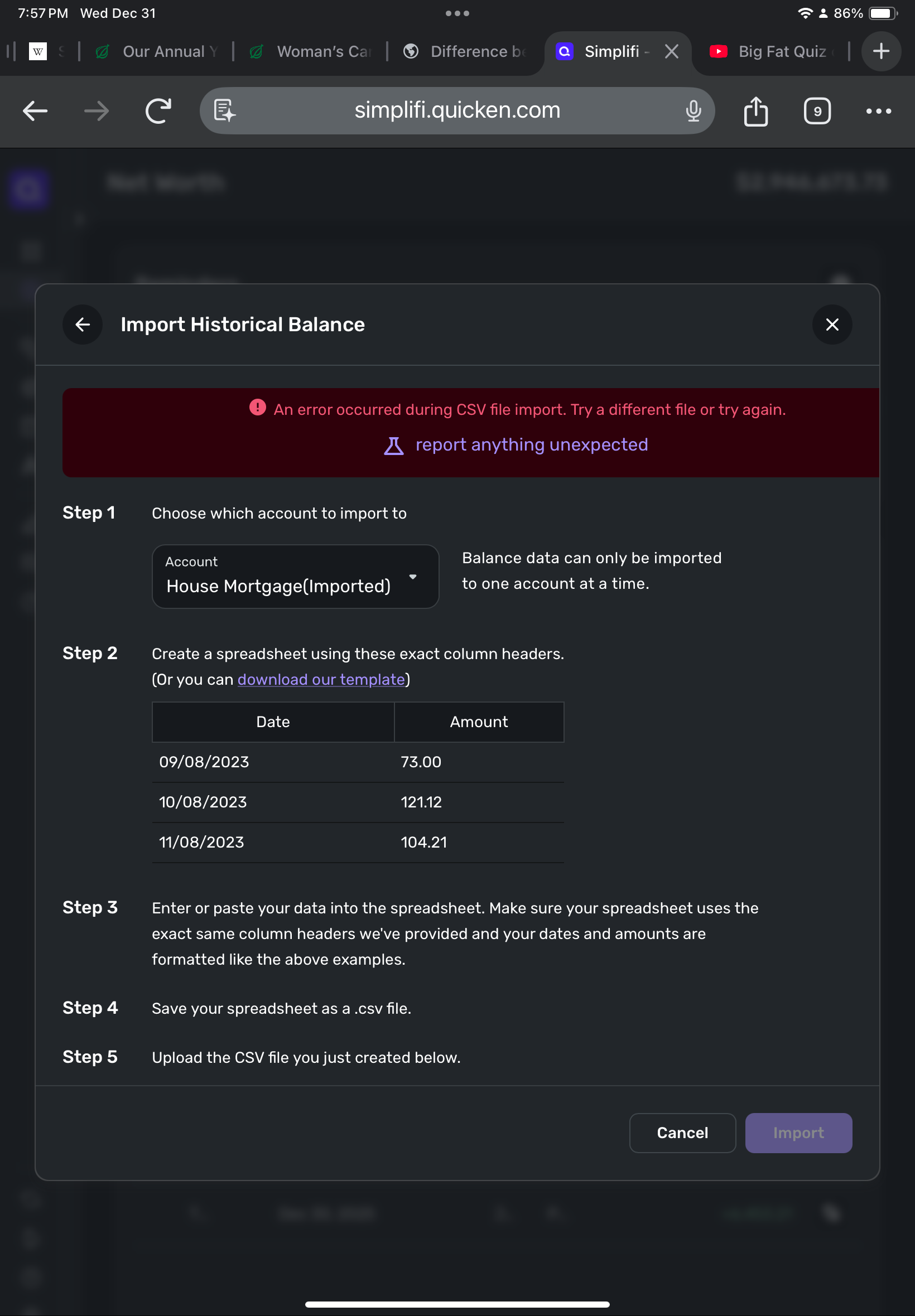
This exact set of instructions also does not work
0 -
Hello @jonoruss,
Thank you for the update. Can you confirm that the CSV file you tried using is in the following format and has the exact column headers listed below?

Additionally, account balance history cannot be imported through the Quicken Simplifi Mobile Application. Please use the Web Application instead.
-Coach Jon
-Coach Jon
0 -
Yep, it was in that format.
And of course I was using the web app for this, it’s not an option in the app!0 -
Alright, I think I've been able to correct the historical records.
Any idea on how to prevent this from happening? It seems like a fairly regular occurrence (that the values mis-match near the end of the month) with this account
0 -
@jonoruss, I'm glad to hear you were able to correct your historical records!
I would definitely recommend keeping a close eye on both the account balance in the Accounts List (this is the list of all accounts and balances on the left side of the Dashboard on the Quicken Simplifi Web App, or the list of all of your accounts when you select "Accounts" from the Quicken Simplifi Mobile App) as well as the Net Worth Report to see if you notice any anamolies moving forward.
If so, please grab some screenshots and a timeline so there is documentation of the issue. The Net Worth Report receives its information from the Accounts List, which is why we'd want you to keep an eye out for balance issues there.
Let us know how things go!
-Coach Natalie
0 -
right, no I definitely keep an eye out on it and I’ve shared screenshots of them not matching. Is there something more specific I should do?
0 -
@jonoruss, I believe Coach Jon's goal was to correct all of the historical information so we can keep an eye out for new occurrences, which can help us narrow down potential culprits and things of that nature. However, he will be back tomorrow and can let you know if there is anything different or additional for you to gather for the next occurrence.
Thanks!
-Coach Natalie
0 -
Alright, looking at my account now, the value for the mortgage is correct now, but the value for the previous month is wrong. I have uploaded a CVS file that is formatted like the following:
Date,Amount
12/30/2025,-350395.16I have instructed it to import this into House Mortgage(Imported)
It does not update the value.
0 -
Hello @jonoruss,
Thanks for the reply! To confirm, are you following the exact rules outlined in our support article for formatting?
- If you're creating your own CSV file, you must ensure your spreadsheet uses the exact same column headers we've provided on the template and that your dates and amounts are formatted exactly like the examples.
- The date format should be as M/D/YY (i.e., 1/1/22).
- The amount fields should not include dollar signs or commas.
- All fields should be filled in; empty fields can lead to issues.
- Negative amounts should have a negative sign in front of the number, or they'll import as positive amounts.
In this case, it looks like the date may be the issue here. I would see if trying the dates 12/1/25 and 12/31/25 works to resolve the issue.
Let us know!
-Coach Jon
0 - If you're creating your own CSV file, you must ensure your spreadsheet uses the exact same column headers we've provided on the template and that your dates and amounts are formatted exactly like the examples.

