Help setting up new categories and subcategories (edited)

I can't figure out how to set up new categories and subcategories. I am new to this program
Best Answers
-
WEB Version Go to settings (Bottom left) —> Categories & Tags —> + Category
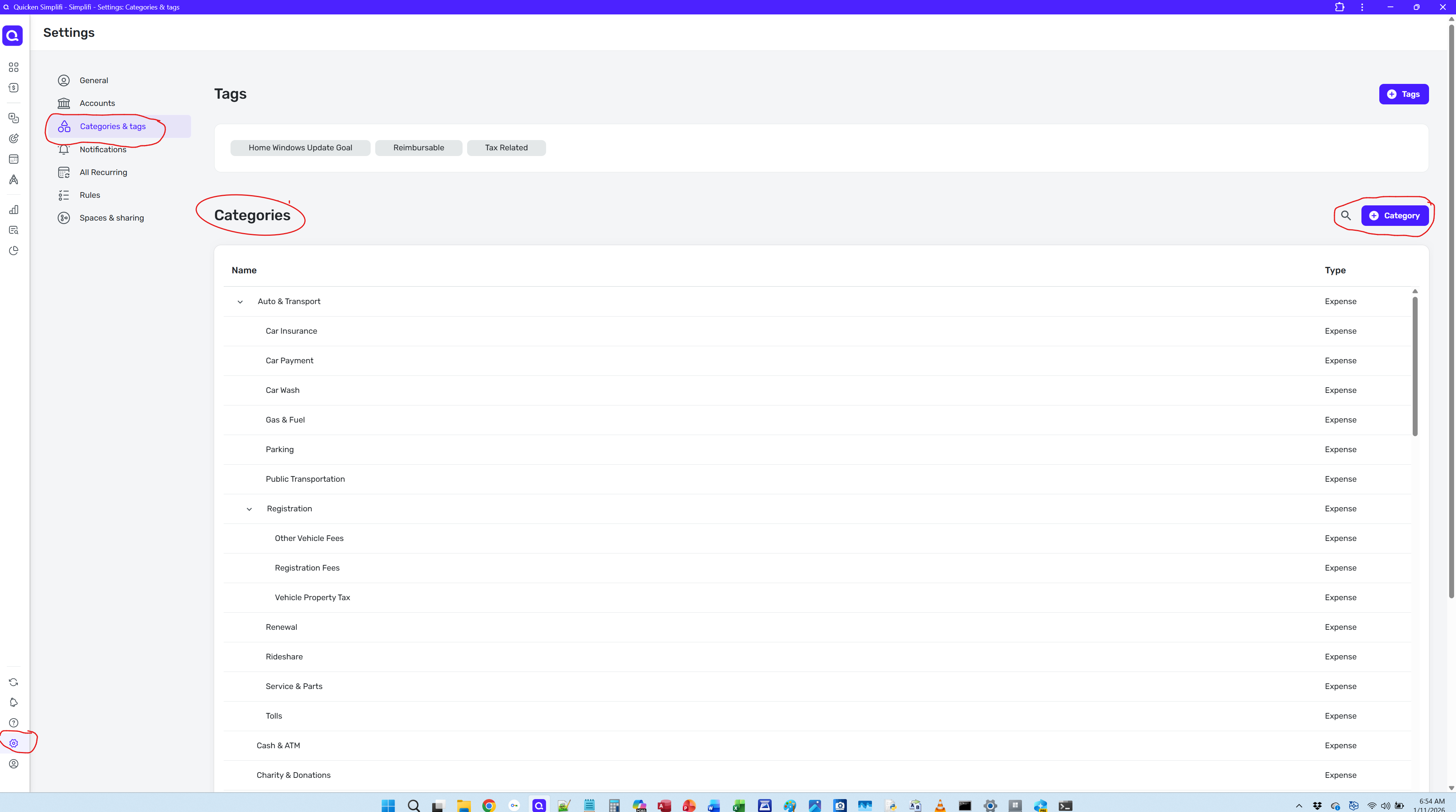
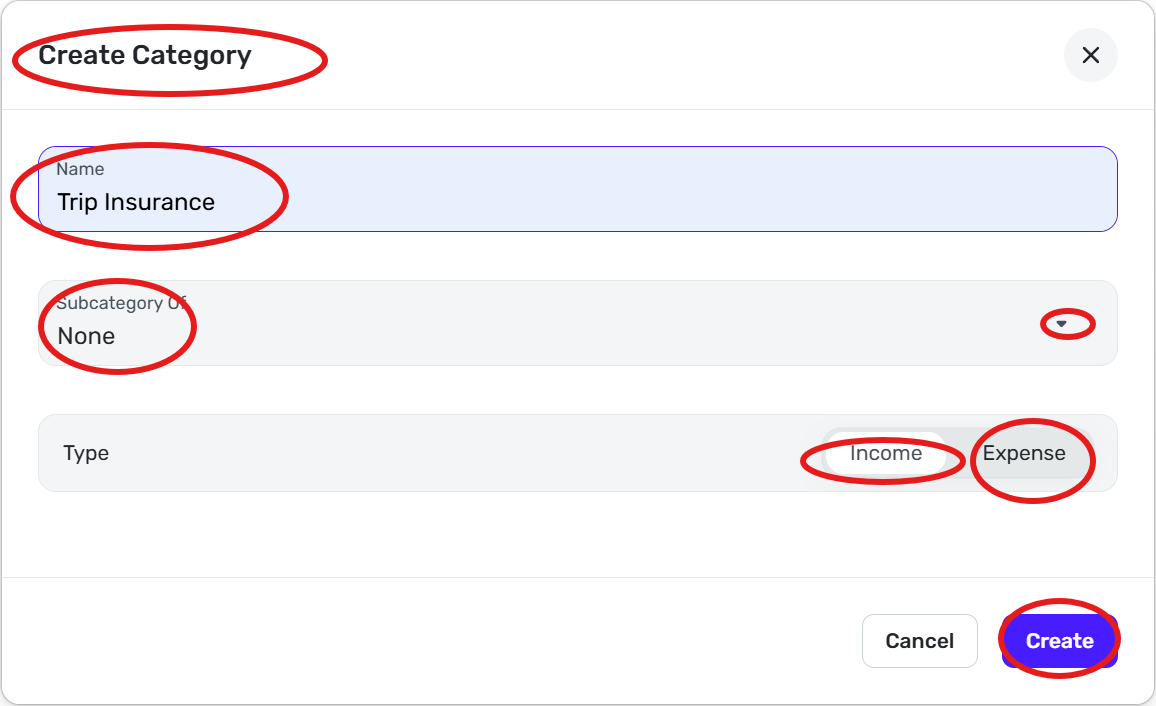
Or just start typing in category field and click on create button for main category or pick a sub category
Steve B
Ex Fortran, Cobol, Basic, MS Access and VBA (Visual Basic for Applications programer
Been using Simplifi since Dec 2026.
0 -
Hello @jmhull67,
Thank you for reaching out! In addition to the information @sbennet1 provided for adding new categories in the Web version, here is the information our article provides on how to add categories in the Mobile version:
- Tap the Menu icon (three lines in the upper left).
- Select Settings and then Categories.
- Tap the plus (+) button in the upper right.
- Enter the name of your new category.
- If this is a main category:
- Select Income or Expense.
- Select Personal or Business.
- To add tax reporting:
- Tap Tax Info and toggle Tax Related on.
- Select the applicable tax form and tax line items from the menus.
- Press Update.
- If this is a subcategory of an existing category:
- Click the "Subcategory Of" menu.
- Select the primary Category or Subcategory.
- If this is a main category:
- Click Create when done.

Creating Categories and Subcategories from a Transaction
- Create or open an existing transaction.
- Select the Category field and then type the name of the category or subcategory you'd like to create.
- Tap Create in the menu that appears.
- If this is a main category:
- Select Income or Expense
- Select Personal or Business.
- To add tax reporting:
- Click Tax Info and toggle Tax Related on.
- Select the applicable tax form and tax line items from the menus.
- Click Update.
- If this is a subcategory of an existing category:
- Click the "Subcategory Of" menu.
- Select the primary Category or Subcategory.
- If this is a main category:
- Tap Create when done.

For more information on managing categories, please review these articles:
I hope this helps!
-Coach Kristina
1


Answers
-
Thanks @Coach Kristina, I did not know Simplifi had such good documentation. I have not looked at the documentation yet. I will take a look at some things that I have questions on in the future.
Thanks for the mention.
Steve B
Ex Fortran, Cobol, Basic, MS Access and VBA (Visual Basic for Applications programer
Been using Simplifi since Dec 2026.
2