Bill is being skipped

I have a credit card transfer reminder set up for every 2 weeks. This credit card is purposely not connected. In the last two months, this reminder has jumped ahead. For example, a few days ago, the next reminder was for January 5th. As of December 27, this reminder is no longer there and jumped to January 19th. This has previously happened before, but unsure if I accidentally did it. I know for sure this time, this was not user error.
How can this be worked around or corrected?
Comments
-
Hello @Jhinkk,
Thank you for letting us know you're seeing this issue. To help troubleshoot, please provide more information. Does this happen only when a reminder is set for every 2 weeks? Is there anything that seems to trigger this behavior? Does this happen in the web app, the mobile app, or both?
I look forward to your response!
-Coach Kristina
0 -
@Coach Kristina,
Thank you for your response. So far, I have only noticed the issue with this particular reminder by name, type, and occurrence type of 2 weeks. I dont recall anything particular that should trigger it besides time. I check the upcoming reminders quite frequently when I first start my process of checking bills and after when im all done. I only see it on the mobile. I have never used the website version.
0 -
Thank you for your reply,
If you haven't already done so, please try logging out of the mobile app, then logging back in, and test to see if the behavior persists. Refreshing your login makes sure that your account is synced with the servers and can sometimes correct issues like this.
Please let me know how it goes!
-Coach Kristina
0 -
I did that. I'll report back when it happens again. It may take awhile to reproduce.
1 -
Previpusly posted in December: "have a credit card transfer reminder set up for every 2 weeks. This credit card is purposely not connected. In the last two months, this reminder has jumped ahead. For example, a few days ago, the next reminder was for January 5th. As of December 27, this reminder is no longer there and jumped to January 19th. This has previously happened before, but unsure if I accidentally did it. I know for sure this time, this was not user error."
This error recently popped up again. I had a bill reminder for the same payee mentioned above. Date was March 2, every 2 weeks. The reminder was their as of Feb 24. No payment to this payee has been made since then. When I logged into the account today, Feb 26, the March 2 reminder has disappeared.
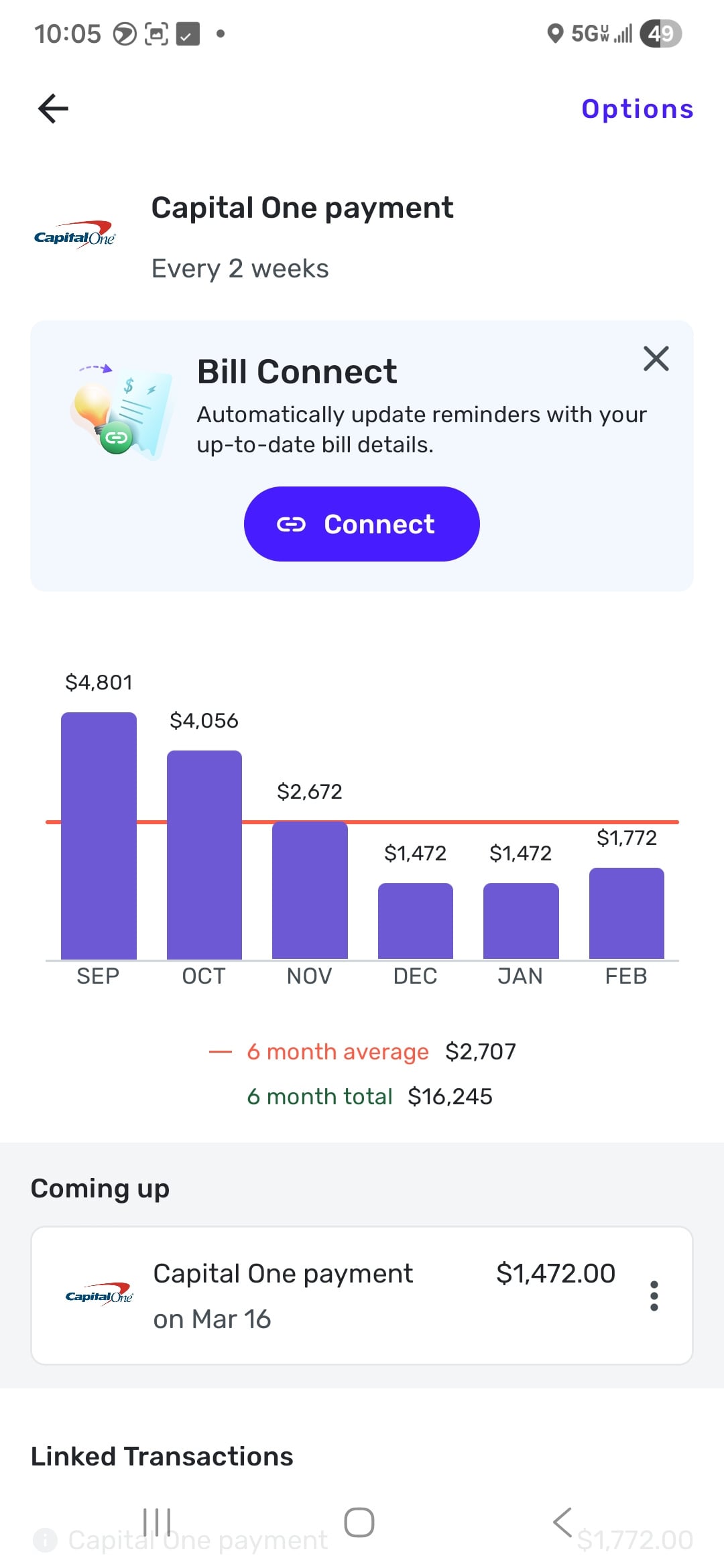
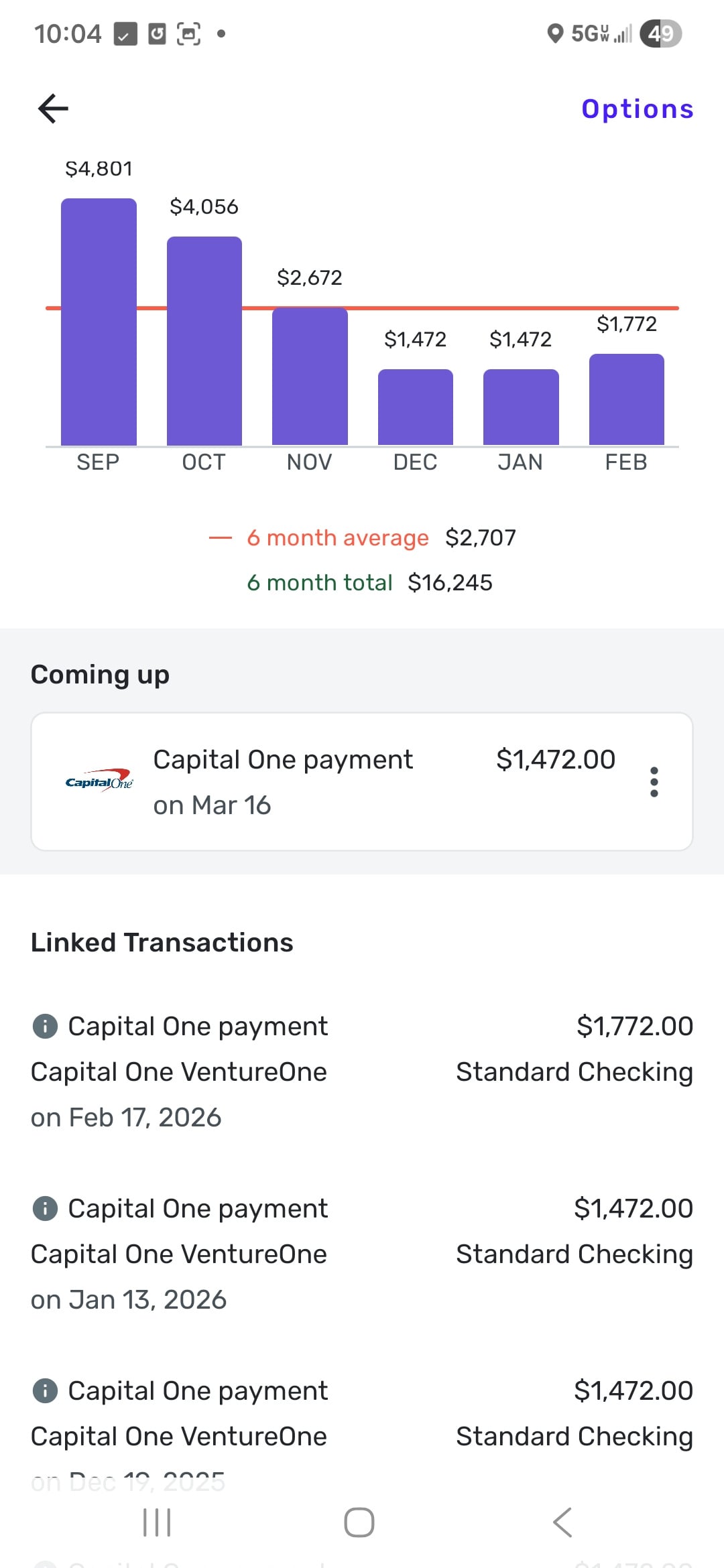
How can this be worked around or corrected?
0 -
Hello @Jhinkk,
Thanks for following up! If this is occurring with a single series, I would suggest ending the current problematic recurring series, which will retain all of the linking history for that series, and then creating a new recurring series to see if the new one presents the issue moving forward. Alternatively, you can delete the problematic recurring series instead of ending it, but doing so will lose your historical links to transactions.
-Coach Jon
0 -
I actually have done both twice now respectfully. I did not have enough info then to report it, so those actions were one of my first thoughts. This issue has been re occurring since potentially Summer of 2025. I just started logging it in November/December and keeping track of all my actions that lead up to it.
0 -
Hello @Jhinkk,
Thanks for the reply! Are you able to provide the examples you logged previously so we can share them with our product team in case of an escalation? We need to establish a history of this occurring, showing that you have tried ending the previous recurring series and then starting a new one, in order to escalate the issue. Let us know if that can be provided! This can be sent via DM if you prefer.
-Coach Jon
0 -
@Coach Jon I quoted my previous post of escalation. Im unsure how to link the post as it is through the app. Im honestly not sure if i am gathering what you asking?
0 -
Hello @Jhinkk,
I see the quote you mentioned, but I cannot find any previous escalation regarding this issue on our end. We can certainly begin addressing it here; however, we’ll need to verify the information I requested in my previous reply.
You mentioned that you started tracking this behavior in November or December. Do you have any specific examples or screenshots from that time? Or did you simply notice this behavior as time went on without collecting documentation at the time? We want to establish a history of this occurring, so we can present it to our product team if it needs escalation.
-Coach Jon
0 -
It just did it again. Losing my expected payment info of March 16
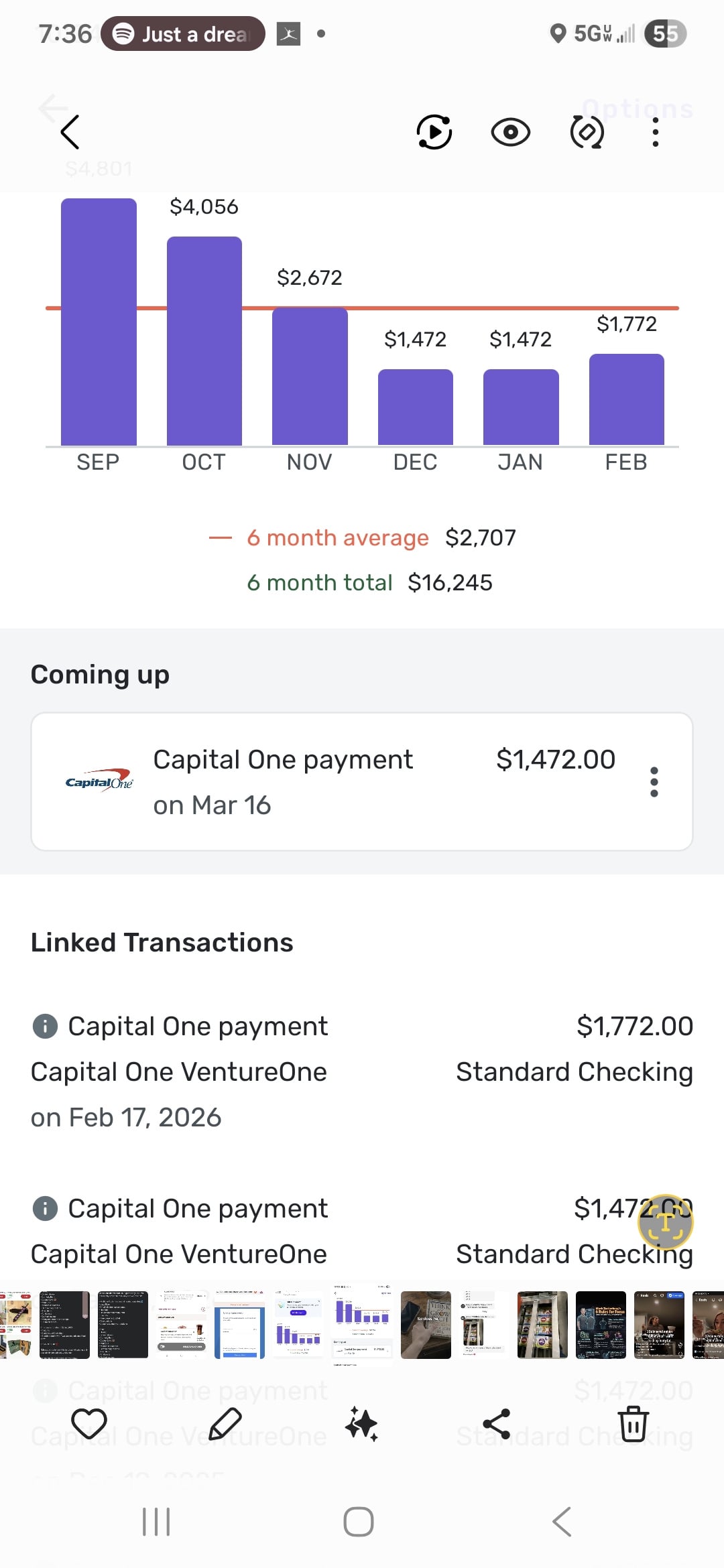
[edited image to reduce size]
0 -
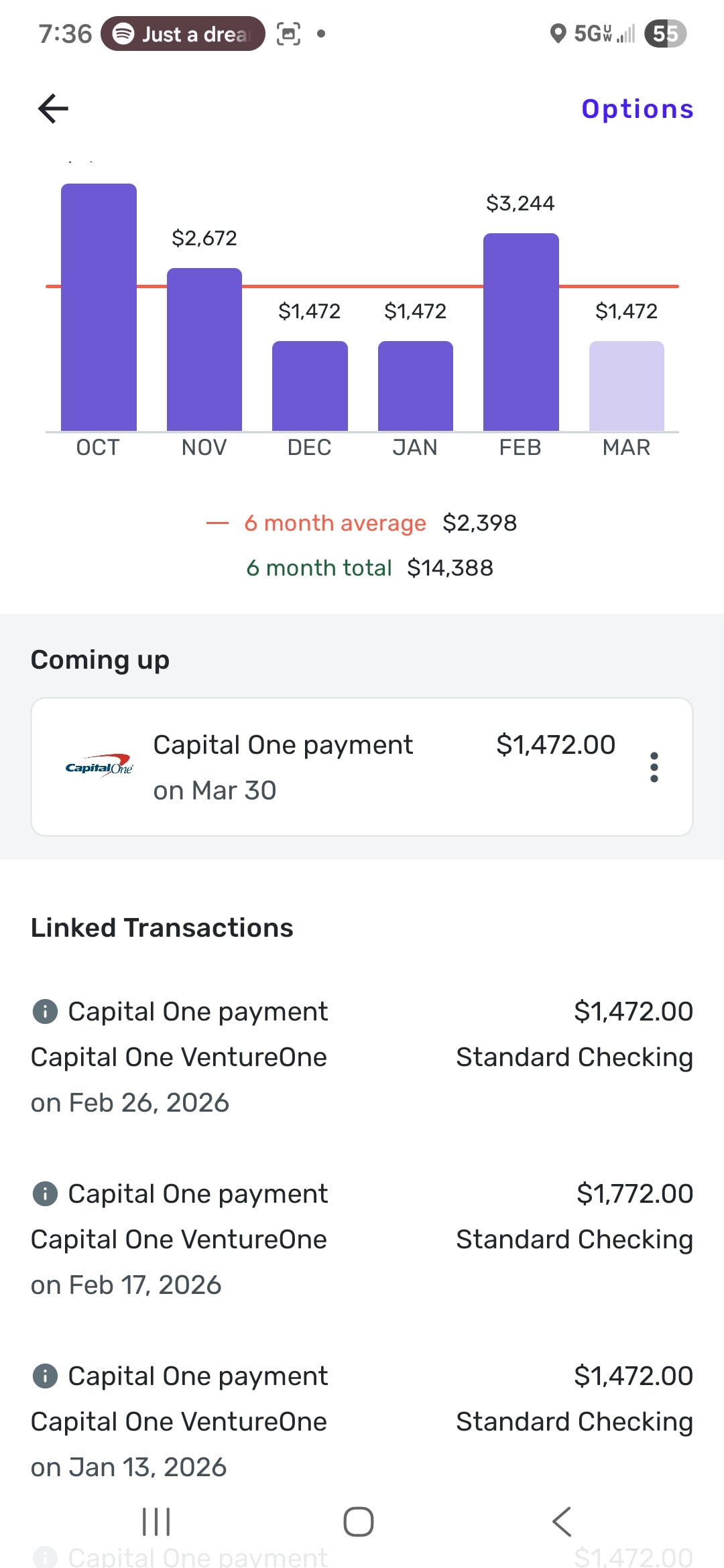
The only difference from the time the screenshot were taken is date. Nothing else logged since. I did make a payment on Feb 26, but that was for the previous skipped payment date mentioned above
[edited image to reduce size]
0 -
Can you post an image of the Frequency & Occurrence page of the Edit Series dialog?
It would help to see the details of that, including the Start Date. I think I have seen an issue before where the Start date was being moved forward in correctly in an "every two weeks" scenario.
DryHeat
-Quicken Classic (1990-2020), CountAbout (2021-2024), Simplifi (2025-…)0


