Changes to transaction export? (edited)

I had built a couple of Excel macros to manipulated the transaction download CSV. Files were downloaded with the name format "quicken_dsv_mm_dd_yy_hh_mm_ss_AM" and contained columns with the following names <blank>, account, state, postedOn, payee, usage, category, tags, notes, amount, action, security, description, quantity, price, commission.
Today, the file downloaded with the name "Simplifi - Transactions" and contained columns Date, Account, Status, Payee, Category, Tags, Notes, Amount.
I don't need or miss the "missing" data, but am curious about the changes (file name, missing column, renamed columns). Also, there are now rows which are entirely blank except for a $0 Amount. If I specify columns Reviewed, Exclusion, Split - those are also present with value "no"; but these never have Date, Account, Status, Payee, Tags, or Note. What is the purpose or significance of these rows.
Thanks!
Comments
-
Hello @John CB,
Thank you for reaching out! I'm not entirely sure how you manipulated Excel or how it interacts with downloading CSV files from Quicken Simplifi. Unfortunately, I can't provide assistance with Excel since it's a third-party program. However, I can clarify that the columns you mentioned are exported in that format because they are specific to the transactions in the register of Quicken Simplifi, which exports all transaction-related columns.
I hope this helps!-Coach Jon
-1 -
Hi @Coach Jon
Thanks for your reply. I'm not looking for help Excel, you could open that file with an editor for example. But I'm trying to understand the contents of the CSV file exported by Quicken Simplifi and why the same action (export) now results in a differently named file with different contents compared with 2 weeks ago. And also, what that export of rows with partial data and $0 amount represent. Thanks!
1 -
Hello @John CB,
Thank you for clarifying. This change may be due to the new register, if you have Early Access enabled. You can check if you do have it enabled by navigating to Settings > General > Early Access.
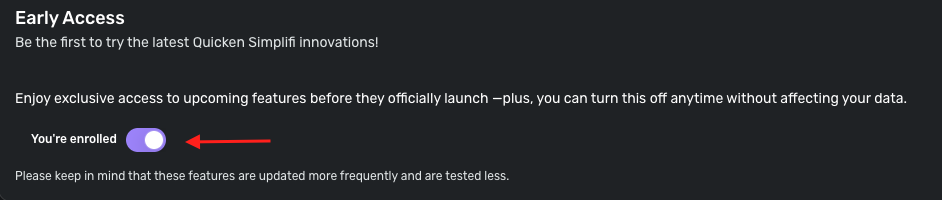
Turning Early Access off would likely show the same results you previously had if you prefer that format. You can also leave any feedback regarding the new register here:
-Coach Jon
0 -
I think that might be it. I enrolled in Early Access to access the Kelley Blue Book value of my car. I should have checked the entire list of features - my bad. Thanks!
1
