"You have already added all your accounts" message with Voya Financial

This discussion was created from comments split from:
"You have already added all your accounts" message with Manulife Bank of Canada (edited).
Comments
-
Same issue but with Voya.
0 -
I have had my Voya Financial account connected to Simplifi, but it hadn't updated successfully in months.
I deleted the connection and tried to re-add it. I can successfully log-in to Voya through Simplifi and select my Voya accounts to add. However, I am then shown the message "You have already added all your accounts at this bank." I can now see Voya Financial listed as one of my accounts, but none of my individual Voya accounts or their balances are listed. I have tried logging in and out several times and have deleted the blank Voya account listing several times. I also tried to add Voya through the phone app but received the same error message there.
Please advise how to resolve this connection.
0 -
@samsonite, thanks for reaching out to the Community!
When viewing your connection attempts from our end, I see successful connections with Voya Financial. To clarify, when you had the accounts connected prior, do you recall if they were connected to the bank option listed as "Voya Financial"? And at what point did they stop updating? Also, what is the exact URL you use when signing in to the bank's website?
I would also recommend checking under Settings > Accounts for Voya to be listed anywhere on the page. It sounds like you already did this, and it sounds like you also possibly deleted an empty institution under Manual Accounts, but it's hard to be sure from your description.
The financial institutions are listed by grouping, and it will be the financial institution you are looking for (Voya), not individual accounts. And by "empty institution", I am referring to a bank listed below 'Manual Accounts' with no accounts under it.
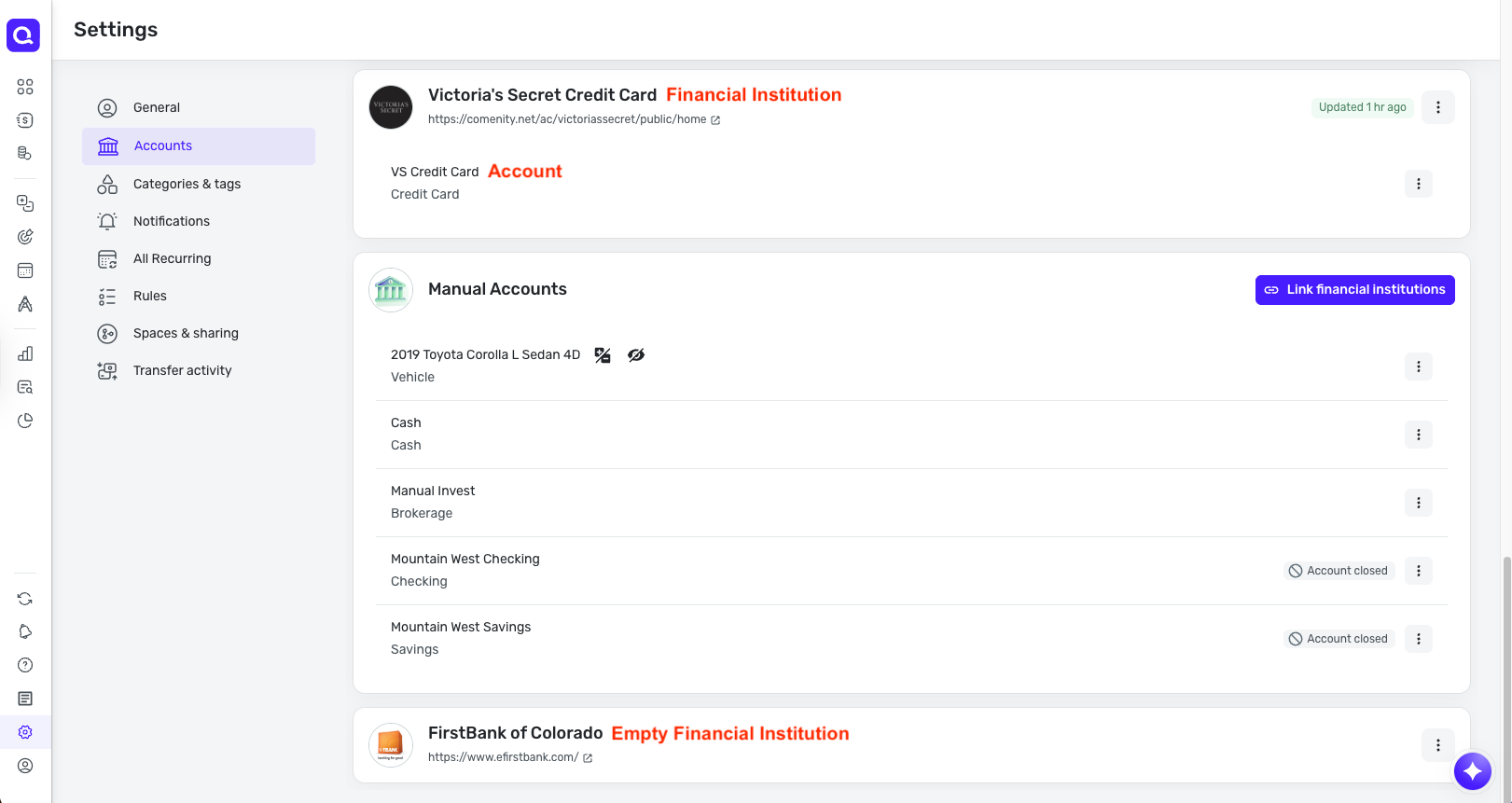
Do you see Voya listed anywhere on this page? Let us know!
-Coach Natalie
0 -
"To clarify, when you had the accounts connected prior, do you recall if they were connected to the bank option listed as "Voya Financial"? And at what point did they stop updating?" - I don't recall the specific Voya name. It stopped updating months ago (I believe that it said 106 days), but I hadn't noticed until today.
"Also, what is the exact URL you use when signing in to the bank's website?" - I've logged in through or
"I would also recommend checking under Settings > Accounts for Voya to be listed anywhere on the page." - Each time that I've tried re-adding Voya, it becomes what you describe as an "Empty Financial Institution" with no accounts listed below it. The connect, edit, etc. options under the three dot menu on the right side did not help. I've deleted it each time, so it's not on the page now.
0 -
@samsonite, thank you for the information!
Based on the login URL you use, I'd say that the "Voya Financial" bank option is the correct one to use in Quicken Simplifi. Since Voya is one of our OAuth API banks, let's have you try this step, if possible, and then attempt to connect again in Quicken Simplifi:
- Navigate to the bank's website, sign in, and remove Quicken's access from the bank's third-party linked apps.
Please also try the following, wherever possible, to see if any of them resolve the issue for you:
- Try connecting to the bank from a different browser or in incognito/private mode, in case something in your primary browser is blocking the connection flow
- If/when you are presented with the list of accounts to authorize during the bank's authorization flow, ensure you are leaving all accounts checked, if applicable, even if there are some you don't want to add (you will be able to ignore the ones you don't want to add once you are back in Quicken Simplifi)
- If/when you are presented with the list of accounts to authorize during the bank's authorization flow, ensure the account you want to connect is presented (if applicable); if it's not, you will likely need to contact the bank to have the account authorized for third-party access
If the issue persists after exhausting all of these potential culprits, please provide the following data so we can review the case for escalation:
- Has there been any activity in the account in the last 90 days?
- Is the account considered an external account (i.e. are you redirected to a different website when selecting the account on the bank's website)? If so, what URL are you redirected to?
- Is the account a subtype of a different account?
- Has the bank made any recent changes to its website or sign-in process?
- Are you the owner of the account?
- The name of the account, as it appears on the bank's website.
- If the issue is occurring on an existing Quicken Simplifi account, the name of the account as it appears in Quicken Simplifi.
- A screenshot of the Accounts Summary page from the bank's website that has a wide enough scope to show the full page URL. This is the landing page after signing in, and typically lists all accounts and balances. You will want to take this from a web browser and not a mobile browser, as well as redact any private info such as account numbers.
- A screenshot of the Add Account screen in Quicken Simplifi showing the "You have already added all your accounts" message.
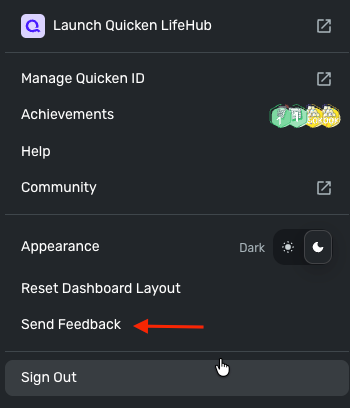
Please also submit your logs via the 'Send Feedback' option:
- Log in to the Quicken Simplifi Web App.
- Select Profile from the left-hand navigation bar.
- With the Profile menu open, hold down the Option key for Mac or the Alt key for Windows, and then click Send Feedback.
- Leave all boxes checked, add a brief description of the issue, and then click Send.
We look forward to hearing back from you!
-Coach Natalie
0 -
Hello,
I'm facing the same issue with Voya Financial. I'm unable to see the Quicken in Voya Financial's data sharing section of that online account. I've deleted Voya Financial from Simplifi multiple times and tried all the troubleshooting options shown above. I've answered the questions you raised below.
- Has there been any activity in the account in the last 90 days?
- Yes. This is a retirement account and a stock grant account and there's regular activity each month.
- Is the account considered an external account (i.e. are you redirected to a different website when selecting the account on the bank's website)? If so, what URL are you redirected to?
- No. Both accounts are presented natively in the Voya Financial experience.
- Is the account a subtype of a different account?
- No. These are two separate accounts.
- Has the bank made any recent changes to its website or sign-in process?
- No.
- Are you the owner of the account?
- Yes.
- The name of the account, as it appears on the bank's website.
- Mastercard Savings Plan; Mastercard Restricted Stock Plan
- If the issue is occurring on an existing Quicken Simplifi account, the name of the account as it appears in Quicken Simplifi.
- I deleted the institution and the accounts, but it used to be: Voya Financial 401(k) Account (Mastercard Retirement Plan); Voya Financial Investment Account (Mastercard Stock Grant)
- A screenshot of the Accounts Summary page from the bank's website that has a wide enough scope to show the full page URL. This is the landing page after signing in, and typically lists all accounts and balances. You will want to take this from a web browser and not a mobile browser, as well as redact any private info such as account numbers.
- A screenshot of the Add Account screen in Quicken Simplifi showing the "You have already added all your accounts" message.
- I was unable to trigger this message again. Instead, the error message shown below was presented.
0 - Has there been any activity in the account in the last 90 days?
-
@alamantia87, thanks for joining the discussion and providing information!
When checking your connection attempts with Voya Financial from our end, I see successful connections. What is the specific error message you're receiving?
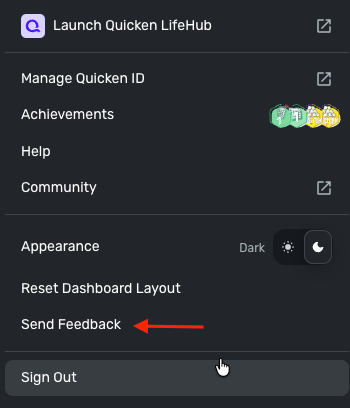
It looks like your screenshots for numbers 8 and 9 didn't come through. Please post those when you have a chance! It also doesn't appear that logs were submitted.
- Log in to the Quicken Simplifi Web App.
- Select Profile from the left-hand navigation bar.
- With the Profile menu open, hold down the Option key for Mac or the Alt key for Windows, and then click Send Feedback.
- Leave all boxes checked, add a brief description of the issue, and then click Send.
We look forward to hearing back from you!
-Coach Natalie
0 -
Hello,
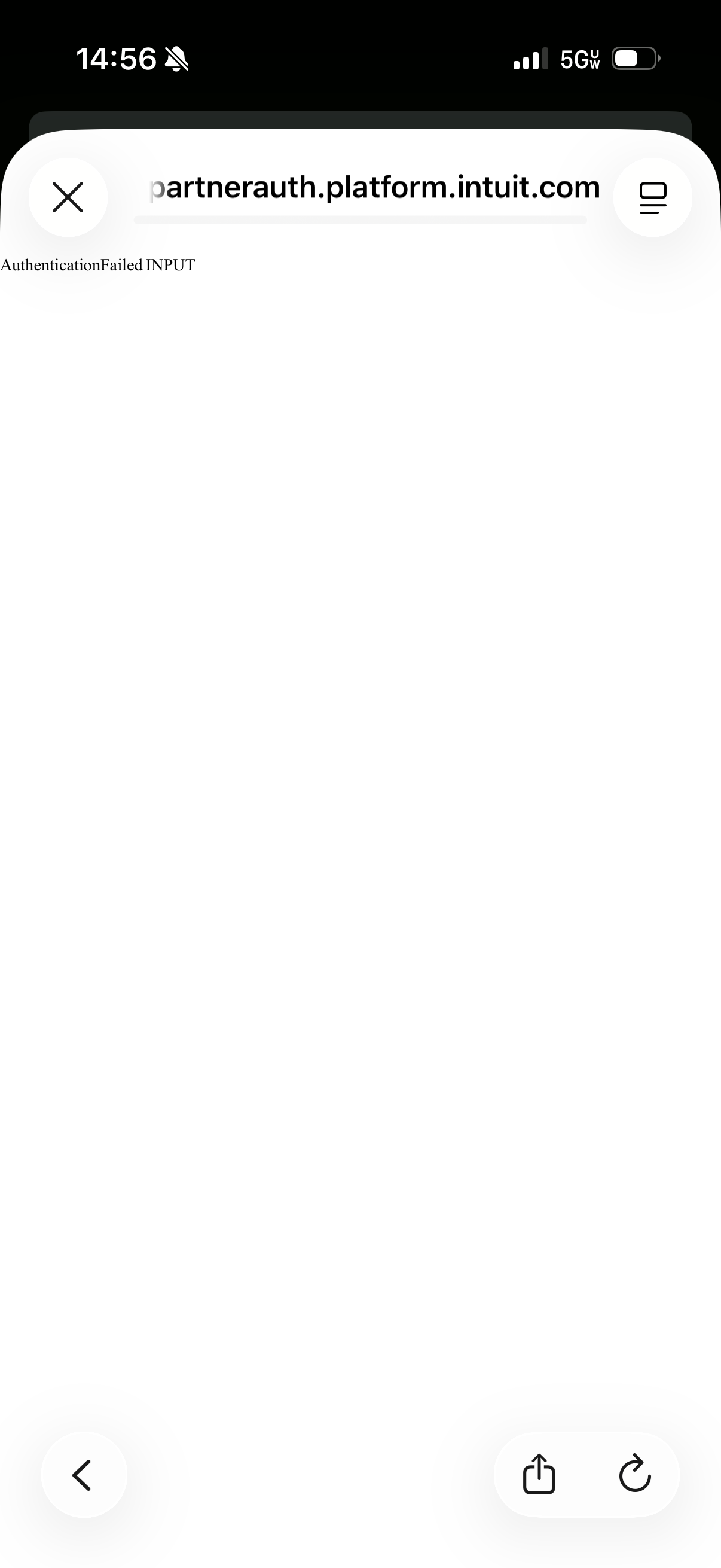
I’m unable to take screenshots you requested due to the error message I received:
blob:https://community.simplifimoney.com/6fe03c8a-2077-4fbd-b1f8-d9ee781f3cf3
blob:https://community.simplifimoney.com/df882dd1-4e2d-4b49-90b0-58d929a47176
I’m also unable to send feedback as you can see in this screenshot:Here’s another error I received while attempting to add the account in private browsing mode:
This XML file does not appear to have any style information associated with it. The document tree is shown below.
<Errors xmlns="http://schema.intuit.com/platform/common/error/v1">
<error>
<code>AuthenticationFailed</code>
<type>INPUT</type>
</error>
</Errors>
0 -
@alamantia87, thanks for the reply!
It is still unclear which specific error you're primarily seeing, and your latest screenshots didn't come through either. We will need to gather that data from you to review the issue further.
Is there anything with the process of taking and uploading screenshots that we can help with? Otherwise, you may need to contact our Chat/Phone Support team directly so they can walk you through gathering the required data:
-Coach Natalie
0 -
Hi Natalie,
Unfortunately the webpage doesn’t seem to be accepting my screenshots either pasted or uploaded. Would it be possible for me to email them instead?
0 -
@alamantia87, we don't have an email option. What file format are you using for the screenshots? The Community should accept PNG files, as well as JPEG/JPG. Can you try one of these for your screenshots?
Otherwise, I can email you a link to our Secure File Exchange so you can upload them there, or you'd need to contact our Chat/Phone Support team directly, as previously mentioned.
Thanks!
-Coach Natalie
0 -
Hello,
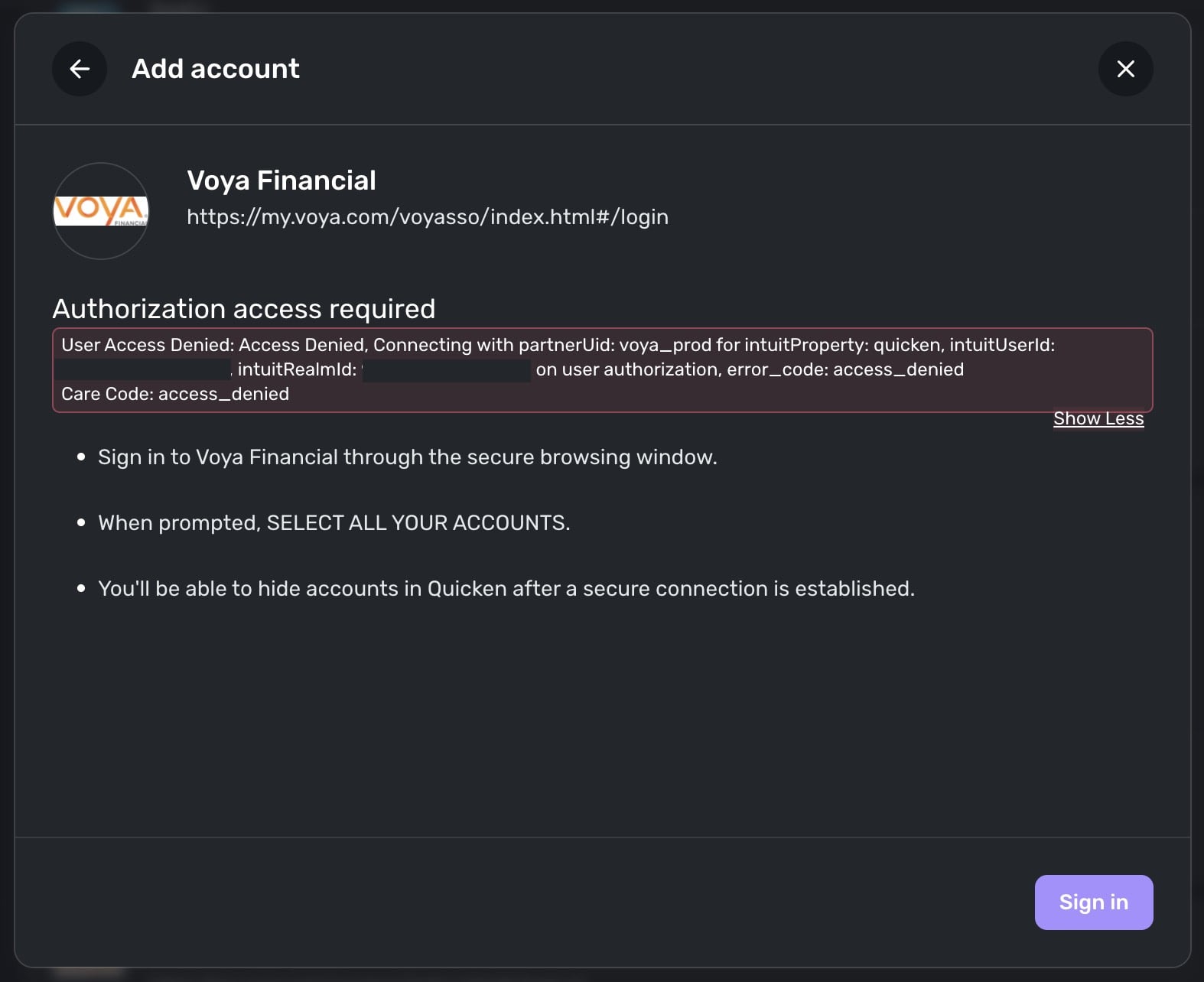
I’ve attempted to upload a screenshot again. This file is in PNG format.
 0
0 -
@alamantia87, thank you for that!
It looks like that screenshot is from before actually connecting to the bank, meaning you have not entered your personal login information. Is that correct? If so, it seems you are posting to the wrong thread, as the issue here is for a "You have already all your accounts at this bank" message that appears after entering your personal login information to connect to the bank.
For the specific error you're receiving, I don't personally see this when selecting 'Voya Financial' from the bank list in Quicken Simplifi. I would suggest trying from a different browser, as well as outside of peak hours, such as in the evening. I would also recommend ignoring the message and clicking "Sign In" anyway, if possible.
If you're still unable to connect due to the same error message shown in your screenshot, please create a separate post to report the separate issue so proper troubleshooting can proceed, and we can keep this thread on topic to the "You have already all your accounts at this bank" issue.
Much appreciated!
-Coach Natalie
0 -
Hello,
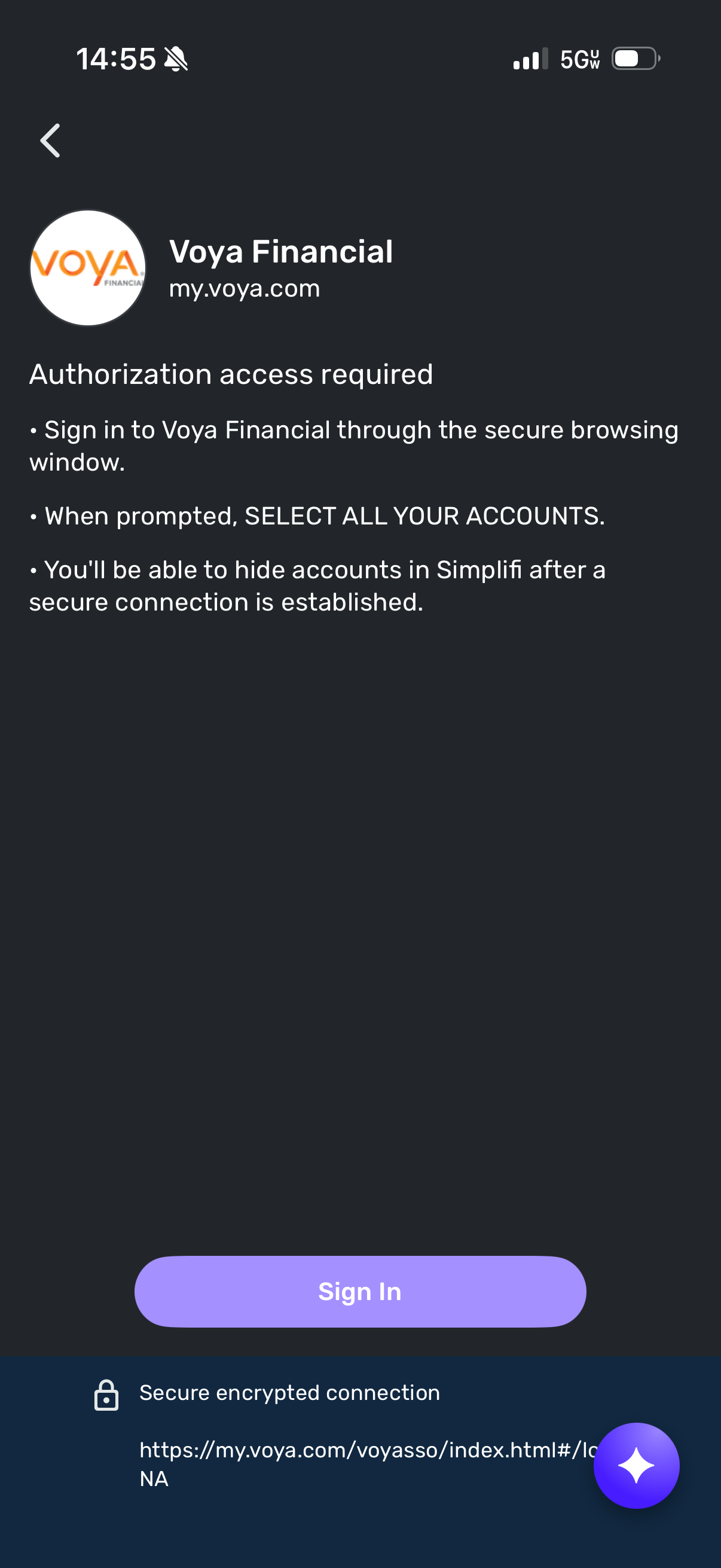
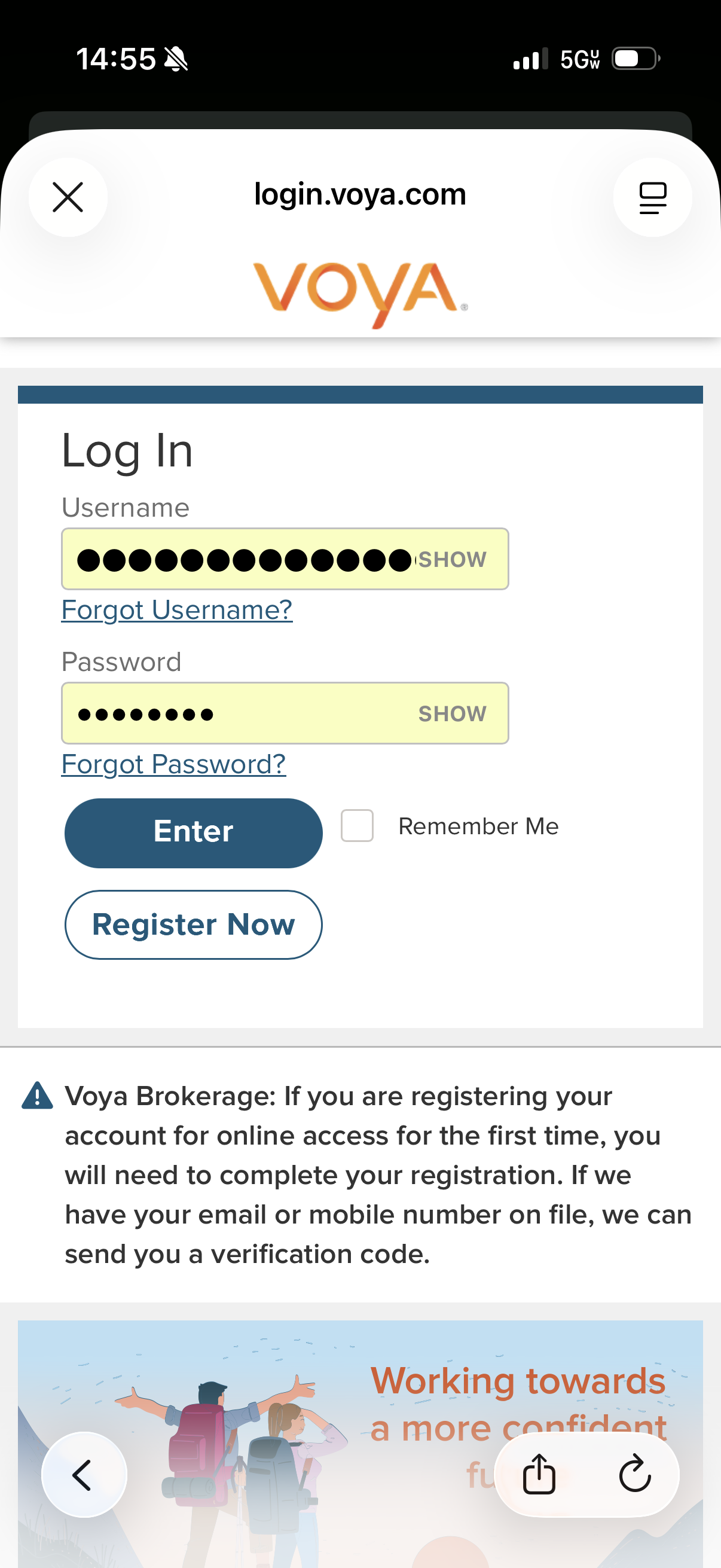
I tried logging in again and these are the screenshots. I can’t even log in anymore to add the accounts.
[edited images to reduce size]
0 -
@alamantia87, if you're not receiving a "You have already all your accounts at this bank" message after entering your login information and connecting to Voya Financial in Quicken Simplifi, you are posting to the wrong thread.
Please create separate posts to report any separate issues so this thread can stay on topic:
@samsonite, please let us know when you're able to provide the info in my last message to you, if the "You have already all your accounts at this bank" message is still occurring with Voya Financial in Quicken Simplifi for you:
Thanks!
-Coach Natalie
0 -
Hi Natalie,
I received that message in the beginning which is why I posted in this thread. I’m simply unable to reproduce that message now as I’m unable to advance past login as shown in the screenshots.
0 -
Understood. However, we’ll want to troubleshoot issues that differ from the main topic in this thread separately so we don’t detract from the original discussion or from the OP receiving help for their issue. If you experience the "You have already added all your accounts at this bank" message again in the future, please be sure to let us know here.
I hope this makes sense, and we look forward to seeing your other post and working with you there on your current issue.
-Coach Natalie
0 -
0
-
Responding to your questions/instructions:
Navigate to the bank's website, sign in, and remove Quicken's access from the bank's third-party linked apps.
Quicken wasn't listed, even when I tried again today to re-add them and wound up with Voya as an "empty institution" again. See screenshot:
- Try connecting to the bank from a different browser or in incognito/private mode, in case something in your primary browser is blocking the connection flow - No change. Same message that I have already added all accounts.
- If/when you are presented with the list of accounts to authorize during the bank's authorization flow, ensure you are leaving all accounts checked, if applicable, even if there are some you don't want to add (you will be able to ignore the ones you don't want to add once you are back in Quicken Simplifi) - All accounts are checked.
- If/when you are presented with the list of accounts to authorize during the bank's authorization flow, ensure the account you want to connect is presented (if applicable); if it's not, you will likely need to contact the bank to have the account authorized for third-party access - I only have one account with Voya, and it is listed in the authorization popup.
- Has there been any activity in the account in the last 90 days? - No
- Is the account considered an external account (i.e. are you redirected to a different website when selecting the account on the bank's website)? If so, what URL are you redirected to? - I'm not sure what you mean by "external account." My only account with Voya (a profit sharing plan through a former employer) is listed as an account in My Accounts on my.voya.com.
- Is the account a subtype of a different account? - As above, not sure what "subtype" means here. It's the only account.
- Has the bank made any recent changes to its website or sign-in process? - I would not know what changes Voya makes internally. I also did not routinely login to Voya before this issue came up.
- Are you the owner of the account? - Yes
- The name of the account, as it appears on the bank's website. - The account name contains personally identifiable information about me/my prior employer that I won't be providing on a public forum. Also shouldn't be needed since this is a widespread connection issue with Voya/Quicken and not just specific to me.
- If the issue is occurring on an existing Quicken Simplifi account, the name of the account as it appears in Quicken Simplifi. - Same answer as #6.
- A screenshot of the Accounts Summary page from the bank's website that has a wide enough scope to show the full page URL. This is the landing page after signing in, and typically lists all accounts and balances. You will want to take this from a web browser and not a mobile browser, as well as redact any private info such as account numbers. - The landing page URL is https://my.voya.com/myvoyageui/#/workplace-dashboard
- A screenshot of the Add Account screen in Quicken Simplifi showing the "You have already added all your accounts" message. - See screenshot:
I just sent my logs through the feedback option.
0 -
@samsonite, thank you for giving the steps a try and posting back!
I definitely understand your need for privacy. Since you only have the one account, we can likely get away without number 6, but we will need number 7, which is information we can see on our end anyway; we just need to know which account it is. We will also need the screenshot for number 8, not the URL in text format. Feel free to DM this information to me for privacy. You can also redact the private info in the account name, or maybe redact part of the company name, to obscure the information, if you prefer.
If you wish, you may also contact our Chat/Phone Support Team to report this issue in a private interaction, rather than in a public forum here. They may also be able to work around not having some of the info, as they have the necessary tools to make that decision.
Additionally, since the account hasn't had any recent activity, this may be why it's not being presented. Are you able to make a small transfer into or out of the account? Or do no transactions occur in the account at all? Let us know if this is something you can try!
-Coach Natalie
0 -
Hi natalie:
For #8, what information are you looking for that isn’t the URL? The only information that isn’t private in a bank Account Summary page is the URL. DMs aren’t secure. I’d rather not start another chain with phone or chat support. I’ve tried working with them previously and had no success on other issues. It’s already been months without accurate account info.
For #7, it’s the only Voya account in my account. I’ve deleted it out several times after the connection broke. It just shows up as Voya now.On your last question - no, this is an old retirement account, so I won’t be making any transactions. I haven’t done any transactions in it in over a decade, but the link only broke a few months ago.
0 -
@samsonite, they need to see the landing page after you've signed in, with the full URL at the top. I don't know why they need this, but I do know it's a vital piece of data for these types of escalations.
The only other method I can offer you for uploading the screenshot is our Secure File Exchange, which is our most secure way to retrieve data from users. I believe this is what Chat/Phone Support would use as well. Let me know if you'd like to send the data this way, and I can email you a link!
-Coach Natalie
0 -
Hi Natalie:
I won't be doing that. Please take this as feedback for the company - Quicken needs to come up with a better solution to resolving their tech issues than asking customers to post screenshots of their bank account summary pages to public forums. (Same thing for sending secure files to Quicken, where the information can be reviewed by Quicken employees.)
This seems to just override the "super secure" technology that protects our banking information. The bank account pages that I've seen posted in these forums reveal people's names, employers, etc.
Banking customers routinely get 2FA access codes that come with big warnings not to ever reveal this code to anyone, so it seems really strange that Quicken would ask me to post screenshots of my banking information to a public website.
Would you please escalate this to the next level to resolve the connection issue without the screenshot? Thanks.
0 -
Just to be clear - I understand that Quicken says to black out personal information from screenshots, but 1) that's really tedious, 2) sometimes personal information is missed when we manually black things out (just saw a screenshot from another customer that showed all of her balances, name, email address, and employer; another Quicken coach responded to the post but just left all of that customer's personal information up there; posts are routinely redacted for language or being off topic, so Quicken should also protect customer information with the same rigor), 3) it seems that Quicken tech support is just trying to verify that I'm sending the right URL without typos; the URL that I sent was copied and pasted from the URL bar.
0 -
@samsonite, I understand, however, we won't be able to escalate the issue from here in the Community without the required info.
I would recommend contacting Chat/Phone Support at this time to see if they're able to work around the lack of data, as they have the tools needed to make that determination:
Otherwise, let us know if you change your mind!
-Coach Natalie
0 -
The chat/phone support also “needs” screenshots of my banking information, no? That’s still a workaround for privacy protections that Quicken shouldn’t be asking for.
0



