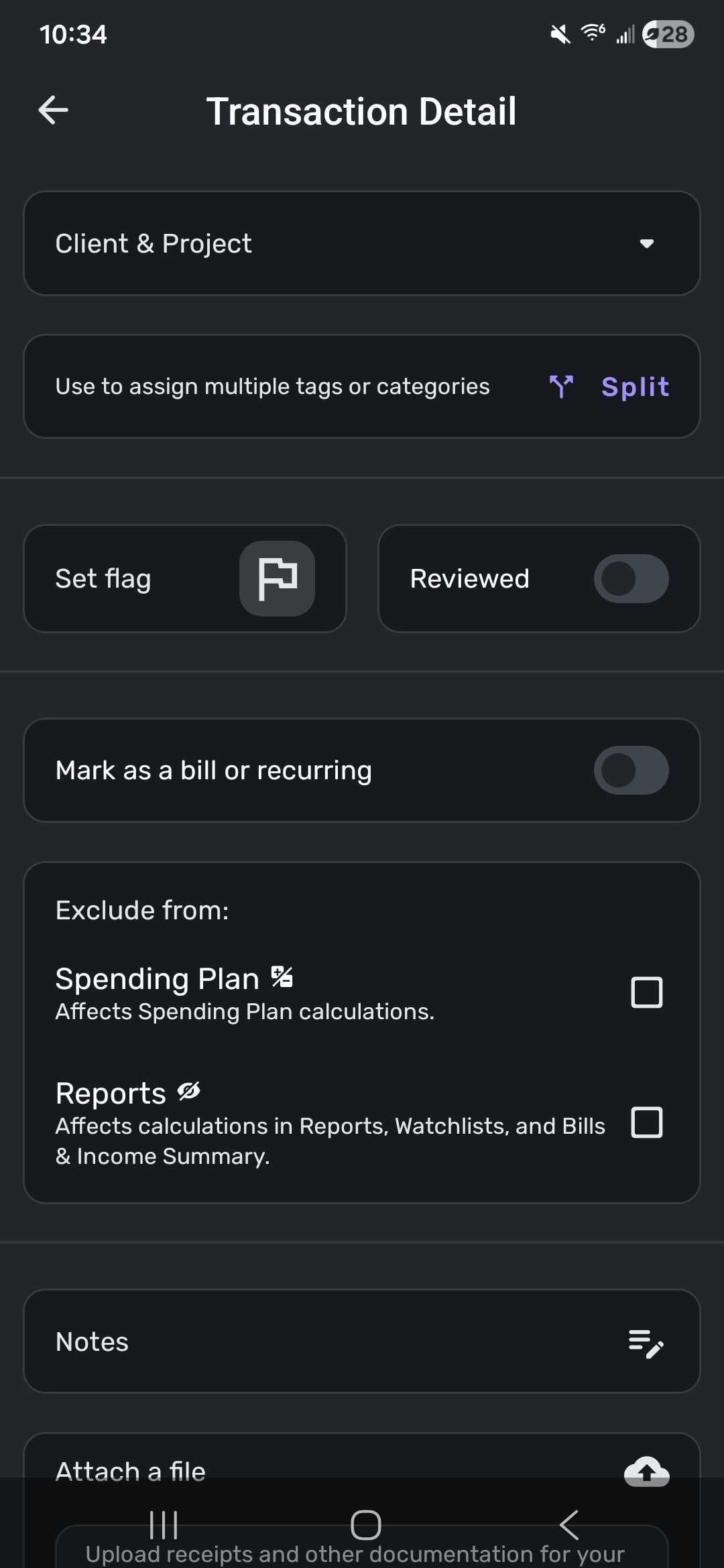
Transaction Detail view on Android phone doesn't quite fit on screen

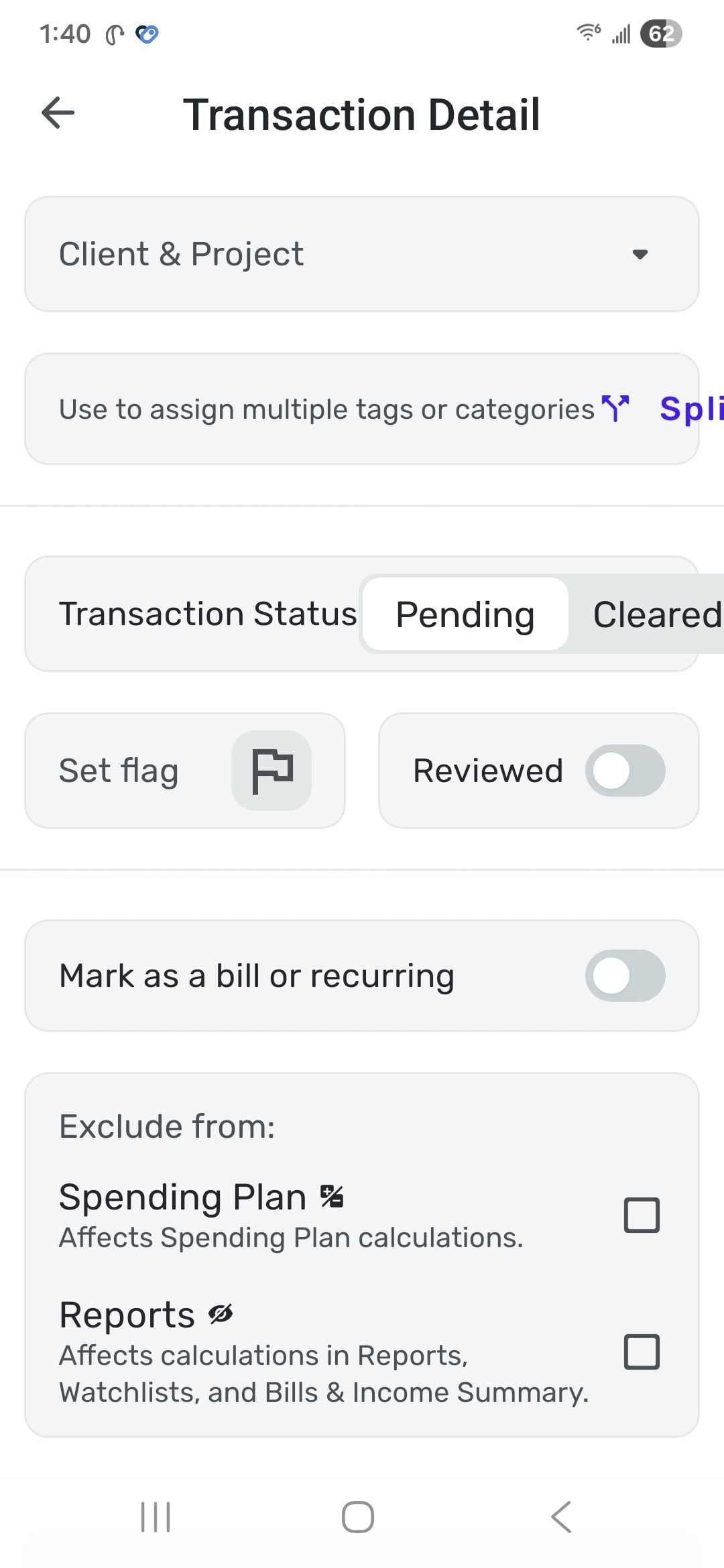
A portion of the detail view extends off the screen to the right. It's still functional but looks bad. part of the word "Split" is missing and the "Cleared" portion of the toggle extends beyond its shaded background container. The problem seems to be that the label text in both cases is just too long to leave space for the operational elements.
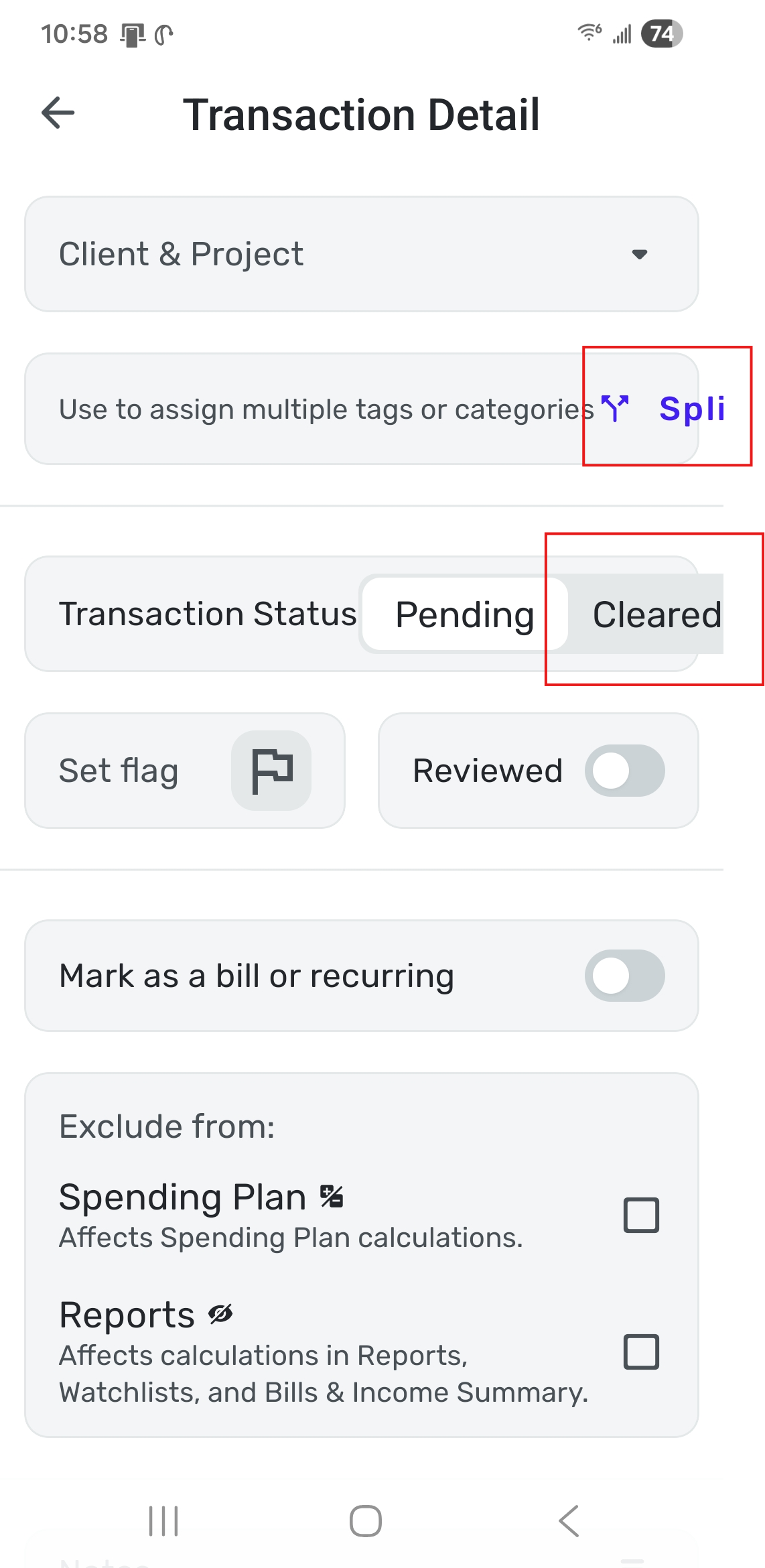
Phone is a Samsung Galaxy s24+.
DryHeat
-Quicken Classic (1990-2020), CountAbout (2021-2024), Simplifi (2025-…)
Comments
-
Hello @DryHeat,
Thank you for letting us know you're seeing this issue. To help troubleshoot, please provide more information:
- When did you first notice the issue?
- Did the issue start after an update to the app?
- Which version of the mobile app are you using?
- Have you checked for updates?
- Have you tried uninstalling and reinstalling the app?
- Have you restarted your device since this issue began?
- If you have an alternate device, do you see the same issue on that device?
- Which operating system (OS) version is your device using?
I look forward to your response!
-Coach Kristina
0 - When did you first notice the issue?
-
- When did you first notice the issue? today
- Did the issue start after an update to the app? don't know, rarely use mobile app
- Which version of the mobile app are you using? 6.10.0
- Have you checked for updates? this is the latest version I'm aware of
- Have you tried uninstalling and reinstalling the app? no
- Have you restarted your device since this issue began? yes
- If you have an alternate device, do you see the same issue on that device? no alternate
- Which operating system (OS) version is your device using? Android v16, One UI v8.0
I think it would be quicker if someone else who is using Android (and particularly v16) looked to see if this problem occurs for them. If it does, then detailed information on my phone is somewhat irrelevant.
DryHeat
-Quicken Classic (1990-2020), CountAbout (2021-2024), Simplifi (2025-…)1 - When did you first notice the issue? today
-
Reinstalling does not resolve the issue. Version updated to 6.10.1 (89878). Phone is Samsung Galaxy s24+ with Android v16 and One UI v8.0.
Font is set to default style and size. Setting font to a smaller-than-default size fixes the problem, but makes the font too small to read comfortably.
DryHeat
-Quicken Classic (1990-2020), CountAbout (2021-2024), Simplifi (2025-…)0 -
Hello @DryHeat,
Thank you for the reply. This issue is most likely specific to your device in this case, since we are unable to reproduce the issue from our side. We can report this issue for you, but we would need logs to be sent first:
- Log in to the Quicken Simplifi Web App.
- Select Profile from the left-hand navigation bar.
- With the Profile menu open, hold down the Option key for Mac or the Alt key for Windows, and then click Send Feedback.
- Leave all boxes checked, add a brief description of the issue, and then click Send.
Can you also let us know whether the issue is specific to certain transactions or if all transactions appear like this for you on the Transaction Detail screen?
-Coach Jon
0 -
This issue is most likely specific to your device
I suspect that the issue is common to any s24+ that is using the standard font size and style.
Can you also let us know whether the issue is specific to certain transactions or if all transactions appear like this for you on the Transaction Detail screen?
The issue occurs only on transactions that display the specific text that runs off the page. Meaning:
- "Split" runs off the page occurs only on transactions that are not already split.
- "Transaction status" runs off the page occurs only on transactions that are pending.
Anyway, this issue doesn't affect my ability to use the app, so I'm not going to worry about it.
DryHeat
-Quicken Classic (1990-2020), CountAbout (2021-2024), Simplifi (2025-…)0 -
Hello @DryHeat,
When I speak about the issue being specific to your device, I meant in the context of the ticket we would escalate if it came to that. I cannot speak to all S24+ users, of course, but I am using a Galaxy S25 Ultra, and I am not seeing this issue myself. Without other users chiming in to report the same issue, it would be specific to you in this case. I hope that makes more sense!
-Coach Jon
0 -
I suggest changing the title of this discussion to make its application a bit clearer:
Transaction Detail view text extends off screen on Galaxy s24+That way anyone who has the same issue will be able to find it. If no one does, then it's not worth worrying about. As I said, it doesn't really affect my use of the app.
DryHeat
-Quicken Classic (1990-2020), CountAbout (2021-2024), Simplifi (2025-…)0 -
Hello @DryHeat,
It looks like @Coach Natalie was also able to see the issue on her S25 device, but like you, it doesn't really prevent her from doing anything either. So a title change would not be necessary in this case after all. If you decide you do want to escalate the issue, let us know and provide the information I requested above.
Thank you!
-Coach Jon
1 -
The Transaction Detail screen is incorrectly formatted when seen on at least two popular Samsung phones. Although it looks sloppy, it does not prevent use of the app.
It's up to you to decide whether the development team should be informed. And, as you can replicate the issue in-house, you don't really need any information from me if you decide to proceed.
DryHeat
-Quicken Classic (1990-2020), CountAbout (2021-2024), Simplifi (2025-…)0