in quicken simplifi PayPal only shows "debit card transaction" where the payee should be

in quicken simplifi PayPal (Personal) is only showing "debit card transaction" where the payee should be. (Paypal Business works fine). how do i get the payee to show?
Comments
-
Hello @Kuhzah,
Thanks for reaching out! Payee information is usually sent to us by the financial institution. If it is showing up as "debit card transaction", that may be what is being sent when downloading transactions. You can create a transaction rule that changes the payee from "debit card transaction" to whatever you need it to be, however.
Here is how you can create a transaction rule in Quicken Simplifi:
I hope this helps!
-Coach Jon
0 -
I also recently started syncing my PayPal account info into Simplify and have this same issue.
On the PayPal website, the transactions have the correct payee info, but when they get imported to Simplify they all have a generic "debit card transaction" (and all associated with Unknown category).
This makes using Simplify with PayPal pretty much useless.
The suggestion to create a rule is bogus. - There's no way to determine the Payee via rules and I'm not going to manually update every transaction.
There is nothing we as users can do to fix this. Does Simplifi not strive to work with it's business partners to improve the customer experience? I already know the answer.
Here's a better answer:
[removed - speculation]But they won't.
Ask me how long their integration with CoinBase has been broken. 😓0 -
Interesting observation:
When adding an account and you search for paypal, there are 2 choices that show up:
1) PayPal
2) PayPal Credit, MasterCard and Crypto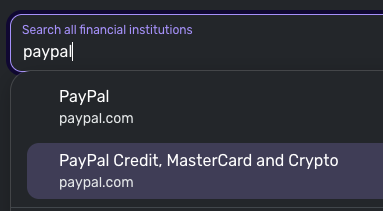
I tried both and here's what I saw:
With (#1) debit card transactions all have payee listed as "debit card transaction" as noted above.
Regular PayPal transactions (via web) show the correct payee.
How it looks in Simplifi: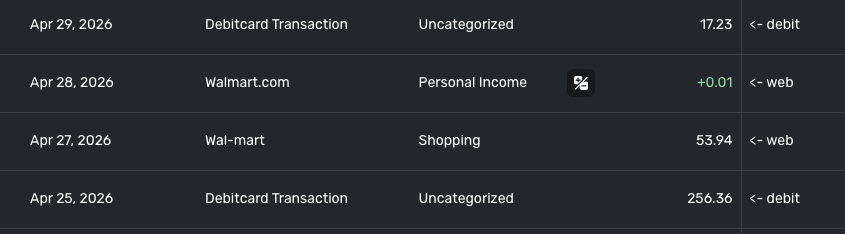
How it looks in PayPal: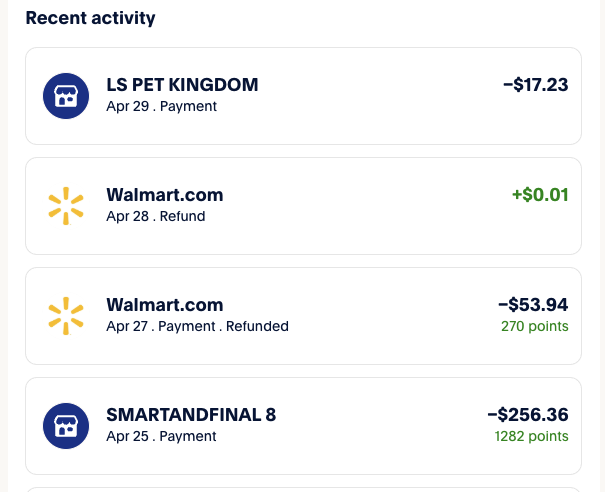
With (#2) debit transactions are duplicated- one with the correct payee and the other not, and web transactions are also duplicated with one listed as a (+) income amount (which is incorrect).
Also, the account balance is not coming across. (says $0.00 which is incorrect).
How it looks in Simplifi: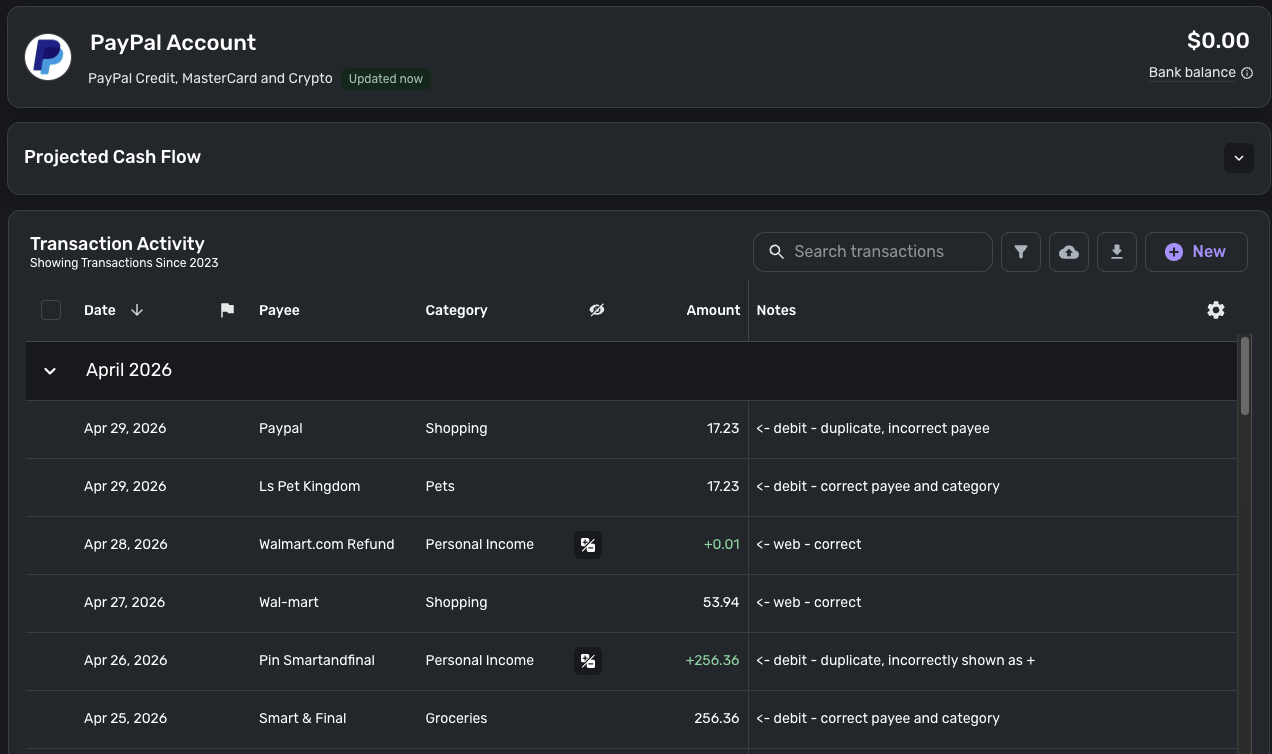
Between the two, I'm not sure which is worse.
#2 seems closer to usable if they could fix the duplicate Tx issues.0 -
Hello @RobBBB,
Thank you for the reply. Regarding PayPal in Quicken Simplifi, we will want to make sure that we focus on whichever instance is correct for your account type, based on the information in our support article here:
- Checking and Savings accounts will transition to the new connection method in Quicken Simplifi and will need to use the option listed as "PayPal".
- Other accounts, such as Credit Cards, will remain on the regular connection type but need to be connected or transitioned to a specific PayPal instance in Quicken Simplifi, listed as "PayPal Credit, MasterCard, and Crypto".
If you are inquiring about debit card transactions, then you most likely have a Checking account, and will need to use the "PayPal" instance in that case.
As for the issue you brought up regarding the "Debitcard Transaction" Payee showing for certain transactions, based on your screenshots, it appears that this may be because PayPal is sending this information this way based on the type of purchase. If you open the Transaction detail window for one of these transactions, can you verify what the "Appears on your statement as.." information shows? Let us know!
-Coach Jon
0 -
Ok, thanks Jon.
FWIW I am only using the "new" PayPal OAuth connection type. (I only tried the other out of curiosity).
It's the debit card transactions that are not coming across with the correct payee.
One bit of confusion is nowhere does PayPal ever refer to this as a "Checking" account. It's just a paypal account. Whatever kind of weird voodoo they do on the backend to allow you to also have a Debit MasterCard attached to the account is transparent to the user, but clearly the debit transactions are somehow "different" than regular PayPal transactions. (Notice the icons are different?)
Anyway…
Here is a screenshot of the transaction detail window for one: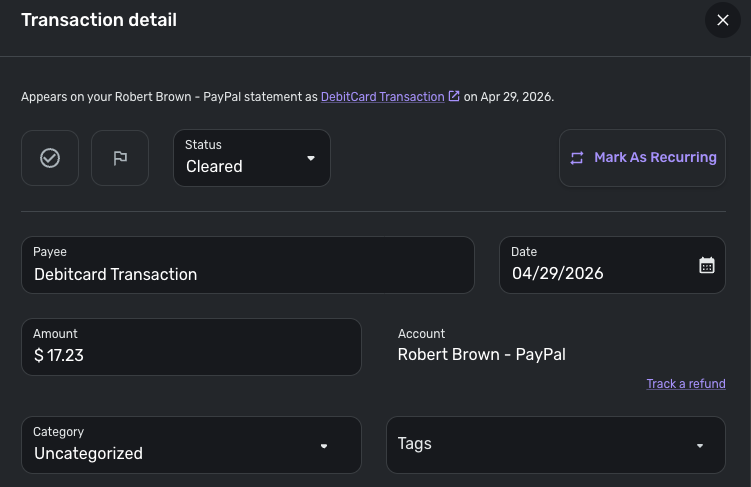
As shown in the previous screenshots, the correct payee is shown on the PayPal side (and strangely enough comes across correctly with the old connection type but duplicated). I think I illustrated the issue pretty clearly.
I understand you are saying this might be what PayPal is sending you but it's clearly wrong, and makes using Simplifi with PayPal frustratingly pointless.
This is un-usable: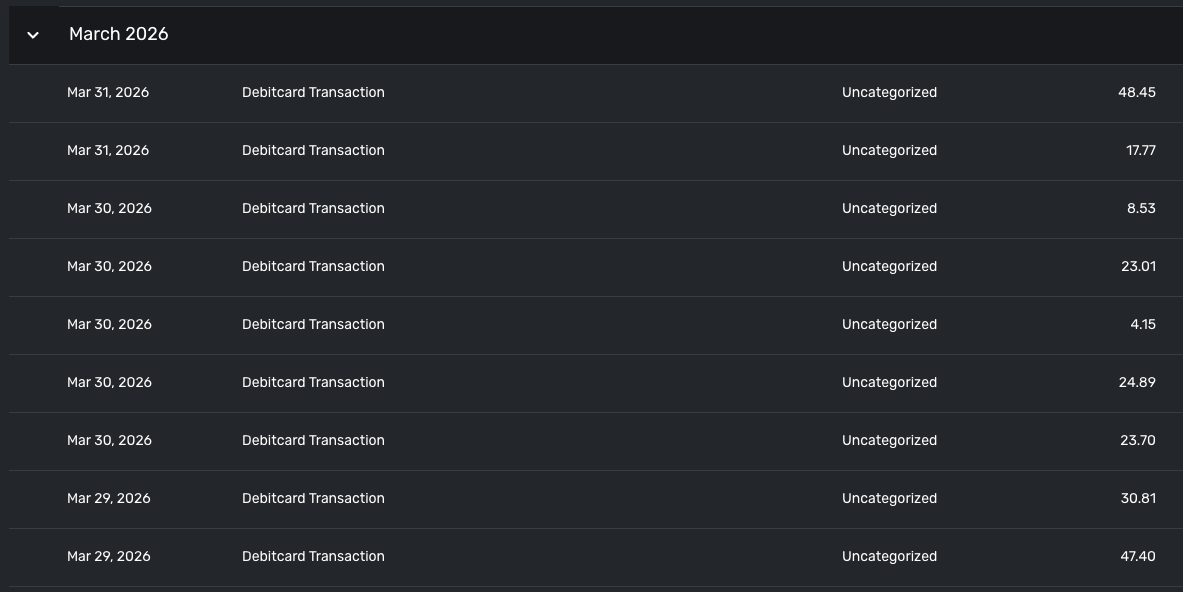
I would hope that the tech team at Quicken has some sort of technical inroads at PayPal and could work together with them to solve this problem.0 -
Hello @RobBBB,
Thank you for the reply. After checking with my team, it looks like the "Appears on your statement as" info is provided directly by the financial institutions for Quicken Simplifi.
Quicken Simplifi uses the “Appears on your statement as” information exactly as it’s provided by your financial institution. This is what we rely on to display and help identify the payee. If certain details aren’t included in that data, we don’t have a way to retrieve or add them on our end. If the information shown in Quicken Simplifi doesn’t match what you see on your bank or card statement, that difference would need to be reviewed by the financial institution, since they control the data that’s shared.
In this case, I would have you contact PayPal Support, since this is the information being sent over. Please let us know how things go!
-Coach Jon
0 -
> … I would have you contact PayPal Support…let us know how things go!
Tell me you've never contacted PayPal Support without telling me you've never contacted PayPal support… 🤣
I hear what you're saying but you also are overlooking the fact that the correct transaction details DO come across correctly on the OLD integration point (but it has other issues). So, clearly they are sending it in that case.
But alas, I will chalk this one up to just another broken integration that'll likely never get fixed. 😪1 -
…and not to be a jerk or anything, but a certain "unnamed competitor" of yours [removed] works fine with PayPal:
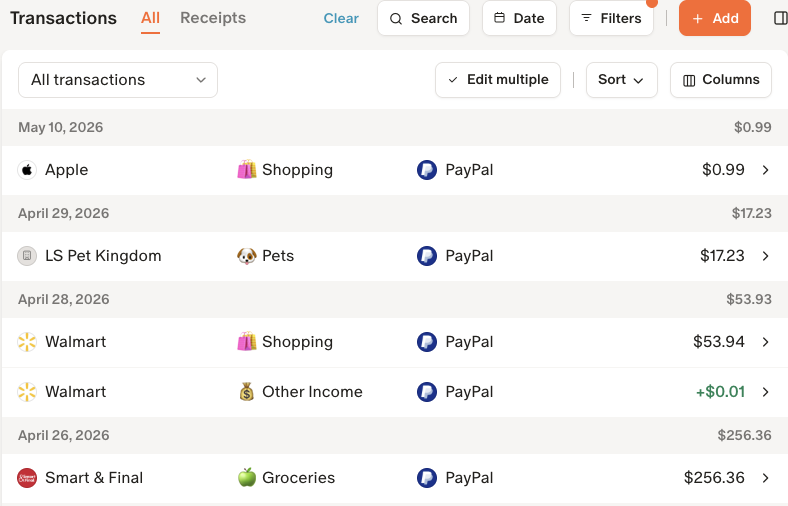
… just sayin'
0 -
Take this with a grain of salt because it's not my field, but sometimes the data a financial program (Simplifi) shows depends on which aggregator API property it (Simplifi) decides to use to access the payee info. The other program you mentioned may be getting better information because it is using a different API property (or a different aggregator altogether).
I don't know what aggregator Simplifi uses to access PayPal transaction data. But for some of them there are multiple properties on the transaction object that represent the payee (or merchant) in different ways.
For example, on the Plaid transaction object there are these:
name— primary transaction label (bank-provided or normalized)
merchant_name— Plaid-enriched merchant name
original_description— raw description from the institution
In other words, it could be a PayPal problem but it could also just be a less-than-optimal API selection by Simplifi.
DryHeat
-Quicken Classic (1990-2020), CountAbout (2021-2024), Simplifi (2025-…)0

