Report not showing data even though I removed exclude from reports checkbox

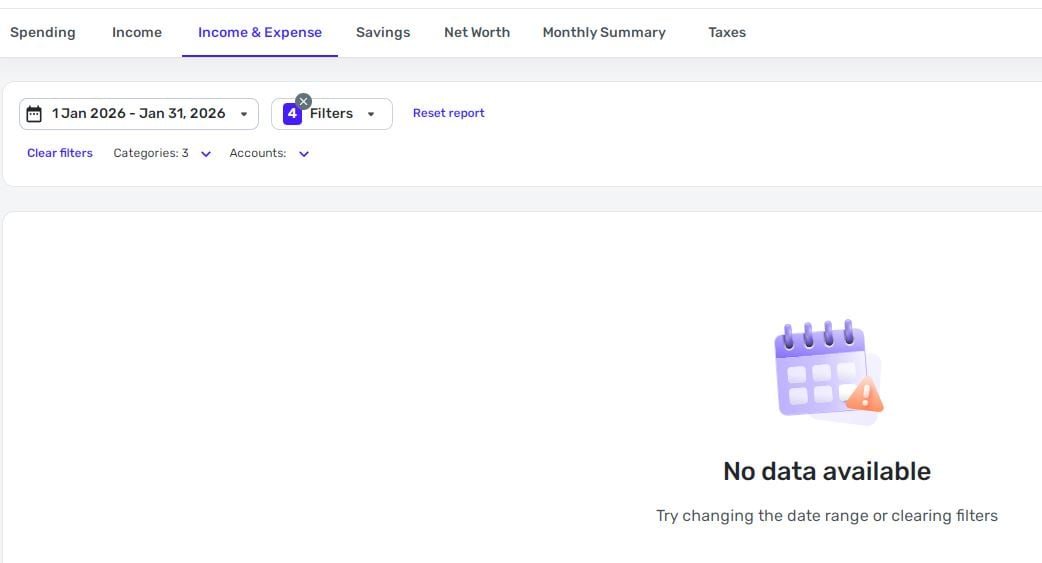
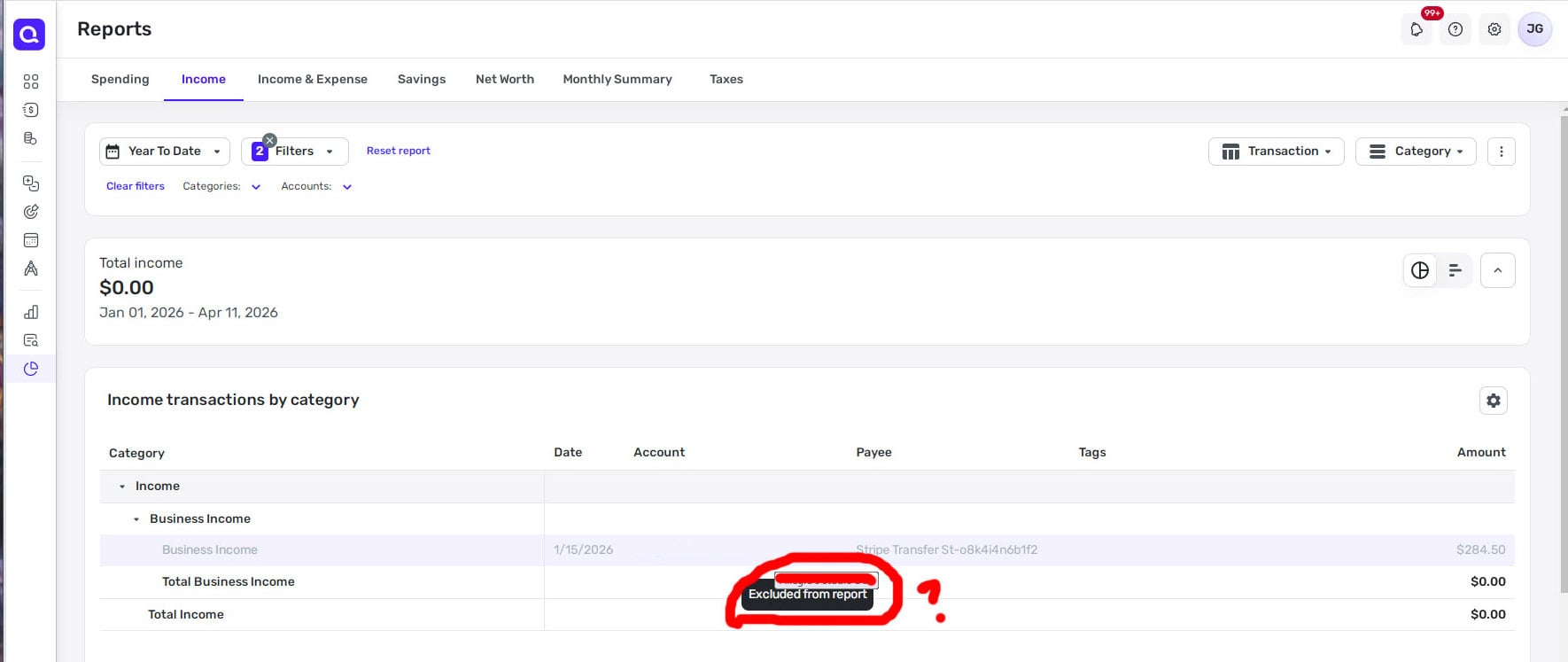
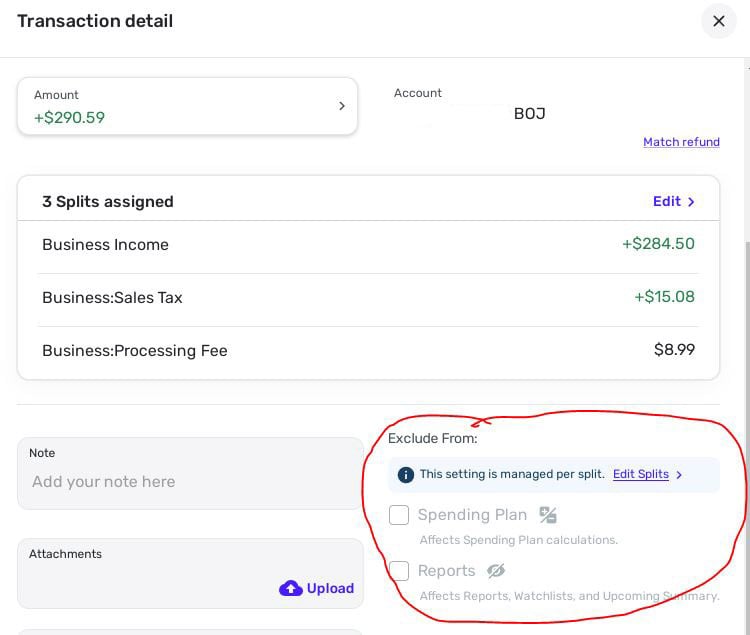
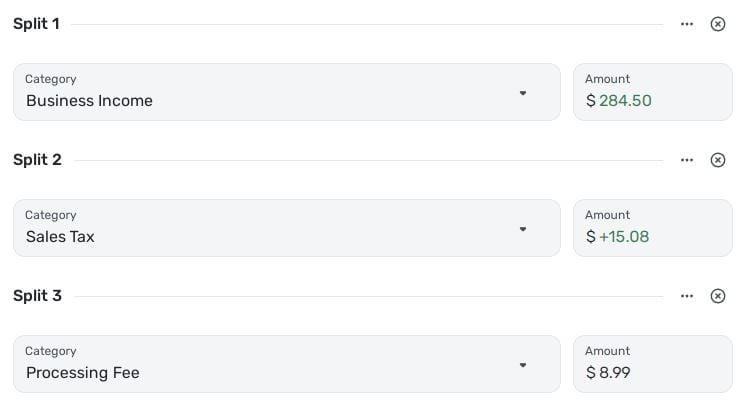
I'm trying to run an income/expense report to track income and sales tax for the first quarter. I know there is data there. The example below is a split transaction. Each split specifically does not have "EXCLUDE FROM REPORTS" selected. The filters I have selected are for that bank account, and for categories, business income and sales tax. Run dates Jan-Mar 2026 for income and Jan 2026 for income/expense.
However, the sale doesnt show up on the report. Help?
Comments
-
I had this happen to me on a transaction in a report in QS. I tried everything and finally had to delete the transaction and re-enter it to get it included in one of my reports.
I assume you tried hitting the … to bring up the exclusions for each split. I did and edited and edited but still had to delete the transaction and start over with it. I even deleted all the splits and tried that. Nothing worked except getting rid of the transaction altogether.
Steve
Quicken Simplifi (Safari & iOS) Since 2021
Quicken Classic (MacOS) Since 2009
Dollars & $ense (DOS) and MS Money (Windows) 1987-20090 -
The filters I have selected are for that bank account, and for categories, business income and sales tax.
As an experiment, do the transactions you are looking for show up if you remove all the filters? Or are they still missing even in a totally unfiltered report?
DryHeat
-Quicken Classic (1990-2020), CountAbout (2021-2024), Simplifi (2025-…)0 -
@SRC54 I did have the entry already and edited it to INCLUDE it in the reports…. hmmm
@DryHeat so, sometimes yes, sometimes no. If you see the first photo, I had filters on but it showed the transaction with the popup saying excluded and its greyed out. In the income/expense report, it doesnt show up at all unless I select ALL categories.
0 -
Yeah, I did that too but it made no difference. Mine was a manual entry in a manual account (a car account) so I just deleted it and re-created it. It had 2 transfers and 2 categories. The transfers were ignored and the categories were only ignored in the spending plan. Sort of complicated.
I had another very similar transaction in another car account, and it worked fine. I had edited the individual notes in Show Split View.
I hope that these glitches are just a result of adding new features to older transactions. And that deleting them will work and it won't continue. Of course, you might not want to delete a downloaded transactions.
Steve
Quicken Simplifi (Safari & iOS) Since 2021
Quicken Classic (MacOS) Since 2009
Dollars & $ense (DOS) and MS Money (Windows) 1987-20090 -
In the income/expense report, it doesnt show up at all unless I select ALL categories.
I should have been a little clearer. I'm trying to figure out if the problem causing transactions not to show up is the exclusions, as you have suggested, or the filters.
Looking at your images, you have 4 filters set in one of them and 2 in the other, with different date ranges — so it's a little hard to figure out what is going on.
What I suggested (and suggest again) is that you remove all filters (not select ALL categories) to see if the transactions then show up. You can set a date range, but be sure it includes all the transactions you are looking for. If you try that it will let you know for certain if the filters are part of the problem.
(Note: There have been problems in the transaction lists with category filters not working correctly with categories set on splits unless "Show split detail" is active for the list. I don't know if that is a problem with reports, but we could look at it if removing all filters makes the transactions visible.)
DryHeat
-Quicken Classic (1990-2020), CountAbout (2021-2024), Simplifi (2025-…)0 -
I just want to reiterate that I am still having trouble splitting transactions with different exclusions. If there is a transfer in the mix, the other expenses get excluded in reports anyhow.
I was able to delete transactions and start anew last week, but this week, even that doesn't seem to work. Simplifi seems to anticipate that it will be excluded and the exclusions box comes up checked before I type anything. Even when I clear out the exclusions before splitting the transaction, it makes no difference.
Steve
Quicken Simplifi (Safari & iOS) Since 2021
Quicken Classic (MacOS) Since 2009
Dollars & $ense (DOS) and MS Money (Windows) 1987-20090

