Adding notes to split transactions (edited)

Robert48314
Member
Coming from using Quicken Classic for many years, I was able to split transactions, and add separate notes to each split, but in Quicken Simplifi I’m only able to add one note, at the bottom of multiple splits, which is not very helpful to keep track what each split was actually for.
Am I missing something, or is this something that should be requested as a feature improvement?
Tagged:
0
Comments
-
Hello @Robert48314,
Thanks for reaching out! You can add a note to each split by selecting the 3-dot menu in the top right of the "Split Transaction" window, and then selecting the "Note" option.
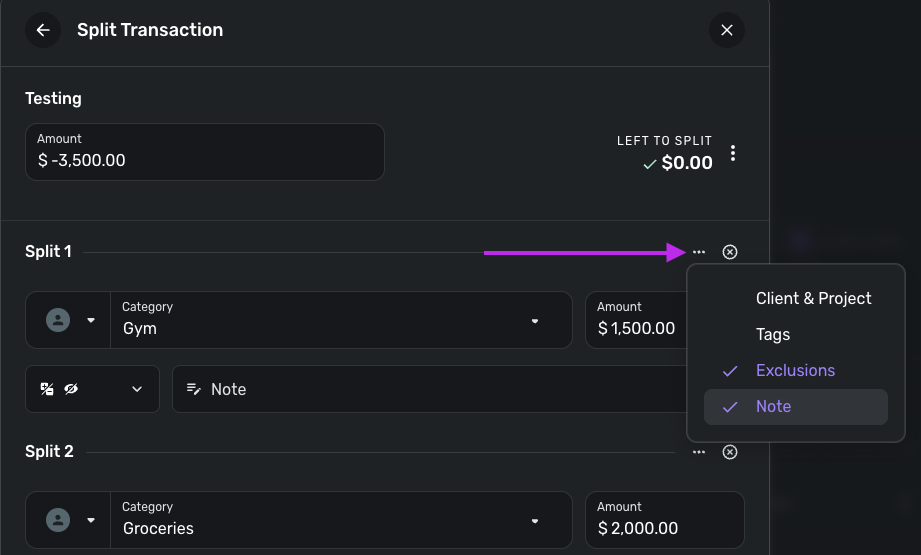
I hope this helps!
-Coach Jon
0 -
Okay that’s helpful, thanks for the tip!
I just added a couple of “testing” notes to two of my splits and it works!
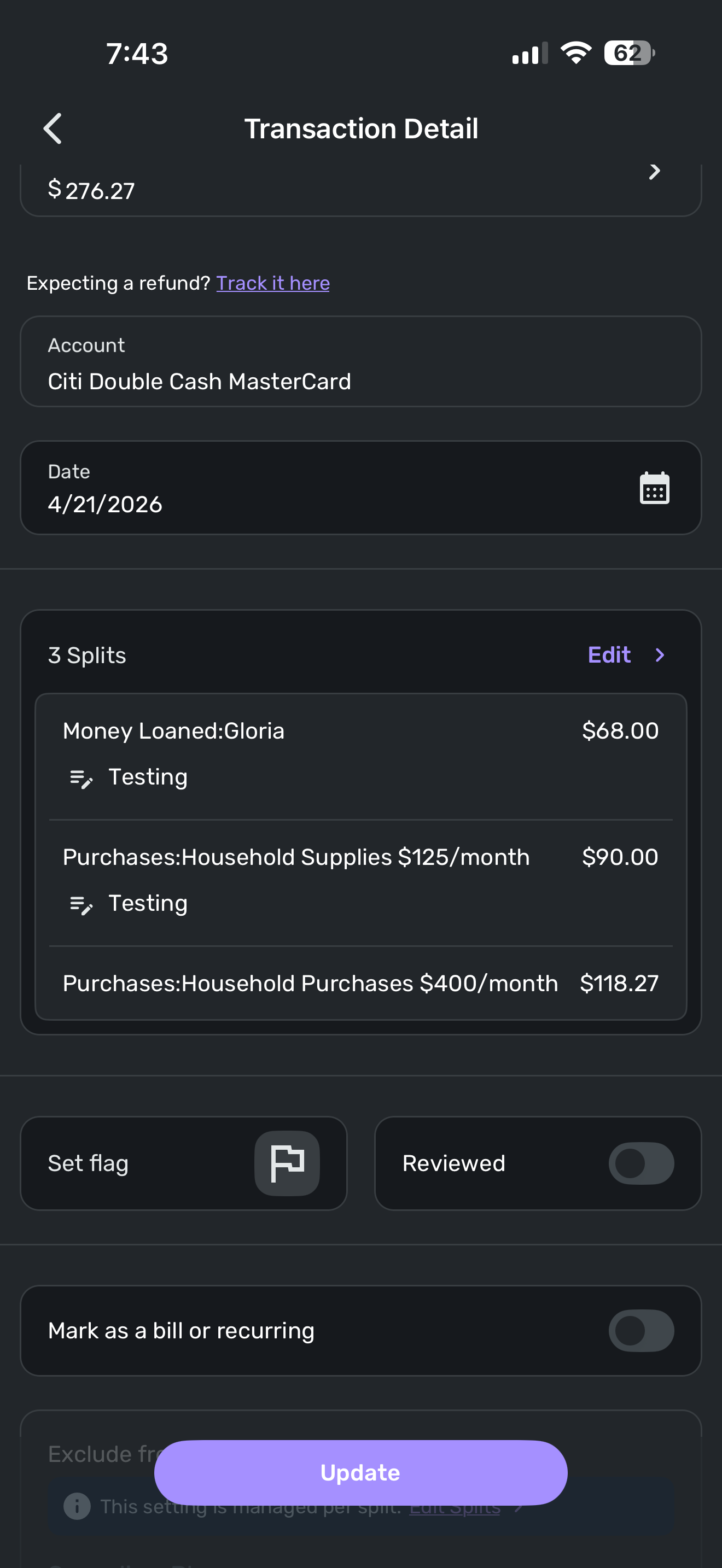
[edited image to reduce size]
0

This discussion has been closed.