Shortcut to finding daily uncategorized transactions

Everyday I open Simplifi and want to find all uncategorized transactions, so I can categorize them, and add notes to them.
Everyday when I open my custom dashboard, I select transactions, and the select category, and then type in “uncategorized”, then select it, and then select show results.
This takes 9 clicks to do this everyday!
I don’t see anyway to change my dashboard tile so that every time it opens, it has those 9 clicks saved, so that I only see all transactions that are uncategorized.
Is there a simpler way to do this everyday, other than having to do 9 clicks to find all my uncategorized transactions?
Sure would be nice to be able to either customize my transactions tile, or create some sort of shortcut, so this many daily clicks aren’t necessary to see the same thing I’m looking for everyday.
Thoughts/suggestions?
Comments
-
Hello @Robert48314,
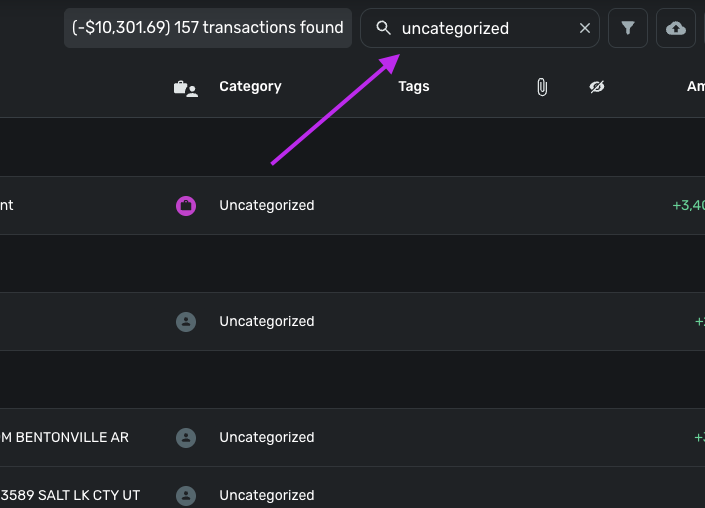
Thanks for reaching out! While the way you are doing it is perfectly fine, you can also use the Search field and type "Uncategorized", which should return all uncategorized transactions.
We also have the following idea posts that should be helpful for you as well, if you would like to vote for them:
I hope this helps!
-Coach Jon
0 -
So your proposed solution is to type “uncategorized”, which is 13 clicks, on top of the other clicks needed?
Not a good solution! 😩
0 -
I do a very similar thing, filtering by transactions that are not Reviewed. I've asked before for a "Saved Filters" option which would let you save specific filters for quicker access. I'll see if I can find that post.
0 -
Here's the link so you can vote :)
(It got merged with one for reports but really it's two separate features, and if Simplifi comes and says "you already got saved reports", well, that's not what I was asking for.)
https://community.simplifimoney.com/discussion/975/saved-filters-in-reports-and-registers-edited-2-merged-vote/p1
1
