Neuberger Private Wealth FDP-103/FDP-187/FDP-106 error (edited)
Comments
-
Hello @sgreenstonenj,
Thanks for the quick reply. I am glad you are no longer receiving the previous error, at least, as it means things are being fixed, even if this new error is now occurring.
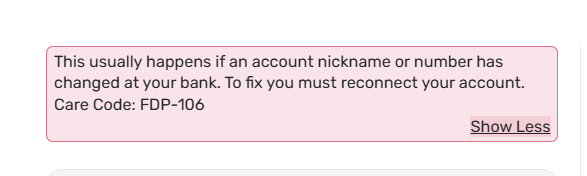
With an FDP-106 error, users may generally receive this error if an account name or number changes at the bank or if an account is closed. Let's have you try the following steps to see if they resolve the current issue:
- Refresh the connection
- Move your cursor to the top right and click Settings (gear icon).
- Select Accounts.
- Click + Accounts.
- Choose the bank whose connection you want to refresh.
- Link your existing accounts
- Enter the User ID and Password you use to sign in to your bank's website.
- Click Connect (you might see Continue depending on the connection type).
- Review the accounts found
You’ll see each account’s:- Account Name.
- Account Type.
- Action that Quicken Simplifi will take.
- Open the Action dropdown and choose the existing Quicken Simplifi account that the bank account should link to.
- Important: Do not leave the Action set to “Add as New (no link)”, or Quicken Simplifi will create a duplicate account.
- Important: Do not leave the Action set to “Add as New (no link)”, or Quicken Simplifi will create a duplicate account.
- Click Add when finished.
If these steps do not work, please supply new logs to us:
- Log in to the Quicken Simplifi Web App.
- Select the Profile icon in the upper-right corner of the screen.
- With the Profile menu open, hold down the Option key (Mac) or the Alt key (Windows), and then click Send Feedback.
- Leave all boxes checked, add a brief description of the issue, and then click Send.
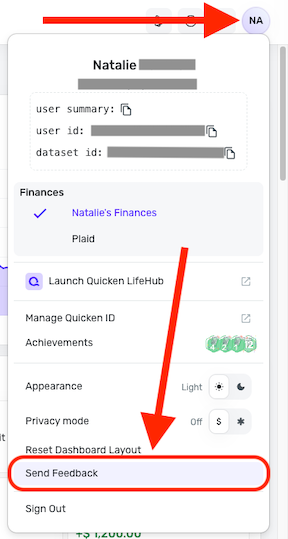
-Coach Jon
0 - Refresh the connection
-
Feedback sent since I am not even able to connect the account to do the other steps
report created - reference id 534560109799278594
0 -
Hello @sgreenstonenj,
I have sent this new information over to the service provider and will follow up with further updates as I receive them. Thank you for your patience!
EWC - 12360383
-Coach Jon
0 -
Hello @sgreenstonenj,
I am back with an update from our service provider. They state they have implemented a possible resolution for this issue. Can you please try connecting in Quicken Simplifi again and verify whether it is fixed for you?
Thank you!
-Coach Jon
0 -
Hello @sgreenstonenj,
I am following up again to verify if the implemented fix worked out for you regarding this issue with Neuberger. Please let us know if it worked! Thank you!
-Coach Jon
0 -
Sorry mised your message from last week. Still same issue
 0
0 -
Hello @sgreenstonenj,
I let our service provider know again and will follow up once I hear back. Hopefully, this time, the solution they implement will work for you. Thank you for your patience!
-Coach Jon
0 -
Hello @sgreenstonenj,
I am back with an update from our service provider! We would like to escalate this issue further and may want to schedule a session with you to troubleshoot. Can you please supply new logs to assist us?
- Log in to the Quicken Simplifi Web App.
- Select the Profile icon in the upper-right corner of the screen.
- With the Profile menu open, hold down the Option key (Mac) or the Alt key (Windows), and then click Send Feedback.
- Leave all boxes checked, add a brief description of the issue, and then click Send.
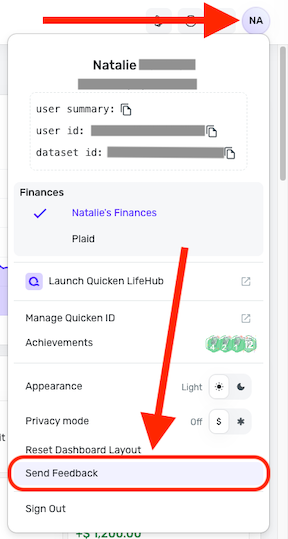
Please also provide your general availability over the next couple of weeks and confirm that the contact information within your Quicken profile is accurate.
Thank you!
-Coach Jon
0 -
Hi Coach. Thanks so much - I just submitted the feedback and general availability
0 -
Hello @sgreenstonenj,
Thanks for submitting those new logs! Per your feedback, can you please confirm that your availability is usually open in the afternoons after 3:00 PM EST? Additionally, please confirm that the contact information within your Quicken profile is accurate.
-Coach Jon
0 -
That is correct.
0 -
Hello @sgreenstonenj,
Thanks for the requested information! I did get this reported to our product team, and will follow up here with any status updates. Be sure to be on the lookout for an email from our product team for setting up a scheduled time for troubleshooting.
CTP-17167
-Coach Jon
0 -
Hello,
I have been trying to connect my Neuberger Berman (https://www.nbprivatewealth.com/) account to the Simplify app but keep getting the FDP-106 error.
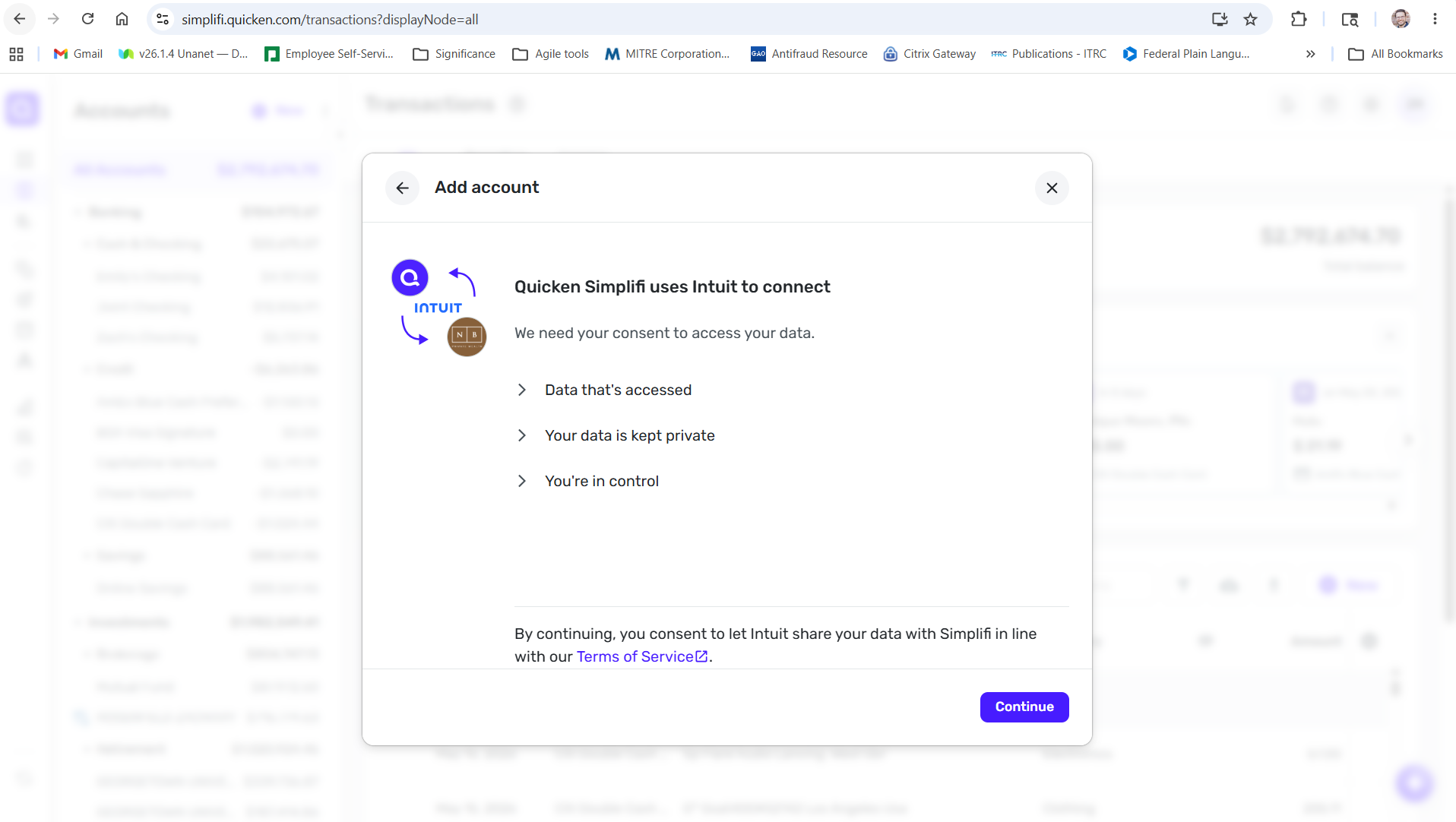
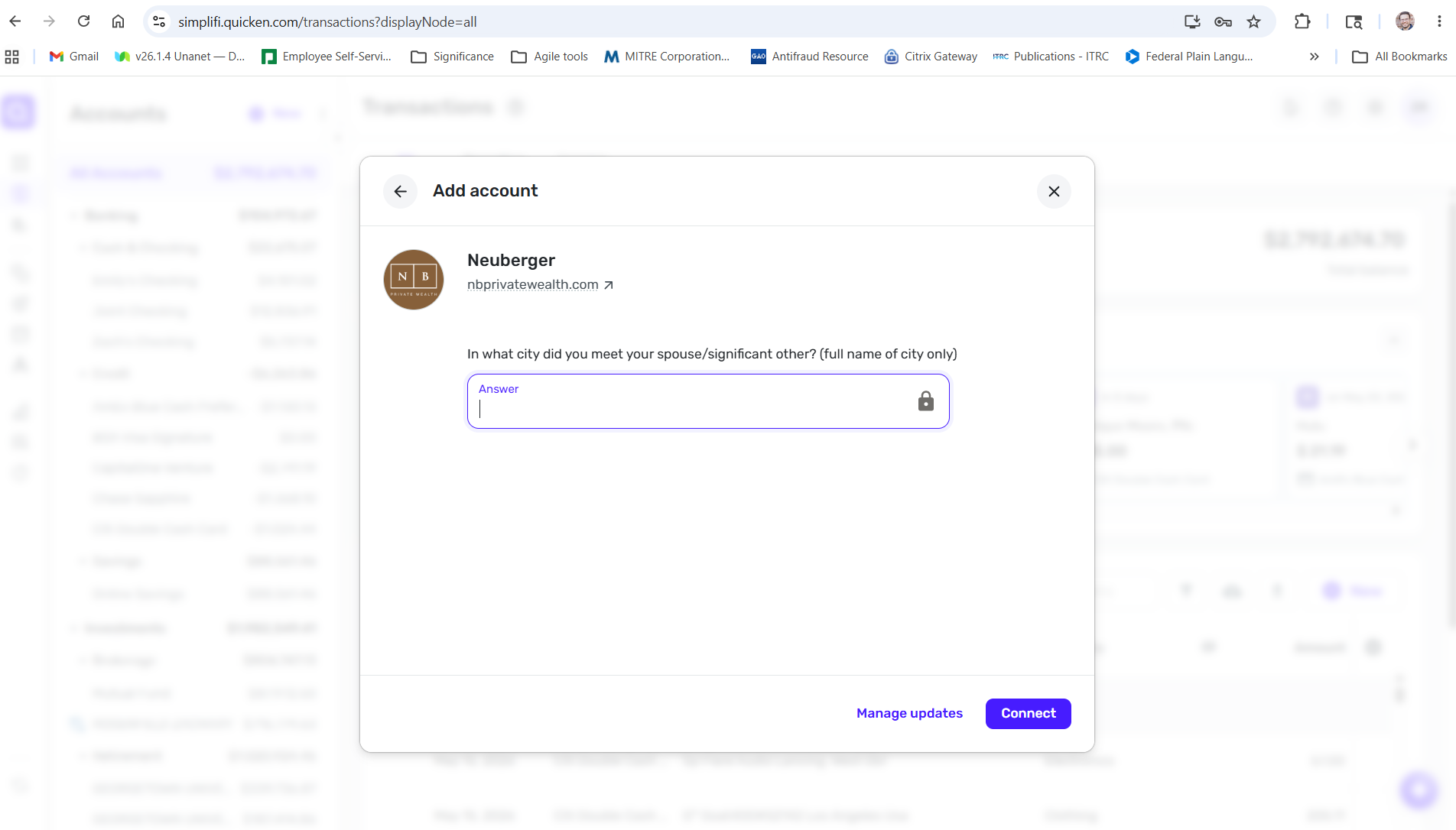
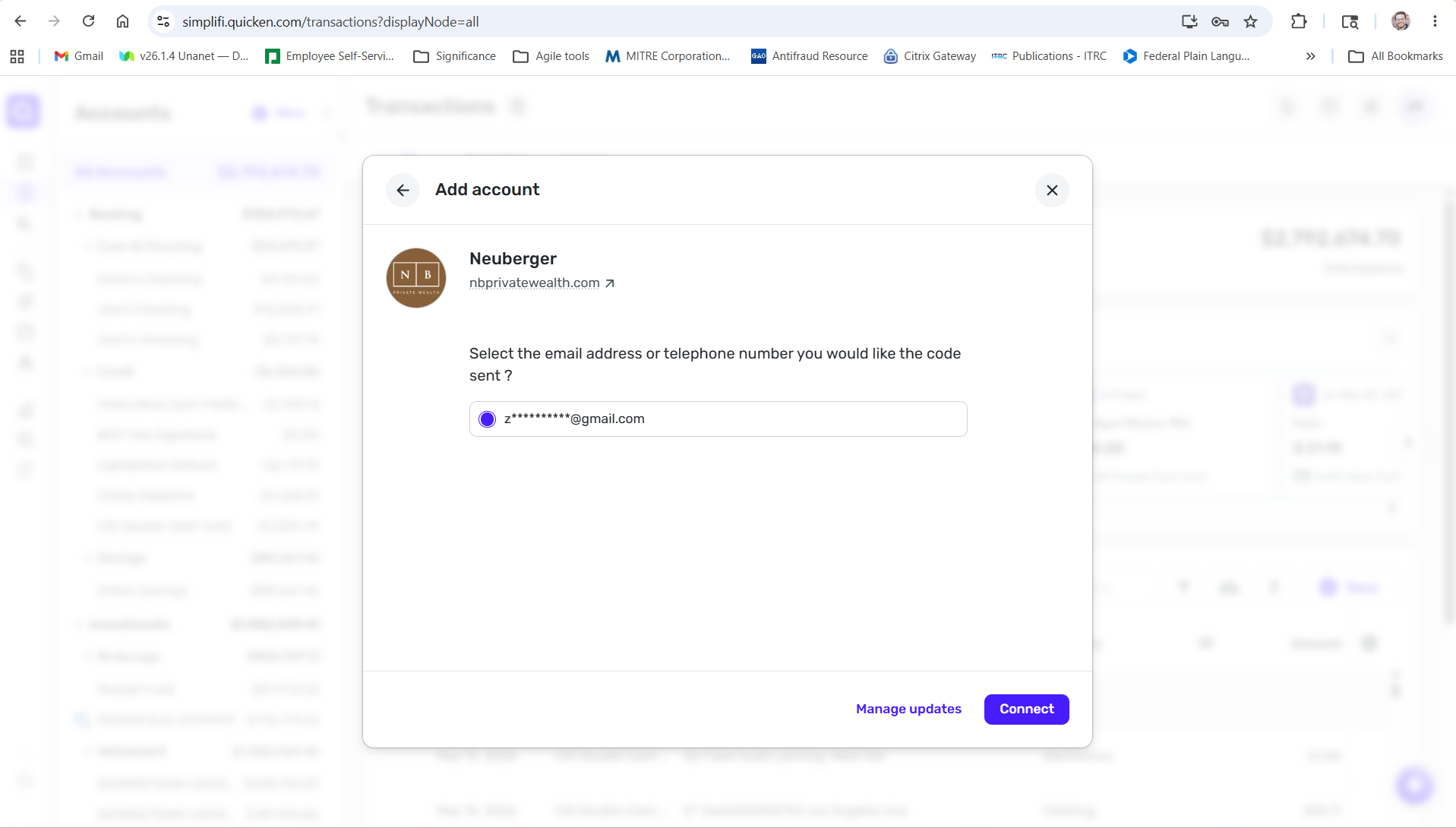
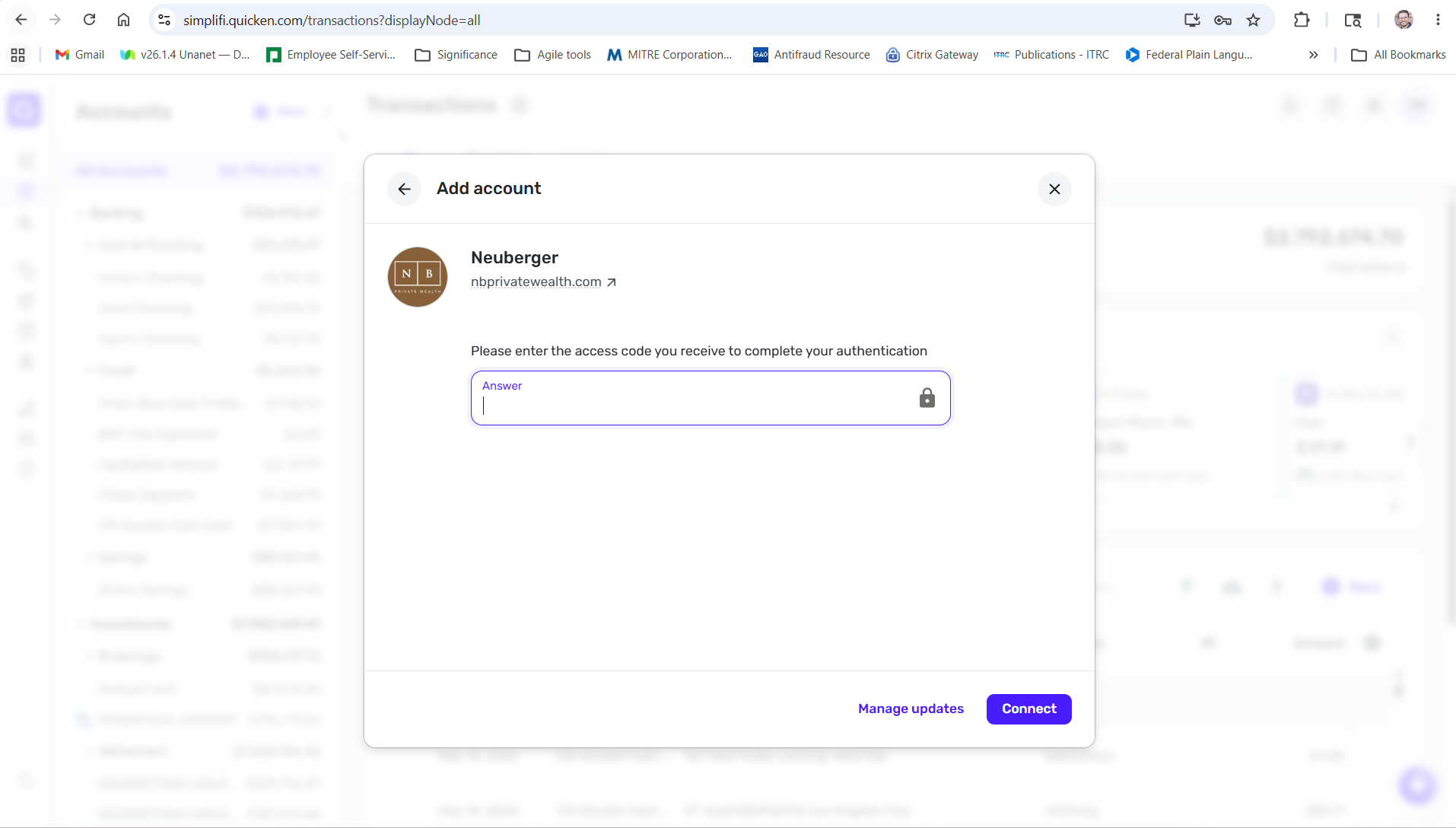
Simplifi accepts my user name and password, prompts me to complete one of the account's challenge questions, and then prompts me to enter a code sent to my email (2FA). After the final step of submitting the 2FA code, it always gives me the FDP-106 error.
I checked my account on the Neuberger Berman side, and all the log-in information and challenge question answers that I'm giving are correct.
0 -
Hello @zjrosenfeld987,
Thanks for reaching out! Can you please let us know whether you are trying to add a brand-new account to Quicken Simplifi or update an existing one already within the application?
For the latter, let's have you try the following steps:
- Make all of the accounts with the bank manual by following the steps here.
- Once you see the account(s) listed in the Manual Accounts section under Settings > Accounts, go back through the Add Account flow to reconnect to the bank.
- If the connection is successful, carefully link the account(s) found to your existing Quicken Simplifi account(s) by following the steps here.
If these steps do not resolve the issue, please provide a screenshot of the FDP-106 error from your side, as well as a screenshot of the Accounts Summary page from the bank's website that has a wide enough scope to show the full page URL. This is the landing page after signing in, and typically lists all accounts and balances. You will want to take this from a web browser and not a mobile browser, as well as redact any private info such as account numbers.
We will also need logs to be submitted, please!
- Log in to the Quicken Simplifi Web App.
- Select the
Profileicon in the upper-right corner of the screen. - With the Profile menu open, hold down the
Optionkey (Mac) or theAltkey (Windows), and then clickSend Feedback. - Leave all boxes checked, add a brief description of the issue, and then click
Send.
-Coach Jon
0 -
@Coach Jon sounds like they are having the same issue we have been working through
0 -
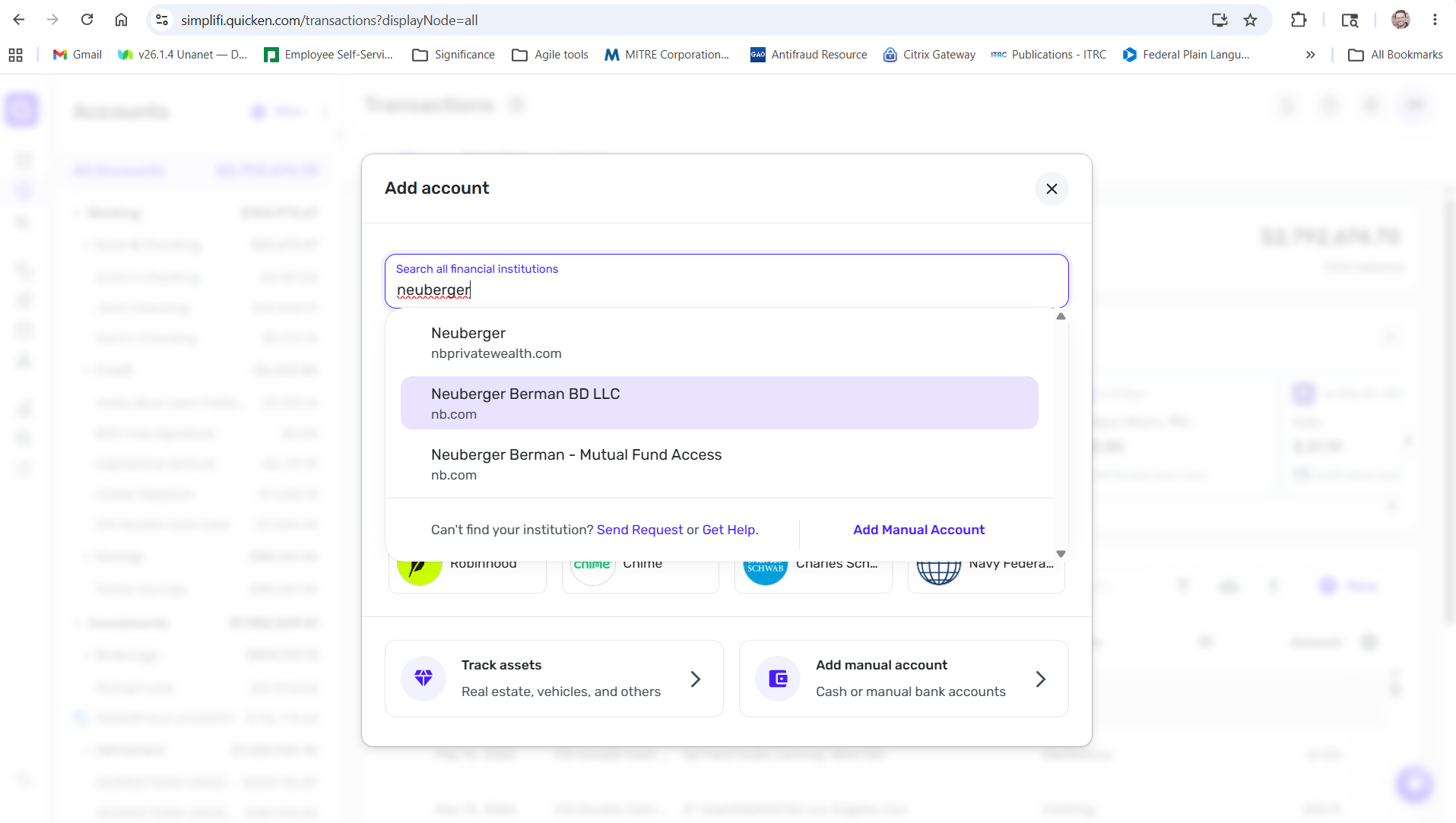
I am trying to add a brand-new account to Quicken Simplifi, not change an existing account. Below are screen captures me of walking through the process, followed by a screen capture of the Account Summary page URL on the bank's website.
 0
0 -
Hello @zjrosenfeld987,
Thanks for the screenshots! For the Account Summary screenshot, it will need to be more than just the URL, however. We will need it to show the URL included with the webpage. Please be sure to also send a screenshot of the error from your side. You may send this information via DM to me if you prefer!
-Coach Jon
0 -
Here is a screen capture of the error. I will DM you a photo of the URL with webpage.
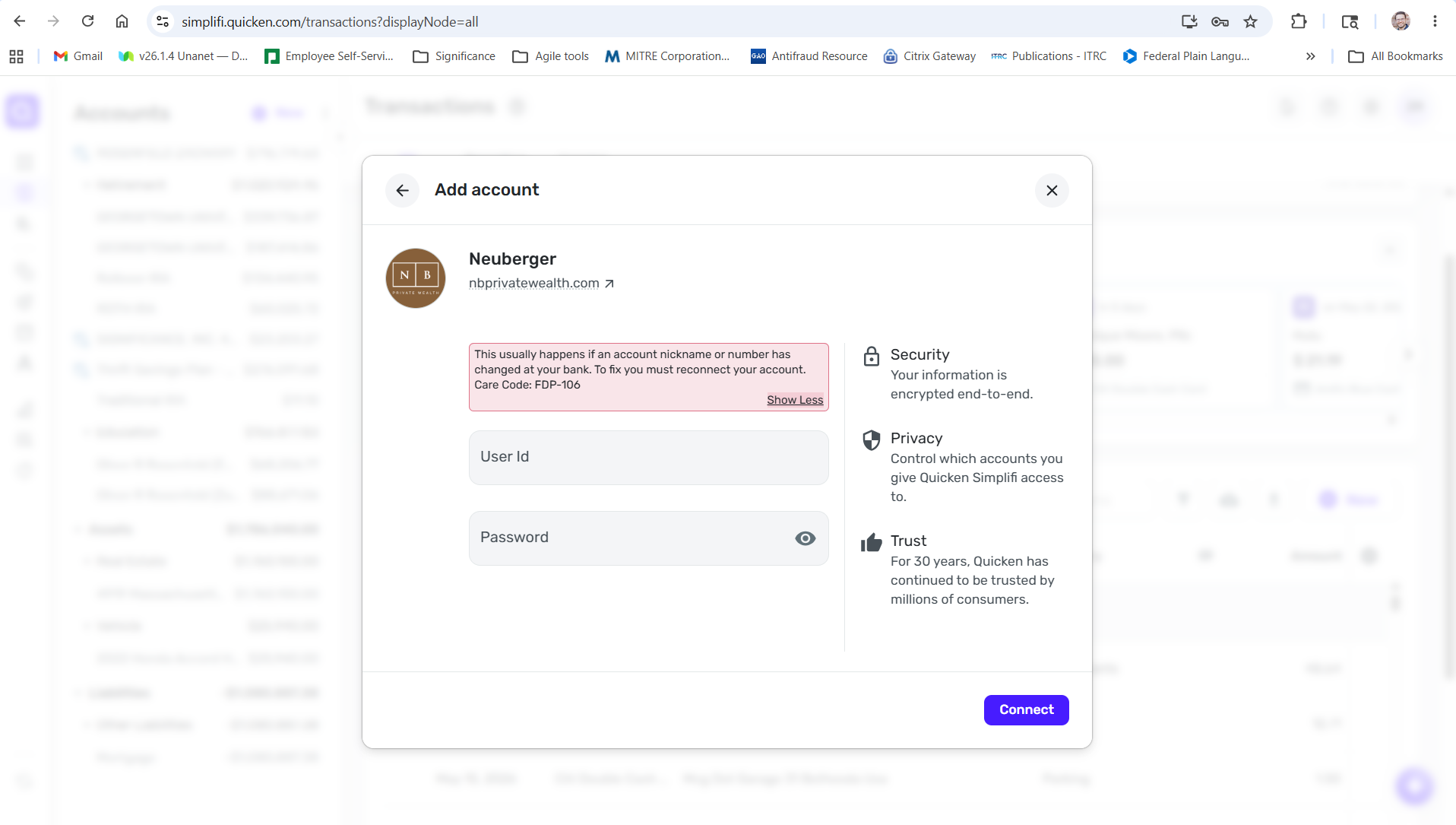 0
0 -
Hello @zjrosenfeld987,
Thanks for the requested info! Please also provide your general availability over the next couple of weeks and confirm that the contact information within your Quicken profile is accurate.
-Coach Jon
0 -
Hello @zjrosenfeld987,
Thank you for the DM! I have sent this info over to our product team and will report back here when we have any updates on the issue! Otherwise, keep an eye out for an email from Quicken, in case they need to schedule that session with you.
-Coach Jon
1

