Some of my previously deleted business categories have come back

This discussion was created from comments split from:
DryHeat
-Quicken Classic (1990-2020), CountAbout (2021-2024), Simplifi (2025-…)
Comments
-
RETURN OF THE UNDEAD … now playing on computers near you!
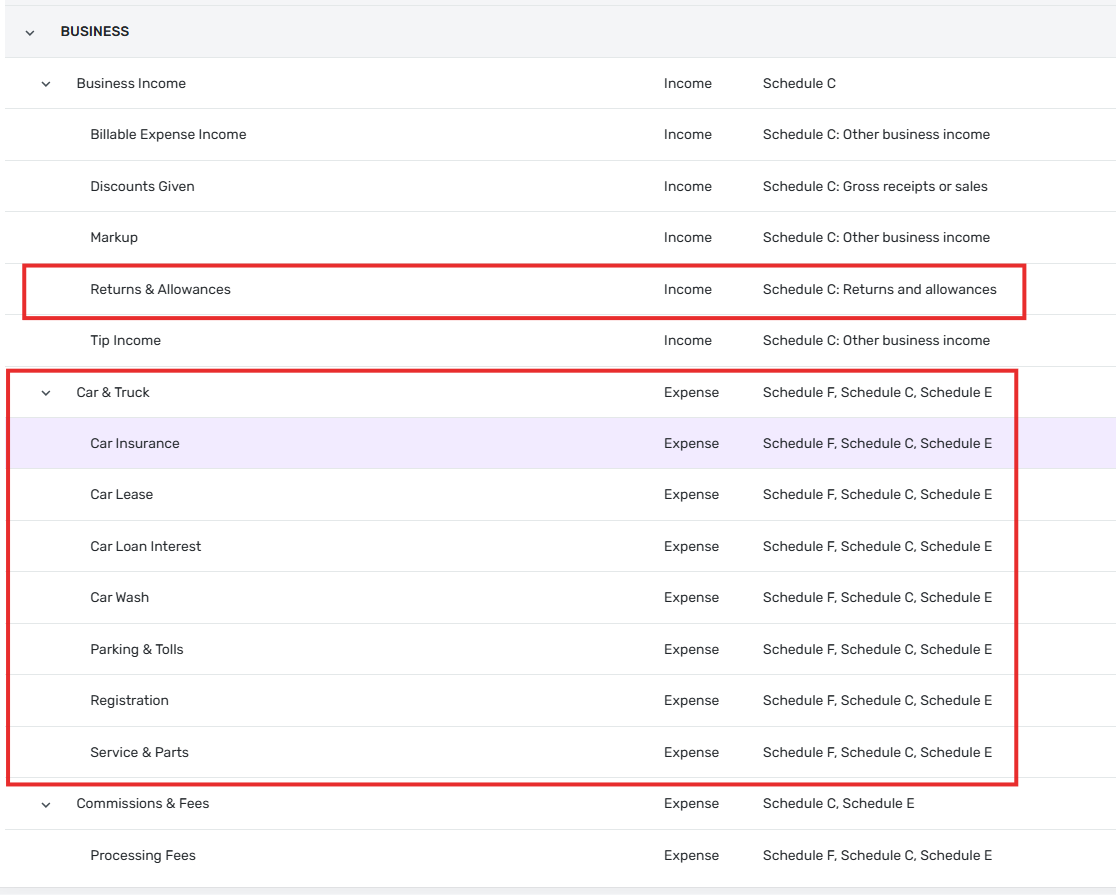
Some of my previously deleted Business categories have come back. These zombies include a "Car & Truck" category (along with its 7 subcategories) and a subcategory of Business Income called "Returns & Allowances."
As you can see in my previous post, those categories didn't exist last month. But they come back to life.
DryHeat
-Quicken Classic (1990-2020), CountAbout (2021-2024), Simplifi (2025-…)1 -
Hello @DryHeat,
Thanks for reaching out! To help clarify the situation, did you have any recent transactions that included these categories? If you navigate to Settings > Categories & tags, can you still delete them, or are they unable to be deleted there? Let us know!
-Coach Jon
0 -
(1) did you have any recent transactions that included these categories?
No. I have no transactions that use Business categories in this Space. And these particular categories have never been used in the separate Space I use for business.
(2) If you navigate to Settings > Categories & tags, can you still delete them, or are they unable to be deleted there?
They show the Delete option on the 3-dot menu for the category, but I haven't deleted them yet. I probably will soon, but I wanted to find out if they had reappeared for anyone else who has tried to delete Business categories.
(3) This isn't about whether they can once again be deleted, it's about the fact that they reappear after being deleted. A couple of them are similar to categories I use for Personal transactions, so they create confusion when this happens. My hope is that your team will figure out why this happens and how to stop it.
DryHeat
-Quicken Classic (1990-2020), CountAbout (2021-2024), Simplifi (2025-…)0 -
Hello @DryHeat,
Thanks for the reply! I reached out to my product team to confirm some information regarding Business Categories, and the categories that are not deletable at this time include the ones listed in our support article here:
Since Car & Truck and Returns & Allowances are not included in this list, it is definitely strange that they returned after being deleted. Can you please provide a screenshot showing the categories within your Quicken Simplifi categories list?
We will also need you to submit logs, please:
- Log in to the Quicken Simplifi Web App.
- Select the Profile icon in the upper-right corner of the screen.
- With the Profile menu open, hold down the Option key (Mac) or the Alt key (Windows), and then click Send Feedback.
- Leave all boxes checked, add a brief description of the issue, and then click Send.
-Coach Jon
0 -
Feedback sent. Image of categories below.
I will delete them now if that's ok. Let me know.
DryHeat
-Quicken Classic (1990-2020), CountAbout (2021-2024), Simplifi (2025-…)0 -
The Business parent category, "Car & Truck" does allow deletion.
But its subcategory "Parking & Tolls" does not allow deletion.
What exactly should I do in this situation?
Will deleting "Car & Truck," thus orphaning the undeletable subcategory "Parking & Tolls," cause any problem?


DryHeat
-Quicken Classic (1990-2020), CountAbout (2021-2024), Simplifi (2025-…)0 -
Thank you for your reply,
While I have not been able to replicate the issue of deleted categories coming back, I see that Parking & Tolls can't be deleted in my Quicken Simplifi either.

I tested deleting the parent category.
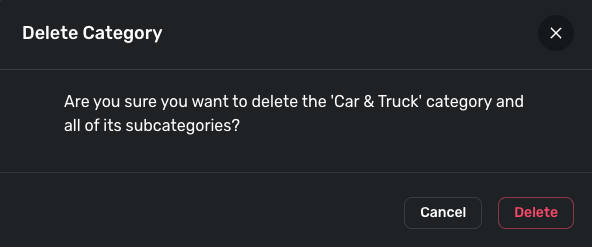
It removed the parent and all subcategories. Based on my test, I don't think it will leave an orphaned subcategory. It should remove it along with the parent.
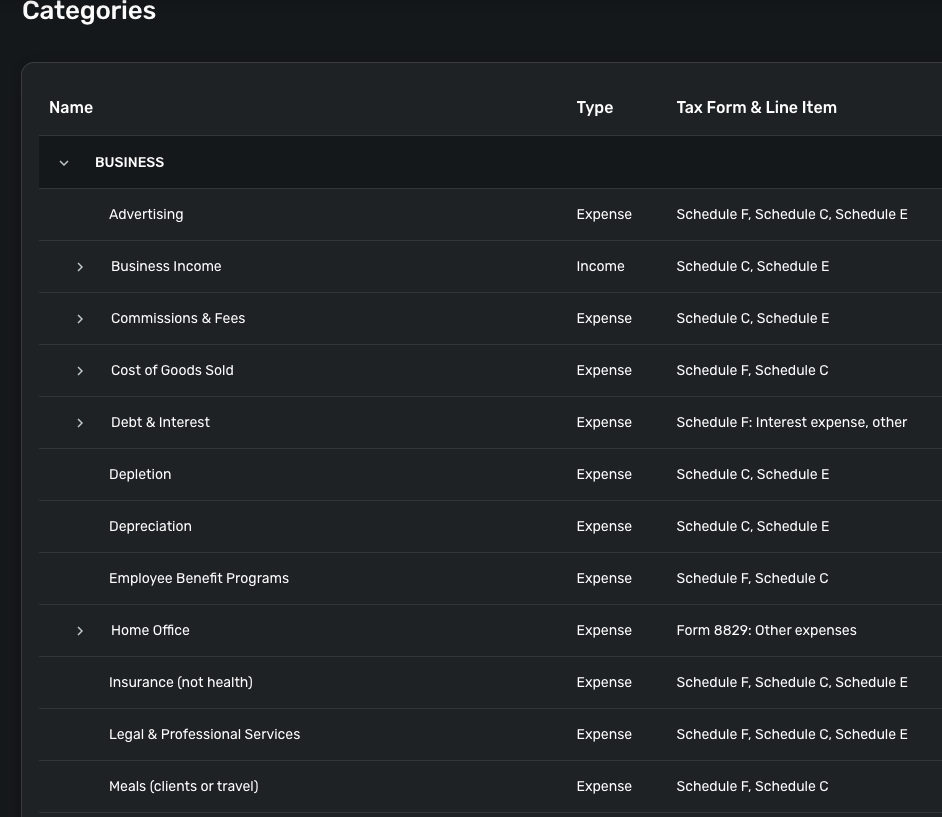
I hope this helps!
-Coach Kristina
0 -
Based on my test, I don't think it will leave an orphaned subcategory.
I wouldn't expect the subcategory to show up in the category tree once the parent is gone, as there is no node for it to depend from.
My concern was that it would continue to show up when I am searching for a category to apply, like this:
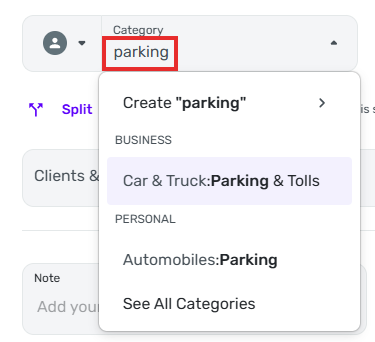
Is "Parking & Tolls" also gone when searched for like that? If so, I will go ahead and delete the parent.
If not I will leave it so I have access to it when it becomes deletable (as it should if after you report this).
DryHeat
-Quicken Classic (1990-2020), CountAbout (2021-2024), Simplifi (2025-…)0 -
Thank you for your reply,
I just tested in a create transaction window, and it does not show up.
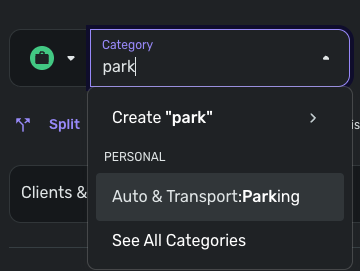
I hope this helps!
-Coach Kristina
0 -
Thanks, I'll go ahead and delete it. I'll post again here if it comes back.
DryHeat
-Quicken Classic (1990-2020), CountAbout (2021-2024), Simplifi (2025-…)2