SEI Client Connect FDP-101 (edited)

SEI Client Connect is once again (for a couple of weeks) giving FDP-101 with exactly the same behavior as the previous times. See link below for previous report. This weekend I will try disconnecting and reconnecting to see if it restores the connection. There is clearly a bigger issue here than what has been addressed by the devs in the past.
Comments
-
Hello @davidcwalls,
Thank you for reaching out! I can see the FDP-101 error you are experiencing with SEI Client Connect from our end. I know you stated you would try reconnecting the account this weekend, but I would have you try the following steps to see if they work in resolving the issue:
- Make all of the accounts with the bank manual by following the steps here.
- Once you see the account(s) listed in the Manual Accounts section under Settings > Accounts, go back through the Add Account flow to reconnect to the bank.
- If the connection is successful, carefully link the account(s) found to your existing Quicken Simplifi account(s) by following the steps here.
Once you are able to try these steps, be sure to let us know how everything went and whether they worked in resolving the issue!
-Coach Jon
0 -
Reconnection is not successful. It is the usual behavior - I use the Add Account workflow, choose SEI Client Connect, enter credentials, MFA is requested, I receive the code via text message, enter the code, and after a brief wait:
"We are unable to connect to SEI Client Connect at this time.
Care Code: FDP-101"0 -
Hello @davidcwalls,
Thanks for following up! Can you please provide a screenshot of the Accounts Summary page from the bank's website that has a wide enough scope to show the full page URL? This is the landing page after signing in, and typically lists all accounts and balances. You will want to take this from a web browser and not a mobile browser, as well as redact any private info such as account numbers.
We will also need a screenshot of the error code you are receiving on your end, and for the logs to be sent, please.
- Log in to the Quicken Simplifi Web App.
- Select the Profile icon in the upper-right corner of the screen.
- With the Profile menu open, hold down the Option key (Mac) or the Alt key (Windows), and then click Send Feedback.
- Leave all boxes checked, add a brief description of the issue, and then click Send.
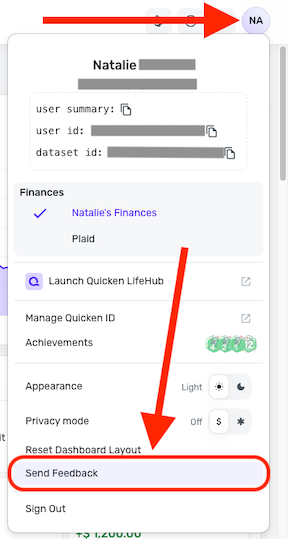
This information can be sent via DM if you prefer. Thank you!
-Coach Jon
0 -
I was able to successfully reconnect SEI this morning. There are two items that may be of note:
- I deleted the SEI institution from my accounts list prior to reconnecting; previously when I tried reconnecting, I made the account manual as per the instructions, but didn't delete the institution
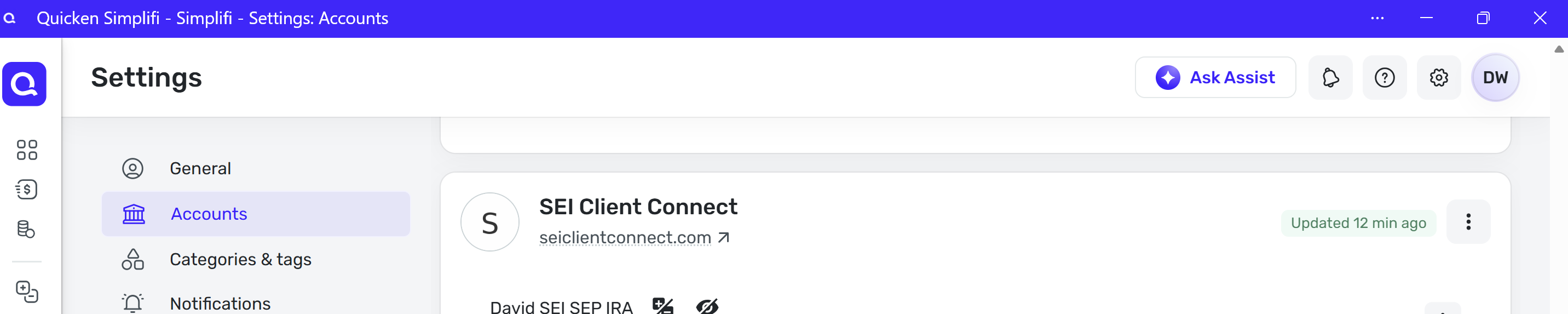
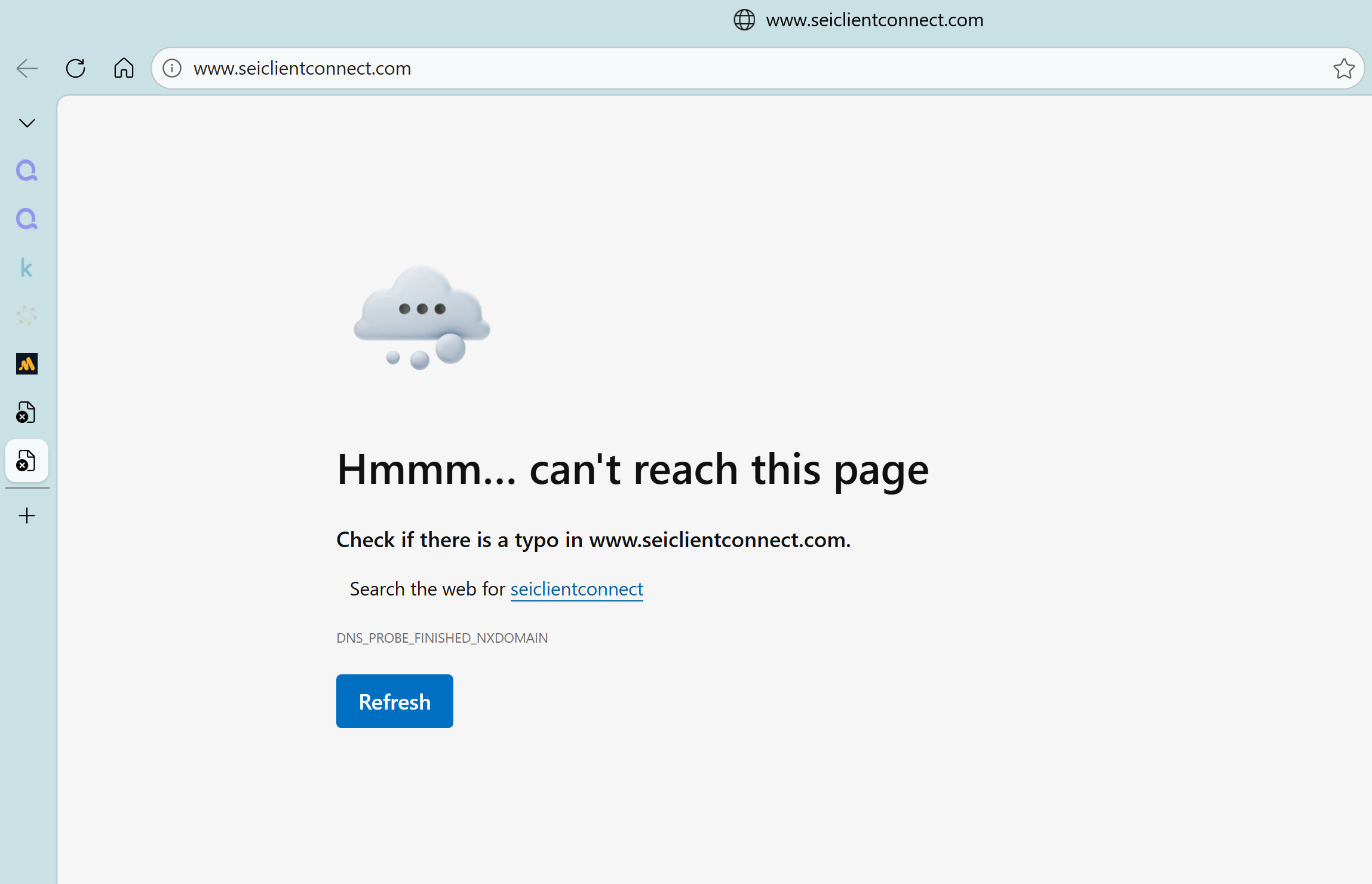
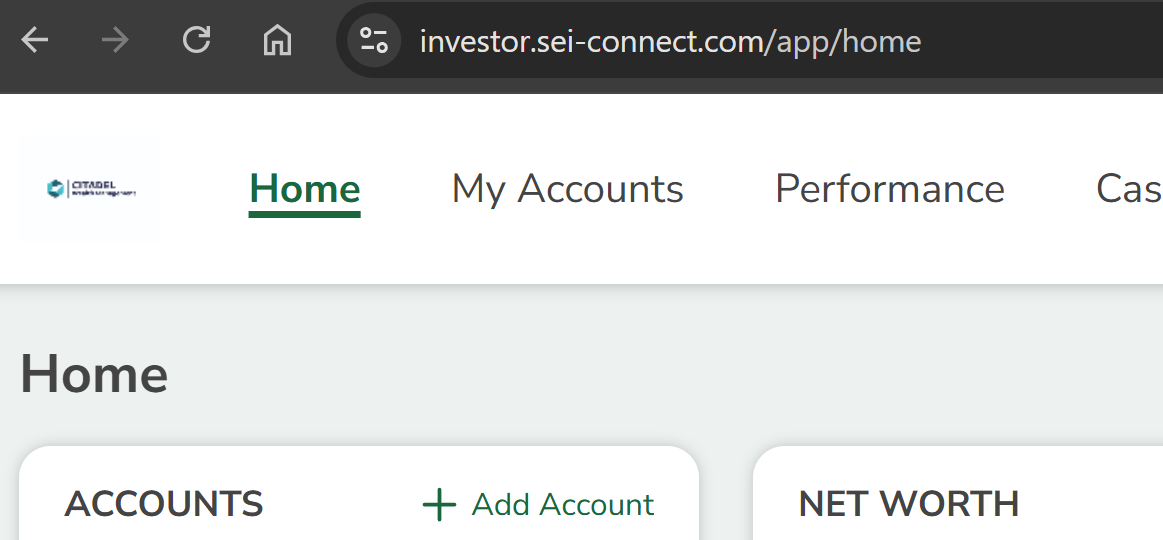
- The link that is displayed for SEI in the accounts list is apparently incorrect. I'll add screenshots below
This is the SEI institution as shown in the Simplifi accounts list:
This is the result from clicking the link in the Simplifi accounts list:
This is the page, including URL, when I manually login to SEI:
 1
1 -
Hi @davidcwalls,
Thank you for letting us know! I’ll make sure to pass this information along to the appropriate team.
Now that the account has been connected, are transactions downloading properly, or are you still experiencing any issues?
I look forward to your response!
-Coach Laura
0 -
The correct total shows in my accounts list, which is adequate for my purposes and probably the best I can hope for given there is an ongoing alert from April of 2025 about this,
CTP-12658. No transactions appear and the holdings total is $0 within the account details.[added alert link]
1