FDP-192 with WageWorks (HealthEquity) (edited)

This just started in the last day or two. I'm getting the error below when I try to sync.
The current multi-factor authentication method at WageWorks is not supported. To connect to your account, you must change the multi-factor authentication method at WageWorks.
Care Code: FDP-192
Comments
-
Hello @cruisencode,
Thanks for reaching out! I can see the FDP-192 error you are experiencing from our end. Users will receive the FDP-192 error message if their bank uses an unsupported MFA type. Are you able to turn off MFA for this financial institution in order to connect within Quicken Simplifi?
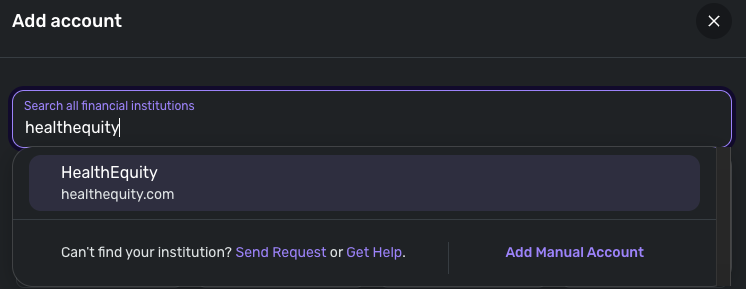
If you cannot disable the function, or it still does not let you connect afterward, I would check whether you can connect using the HealthEquity instance available in Quicken Simplifi, since I noticed that the website for WageWorks directs users toward the HealthEquity website anyway.
Let us know!
-Coach Jon
0 -
I don't see any way to disable MFA. They also made me create a passkey the last time I logged in. So that may have something to do with it. They said it was mandatory.
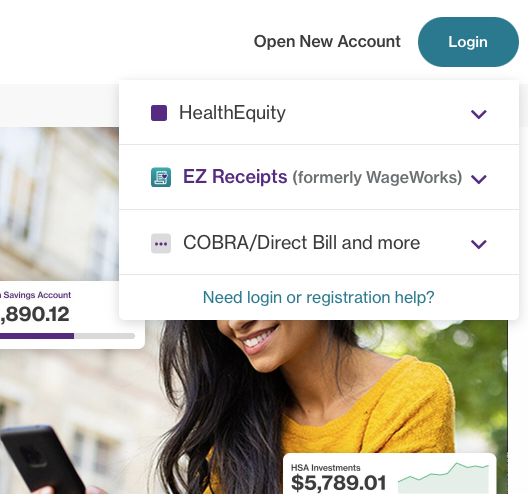
HealthEquity didn't work for me. They have two "sites" and the on where my account lives is "EZ Receipts (formerly WageWorks).
 0
0 -
Hello @cruisencode,
Thank you for the reply! Is there no way to disable or switch the MFA option within the account settings on your bank's website? If you cannot disable the current invalid MFA option or switch to another MFA option, you may not be able to add your account to Quicken Simplifi.
Quicken Simplifi supports several types of MFA, but not all. More advanced MFA protocols, such as OTP generators, token authentication, and authentication apps, would not be supported.
What is the type of MFA protocol your bank utilizes right now? You mentioned a passkey. Is that in addition to the MFA protocol? Let us know!
-Coach Jon
0 -
They used to send me a code via email or text. The last time I logged in, they said I must create a passkey. Now when I log in, I just use my passkey and they don't send a code.
I don't see any information at all about MFA in my account settings, so there's no way to change it.
0 -
Hello @cruisencode,
Without deactivating or changing the secondary authentication method on the financial institution's website, Quicken Simplifi can't add/update the accounts.
The best way to determine how to disable this function is to contact your bank.
In the meantime, you can track the account manually by adding manual transactions, which will keep your records up-to-date. Here are the steps to do so: Managing Transactions in Quicken Simplifi | Quicken Simplifi Help Center
If the account is an investment account, the manual tracking steps are a little different:
- Make the account manual so you can add and edit Holdings: How to Make an Account 'Manual' | Quicken Simplifi Help Center
- Add/edit your Holdings to keep accurate records: Tracking Investments in Quicken Simplifi | Quicken Simplifi Help Center and Tracking Investments in Quicken Simplifi | Quicken Simplifi Help Center
Hopefully this information helps. I wish I could provide a better answer in this case.
-Coach Jon
0
