Cenlar FSB - FDP-155 error / Cenlar (Finicity) - 103 error (edited)

This is an option to add add account but the following error keeps popping up.
"We are unable to connect to Cenlar FSB at this time. Care Code: FDP-155 "
Comments
-
@Bill N, thanks for posting to the Community!
I can confirm the FDP-155 error when checking your connection attempts with Cenlar FSB from our end. This error indicates that the bank is indefinitely or permanently blocking connectivity.
With that, it looks like we have a Finicity bank option for Cenlar in Quicken Simplifi. I would definitely recommend giving it a try!
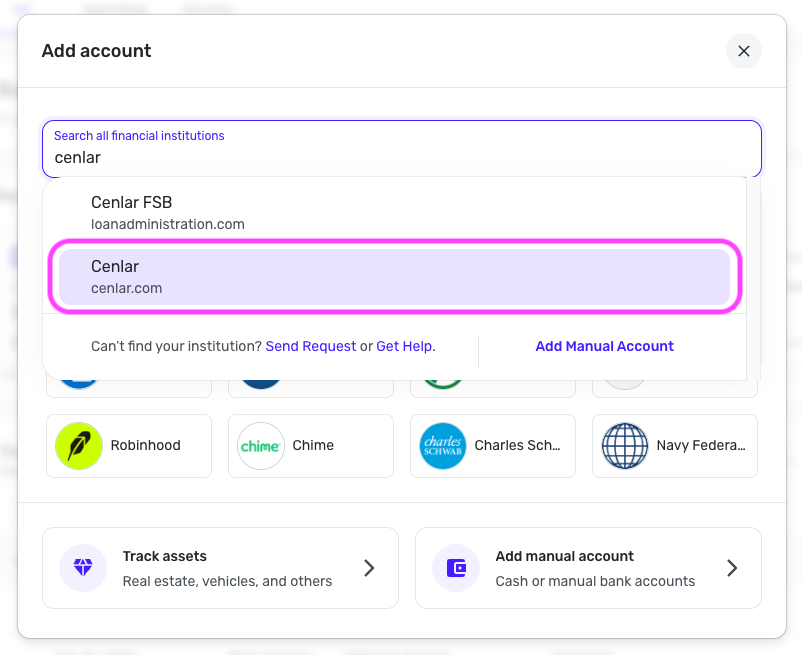
Let us know if this works for you!
-Coach Natalie
0 -
still not working. It masked the server block with the "Incorrect Credentials" even though I was able to input the 2FA data.
0 -
@Bill N, thanks for giving the Finicity option a try!
In that case, since an FDP-155 is an indefinite or permanent block, I'd recommend focusing on the Finicity option that returns the 103 (invalid credentials) error, since that one is actionable on our end. To troubleshoot the 103 invalid credentials error, please follow these steps:
- Verify that your login information is correct – Type your password/PIN into a text application to ensure you don’t have any typographical errors. Then, copy and paste your login information into Quicken Simplifi to ensure accuracy.
- Verify your login on the bank’s website – Try signing in with the same credentials to ensure you haven't locked yourself out of the account and that the credentials are still valid.
- Check for an app-specific password – Some banks require users to use a specific app password when connecting to a third party. Check with your bank to see if you need to use an app-specific password.
- Update your credentials – Try temporarily updating your password at your bank's website and then try again to connect in Quicken Simplifi. We recommend NOT using the following special characters: & < > / \.
Let us know how it goes!
-Coach Natalie
0
