Best Of
Re: Imprint - new credit card servicing Crate and Barrel (edited)
Hello everyone,
We now have an Alert for this issue that can be followed for updates:
Thank you for your patience as this issue is worked on!

Re: Imprint - new credit card servicing Crate and Barrel (edited)
Hello @turtle,
Thanks for the detailed response. I do understand where you are coming from when it comes to wanting a solution as fast as possible for this issue. Per my previous response in this thread, the connection error banner displayed in Quicken Simplifi indicates that we are already aware of an issue with this bank, which could mean that they are already working on implementing the changes you are requesting. If we were to escalate a connection issue with this existing Crate and Barrell bank option in Quicken Simplifi, it would be much more productive than a Missing FI Request that may never get implemented or take quite a while to implement.
After verifying on my side again today, I can see that the banner is still showing for this instance. Which means that we are still investigating the connection issues being reported. I would suggest waiting a bit longer to see if this banner clears and if you can connect via this instance afterward.
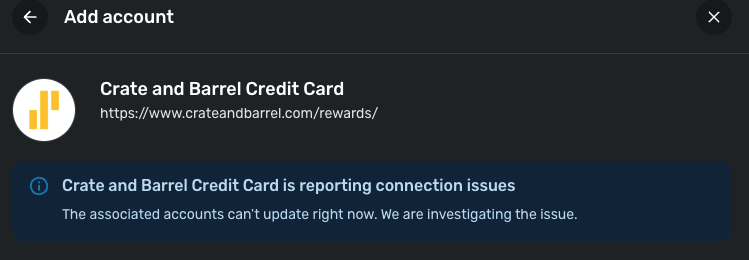
If you are still adamant afterward that you all would like to still submit a Missing FI Request, we can take that route as well. Be sure to let us know.
I hope this clears up any confusion!
-Coach Jon

Guild Mortgage Positive Balance (edited)
All of a sudden my Mortgage with Guild is showing up as a + Number, not a negative. Since it is a liability it should be -, like the rest of my liabilities. Can someone pls look into the API?
Re: Simplifi Business & Personal Information
@Coach Jon Thank you ever so much, I will start reading, understanding and make the best usage of the Business and Personal. Thank you again.

Simplifi Business & Personal Information
Due to a personal decision to work as a sole proprietorship, I have upgraded to Business and Personal. In order to understanding more and then how to use this program to its best, there are any white papers, instructional videos, etc. that can help.
Re: Track Interest Rates for Accounts (edited)
Most of my debt accounts cannot be linked in Quicken (student loans, auto loans).
I'd like to be able to create a manual debt account with a fixed annual interest rate (APY) and to set when interest is calculated/applied (per month).
I'd also like to link transactions and transaction series to this account.
Re: Track Interest Rates for Accounts (edited)
It seems you have a couple of requests in here, so one of the coaches will probably help you refine your suggestion.
You know that you can create a manual liability account for a student loan or an auto loan, and you can manually add payments and interest as you go? It won't figure the APY for you though.
Once you create the loan, you can make payments and create recurring transfers and recurring expenses such as mortgage interest or credit interest. It's very flexible. I have a lot of manual accounts, but paid off my student loans and car loans ages ago (thank Goodness).
Depending on what bank issued the car loan, you might be able to connect the account, but I don't think it will download transactions into that account.
Just some ideas for you. Here is a support article to help get you started:
Here's an idea for adding amortization schedule to loans, which you might want to vote for:
 SRC54
SRC54
Re: Break down the Personal Taxes Report by Form > Line Item (edited)
@TiggerTrainer If the Tax Report saved our setup and exported it as we have arranged it, then a lot of this would be easier. For taxes, like SS and Medicare, State and Federal Income, the Quicken Classic report does allow me to summarize payees, so our W-2s could be checked fairly easy as I could see the payee totals.
In Quicken classic, you can display by form and show a summary of all categories. Here is how mine looks so far for this year cutting off the amounts (Note we get 1099s now instead of W-2s and they only take out Federal Income Tax):
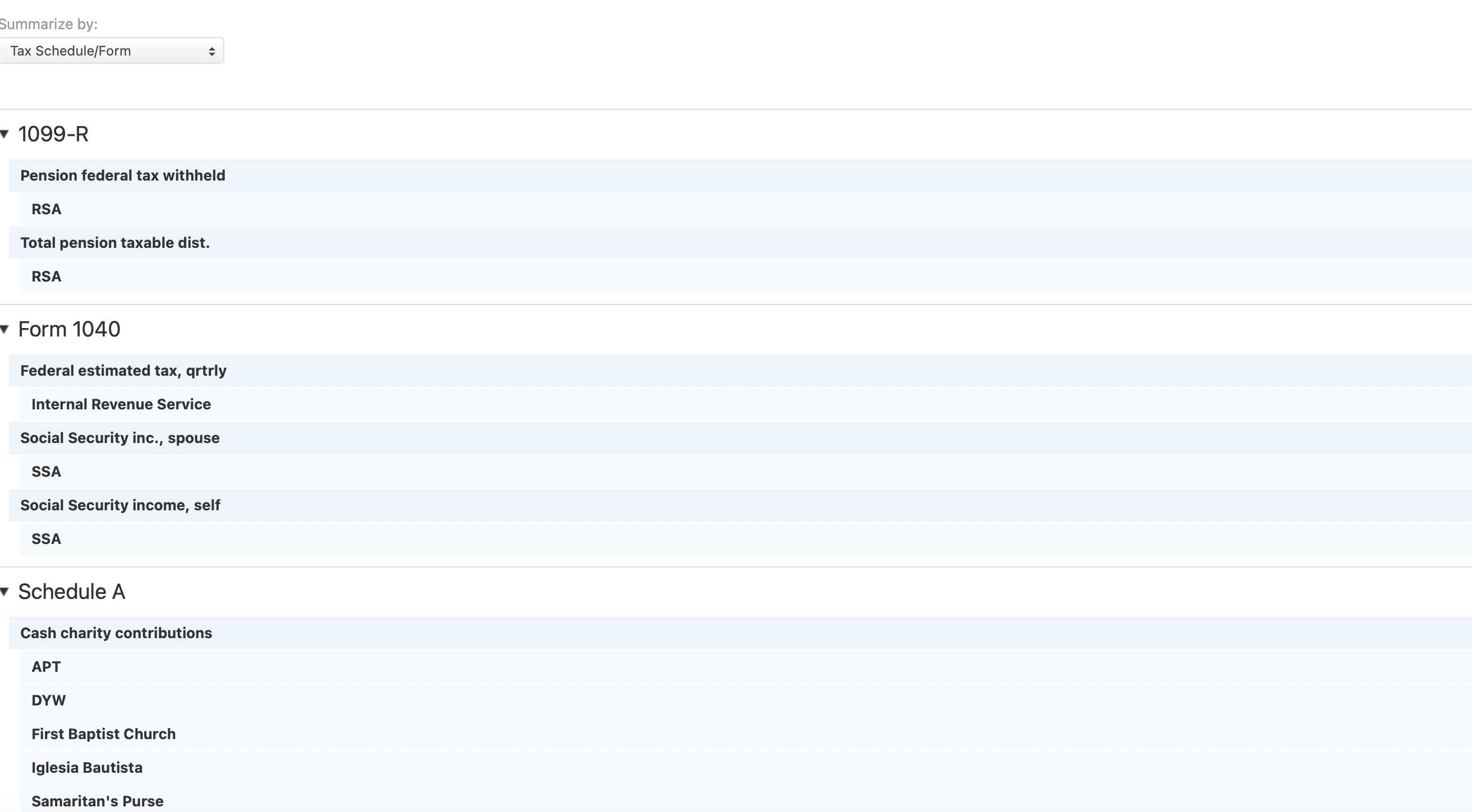
The great thing about this is it gives me just about everything I need for my tax return and it saves and prints in as I have it. When we worked and paid FICA and State income tax, those were shown with categorized total separated by our employer.
SRC54
Re: Ability to sync Amazon/Major Retailer/Big Box order details [edited] (1 Merged Vote)
I used to think this was a nice to have until I used another product that does this. It's a really nice feature to have.
 Max1223
Re: Track Interest Rates for Accounts (edited)
@ewd_20834756, thanks for posting your suggestion to the Community!
Since the main focus of your request is the ability to track interest rates for accounts in Quicken Simplifi, I have merged it with this existing request, which already has 22 votes.
Otherwise, as @SRC54 mentioned, you can already add transactions and create recurring transactions after you make a manual debt account. If you are looking for some form of automation where the recurring reminders are automatically entered into the account, we have other requests you can vote for, such as this one:
I hope this helps!