I am looking at the Settings → Accounts screen and I don't see any "lightening bolt" icons. Does that mean none of my accounts are using 0Auth?
Hello @sjc314,
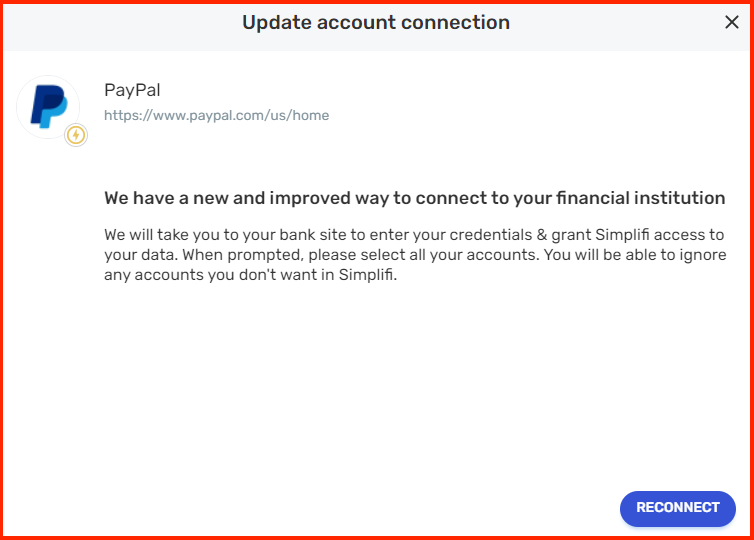
Thanks for the reply. For the financial institutions that use OAuth to connect in Quicken Simplifi, you'll use a bank-hosted sign-in form to authorize downloads.
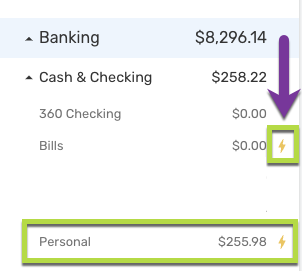
You may also see a symbol next to your API connected accounts that are ready for migration:
As for determining what your current accounts are that are on OAuth in Quicken Simplifi, the only real way to tell is when going through the OAuth flow when adding or updating your accounts. If you would like the addition of an indicator that shows which connected banks use an OAuth API, I would suggest making an idea post that other users can vote for as well!
I hope this helps!
-Coach Jon
Thanks for reaching out! This support article goes into great detail on what these accounts look like in Quicken Simplifi: https://support.simplifi.quicken.com/en/articles/6997452-new-and-improved-way-to-connect-to-your-financial-institution-oauth-api#h_f97a092fa4
I am looking for some indication in the account information that tells me whether of not the account is using 0Auth. Some sort of icon or another that tells me that an existing account is using the 0Auth API. The referenced article tells you how to set it up but I can't find anywhere where it allows you to check or verify it whether or not the account uses it.