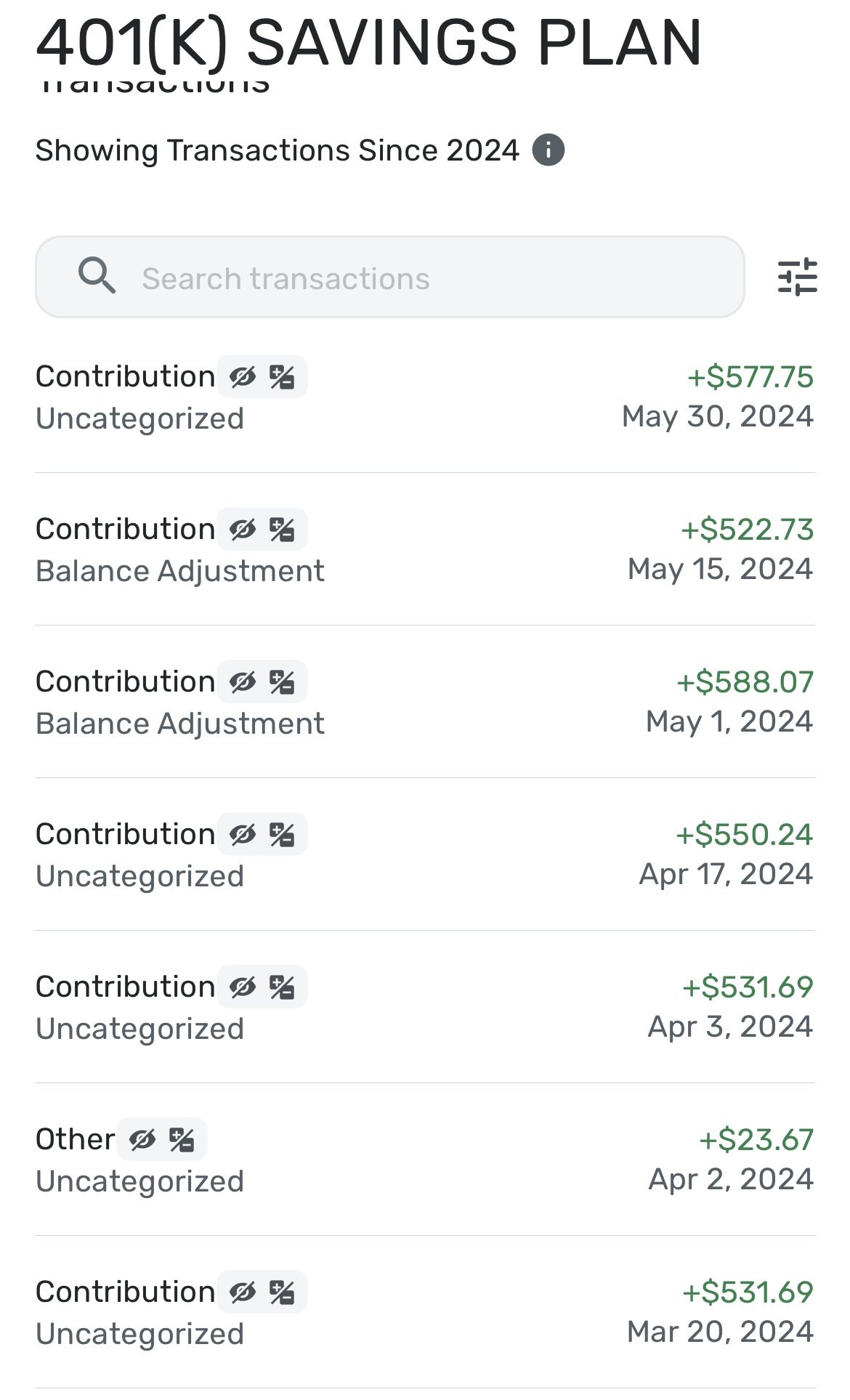
This discussion was created from comments split from: Can't connect to Voya Financial - FDP-106 (edited).
my account connects but only the balance not the transactions update
Hello @Dedelydee ,
Thanks for reaching out! To better assist us with understanding your situation, can you please provide screenshots showing the issue within Quicken Simplifi?
If the account balance is itself updating, but no transactions are downloading, I would also see if resetting the account connection would work to resolve the issue here: https://support.simplifi.quicken.com/en/articles/4857199-when-and-how-to-reset-your-account-connections#h_037ac19bf9
-Coach Jon
This is a retirement account that uses Voya to log in. This is contributed to bi-weekly and hasn’t shown a transaction since over a year.
I tried resetting. Didn’t work
Thanks for the reply. Let's try establishing a fresh connection by making the account manual and re-linking to see if that fixes the current issue. The instructions to do that are:
Let us know!
I already did that
Thanks for confirming! I noticed you were using the Quicken Simplifi mobile application. Does the same issue appear in the web application if you try the same steps mentioned above there?
We will want to make sure in case this issue is specific to the mobile application. If you do not see the same issue in the web application, please let us know!