Issues with 1st Security Bank of WA (FDP-103 / FDP-2102)
Has anyone else had issues recently connecting with 1st Security Bank of WA? They completed an online portal platform change over the weekend that went live yesterday. Since then, Simplify is no longer connecting. I keep getting a FDP-103 error saying that I have to re-enter my credentials, which I do, but it does not work. I am able to log in to their web site just fine. Just raising this in the event that Simplifi has to make a change on the back end given the bank's new online platform…
Comments
-
@Sstrico, thanks for reaching out to the Community with this issue!
I was able to confirm the FDP-103 error when checking your connection attempts with 1st Security Bank of Washington from our end; however, it appears you are using a discontinued bank option. When checking in Quicken Simplifi, I don't see an active bank option for 1st Security Bank of Washington, so it was likely removed.
To be sure, you will want to follow these steps to establish a completely fresh connection with the bank, though I suspect you will not be able to complete the linking part if the bank is not presented as available to connect to:
- Make all of the accounts with this bank manual by following the steps here.
- Once you see the account(s) listed in the Manual Accounts section under Settings > Accounts, go back through the Add Account flow to reconnect to the bank.
- If the connection is successful, carefully link the account(s) found to your existing Quicken Simplifi account(s) by following the steps here.
If you are unable to locate the bank, try searching for the URL as well. You can also provide the URL here if you'd like us to look from our end. Otherwise, please let us know how things go!
-Coach Natalie
0 -
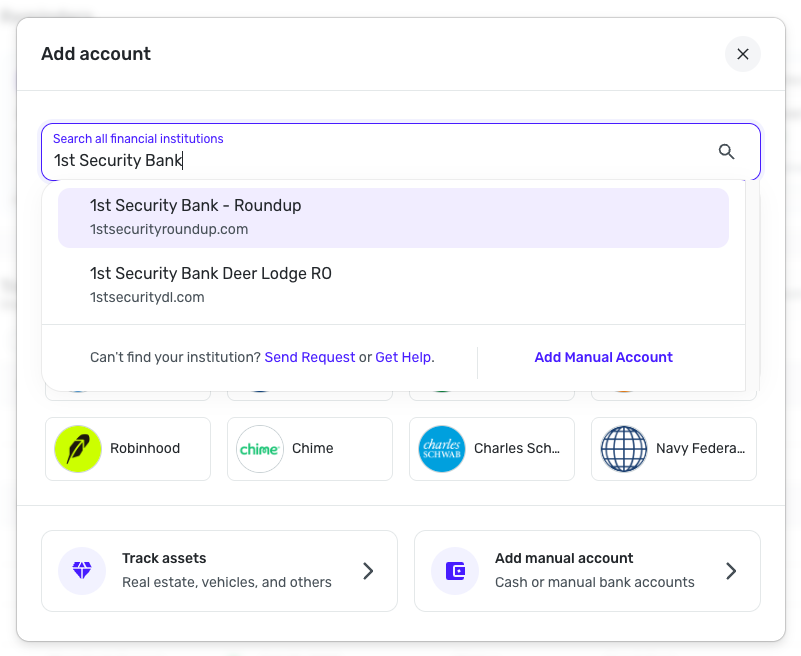
I made the accounts manual and tried to reconnect. 1st Security Bank of Washington is listed in the search box for adding a new institution. When I tried to reconnect, I get:
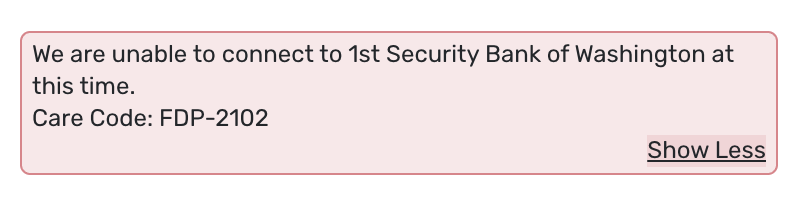
"We are unable to connect to 1st Security Bank of Washington at this time.
Care Code: FDP-2102"
I also tried searching for the url, and it took me to the same bank and I received the same error code. The URL is https://www.fsbwa.com/online-banking. That is the URL I use to log in to the bank's web site.
0 -
According to the information on their website regarding their online portal upgrade, it states that third-party integrations will be improved on their new platform. I suspect that Simplifi needs to do some sort of a reset/re-establishment of their connection as a result of 1st Security Bank of Washington's switch to their new platform.
0 -
@Sstrico, thank you for following the steps and posting back!
I now also see 1st Security Bank of Washington in Quicken Simplifi; very strange that it was missing for me yesterday. I was also able to confirm the FDP-2102 error when checking your connection attempts from our end, and I also received the FDP-2102 error when attempting to connect to the bank in Quicken Simplifi using dummy credentials. This means we will likely need to submit an escalation for this particular error.
To do so, please provide the following data:
- A screenshot of the Accounts Summary page from the bank's website that has a wide enough scope to show the full page URL. This is the landing page after signing in, and typically lists all accounts and balances. You will want to take this from a web browser and not a mobile browser, as well as redact any private info such as account numbers.
Please also submit your logs via the 'Send Feedback' option:
- Log in to the Quicken Simplifi Web App.
- Select Profile from the left-hand navigation bar.
- With the Profile menu open, hold down the Option key for Mac or the Alt key for Windows, and then click Send Feedback.
- Leave all boxes checked, add a brief description of the issue, and then click Send.
You also mentioned that the bank went through an online portal upgrade. Are you able to share documentation from the bank's website regarding this? This will help us with the escalation process.
I look forward to hearing back from you!
-Coach Natalie
0 -
Attached is the screenshot requested, and here is a link about the change in their online platform: https://www.fsbwa.com/online-banking-upgrade. I have sent the feedback.
[removed - privacy]
0 -
@Sstrico, thank you!
I downloaded the screenshot and removed it from your comment for privacy, since it showed your balances and stuff. Sadly, I can't access the link you shared for the online banking upgrade. Maybe because I'm not signed in? Can you take a screenshot and send that instead, please?
-Coach Natalie
0 -
Here is a pdf of the page. Not sure it is going to be all that helpful…
0 -
@Sstrico, thank you!
I have filed a ticket with our service provider and will follow up here as updates are received.
EWC-12013162
-Coach Natalie
0 -
@Sstrico, I had to escalate this a different way and have added the new ticket number below.
While this is being worked on, you can track the account manually to keep your records up-to-date. Here is our support article on adding manual transactions:
CTP-14964
-Coach Natalie
0 -
I tried to re-link the accounts this morning and it worked. It downloaded the transactions that occurred during the time when it was not linked, so it would appear that it is working now. The only glitch is that the reported account balance in Simplifi for the checking account is $680 less than the amount reported by the bank. There are no pending transactions that add up to this amount and no transactions that add up to this amount that I can see, going back a couple of months - all transactions reflected on the bank web site are reflected in Simplifi. I suspect this difference may clear up in the next day or two as this seems to happen sometimes. At least it is downloading properly again.
0 -
…I should add that I checked for transactions in Simplifi that are not reflected by the bank and there are none (i.e. I checked both ways - bank to Simplifi, and Simplifi to bank).
0 -
@Sstrico, thanks for the update!
I'm glad to hear you were able to get connected, and I went ahead and closed out the escalation ticket for the FDP-2102 error. As for the balance issue, yes, please let us know if this doesn't clear up. Quicken Simplifi doesn't use transactions to get the balance for connected accounts, so this data should be syncing via the connection with your bank.
If you do end up reporting a separate issue, please do so via a separate thread, as the topic here is for the specific error code you were receiving.
Fingers crossed that the balance issue clears up for you as well, though!
-Coach Natalie
0 -
Sorry, would you be able to keep the ticket open with them? I am still seeing the FDP-2102 error after trying to reconnect today.
0 -
@Denis, thanks for joining the discussion!
We would want to take a fresh look at your specific case before re-escalating the issue. With that, is the FDP-2102 error occurring on an existing account in Quicken Simplifi, or when attempting to connect to 1st Security Bank of Washington for the first time?
If the former, please follow these steps to establish a completely fresh connection with the bank:
- Make all of the accounts with this bank manual by following the steps here.
- Once you see the account(s) listed in the Manual Accounts section under Settings > Accounts, go back through the Add Account flow to reconnect to the bank.
- If the connection is successful, carefully link the account(s) found to your existing Quicken Simplifi account(s) by following the steps here.
Let us know how things go, please!
-Coach Natalie
0 -
I'm getting code FDP-2102 when attempting to add a fresh connection to First Security Bank of Washington (fsbwa.com). They recently changed their online banking platform.
Another user was having the same issue in but it spontaneously resolved for them. Natalie had previously opened a ticket with the bank, I'm hoping the same can be done for me. Thank you!
0 -
@Denis, I merged your new post back into the ongoing thread for this issue. We need you to answer the questions that were posted to you above and try the troubleshooting steps.
Let us know how things go!
-Coach Natalie
0 -
I made the existing account manual and tried creating a fresh connection, but the screenshot was the error I got.
0 -
@Denis, thank you for giving those steps a try and posting back!
So we can reopen the ticket with your information, please provide the following:
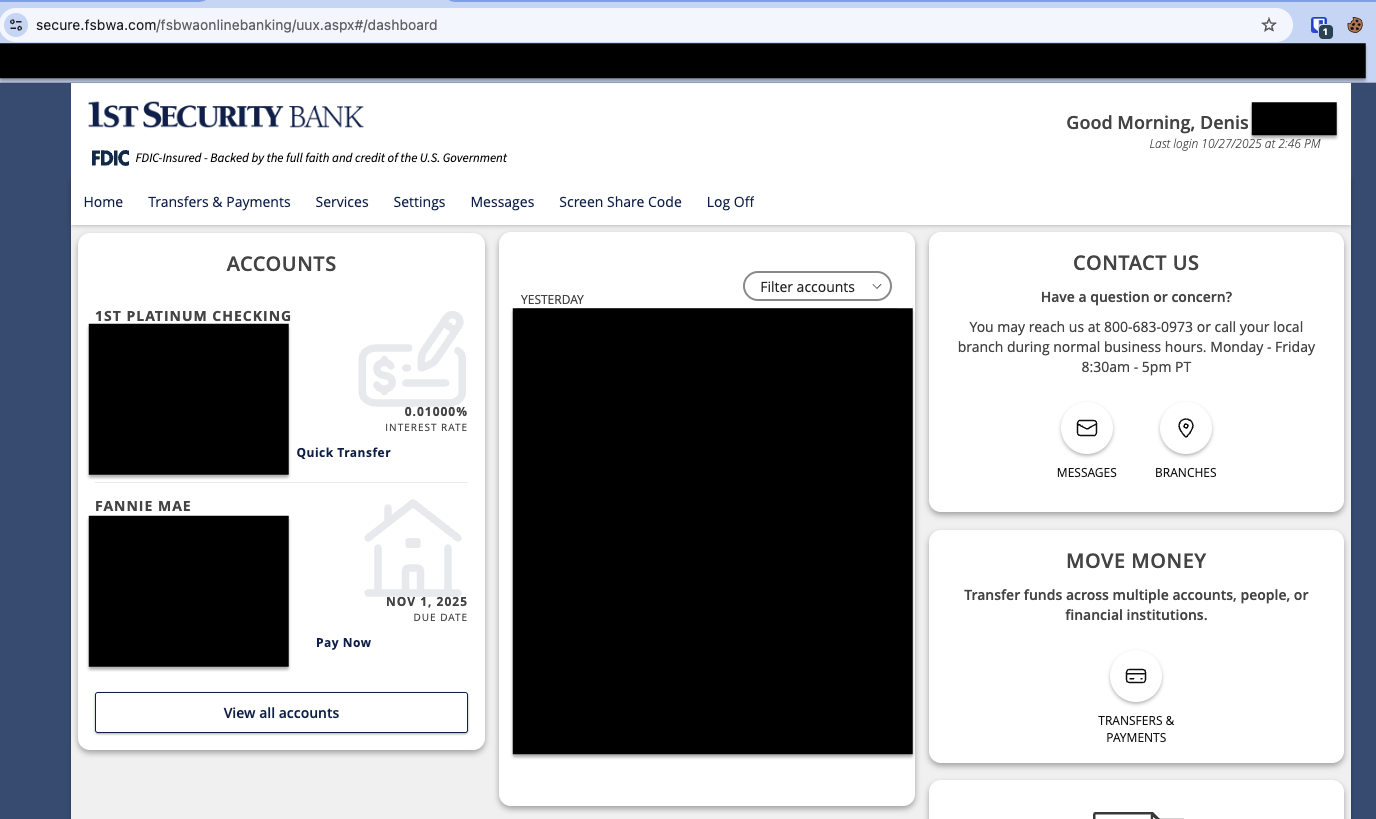
- A screenshot of the Accounts Summary page from the bank's website that has a wide enough scope to show the full page URL. This is the landing page after signing in, and typically lists all accounts and balances. You will want to take this from a web browser and not a mobile browser, as well as redact any private info such as account numbers.
Please also submit your logs via the 'Send Feedback' option:
- Log in to the Quicken Simplifi Web App.
- Select Profile from the left-hand navigation bar.
- With the Profile menu open, hold down the Option key for Mac or the Alt key for Windows, and then click Send Feedback.
- Leave all boxes checked, add a brief description of the issue, and then click Send.
Much appreciated!
-Coach Natalie
0 -
Hi Natalie,
Screenshot attached with address bar.
0 -
-Coach Natalie
0 -
I was able to successfully connect my account today
0 -