Invoices: Can't list line items as $0 and clients don't see the minus sign next to discounts

I've noticed two glitches when sending invoices this week:
1). The invoice will not let you list a line item as 0.00. I have a lot of line items on my invoices that don't have a dollar amount next to them, so this is annoying because I end up having to put 0.01 down on the line item and then make another line item to discount the invoice back so it balances. This should be an easy fix. Please allow an invoice line item to have a price of 0.00.
2). When listing a line-item discount on an invoice such as (Holiday Discount -$20.00). The invoice on my end shows the minus sign (-) and does the math correctly. However, on the clients end when they get the invoice, they cannot physically see the (-) next to the number and think the math is wrong because when they add up the invoice the discounted amount shows up without the minus sign, causing them to think it's another line-item expense when its's actually a discount.
Thanks!
-Asher-
[edited title for clarity]
Comments
-
Hello @Asher,
Thanks for reaching out! For your first inquiry, I can confirm that any listed items in Invoices cannot have a $0 amount. If you would like for this to be implemented, you can create an idea post for this feature that you and other users could vote on and provide feedback for.
As for your second inquiry, are you listing the discount as a line item itself, or are you entering the discount into the 'Discount' field at the bottom of the invoice?
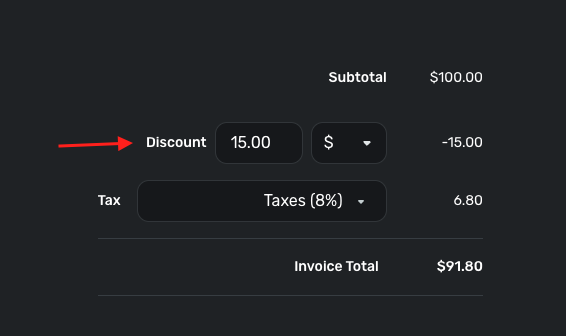
-Coach Jon
-Coach Jon
0 -
Hey Jon,
I'm listing a discount in the line-item fields. I am aware of the "discount" field, and that works fine if there's only one discount and the client doesn't need an explanation of the discount, but that's usually not the case for me so I always list any discounts as line items. Again, this method works perfectly except that the actual (-) sign doesn't show up on the client's end (even though it's technically there). The client see's the invoice, see's the line-item discount, and see's the discount number as an additional charge instead of a discount and emails me about the math not being right on the invoice (even though the total invoice amount is correct). Does this make sense? It's such a small thing, but it causes issues every time. Thanks!
1 -
Hello @Asher,
Thanks for the reply! I think submitting an idea post may be in order for the way you wish to utilize the Invoice feature in this case. Either having the ability to include notes for the Invoice Discount field, or having the ability to indicate via signage if line items are adding or subtracting from the total. This way, other users could vote for and pitch in their own feedback for your idea.
Additionally, you could utilize the Notes field when creating an Invoice to explain any discounts that you are applying via the Discount field as well.
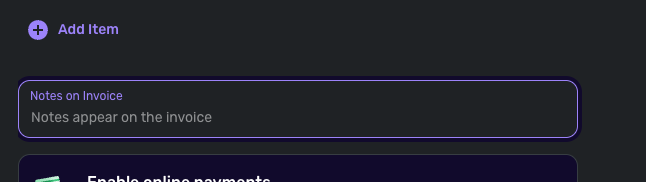
I hope this helps!
-Coach Jon
-Coach Jon
0
