@Coach Jon Jon, I think you work closely with the programers, or engineers, can you check on this for me? A couple of months ago I noticed deposits like Social Security and retirement for me and my wife were being recorded as personal income. I had created a more descriptive category which I made a sub category a personal income and made a rule that was applying the correct sub category. Only rules with subcategories I created quit working. Because only the rules that use the sub categories were having a problem I made the sub categories main categories but that did not fix the proper. I work three hours with tech-support trying to make these rules work and support was able to duplicate the the problem and made a ticket which you noted on the forum in a closed post. The problem was when I create the rule Simplifi does not find the previous records. It has been a couple of months and now when I create a rule it finds the last two month's records, but the rule I create still does not work.
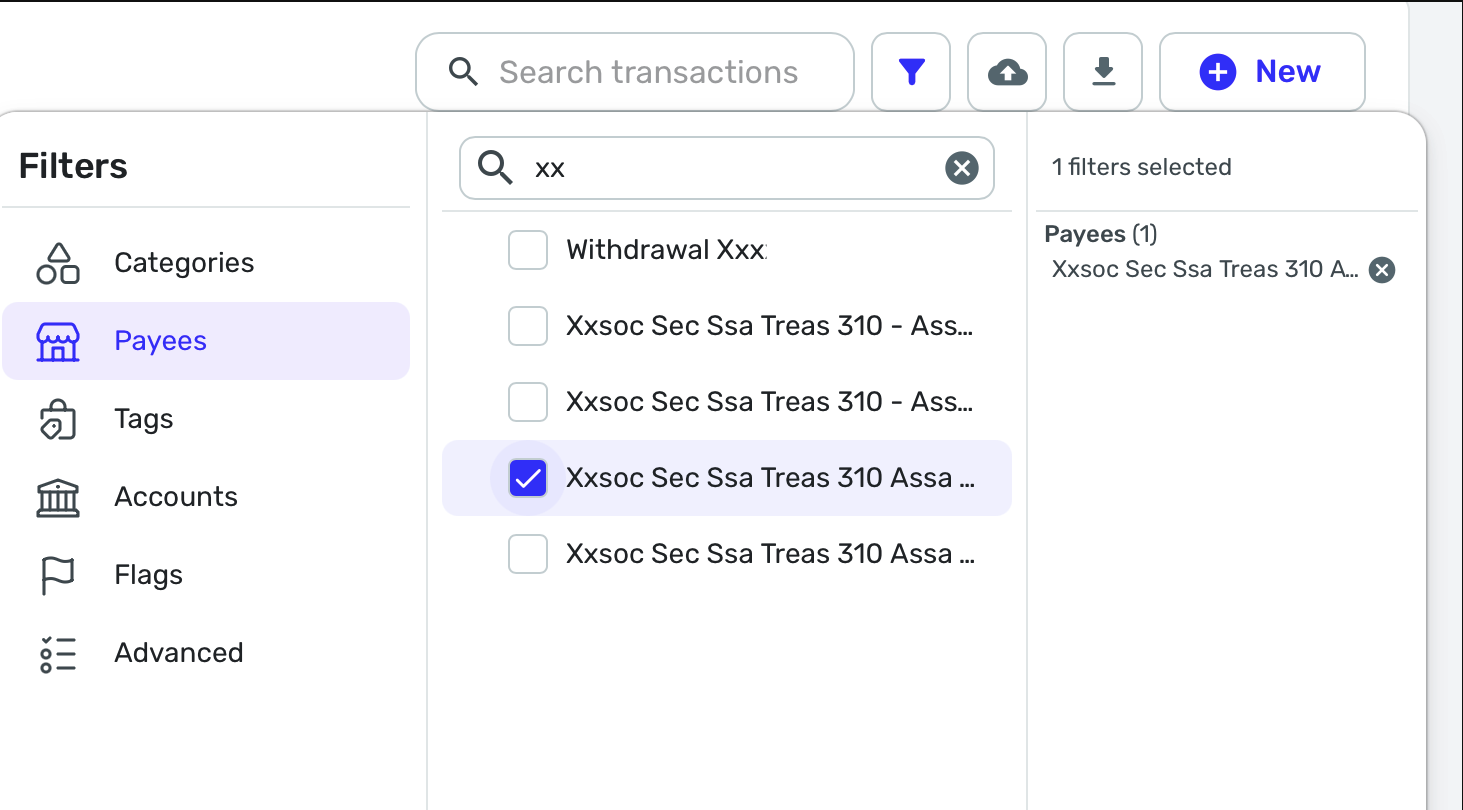
When I fill in my payee, it's like the payee name has changed, and I have a payee before the bug and a payee after the bug. I will attach a screenshot. I also have copied the payee and the payee showing for the old records and the new records below.
Working records that quit first line is actual payee. Between me and support, we tried just about every combination. The original working rule was Contains everything shown below and change name to same.
Xxsoc Sec Ssa Treas 310 Assa Jarvis A Seabolt Ach Credit
Below is copied from the working transaction, and we tried all capitals, and rule still did not find records.
XXSOC SEC SSA TREAS 310 ASSA JARVIS A SEABOLT ACH CREDIT
Below is from transactions occurring after bug introduced. The change name box is not checked now, may have been at one time but the rule is not working, and it defaults to Personal income.
Xxsoc Sec Ssa Treas 310 - Assa Jarvis A Seabolt
XXSOC SEC SSA TREAS 310 ASSA JARVIS A SEABOLT ACH CREDIT
Thanks
[Edited - Removed partial account number/Readability]


