Is this going to get fixed?
I have read other posts about the problem but still a issue.
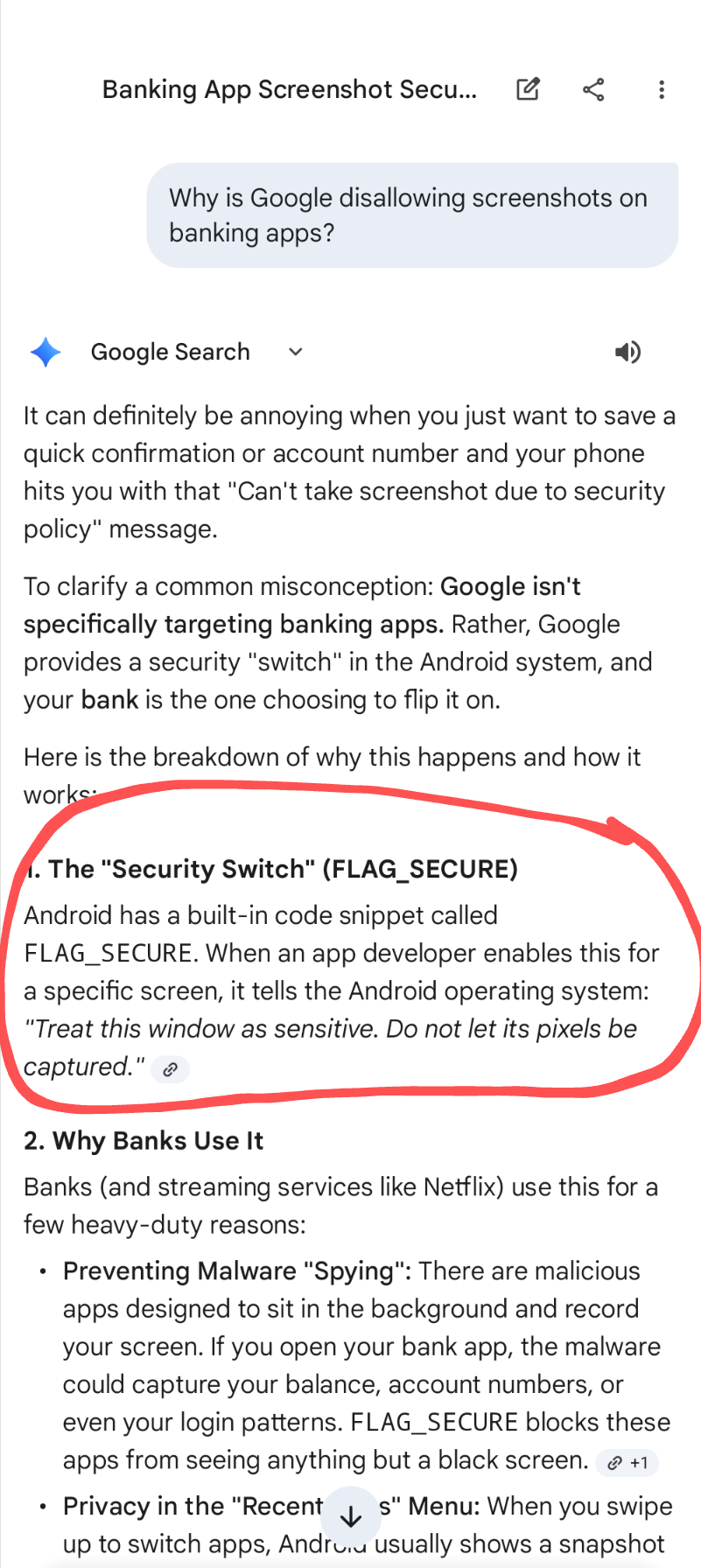
See attachment that AI Gemini addresses..
This information is putting the blame on Simplifi app developers
Hello @schwoeg1?,
Thank you for letting us know you're unable to take screenshots on the Pixel 10 and tablet. Reviewing an earlier discussion, I see a couple of Pixel-specific recommendations. If you haven't already done so, please try following these steps:
Device-Specific Glitch: Sometimes, the screenshot function on Pixel phones can stop working due to a temporary software glitch.Solution: Try booting your phone into Safe Mode (press and hold the power button, then press and hold "Restart" until the prompt appears) and see if the screenshot function works there. If it does, restart your phone normally, and the issue might be resolved.Incorrect Screenshot Method: Ensure you are using the correct method for your Pixel phone: press the Power and Volume down buttons at the same time.
Incorrect Screenshot Method: Ensure you are using the correct method for your Pixel phone: press the Power and Volume down buttons at the same time.
Please let us know how it goes!
When I do that I get blank screen shot..
You guys need to get with Google and get it figured out..
Sorry, Quicken needs to get it figured out and fix it.
Kristina,
Is this a dead issue or will this be figured out? Thanks
@schwoeg1?, thanks for giving those steps a try and posting back!
Based on the previous discussion, the restriction appears to apply to the device itself rather than the Quicken Simplifi app.
"I searched Google for "can't take screenshot in quicken simplifi using a Pixel 10 Pro XL" and here is what I was told —
AI Overview
The inability to take a screenshot in the Quicken Simplifi app is likely due to a device-specific restriction or a security policy enforced on your phone, not a restriction imposed by the Simplifi app itself. Many users on Android and iOS devices can take screenshots without issues.
Potential Reasons and Solutions
Here is a Reddit post I found, too: https://www.reddit.com/r/simplifimoney/comments/1bdyone/screenshot_on_app/"
The user in the other discussion was advised to look at the behavior from a device perspective. Unfortunately, they never responded with their findings.
From a Quicken Simplifi perspective, if you'd like to request that the flag you called out in your screenshot be disabled (the "Security Switch FLAG_SECURE one), you'd want to do so by creating an Idea post. This appears to be specific to Pixel devices, so the Idea post will allow other affected users to vote for the change, allowing our product team to gauge how many users would like to see it implemented.
Otherwise, please let us know if you learn anything further on the device/Google side of things!
Natalie,
Here is the AI Gemini information I have. Please see screenshot. It's blaming the app developer.
In my opinion the Simplifi app developer needs to reach out to Google because Google is blaming them. He said she said issue!
@schwoeg1?, thanks for the reply!
The best course of action from here in the Community at this time would be to create that Idea post, as previously mentioned. Please see my last comment for more details and our FAQ on creating and voting for Idea posts in the Community.
Much appreciated!
Sorry, I'm done with all of this community [removed - profanity] to get things done! Don't have time or patience for this!
Sorry, this is such a joke!😂
@schwoeg1?, thanks for taking the time to create an Idea post — we appreciate you doing that and sharing your feedback. For other users following along here, here is the link for the Idea post:
This behavior isn’t something we’d classify as a bug, which is why we recommended submitting an Idea. Now that the request and context are documented there, it gives our product team visibility into what you’re looking to see changed and allows them to evaluate it alongside other requests.
We’ll be closing this thread so feedback can stay centralized in the Idea post. Thanks again for sharing your thoughts.