I haven't been able to see any transactions having been downloaded in 6 days. No Transactions at all. Anyone know what might have happened. I can run a Report but there aren't any Transactions from the last date of a download.
@Thomas56, thanks for posting to the Community with this issue!
To clarify, are transactions not downloading from a specific bank? Or are you not seeing new transactions for any of your banks/accounts? Are the transactions still pending on the bank's website(s)? And what are the names of the impacted banks?
Let us know!
No transactions have downloaded since Feb 10. Most of my transactions are from Wells Fargo for checking and Discover credit card. All transactions have cleared the banks.
@Thomas56, thanks for the reply!
I would recommend following these steps to make the accounts manual and re-link them for each bank experiencing the issue, as well as gain a new access token for any OAuth banks, such as Wells Fargo and Discover:
If the issue persists after doing so, you'll want to create a separate post for each bank/issue so the proper troubleshooting can ensue and the issues don't become jumbled in a single thread. Our FAQ here goes over how to post to the Community:
Fingers crossed the steps work for you!
Thank you for working with me on this. I have to add that two transactions have shown up from Wells Fargo. One a deposit and another a debit card transaction and those are the only two transactions at WF since this issue started. And nothing has shown up from Discover. Should I still follow those steps you outlined for Discover?
@Thomas56, that's great to hear that Wells Fargo is working for you now!
Yes, you will want to follow the same steps with Discover. Discover is currently undergoing a migration, so it's especially important to establish a new connection with them.
Let us know how things go!
Quicken/Sim doesn't show up as a third linked app in Discover. Should I still follow thru with the manual setting in Simplifi
@Thomas56, yes, please follow the remaining steps.
Thanks!
Natalie
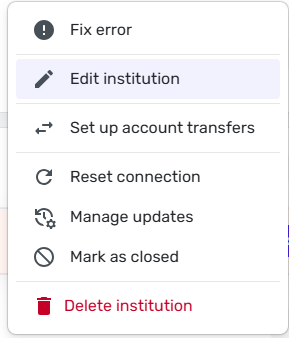
when I click the three dots this is what I see
@Thomas56, based on your screenshot, you're clicking the three dots for the financial institution, not the account itself. The article I sent above has the steps you need to follow, with visuals: https://support.simplifi.quicken.com/en/articles/5321064-switch-a-connected-account-to-manual-mode#h_d9c41566d8
You will need to make each account with the financial institution "manual" before re-linking:
I hope this information is clearer!
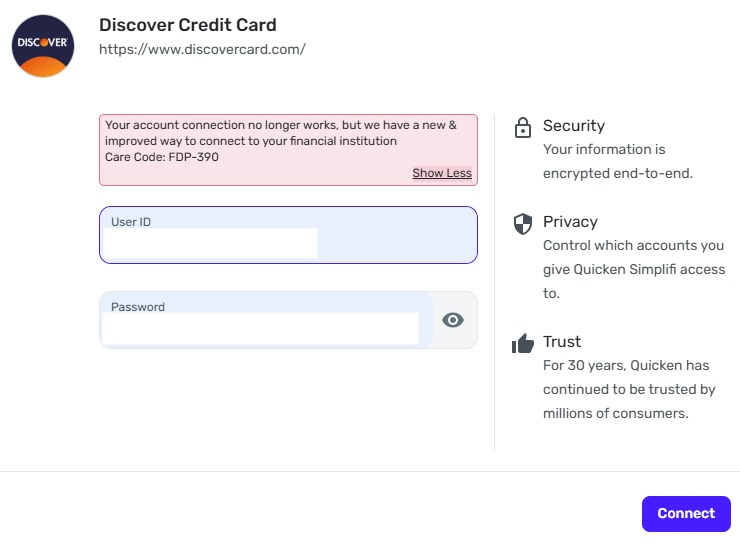
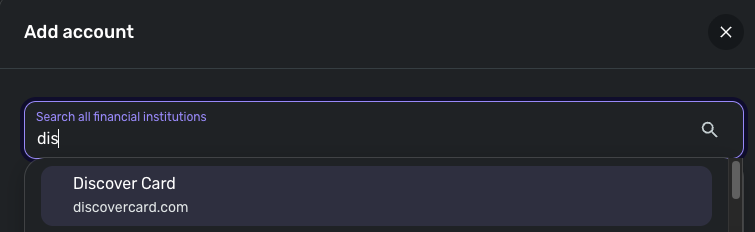
Here is where I am. I've made the Account Manual. I've gone to add it back, and I am stuck here:
[Edited - Removed Personal Information]
Thank you for your reply,
Instead of using the Discover Credit Card connection option, please use the Discover Card connection option when reconnecting your account.
Please let me know how it goes!
That worked. Thank you.
Now…I'm missing 10 days of Transactions from Discover. Is it possible to "ask" Discover to download during those ten days?
@Thomas56, that's great to hear that worked for you!
Regarding the missing transactions, are you saying that the most recent 10 days of transactions didn't download when you reconnected the account? Or are these older transactions that presented a gap in your register?
I'm missing all of the transactions from the day they stopped until the day I got reconnected. Once I got reconnected, they have downloaded as usual.
@Thomas56, thanks for confirming you are referring to missing a gap in your transactions.
Although the transactions should have downloaded upon reconnecting the account, since a migration is currently underway with Discover, that may be part of the issue. In this case, I'd recommend importing the missing transactions to fill in that gap. The following support article has the steps to do so!
https://support.simplifi.quicken.com/en/articles/4413430-how-to-manually-import-transactions
If you can get a CSV file from your bank that contains the specific transactions, that may be even easier. Let us know if this works for you!
Thank you for your continued help but I must say…20 or so years ago when I first used quicken you could accomplish this in a much simpler way. You could tell Quicken which dates to go download Transactions from your bank and, voila, it was done. Simple. I'm getting used to Simplifi but it is not an improvement over Quicken from 20 years ago. This is not a personal knock in any way to you and the Simplifi team but in this case, advancements in technology haven't improved the way an issue like this resolves itself.
Regards, Tom
I've look thru the instructions. After I hovered and chosen the account, am I downloading into the CVS file the old Discover or the new Discover? They both show up in my Accounts list.
@Thomas56, you'd want to import them into the account that has the gap, which I presume is the account you intend to use moving forward.
However, you shouldn't have two separate accounts. When reconnecting the account to the 'Discover Card' option, you would want to link the connection to the original account in Quicken Simplifi, not add a new account. Could this be the reason you have a gap in transactions?
The steps you can follow are:
Before deleting the newly created duplicate account, I strongly recommend checking the account you just linked to ensure it contains all historical data, which will confirm that the account you are deleting can indeed be deleted. You can rename the accounts before following these steps as well to identify which is the original and which is the new account. The steps to do so can be found here: https://support.simplifi.quicken.com/en/articles/3453445-how-to-edit-your-bank-account-names-and-types#h_7fa1adc937
If you want someone to walk you through these steps, our Chat/Phone Support team can do so via a screen share! https://support.simplifi.quicken.com/en/articles/5077917-how-to-contact-support
[removed - duplicate post]
Edit to remove earlier question
@Thomas56, I'm sorry to hear that's happening.
Was this after reconnecting the account? If so, how often do you update your accounts in Quicken Simplifi? Do you confirm that transactions download as expected each time? Or did the transactions download, and now they're missing?
Our support article here goes over troubleshooting missing transactions in Quicken Simplifi; I'd recommend following the steps to identify any potential culprits: https://support.simplifi.quicken.com/en/articles/3412682-troubleshooting-missing-transactions