Feature Questions & Feedback

Hi Simplifi team, I’ve been using the platform for a while and had a few questions and suggestions I hope you can clarify or consider for future updates:
- Multi-Factor Authentication (MFA)
I've enabled MFA, but it looks like only email-based codes are supported. Are there plans to support other options like authenticator apps (e.g., Google Authenticator) or passkeys? - Annual/Bi-Annual Expenses
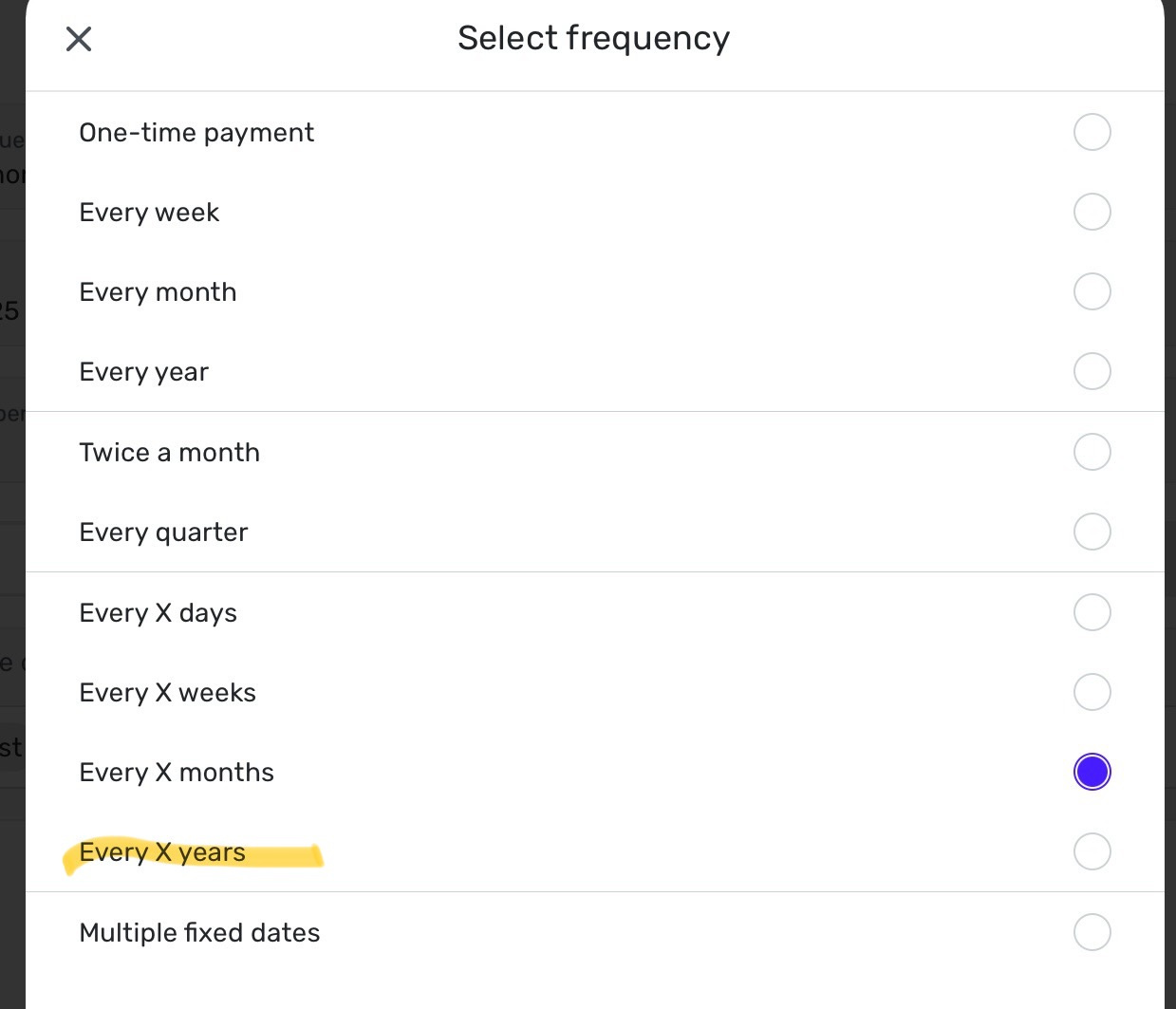
I have some expenses (e.g., home insurance) that are paid annually but cover multiple months. Is there a way to spread the cost across those months to reflect a more accurate monthly budget? Right now, a single large expense skews the reporting for that month. - Hidden Transactions in Reports
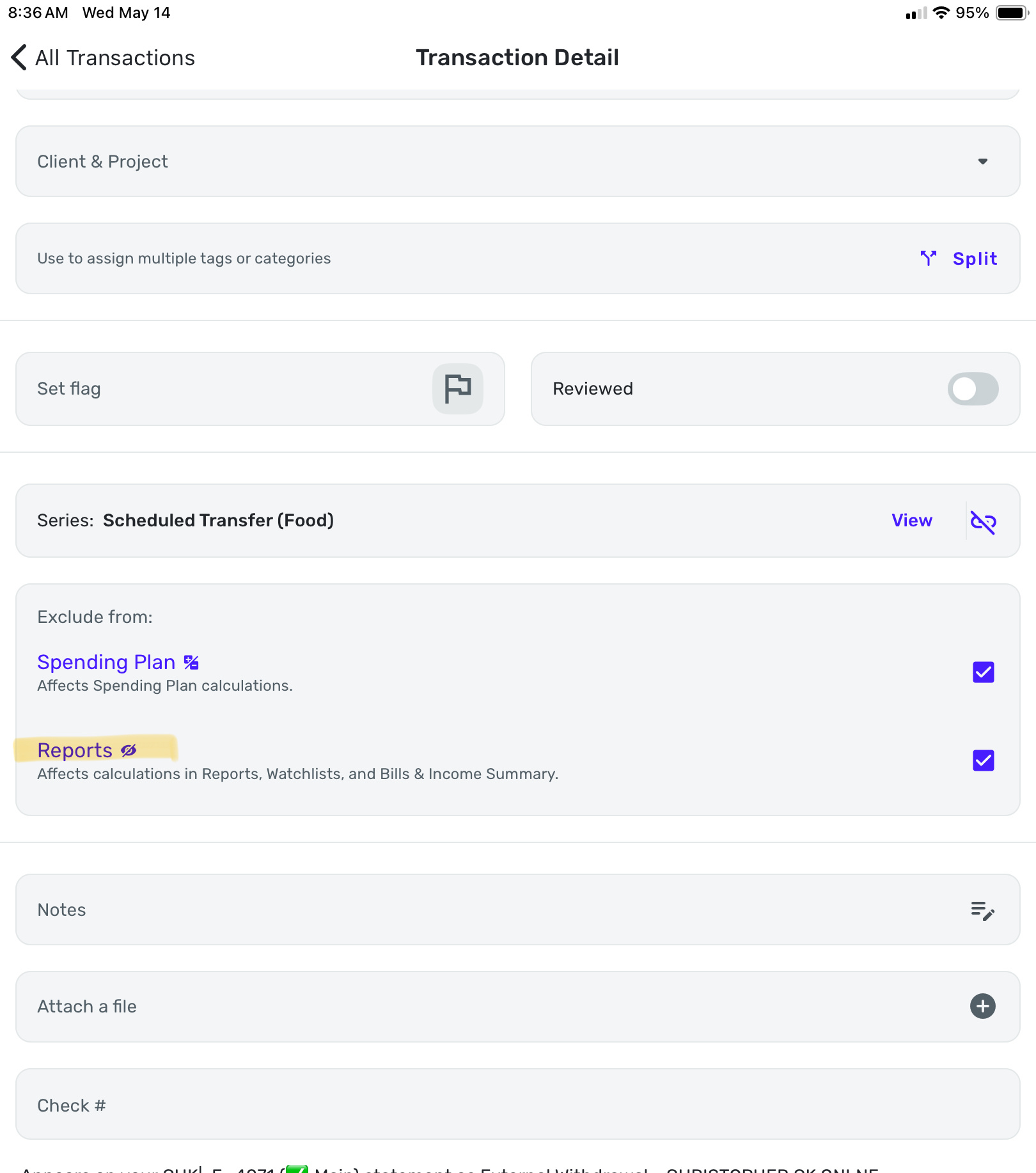
Is there a way to completely hide excluded transactions from reports and spending views? Currently, they're greyed out but still visible, which clutters the view. I'd prefer an option to fully remove them from sight. - Net Worth Discrepancy
The net worth shown on the Dashboard doesn’t match the value shown under Reports > Net Worth > Current Month. Shouldn’t these values be the same? - Net Worth as a Goal
I’d love to set a net worth goal and track progress automatically using the data Simplifi already has, without manually entering anything. Is this something that could be added? - Retirement Planner Feedback
I tried using the Retirement Planner but couldn’t select my retirement account values — am I missing something, or is this a limitation? It seems odd that it wouldn't pull in that existing data.
Comments
-
@arknemsis
For any of these that you want to be Feature Request, you’ll need to create them as “Idea Posts” in this forum; one Idea Post per topic. That’s the only way that they will be considered by Simplifi. By searching for keywords in this forum, you may find that some of these are already ideas for improving Simplifi that you can vote on.#2 - Good news, you can already do this with “Recurring Series”! Go to Settings>Recurring Series>Three Dots>Edit and look for this screen…
Chris
Quicken Simplifi user since 2021.
Quicken Desktop user since 2014.
Spreadsheet user since forever.0 -
Hi @arknemsis
My net worth on Dashboard and the net worth report show the same amount. Have you checked to see if you have excluded an account? There was a bug about this a while back but it was resolved. So fi there isn't a reason for this, it sounds like you should document it and make a bug report.
Since I'm already retired, the planner is not too useful to me but I have played around with it. Make sure that the age you plan to retire is higher than your current age. I had some problems with that so upped my retirement age to 73. Probably not helpful but only thing I could think of.
Steve
Quicken Simplifi (Safari & iOS) Since 2021
Quicken Classic (MacOS) Since 2009
MS Money (1991-2009) and Dollars & Sense (1987-1991)0 -
#3 - Good news here too. You can adjust this when editing a transaction with this setting…
Chris
Quicken Simplifi user since 2021.
Quicken Desktop user since 2014.
Spreadsheet user since forever.0 -
@arknemsis, thanks for posting to the Community!
Here are some Idea posts that cover most of the topics you mentioned:
For Retirement Planner feedback, you will want to post to our official feedback thread here:
As for hiding excluded transactions from Transaction Activity areas of the Spending Plan, you can use the little eyeball at the top left of the register to show or hide them:
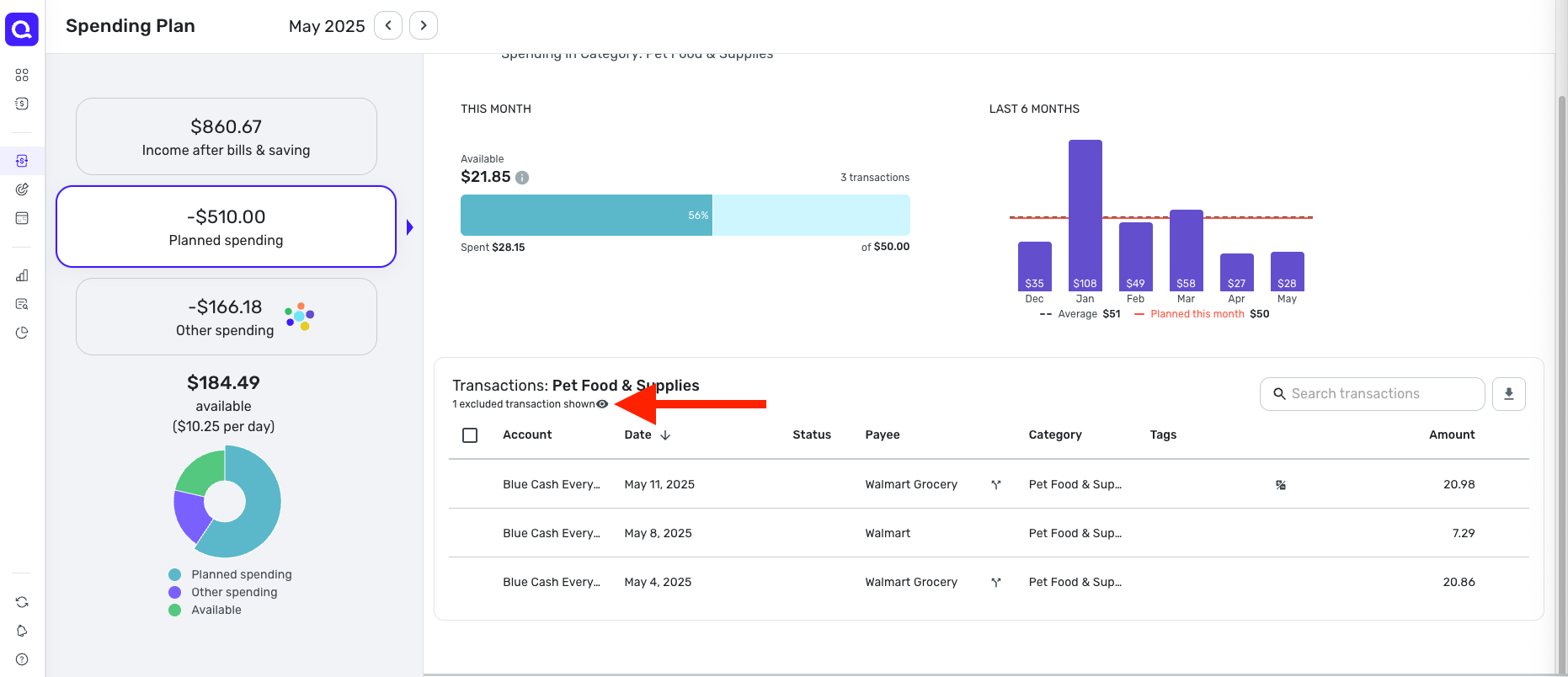
Please note that the eyeball will only show up when there are excluded transactions. If you want to hide excluded items from the Income After Bills & Savings section of the Spending Plan, you can do so in the three-dot menu of each bucket:
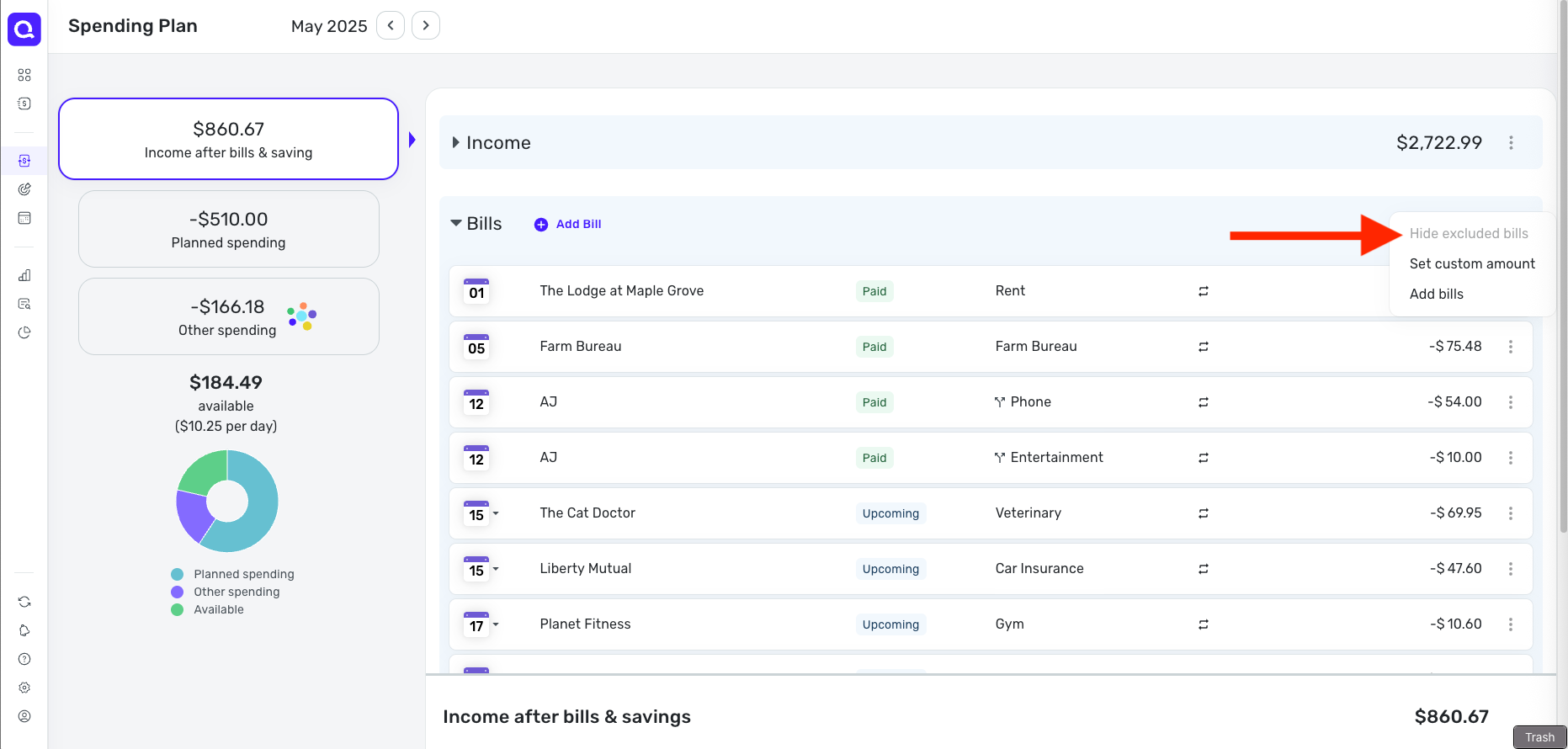
In this section of the Spending Plan, again, the option will only be available when there are excluded items to hide or show.
I believe that just leaves the Net Worth discrepancy. For this, I would suggest creating a new troubleshooting post so the Community can take a closer look. Please be sure to provide as much detail as possible, including screenshots, so we get a clear picture of what you're reporting.
I hope this helps!
-Coach Natalie
0


