QBP: Ability to remove the "Pay" part in the Invoice email sent to clients (edited)

My customers prepay for their order and I use a different Merchant account for my payments instead of Simplify having high rates.

So when my customer gets my Invoice emailed to him that has already been paid, he see’s a box that says View & Pay. That causes confusion since he already paid me.

We need the option to eliminate that Pay button from our invoices and I’m told it can be done in Quicken, but not in Simplify. See attached Invoice.
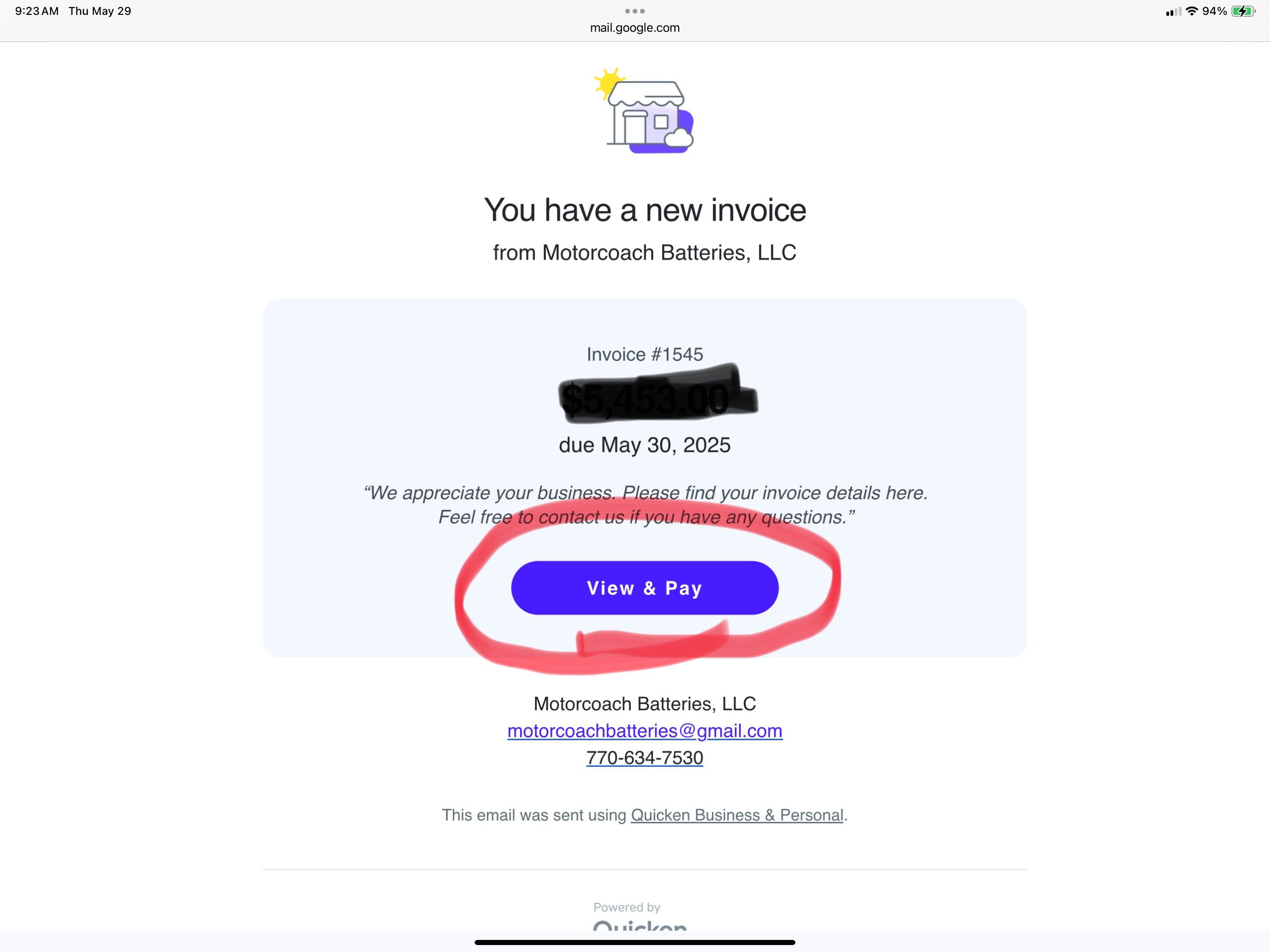
IMG_1751.jpeg
3 votes

Active · Last Updated

Comments

  • Coach Natalie
    Coach Natalie Administrator, Moderator admin

    @truk4u, great suggestion!

    I have turned this into an Idea post so other users can vote on it and our product team can review it. For more details on Idea posts, please see our FAQ here.

    I hope this helps!

    -Coach Natalie

  • truk4u
    truk4u Member

    So the chances of this ever being corrected is probably zilch, but I do appreciate the effort. I’m actually looking at alternatives to Quicken.

    Thanks,

    Tom

  • Marshall01
    Marshall01 Member

    View is great, but Pay confusing to the customer when there is no online Payment set up. This creates a poor user experience for our customers. Many of us have no need for online payments via Simplifi.

Leave a Comment

Rich Text Editor. To edit a paragraph's style, hit tab to get to the paragraph menu. From there you will be able to pick one style. Nothing defaults to paragraph. An inline formatting menu will show up when you select text. Hit tab to get into that menu. Some elements, such as rich link embeds, images, loading indicators, and error messages may get inserted into the editor. You may navigate to these using the arrow keys inside of the editor and delete them with the delete or backspace key.
